Keys
Your vehicle uses a keyless ignition system. This system consists of a Remote Keyless Entry (RKE) key fob and a Wireless Ignition Node (WIN) with integral ignition. You can insert the key fob into the ignition switch with either side up. It also contains an emergency key, which stores in the rear of the key fob.
Note:
The key fob may not be found if it is located next to a mobile phone, laptop or other electronic device; these devices may block the key fob’s wireless signal.
The emergency key allows for entry into the vehicle should the battery in the vehicle or the key fob become depleted. You can keep the emergency key with you when valet parking.
To remove the emergency key, slide the mechanical latch at the top of the key fob sideways with your thumb and then pull the key out with your other hand.
Note:
When using the emergency key to gain access to your vehicle, be aware that the security alarm may be triggered. Insert the key into the ignition and place the ignition in the ON/RUN position to disarm the security system.
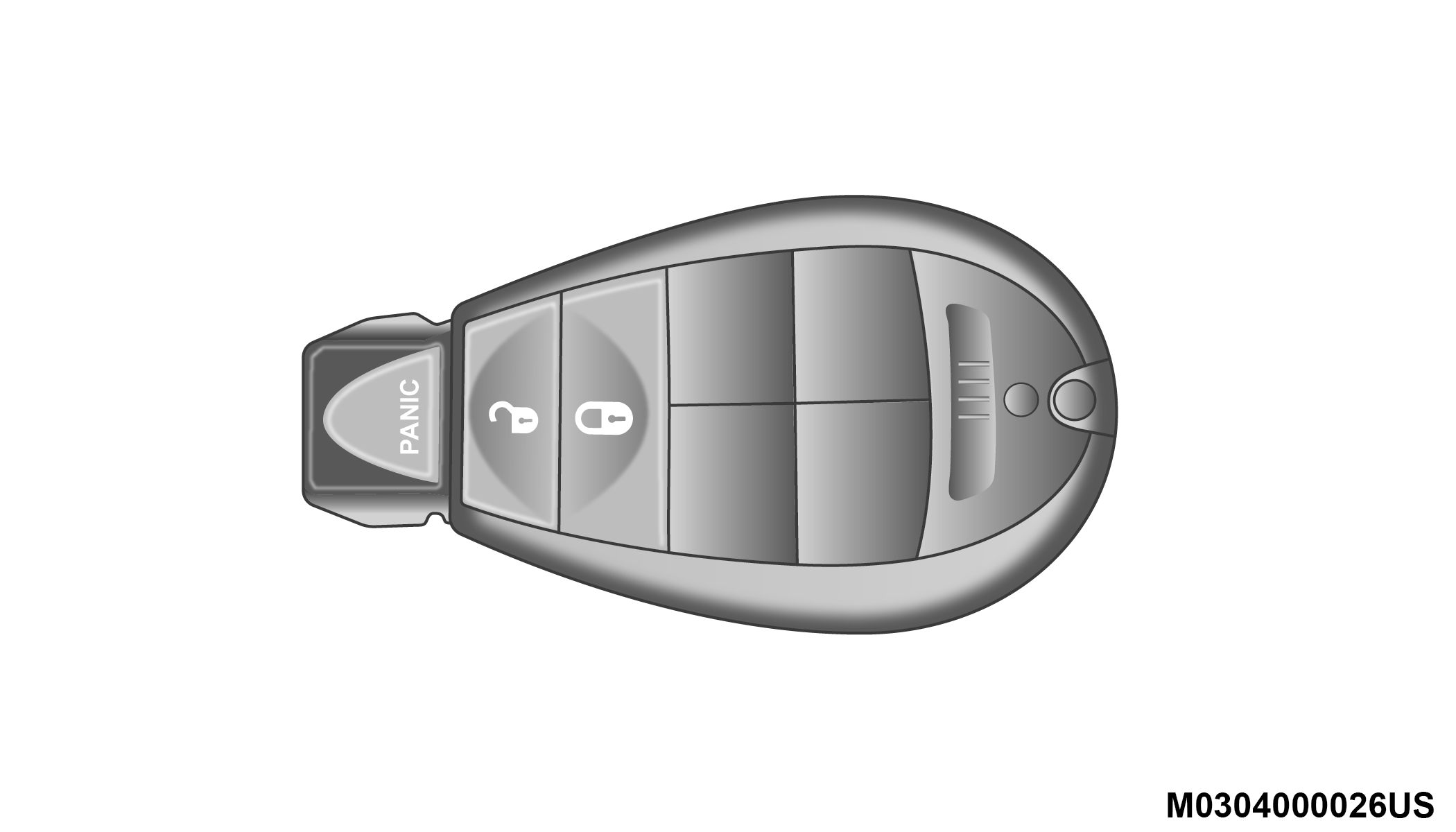
Key Fob
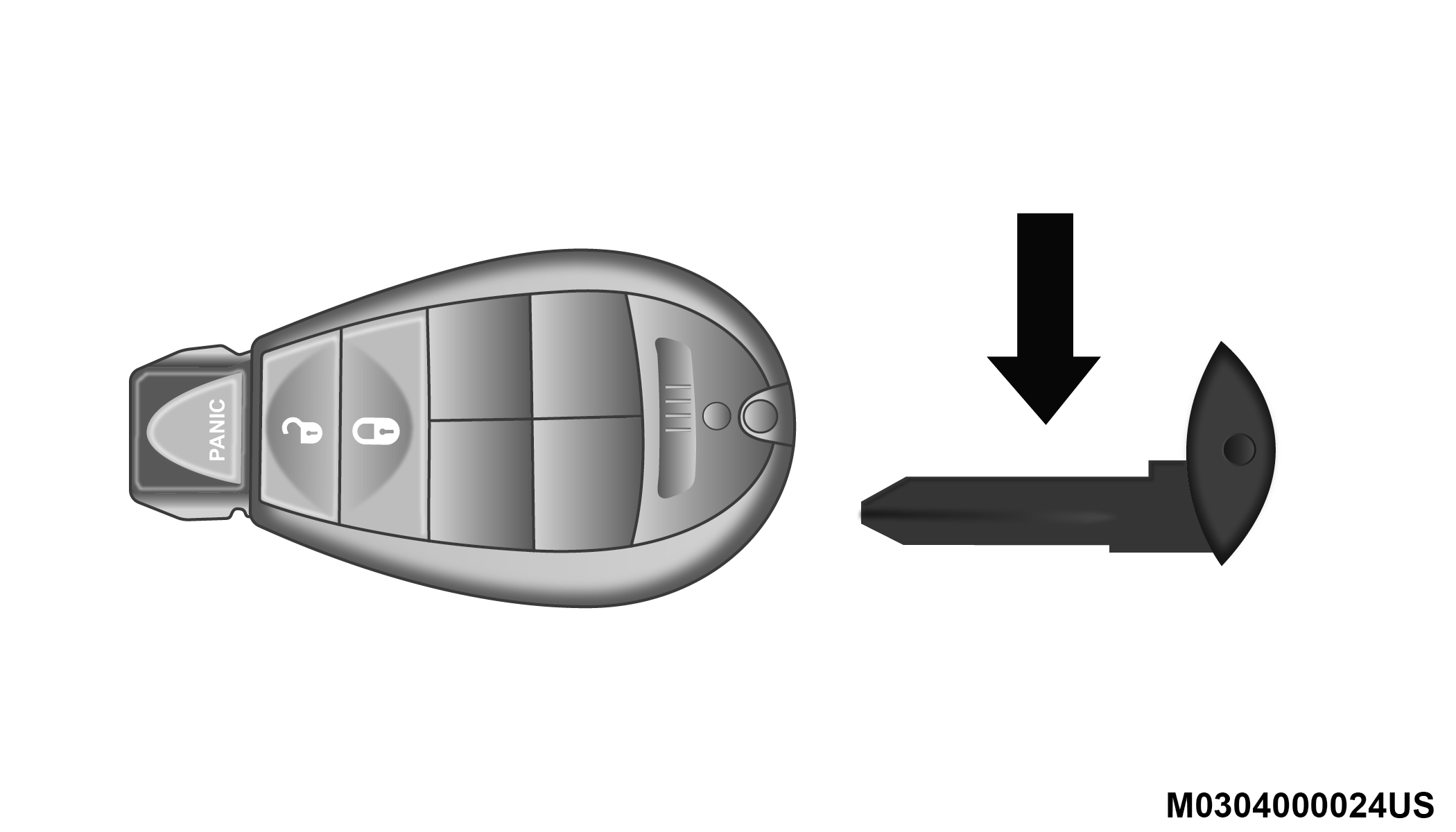
Emergency Key Removal
TO UNLOCK THE DOORS AND LIFTGATE
Push and release the unlock button on the key fob once to unlock the doors. Push and release the unlock button a second time within five seconds to unlock the liftgate. The turn signal lights will flash to acknowledge the unlock signal.
TO LOCK THE DOORS AND LIFTGATE
Push and release the lock button on the key fob once to lock the doors. The turn signal lights will flash to acknowledge the lock signal.
REPLACING THE BATTERY IN THE KEY FOB WITH REMOTE CONTROL
The replacement battery is one CR2032 battery.
Note:
-
Perchlorate Material — special handling may apply. See www.dtsc.ca.gov/hazardouswaste/perchlorate for further information.
-
Do not replace coin battery unless the instrument cluster display shows the message “Key Fob Low Battery”.
-
Do not touch the battery terminals that are on the back housing or the printed circuit board.
-
Remove the emergency key by sliding the mechanical latch on the back of the key fob sideways with your thumb and then pull the key out with your other hand.
Emergency WIN Key Removal
-
Gently pry the two halves of the key fob apart. Make sure not to damage the seal during removal.
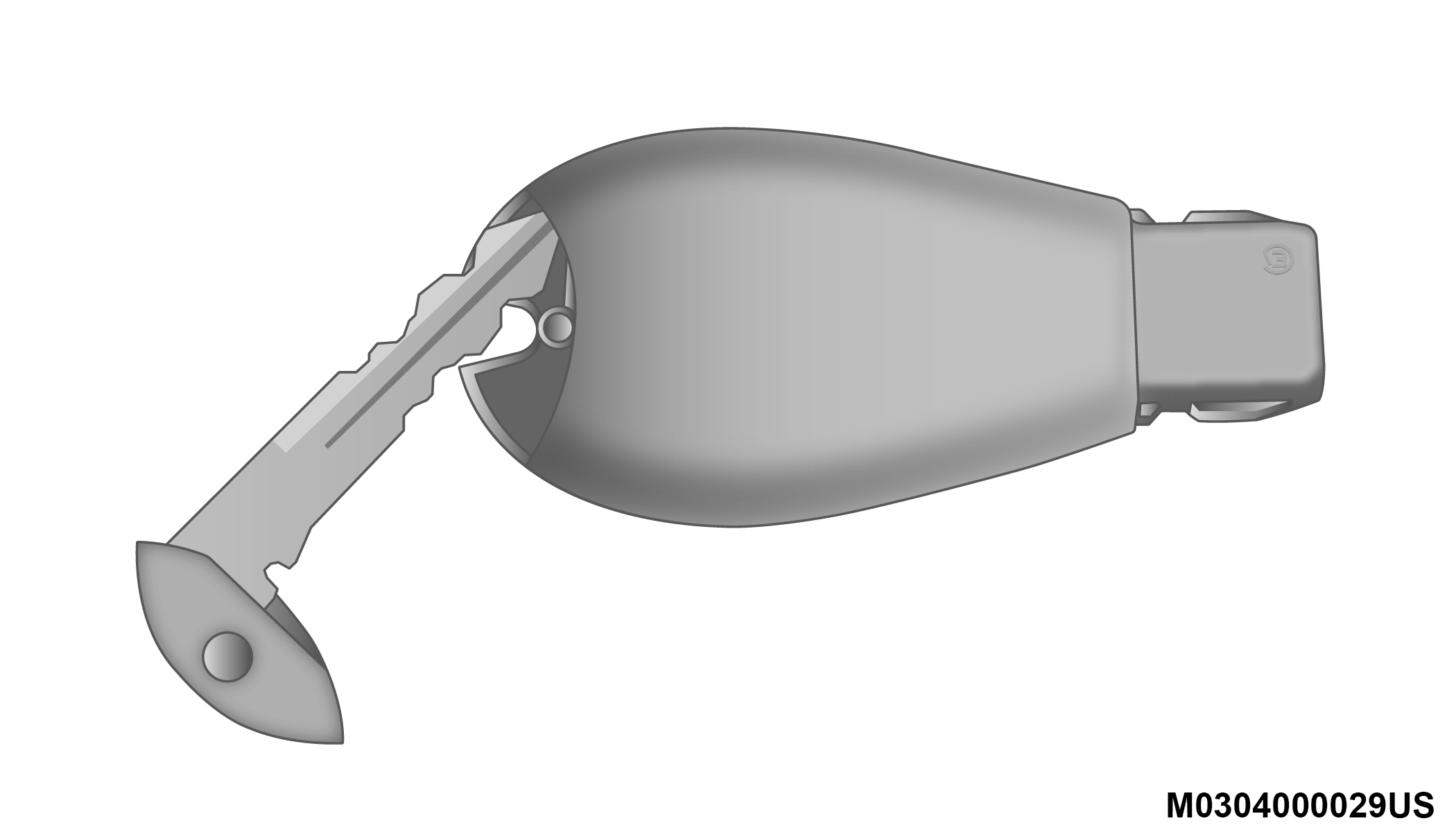
Separating WIN Key Fob Case
-
Remove the battery by turning the back cover over (battery facing downward) and tapping it lightly on a solid surface such as a table or similar, then replace the battery. When replacing the battery, match the (+) sign on the battery to the (+) sign on the inside of the battery clip, located on the back cover. Avoid touching the new battery with your fingers. Skin oils may cause battery deterioration. If you touch a battery, clean it with rubbing alcohol.
-
To assemble the key fob case, line up the two case halves, and snap them together.
PROGRAMMING ADDITIONAL KEY FOBS
Programming the key fob may be performed by an authorized dealer.
Note:
Once a key fob is programmed to a vehicle, it cannot be repurposed and reprogrammed to another vehicle.
GENERAL INFORMATION
The following regulatory statement applies to all Radio Frequency (RF) devices equipped in this vehicle:
This device complies with Part 15 of the FCC Rules and with Innovation, Science and Economic Development Canada license-exempt RSS standard(s). Operation is subject to the following two conditions:
-
This device may not cause harmful interference, and
-
This device must accept any interference received, including interference that may cause undesired operation.
Le présent appareil est conforme aux CNR d`Innovation, Science and Economic Development applicables aux appareils radio exempts de licence. L'exploitation est autorisée aux deux conditions suivantes:
-
l'appareil ne doit pas produire de brouillage, et
-
l'utilisateur de l'appareil doit accepter tout brouillage radioélectrique subi, même si le brouillage est susceptible d'en compromettre le fonctionnement.
La operación de este equipo está sujeta a las siguientes dos condiciones:
-
es posible que este equipo o dispositivo no cause interferencia perjudicial y
-
este equipo o dispositivo debe aceptar cualquier interferencia, incluyendo la que pueda causar su operación no deseada.
Note:
Changes or modifications not expressly approved by the party responsible for compliance could void the user’s authority to operate the equipment.
Download Manual