Chassis Control
The chassis control is an electric control module that includes the following functions:
Active Trace Control
This system senses driving based on the driver’s steering and acceleration/braking patterns, and controls brake pressure at individual wheels to aid tracing at corners and help smooth vehicle response.
The Active Trace Control can be set to ON (enabled) or OFF (disabled) through the Vehicle Information Display “Settings” page. For additional information, refer to “Vehicle Information Display” in the “Instruments and Controls” section of this manual.
When the VDC OFF switch is used to turn off the VDC system, the Active Trace Control is also turned off.
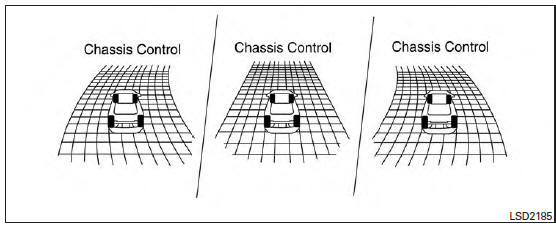
Active trace control
When the Active Trace Control is operated and the “Chassis Control”mode is selected in the trip computer, the Active Trace Control graphics are shown in the vehicle information display. For additional information, refer to “Trip Computer” in the “Instruments and Controls” section of this manual.
If the chassis control warning message appears in the vehicle information display, it may indicate that the Active Trace Control is not functioning properly. Have the system checked by a NISSAN dealer as soon as possible
| WARNING
The active trace control may not be effective depending on the driving condition. Always drive carefully and attentively. |
When the Active Trace Control is operating, you may feel a pulsation in the brake pedal and hear a noise. This is normal and indicates that the active trace control is operating properly.
Even if the Active Trace Control is set to OFF, some functions will remain on to assist the driver (for example: avoidance scenes).
Active Engine Brake
The Active Engine Brake function adds subtle deceleration by controlling CVT gear ratio, depending on the cornering condition calculated from driver’s steering input and plural sensors.
This benefit is for easier traceability and less workload of adjusting speed with braking at corners.
The Active Engine Brake also enhances braking feel by adding subtle deceleration with CVT gear ratio control according to driver’s brake pedal operation The Active Engine Brake can be set to ON (enabled) or OFF (disabled) through the Vehicle Information Display “Settings” page. For additional information, refer to “Vehicle Information Display” in the “Instruments and Controls” section of this manual.
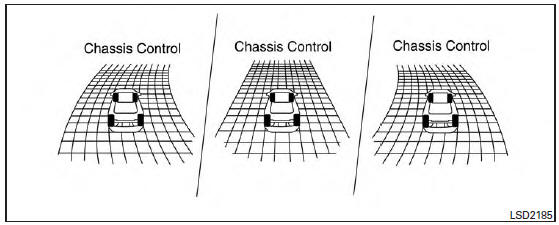
Active engine brake
When the Active Engine Brake is operated at corners and the “Chassis Control” mode is selected in the trip computer, the Active Engine Brake graphics are shown in the vehicle information display. For additional information, refer to “Trip Computer” in the “Instruments and Controls” section of this manual.
If the chassis control warning message appears in the vehicle information display, it may indicate that the Active Engine Brake is not functioning properly. Have the system checked by a NISSAN dealer as soon as possible.
| WARNING
The Active Engine Brake may not be effective depending on the driving condition. Always drive carefully and attentively. |
When the Active Engine Brake is operating, the needle of the tachometer will rise up and you may hear an engine noise. This is normal and indicates that the active engine brake is operating properly.
Active Ride Control
This system senses upper body motion (based on wheel speed information) and controls engine torque and four wheel brake pressure. This will enhance ride comfort in effort to restrain uncomfortable upper body movement when passing over undulated road surfaces . This system comes into effect above 25 mph (40 km/h).
When the VDC OFF switch is used to turn off the VDC system, the Active Ride Control is also turned off.
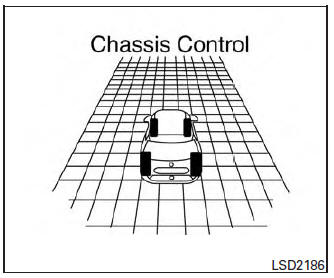
Active ride control
When brake control of Active Ride Control is operated and the “Chassis Control” mode is selected in the trip computer, the Active Ride Control graphics are shown in the vehicle information display. For additional information, refer to “Trip Computer” in the “Instruments and Controls” section of this manual.
If the chassis control warning message appears in the vehicle information display, it may indicate that the Active Ride Control is not functioning properly. Have the system checked by a NISSAN dealer as soon as possible.
When the Active Ride Control is operating, you may hear noise and sense slight deceleration.
This is normal and indicates that the Active Ride Control is operating properly.
Download Manual