Wi-Fi Connection
Models with Display Audio
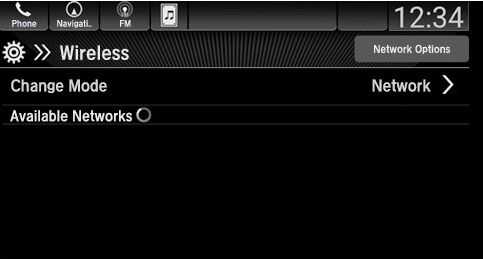
You can connect the audio system to the internet using Wi-Fi. If your compatible phone has hotspot capabilities, the system can be tethered to the phone. Follow the steps below to set up Wi-Fi when the vehicle is stopped. Standard data rates apply with your phone service provider.
- From Home, select Settings
- Select Connections, then Wi-Fi.
- Select Change Mode.
- Select Network, then Save.
- Select an available network from the list.
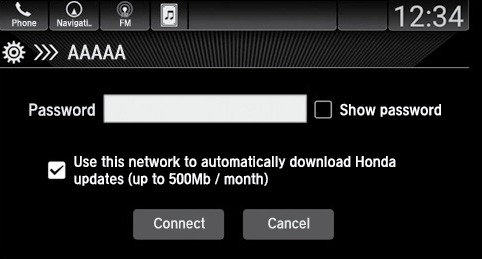
- If required, enter a password, then select Connect.
The connected network will be displayed at the top of the list when the connection is successful.
*if equipped
Related topics:
- Apple CarPlay
- Android Auto
- Basic Navigation Operation
- SiriusXM Radio*
- Managing Apps
- iPod
- Color Audio Operation*
- Basic Audio Operation
Download Manual