Cross Traffic
Monitor*
Alerts you if a detected vehicle is approaching from a rear corner when your vehicle is in Reverse (R) at speeds of 3 mph (5 km/h) or lower, which can be helpful when backing out of parking spaces.
The system does not provide alerts for a vehicle that is directly behind or moving away from your vehicle, and it may not detect pedestrians, bicycles, or stationary objects.
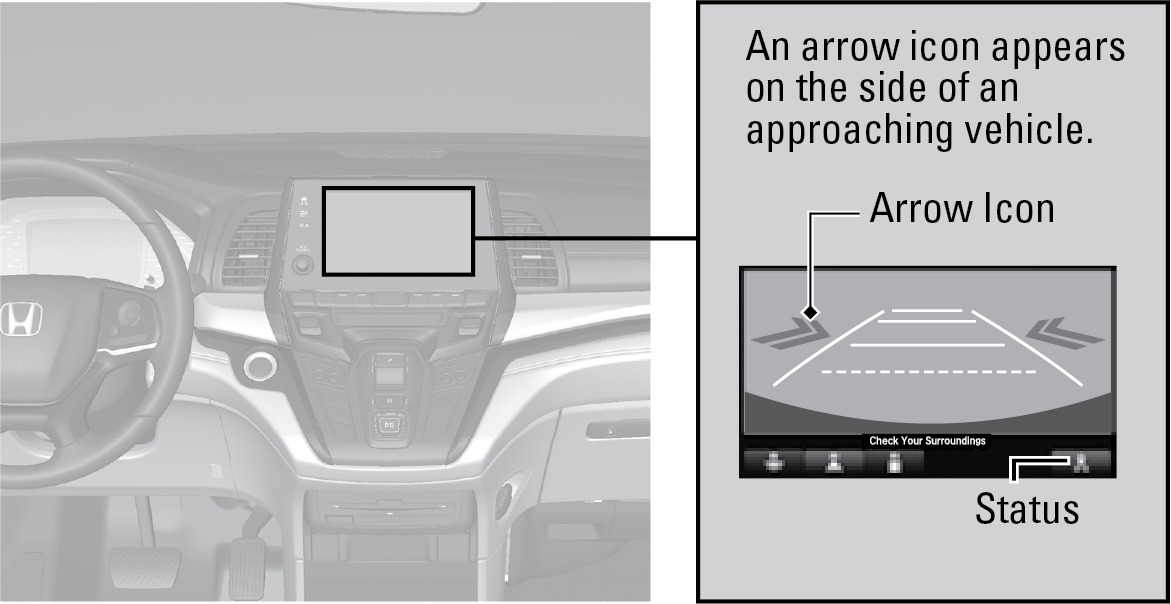
*if equipped
Turning the System On or Off
- From the HOME screen, select Settings.
- Select Settings.
- Select Camera.
- Select Rear Camera.
- Select Cross Traffic Monitor.
- Select On or Off.
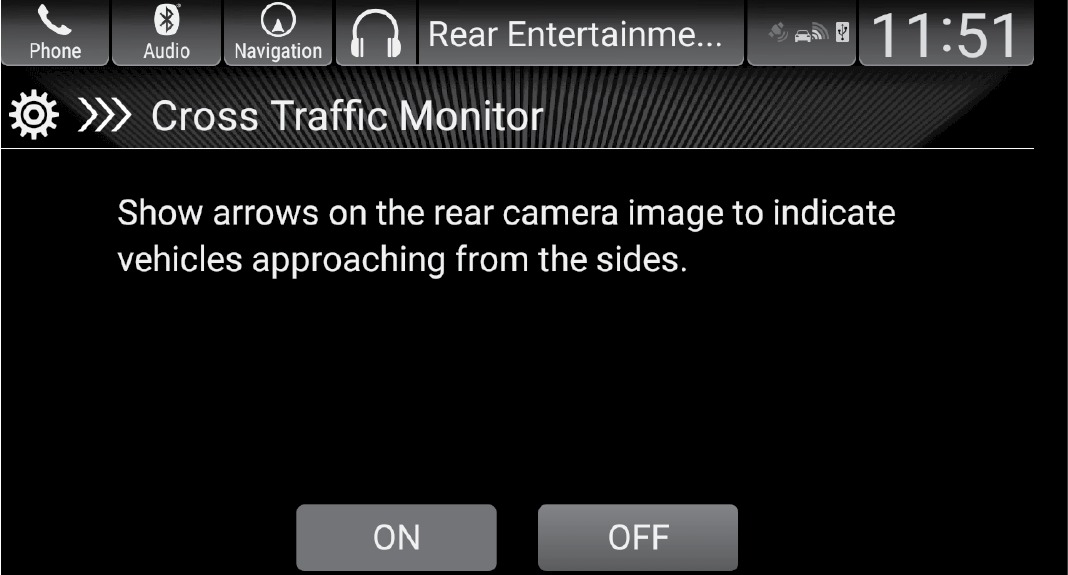
You can also select the status icon on the lower right corner of the screen when the monitor is on to turn it off.
This system cannot detect all approaching vehicles and may not detect an approaching vehicle at all.
Failure to visually confirm that it is safe to back up the vehicle before doing so may result in a collision.
Do not solely rely on the system when reversing; always also use your mirrors, and look behind and to the sides of your vehicle before reversing.
Download Manual