Door Operation
Use several methods to lock or unlock the doors.
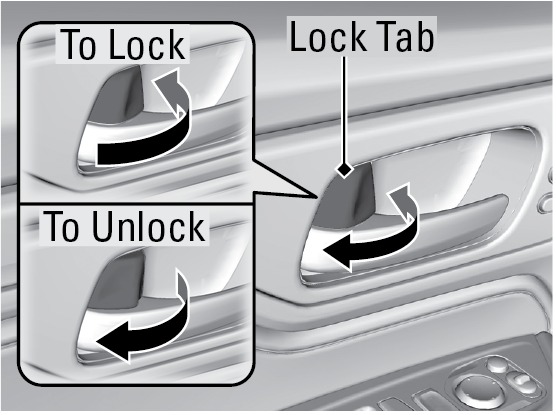
Using the Lock Tab
To unlock: When you unlock a front door using the lock tab, only that door unlocks.
To lock: When you lock the driver's door using the lock tab, all the doors and tailgate lock at the same time.
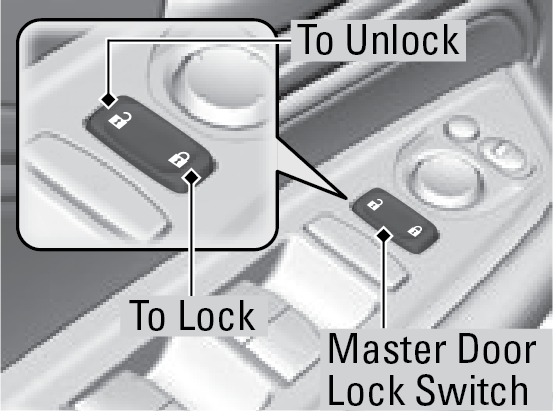
Using the Master Door Lock Switch
To unlock: Press the unlock side of the switch to unlock all doors and the tailgate.
To lock: Press the lock side of the switch to lock all doors and the tailgate.
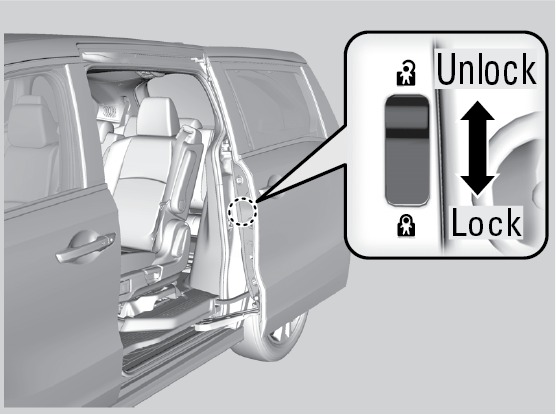
Childproof Door Locks
The childproof door locks prevent the rear doors from being opened from the inside, regardless of the position of the lock tab.
Slide the lever in the rear door to the lock position and close the door.
Open the door using the outer door handle.
Customizing Door Lock/Unlock Settings
Customize the auto door-lock setting to your preference. Begin with the vehicle off.
Models with color audio
Begin with the vehicle stopped and the power mode set to ON.
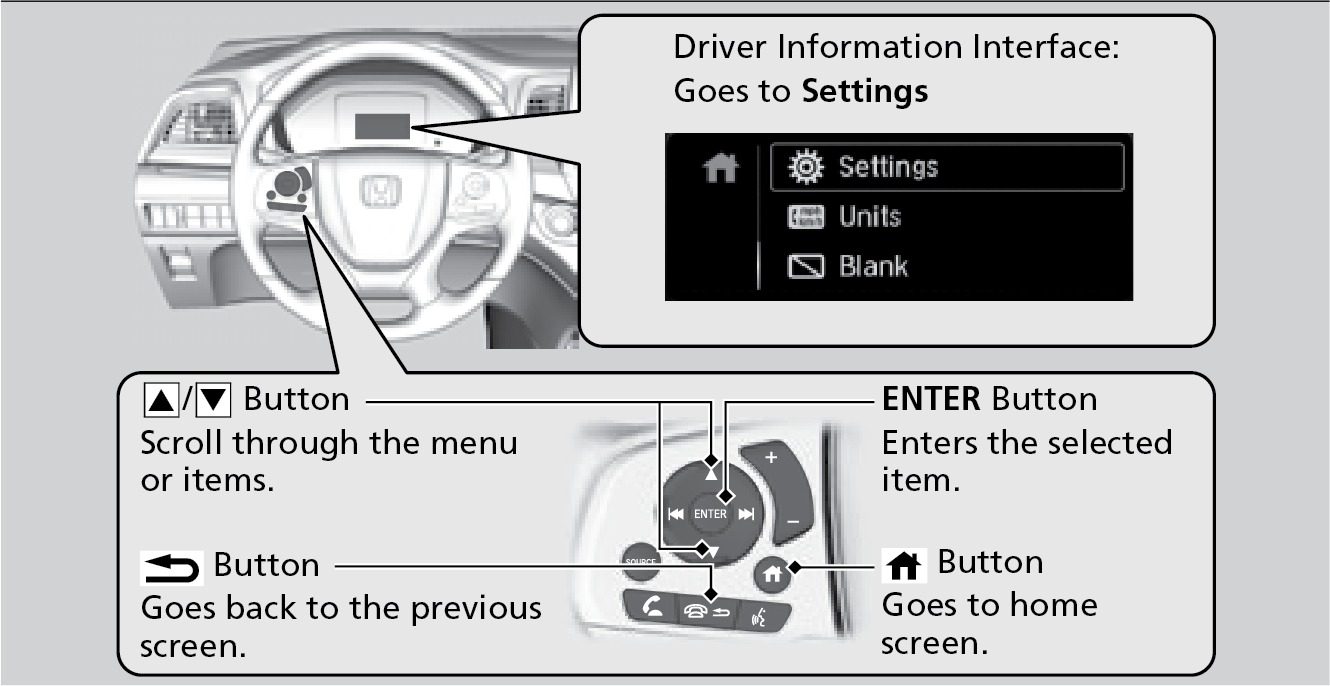
Use the  buttons to make selections, then press Enter.
- Press Home on the steering wheel.
- Select Settings.
- Select Vehicle Customization.
- Select Door/Window Setup.
- Select Auto Door Lock or Auto Door Unlock
- Select an option.
- The default for Auto Door Lock is With Vehicle Speed.
- The default for Auto Door Unlock is All Doors When Driver's Door Opens.
Opening/Closing the Sliding Doors
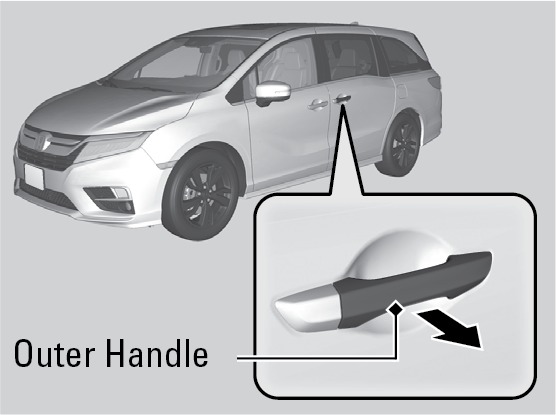
From the outside, pull the outer door handle and slide the door all the way to the front or rear.
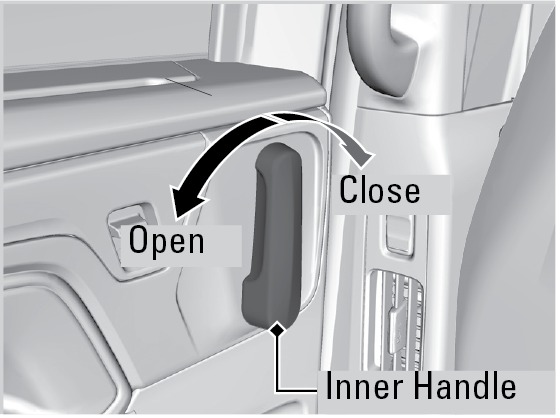
From the inside, grab the inner door handle and slide the door all the way to the front or rear.
Power Sliding Doors*
When the power mode is VEHICLE OFF (LOCK) or the remote engine start mode is active, the power sliding doors operate when:
- The power sliding door switch is ON (as shown) and
- The power sliding door is unlocked and
- The fuel-fill door is closed (for driver's side sliding door).
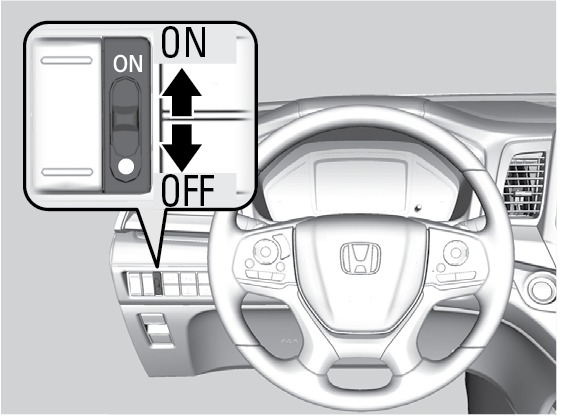
When the power mode is ON, the power sliding doors operate when:
- The shift position is P and
- The brake pedal is depressed or the electric parking brake is applied and
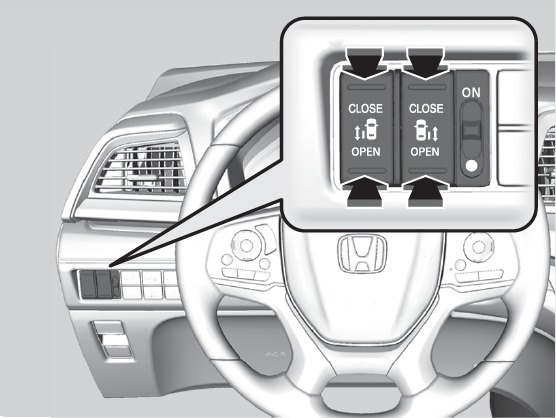
- You use the power sliding door switches on the dashboard.
From the inside
Press OPEN on the power sliding door button for the desired door side. Press CLOSE to close the door.
While a power sliding door is in operation, you can press the button again to stop it from opening or closing. Press the button again to resume operation.
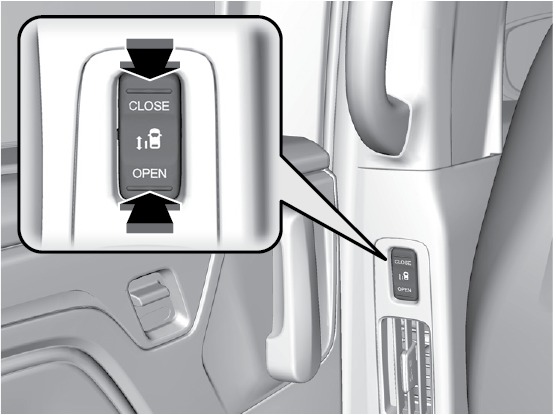
While a power sliding door is in operation, you can pull the handle again to stop it from opening or closing. Pull the handle again to resume operation.
A sliding door will not open fully if the window is open more than 3 inches (8 cm). Close the door, close the window, and open the door again.
The driver's side sliding door will not open if the fuel fill door is opened.
Closing a sliding door while any part of a passenger is in the door's path can cause serious injury.
Make sure all passengers are clear of the doorway before closing a sliding door.
Walk Away Auto Lock®*
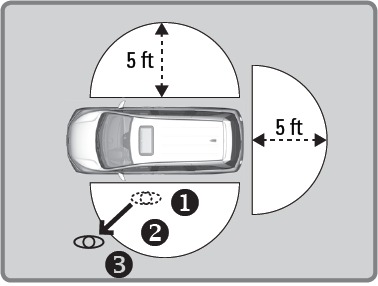
When you walk away from the vehicle while carrying the remote transmitter, the doors and trunk can automatically lock if the following conditions are met:
- The remote transmitter is within a range of 5 feet (1.5 m).
- All doors are closed.
- There is not an additional remote transmitter inside the vehicle.
Follow these steps (see diagram):
- Carry the remote transmitter while you exit the vehicle. Close all the doors and stay near the vehicle. Listen for a beep. They system is activated.
- Walk at least 5 feet (1.5 m) away.
- Listen for a beep and look for the lights to flash. The doors lock.
To turn on this feature, follow the steps below:
- From the HOME screen, select Settings.
- Select Vehicle. The vehicle must be in Park (P).
- Select Keyless Access Setup.
- Select Walk Away Auto Lock.
- Select Enable.
- Select BACK to exit each menu.
*if equipped
- Using the Remote Transmitter
- Smart Entry System*
Download Manual