Basic Navigation
Operation
A real-time navigation system uses GPS and a map database to show your current location and help guide you to a desired destination. You can operate the system using voice commands or the system controls.
To reduce the potential for driver distraction, certain manual functions may be inoperable or grayed out while the vehicle is moving. Voice commands are always available.
Steering Wheel Controls
Use the steering wheel controls to say voice commands.
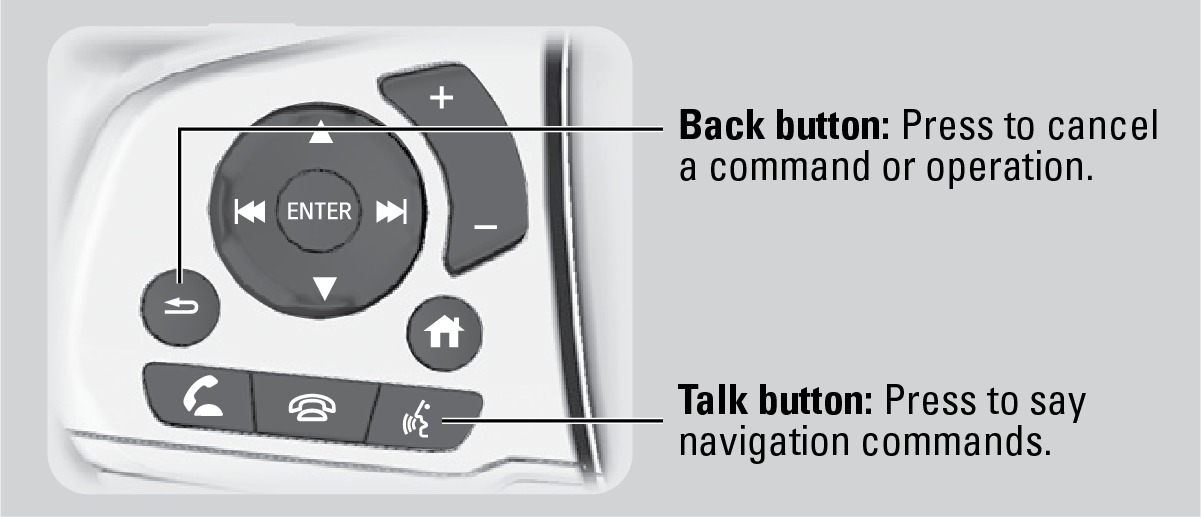
Talk Button Tips
For a list of available navigation commands, see "Voice Command Index". The system recognizes only the commands on the list.
- When using the Talk button, wait for a beep before saying a command.
- To bypass the system prompts, simply press the Talk button again to say your command.
- Speak in a clear, natural voice.
- Reduce all background noise.
- Adjust the dashboard vents away from the microphone in the ceiling.
- Close the windows and moonroof.
*if equipped
System Guidance Volume
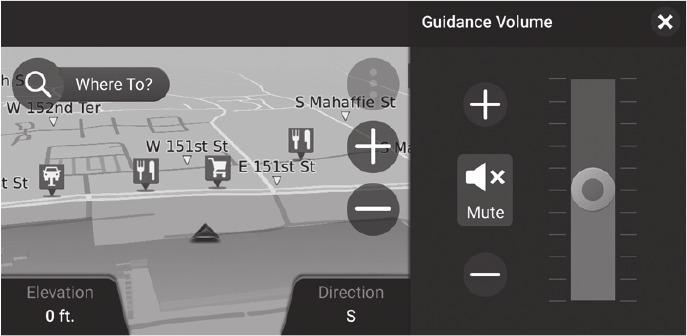
Adjust the navigation system volume.
- From the HOME screen, select Navigation.
- Select Map Tools, then Guidance Volume.
- Select + or - to adjust the volume, or select Mute.
- Press BACK to exit the menus.
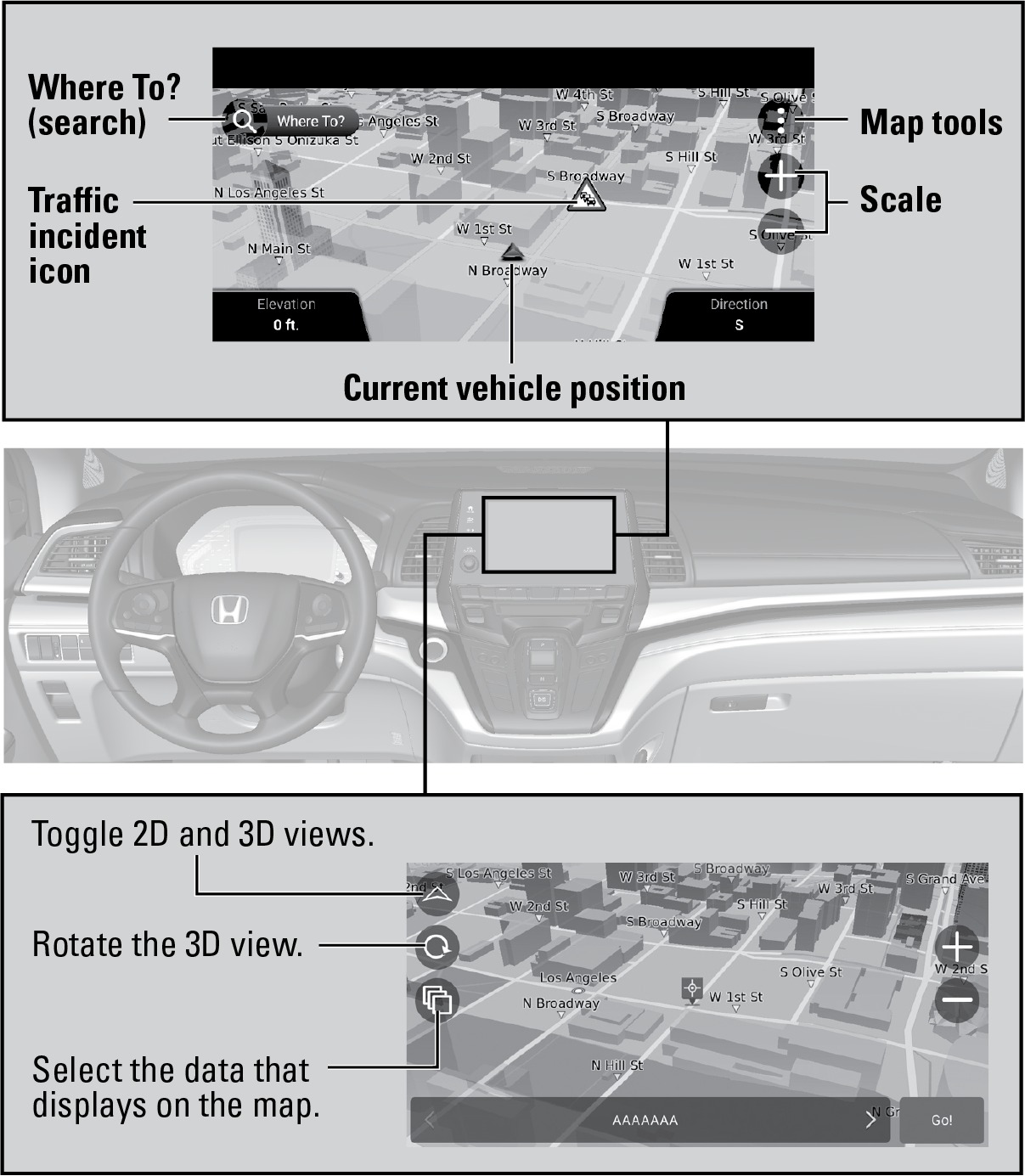
Navigation Display and Controls
Touch icons on the screen to enter information and make selections.
Setting Touchscreen Sensitivity
You can adjust the touchscreen's sensitivity to your fingertip.
- From the HOME screen, select Settings, then System.
- Select Touch Sensitivity.
- Make your selection.
Related topics:
- Entering a Destination
- Routing
- Voice Command Index
- Steering Wheel and Nearby Controls
- Managing Apps
- System Updates
Download Manual