Braking
Slow down or stop your vehicle, and keep it from moving when parked.
Foot Brake
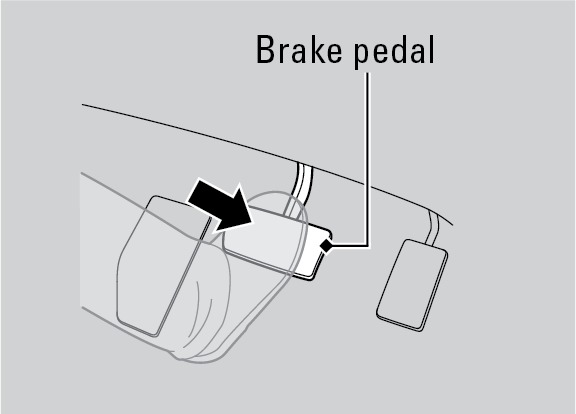
Press the brake pedal to slow down or stop your vehicle from moving.
Brake Assist System
During hard or emergency braking, the system increases braking force. The brake pedal may move slightly or make a noise; this is normal. Continue to hold the brake pedal firmly down.
Anti-Lock Brake System (ABS)
During hard or emergency braking, the system rapidly pumps the brakes to prevent wheel lockup and help you maintain steering control. Do not pump the brake pedal, rather continue to hold it firmly down.
When ABS activates, you may notice vibrations through the brake pedal or the vehicle body, the brake pedal depressing further than usual, or hear a motor noise from the engine compartment. These are all normal.
In normal use, the ABS system will occasionally cause a motor sound from the engine compartment, especially when the engine is first started or after repeated use of the brakes.
The ABS may not function correctly if you use an incorrect tire type and size.
Electric Parking Brake
Apply the electric parking brake as you're getting ready to step out of the vehicle once your drive is complete.
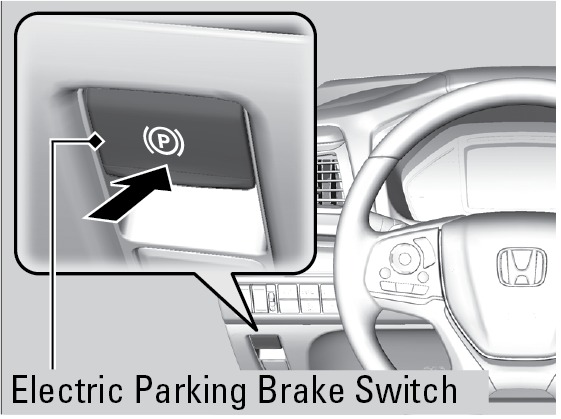
To apply: Push the switch. The BRAKE indicator appears in the instrument panel. Push and hold the switch down for emergency braking while the vehicle is moving.
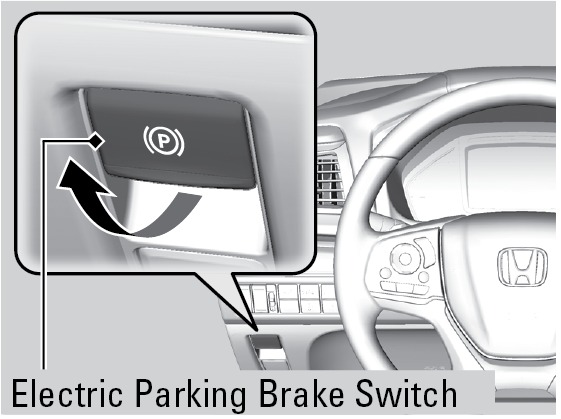
To release: Press the brake pedal and make sure your seat belt is fastened. Pull the switch up to release. Or, release by lightly pressing the accelerator pedal while the vehicle is in gear.
Automatic Brake Hold
Use brake hold to make stop-and-go driving easier. It maintains rear brake hold even after the brake pedal is released. Make sure the vehicle is on and your seat belt is fastened when operating this feature.
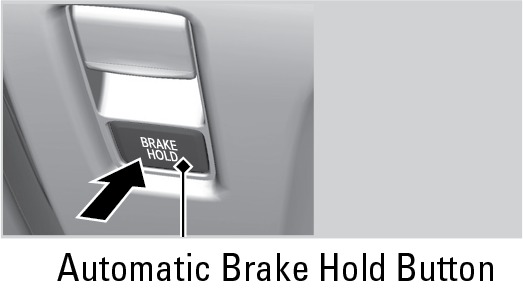
- Press the BRAKE HOLD button, below the electric parking brake. The BRAKE HOLD indicator appears.
- With the shift lever in Drive (D) or Neutral (N), press the brake pedal and come to a complete stop. The HOLD indicator appears, and brake hold is applied. Release the brake pedal.
Press the accelerator pedal to cancel brake hold and start moving.
To turn off brake hold: Press the brake pedal and press the BRAKE HOLD button again.
Activating the automatic brake hold system on steep hills or slippery roads may still allow the vehicle to move if you remove your foot from the brake pedal.
If a vehicle unexpectedly moves, it may cause a crash resulting in serious injury or death.
Never use the automatic brake hold system or rely on it to keep a vehicle from moving when stopped on a steep hill or slippery roads.
Using the automatic brake hold system to park the vehicle may result in the vehicle unexpectedly moving.
If a vehicle moves unexpectedly, it may cause a crash, resulting in serious injury or death.
Never leave the vehicle when braking is temporarily kept by automatic brake hold and always park the vehicle by putting the transmission in Park (P) and applying the electric parking brake.
Automatic brake hold cancels when:
- Braking is applied for more than 10 minutes.
- The electric parking brake is engaged.
- The foot brake is pressed and the shift lever is moved to P or R.
- The driver's seat belt is unfastened.
- The engine is turned off.
- Starting to Drive
- Before Driving
Download Manual