Malfunction
Indicators
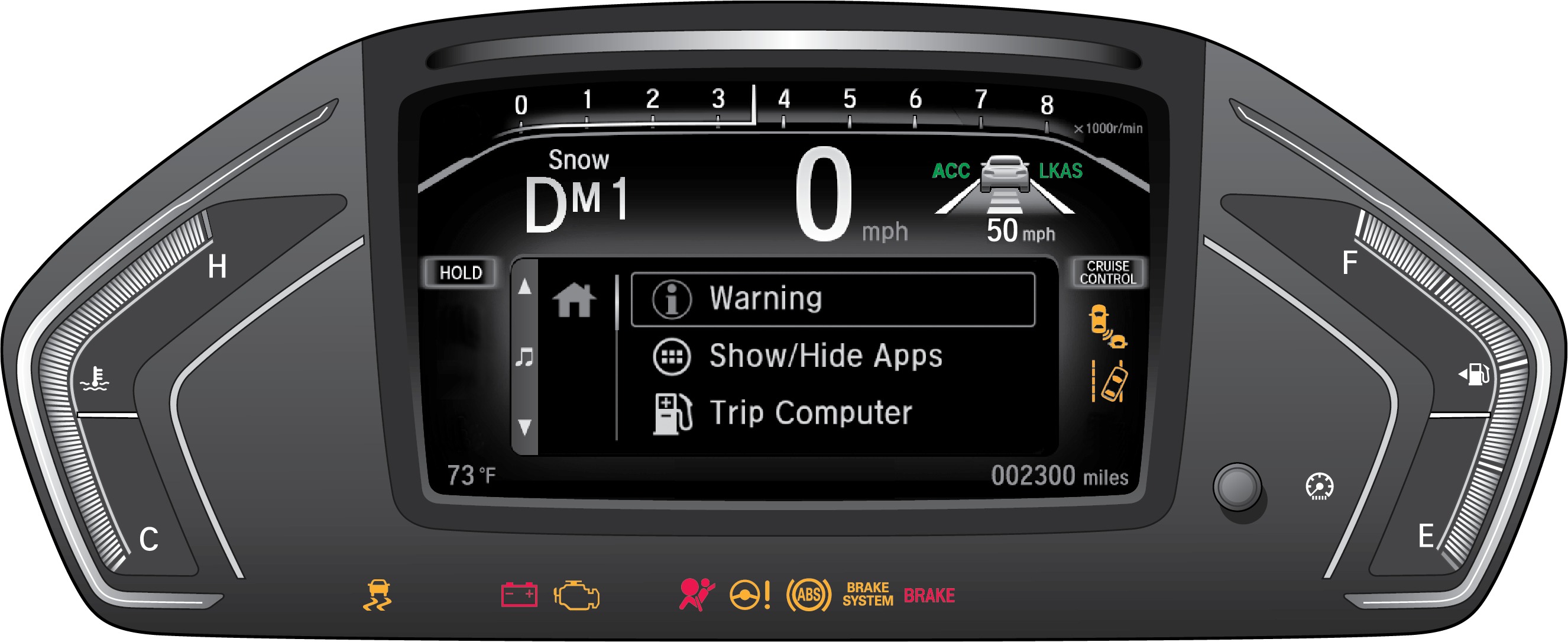
Indicators briefly appear with each engine start and then go out. Red and amber indicators are most critical. Blue and green indicators are used for general information.
These are the most critical indicators. If they come on and stay lit while driving or at any other time, there may be a problem. See your dealer if necessary.
 |
Brake system
Press the brake pedal lightly to check pedal pressure. If normal, check the brake fluid level when you stop. If abnormal, take immediate action. If necessary, downshift the transmission to slow the vehicle using engine braking. Have your vehicle repaired immediately. |
 |
Electric Power Steering (EPS) There is a problem with the system. |
 |
Charging system The battery is not charging. Turn off all electrical items to prevent further battery discharge, but do not turn off the vehicle. Have your vehicle repaired immediately. |
 |
Supplemental Restraint System (SRS) There is a problem with one of the airbag systems or seat belt tensioners. |
 |
Malfunction indicator lamp (check engine light)
|
 |
Anti-Lock Brake System (ABS) There is a problem with the anti-lock brake system. Your vehicle still has normal braking ability, but no anti-lock function. |
 |
Lane Keeping Assist System (LKAS)* There is a problem with the system. |
 |
Road Departure Mitigation (RDM) Indicator* There is a problem with the system, the temperature is too high, or the camera is blocked. |
 |
Vehicle Stability Assist (VSA) There is a problem with the system. |
 |
Brake system There is a problem with one of the braking systems. |
 |
Blind spot information (BSI)* There is a problem with the system. |
*if equipped
- Condition Indicators
- On / Off Indicators
- Engine Oil
- Overheating
- Driver Information Interface
- Braking
- Airbags
- Seat Belts
- Tire Pressure Monitoring System (TPMS)
- Vehicle Stability Assist (VSA)
Download Manual