Using the Touchscreen
Select a character or icon on the screen to select it.
- Select
 to remove the last entered character.
 - Select
 to display upper/lower case characters.
 - Select
 to enter a space character.
 - Select
 to display other types of characters.
 - Select
 to change the keypad language.
 - Select
 to entered character.


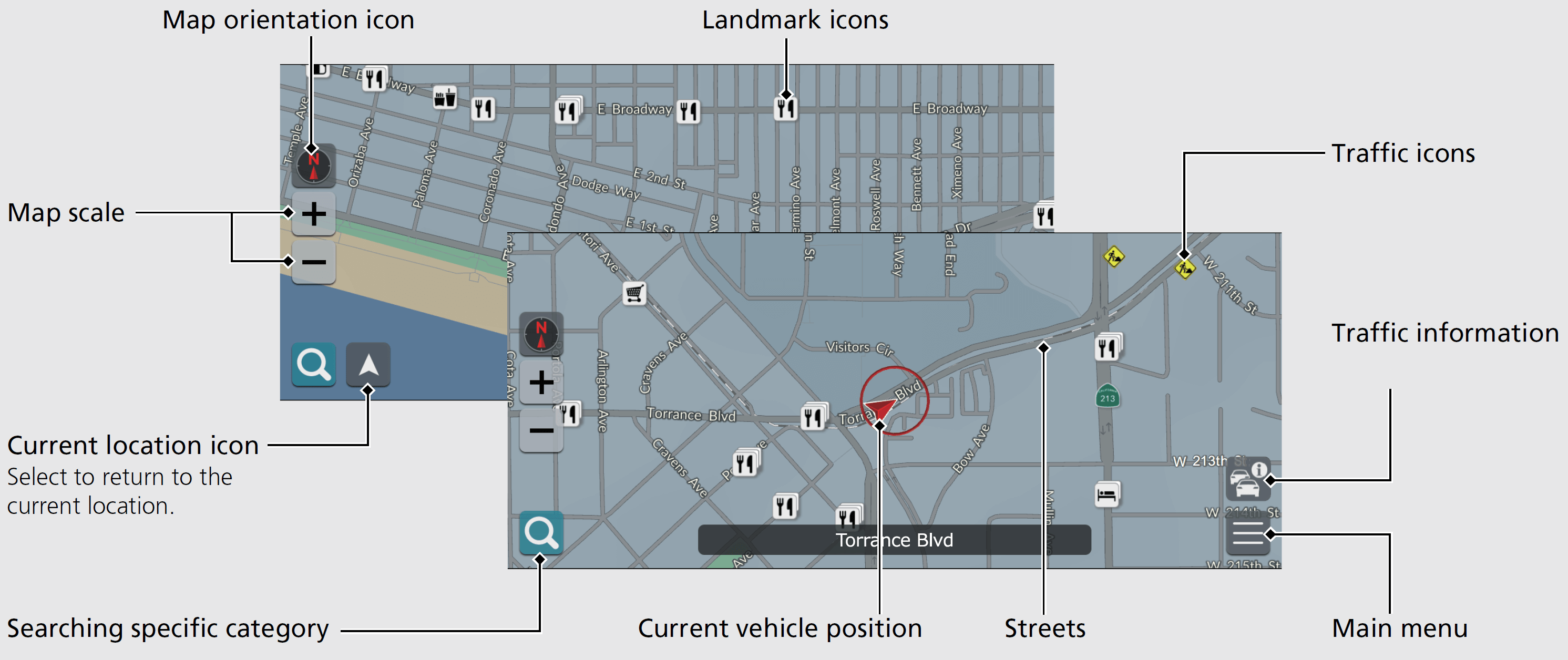
Map Screen Legend
The color of the map is different depending on the selected Map Theme.
Download Manual