Luggage Compartment
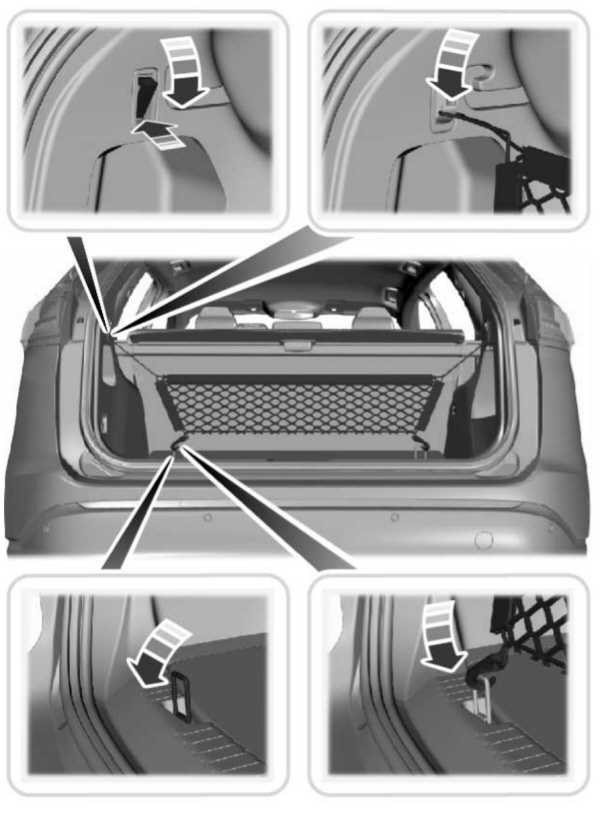
Installing and Removing the Luggage Compartment Cargo Net (If Equipped)
 WARNING: This net is not designed to restrain objects during a collision or heavy braking. WARNING: This net is not designed to restrain objects during a collision or heavy braking. |
Attach the net to the anchors. Repeat the attachment on both sides of the vehicle.
Installing and Removing the Luggage Compartment Cover (If Equipped)
| WARNING: Make sure that you properly secure the luggage cover. Failure to follow this instruction could result in personal injury in the event of a sudden stop or crash. WARNING: Do not place objects on the luggage cover. Failure to follow this instruction could result in personal injury or death in the event of a sudden stop or crash. |
Use the luggage cover to conceal items in the luggage compartment.
Installing the Luggage Cover
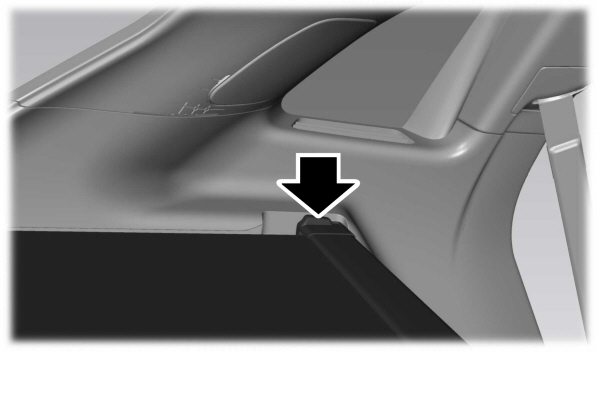
The luggage cover cassette attaches to the rear quarter trim panel.
- Load the cassette into the rear quarter trim from the top down.
- Push the cassette down, the click indicates the luggage cover is properly installed.
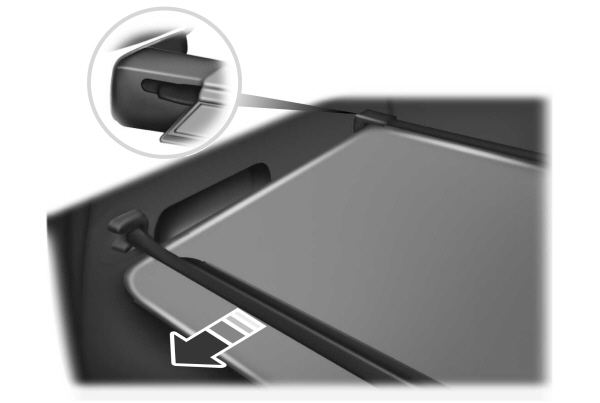
- Pull the cargo shade rearward. Secure the cover into the slots on the rear quarter trim panels.
Removing the Luggage Cover
- Remove the cover from the slots on the rear quarter trim panel and allow the cover to retract.
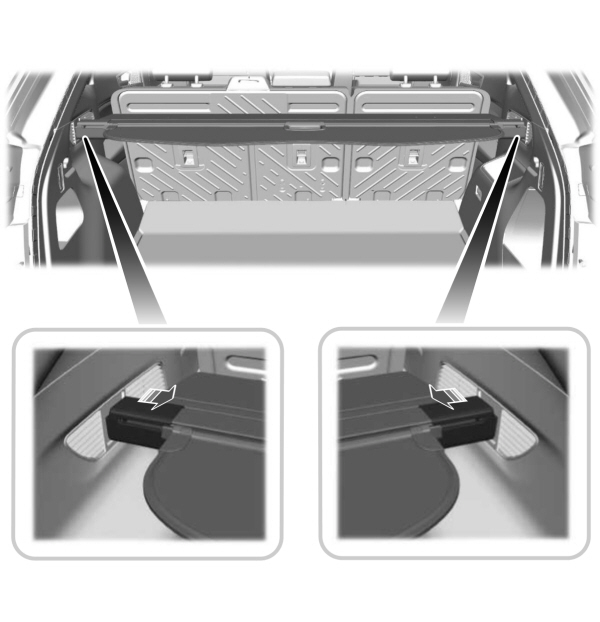
- To release the cassette from the rear quarter trim panel, slide the caps inward.
- Lift the cassette up.
Download Manual