Connectivity settings
|
|
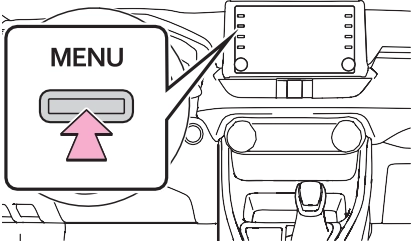
Respond and operate the Bluetooth® device according to the confirmation message.
nected, turn the cellular phone off and on and then connect it again.
SSP (Secure Simple Pairing) compatible Bluetooth® devices. Depending on the type of Bluetooth® device being connected, a message confirming registration may be displayed on the Blue- tooth® device’s screen.
Respond and operate the Bluetooth® device according to the confirmation message.
To use the Bluetooth® audio, it is necessary to register an audio player with the system.
Once the player has been regis- tered, it is possible to use the Bluetooth® audio.
This operation cannot be per- formed while driving.
For details about registering a Bluetooth® device: P.397
1 Turn the Bluetooth® connec- tion setting of your audio player on.
player is set to off.
This system supports the follow- ing services.
1.0 (Recommended: Ver. 1.7)
audio-multimedia in Puerto Rico, to find approved Bluetooth® phones for this system.

Bluetooth is a registered trademark of Bluetooth SIG, Inc.
*: This function is not made avail- able in some countries or areas.
|
|
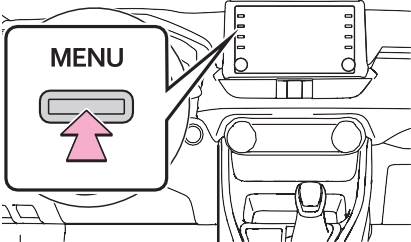
Connecting a Bluetooth® device and editing the Blue- tooth® device information (P.395, 398)
Registering a Bluetooth® device (P.397)
Deleting a Bluetooth® device (P.397)
Setting the Bluetooth® sys- tem (P.399)
Up to 5 Bluetooth® devices (Phones (HFP) and audio play- ers (AVP)) can be registered.
If more than 1 Bluetooth® device
has been registered, select which device to connect to.
“Add”: Registering a Bluetooth® device. (P.397)
“Preferred Device Settings”: Select to change the automatic connection priority of the registered Bluetooth® devices. (P.400)
“Remove”: Deleting a Bluetooth® device. (P.397)
 : Phone
 : Audio player
 : Phone/Toyota Apps Services
When another Bluetooth® device is connected
P.481
P.440
To turn auto connection mode on, set “Bluetooth Power” to on. (P.399) Leave the Bluetooth® device in a location where the connection can be established.
When the auto connection has failed or “Bluetooth Power” is turned off, it is necessary to con- nect the Bluetooth® device man- ually.
When 5 Bluetooth® devices have already been registered
®
If a Bluetooth® phone is discon- nected due to poor reception from the Bluetooth® network when the engine switch is in ACC or ON, the system auto- matically reconnects the Blue- tooth® phone.
Up to 5 Bluetooth® devices can be registered.
Bluetooth® compatible phones (HFP) and audio players (AVP) can be registered simultane- ously.
This operation cannot be per- formed while driving.
When another Bluetooth® device is connected
the first time” from step 5. (P.390)
This operation cannot be per- formed while driving.
This operation cannot be per- formed while driving.
The name of the Bluetooth® device is displayed. It can be changed to a desired name. (P.399)
Select to set the Bluetooth® audio player connection method. (P.399)
Device address is unique to the device and cannot be changed.
Phone number is unique to the Bluetooth® phone and cannot be changed.
Compatibility profile is unique to the Bluetooth® device and cannot be changed.
Select to reset all setup items.
“Vehicle”: Select to connect the audio player from the vehicle’s audio/visual system.
“Device”: Select to connect the vehicle’s audio/visual system from the audio player.
player, the “Vehicle” or “Device” connection method may be best. As such, refer to the manual that comes with the audio player.
The Bluetooth® settings can be confirmed and changed.
Select to set Bluetooth® con- nection on/off. (P.400)
Select to change the auto- matic connection priority of the registered Bluetooth® devices. (P.400)
Select to edit the system information. (P.400)
Select to reset all setup items.
1 Select “Bluetooth Power”. When “Bluetooth Power” is on: The Bluetooth® device is auto- matically connected when the
engine switch is in ACC or ON.
When “Bluetooth Power” is off: The Bluetooth® device is dis- connected, and the system will not connect to it next time.
matic connection priority of the registered Bluetooth® phones. (P.400)
Select to change the auto- matic connection priority of the registered Bluetooth® audio players. (P.400)
Select to reset all setup items.
Select to set automatic con- nection priority on/off.
Select to change the auto-
2 Select the desired item to be set.
Displays system name. Can be changed to a desired name. (P.401)
PIN code used when the Bluetooth® device was regis- tered. Can be changed to a desired code. (P.401)
Device address is unique to the device and cannot be changed.
Select to set the connection status display of the phone on/off.
Select to set the connection status display of the audio player on/off.
Compatibility profile of the system
Select to reset all setup items.
*: Vehicles equipped with DCM only. This function is not made available in some countries or areas.
*: Wi-Fi® is a registered trademark of Wi-Fi Alliance®.
Select to check/change the access point password. (P.404)
Select to display hints for connecting to the vehicle via Wi-Fi®.
Select to make the access point searchable/unsearch- able.
Select to check/change the security protocol of the access point (for authentica- tion and encryption). (P.404)
Select to change the access point name (SSID). (P.404)
Select to change the Wi-Fi® connection channel (within the 2.4GHz frequency band). (P.404)
When the Wi-Fi® Hotspot func- tion is enabled, the system checks for a valid Hotspot ser- vice subscription.
If a Hotspot service subscription has not been started, connect your device to the in-vehicle
access point to start your sub- scription. A trial subscription may be available.
Contact your Toyota dealer for details about the Toyota mobile application.
Displays the password
Select to display/hide the entered password.
Select to change the pass- word.
password consisting of letters and numbers. (Non-ASCII char- acters will not be recognized by the system.)
1 Select “Channel”.
2 Check that the following screen is displayed.
Select to change the chan- nel selection to auto- matic/manual.
When “Manual” is selected, select to change the channel.
the Wi-Fi® Hotspot function, the communication speed may decrease.
|
|
|
Use Wi-Fi® devices only when safe and legal to do so.
Your audio unit is fitted with W-Fi® antennas. People with implantable cardiac pacemak- ers, cardiac resynchronization
therapy-pacemakers or implant- able cardioverter defibrillators should maintain a reasonable distance between themselves and the Wi-Fi® antennas. The radio waves may affect the operation of such devices. Before using Wi-Fi® devices, users of any electrical medical device other than implantable cardiac pacemakers, cardiac resynchronization therapy- pacemakers or implantable car- dioverter defibrillators should consult the manufacturer of the device for information about its operation under the influence of radio waves.
Radio waves could have unex- pected effects on the operation of such medical devices. |
 WARNING
IEEE 802.11g
IEEE 802.11n (2.4GHz)
Download Manual