Doors
To lock each door, push the door lock knob on each door trim panel downward. To unlock the front doors, pull the inside door handle to the first detent. To unlock the rear doors, pull the door lock knob on the door trim panel upward.
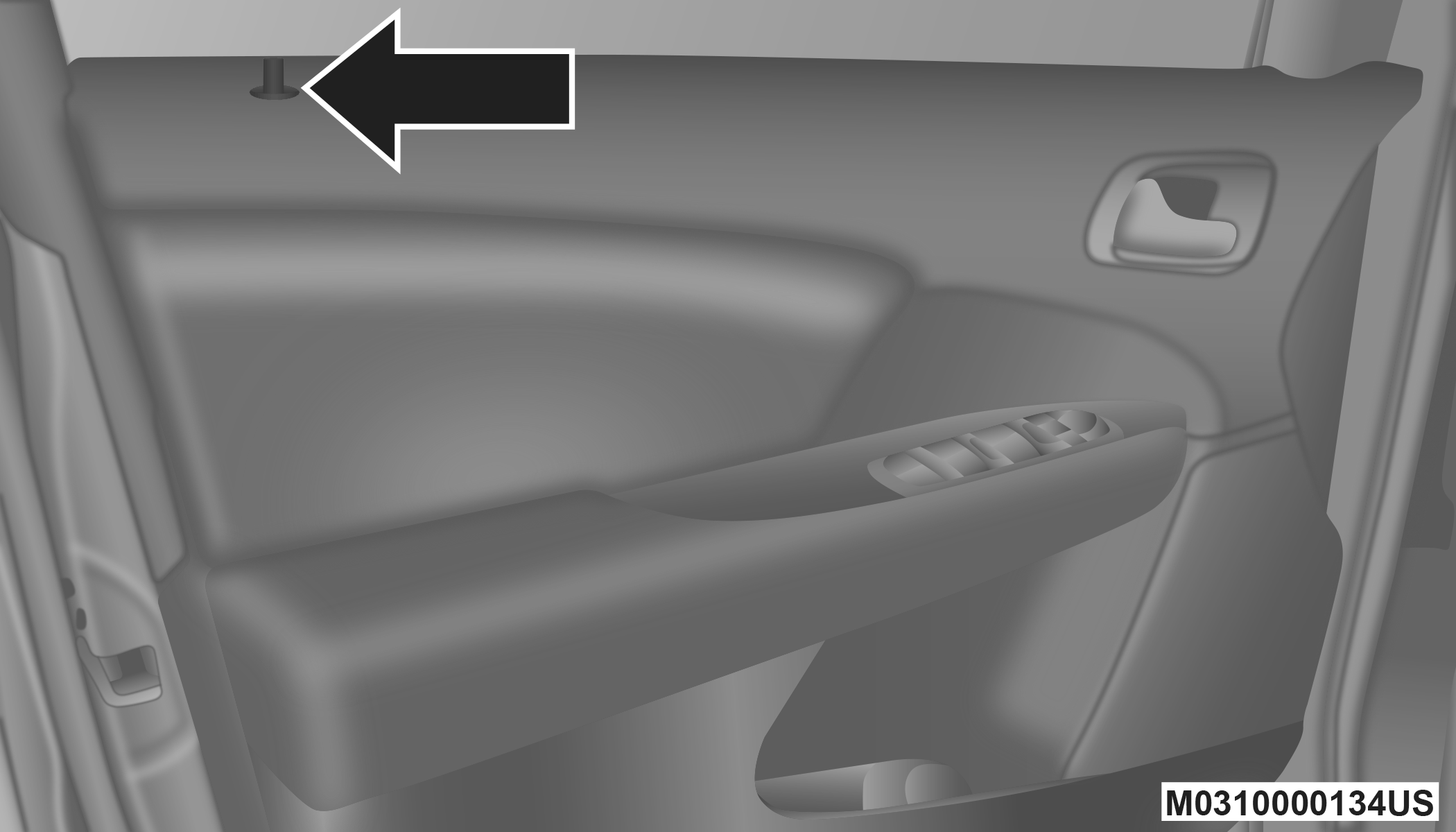
Manual Door Lock Knob
If the door lock knob is down when you shut the door, the door will lock. Therefore, make sure the key fob is not inside the vehicle before closing the door.
Note:
The manual door locks will not lock or unlock the liftgate.
WARNING:
-
For personal security and safety in the event of a collision, lock the vehicle doors before you drive as well as when you park and leave the vehicle.
-
When leaving the vehicle, always remove the key fob from the vehicle and lock your vehicle. Unsupervised use of vehicle equipment may cause severe personal injuries or death.
-
Never leave children alone in a vehicle, or with access to an unlocked vehicle. Allowing children to be in a vehicle unattended is dangerous for a number of reasons. A child or others could be seriously or fatally injured. Children should be warned not to touch the parking brake, brake pedal or the gear selector.
-
Do not leave the key fob in or near the vehicle or in a location accessible to children, and do not leave the ignition of a vehicle equipped with Keyless Enter-N-Go in the ACC or ON/RUN mode. A child could operate power windows, other controls, or move the vehicle.
POWER DOOR LOCKS
A power door lock switch is on each front door trim panel. Use this switch to lock or unlock the doors and liftgate.
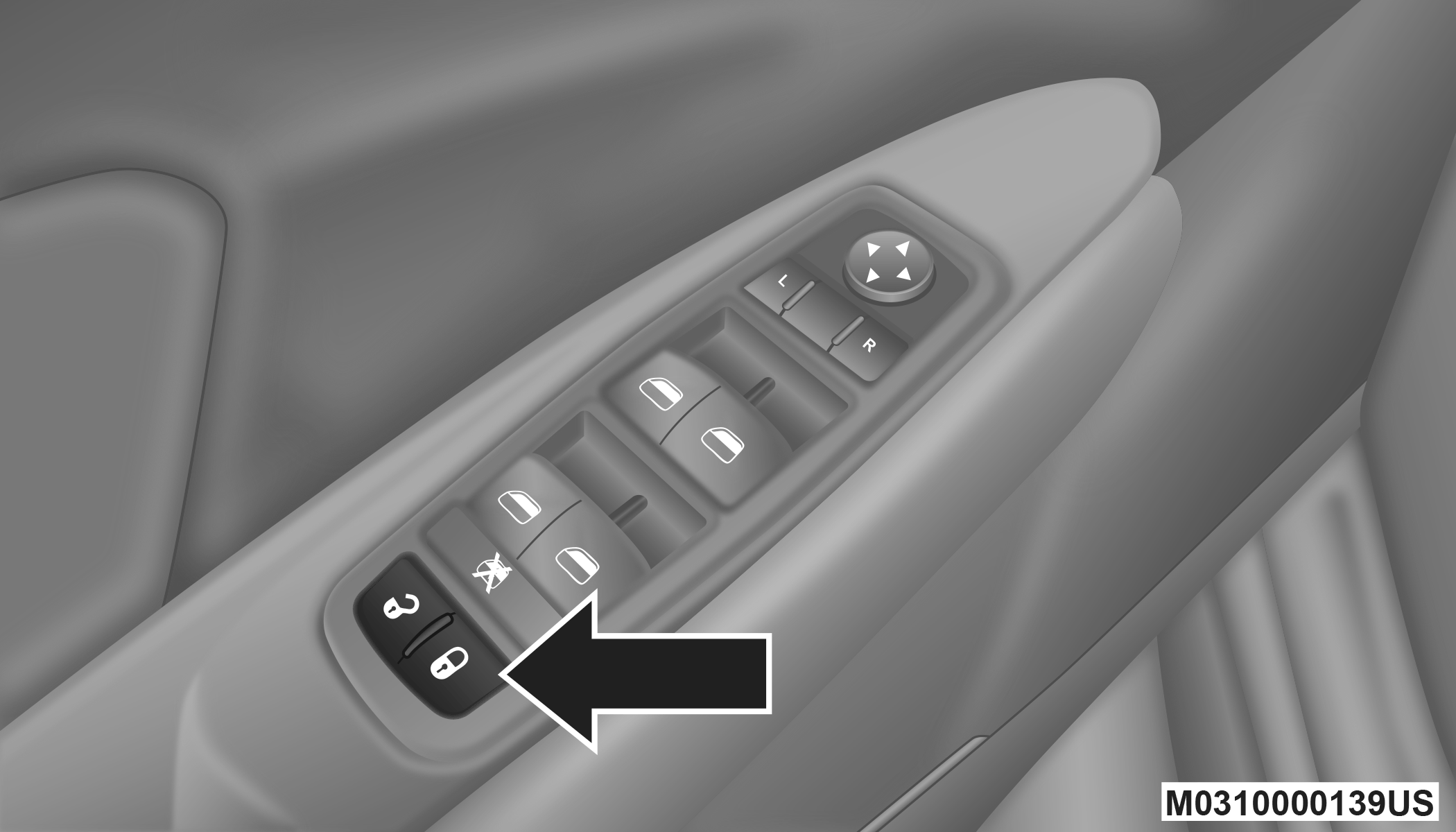
Power Door Lock Switch Location
The doors can also be locked and unlocked with the Keyless Enter-N-Go (Passive Entry) system. Refer to “Keyless Enter-N-Go — Passive Entry (If Equipped)” in this section for further information.
If you push the power door lock switch, with the ignition in the ACC or ON/RUN position and any front door is open, the power locks will not operate. This prevents you from accidentally locking the key fob in the vehicle. Turning off the ignition or closing the door will allow the locks to operate. If a door is open, and the ignition is in the ACC or ON/RUN position, a chime will sound as a reminder to remove the key fob.
AUTOMATIC DOOR LOCKS — IF EQUIPPED
The auto door lock feature default condition is enabled. When enabled, the door locks will lock automatically when the vehicle's speed exceeds 15 mph (24 km/h). The auto door lock feature can be enabled or disabled by an authorized dealer per written request of the customer. Please see an authorized dealer for service.
AUTO UNLOCK ON EXIT
The doors will unlock automatically on vehicles with power door locks if:
-
The Automatic Unlock Doors On Exit feature is enabled.
-
The transmission was in gear and the vehicle speed returned to 0 mph (0 km/h).
-
The transmission is in PARK.
-
Any vehicle door is opened.
-
The doors were not previously unlocked.
-
The vehicle speed is 0 mph (0 km/h).
To change the current setting, refer to “Uconnect Settings” in “Multimedia” for further information.
Note:
Use the Automatic Unlock Doors On Exit feature in accordance with local laws.
KEYLESS ENTER-N-GO — PASSIVE ENTRY (IF EQUIPPED)
The Passive Entry system is an enhancement to the vehicle’s Remote Keyless Entry (RKE) system and a feature of Keyless Enter-N-Go. This feature allows you to lock and unlock the vehicle’s door(s) without having to push the key fob lock or unlock buttons.
Note:
-
Passive Entry may be programmed on/off; refer to “Uconnect Settings” in “Multimedia” for further information.
-
If wearing gloves on your hands, or if it has been raining/snowing on the Passive Entry door handle, the unlock sensitivity can be affected, resulting in a slower response time.
-
If the vehicle is unlocked by Passive Entry and no door is opened within 60 seconds, the vehicle will re-lock and if equipped will arm the security alarm.
-
The key fob may not be detected by the vehicle Passive Entry system if it is located next to a mobile phone, laptop, or other electronic device; these devices may interfere with the key fob’s wireless signal and prevent the Passive Entry system from locking/unlocking the vehicle.
To Unlock From The Driver's Side:
With a valid Passive Entry key fob within 5 ft (1.5 m) of the driver's door handle, grab the driver's front door handle to unlock the driver's door automatically. The interior door panel lock knob will raise when the door is unlocked.
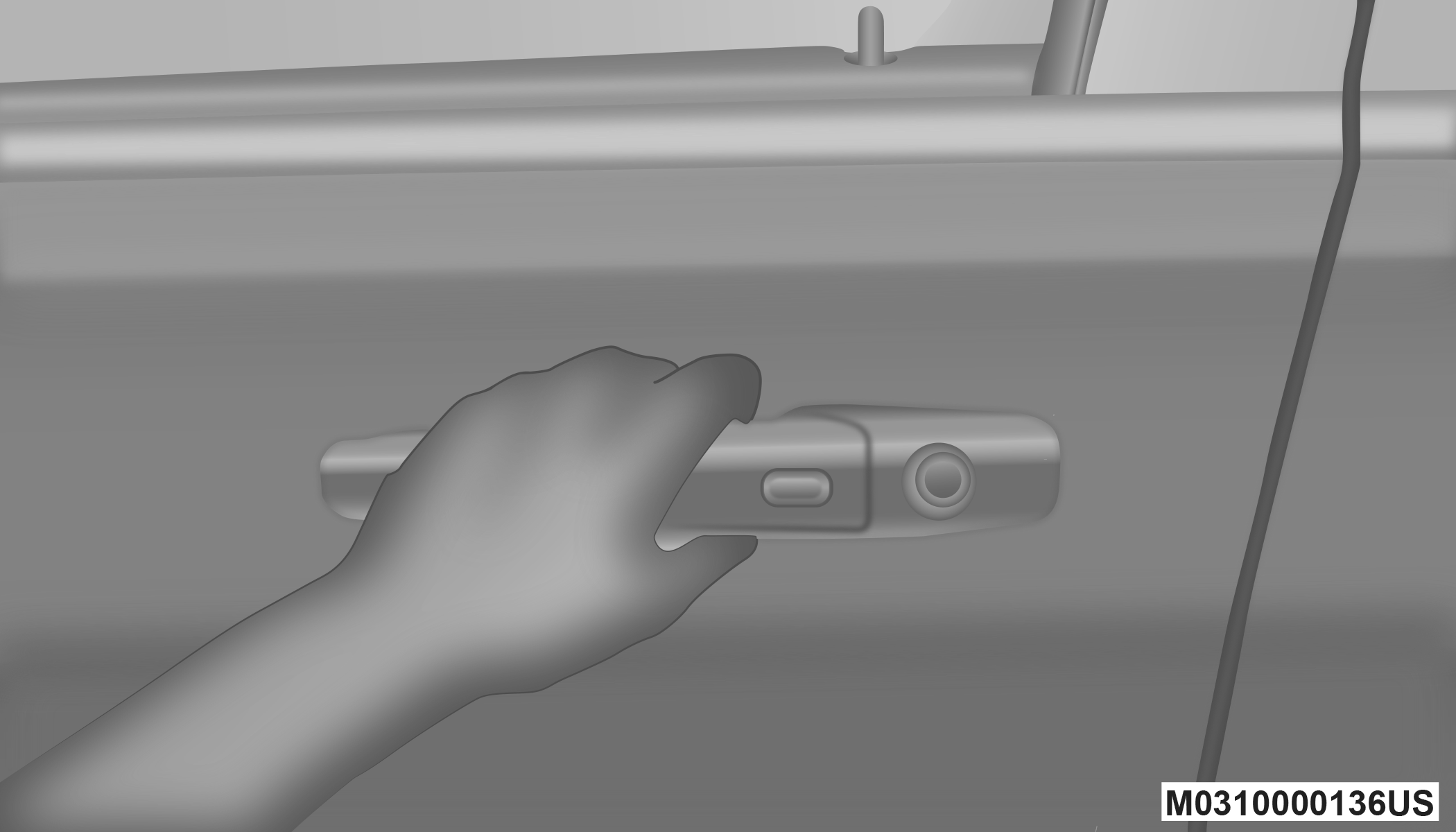
Grab The Door Handle To Unlock
Note:
If “Unlock All Doors 1st Press” is programmed all doors will unlock when you grab hold of the driver’s front door handle. To select between “Unlock Driver Door 1st Press” and “Unlock All Doors 1st Press,” refer to “Uconnect Settings” in “Multimedia” for further information.
To Unlock From The Passenger Side:
With a valid Passive Entry key fob within 5 ft (1.5 m) of the passenger door handle, grab the front passenger door handle to unlock all four doors and the liftgate automatically.
Note:
All doors and the liftgate will unlock when the front passenger door handle is grabbed regardless of the driver’s door unlock preference setting (“Unlock Driver Door 1st Press” or “Unlock All Doors 1st Press”).
Preventing Inadvertent Locking Of Passive Entry Key Fob In Vehicle:
To minimize the possibility of unintentionally locking a Passive Entry key fob inside your vehicle, the Passive Entry system is equipped with an automatic door unlock feature which will function if the ignition is OFF.
If one of the vehicle doors is open and the vehicle is locked with a door panel switch, key fob button or door handle button, once all open doors have been closed the vehicle checks the inside and outside of the vehicle for any valid Passive Entry key fobs. If one of the vehicle's Passive Entry key fobs is detected inside the vehicle, and no other valid Passive Entry key fobs are detected outside the vehicle, the Passive Entry system automatically unlocks all vehicle doors and chirps the horn three times (on the third attempt, ALL doors will lock and the Passive Entry key fob can be locked in the vehicle).
To Enter The Liftgate:
With a valid Passive Entry key fob within 5 ft (1.5 m) of the liftgate, push the button underneath the left side of the accent bar, which is located on the liftgate below the glass, to lock or unlock the vehicle.
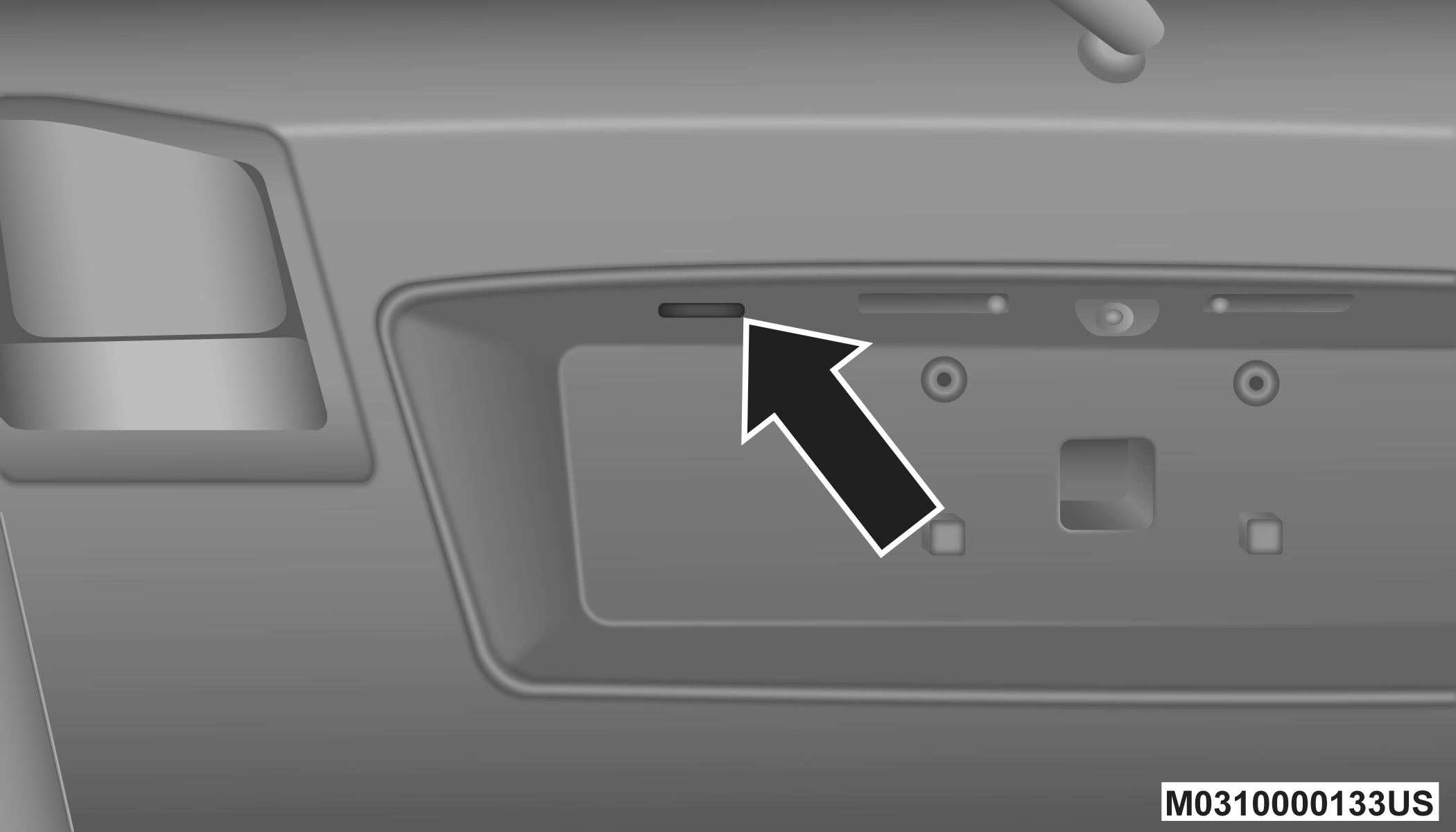
Liftgate Unlock/Lock Button
To Lock The Vehicle’s Doors:
With one of the vehicle’s Passive Entry key fobs within 5 ft (1.5 m) of the driver or passenger front door handle, push the door handle lock button to lock all four doors and liftgate.
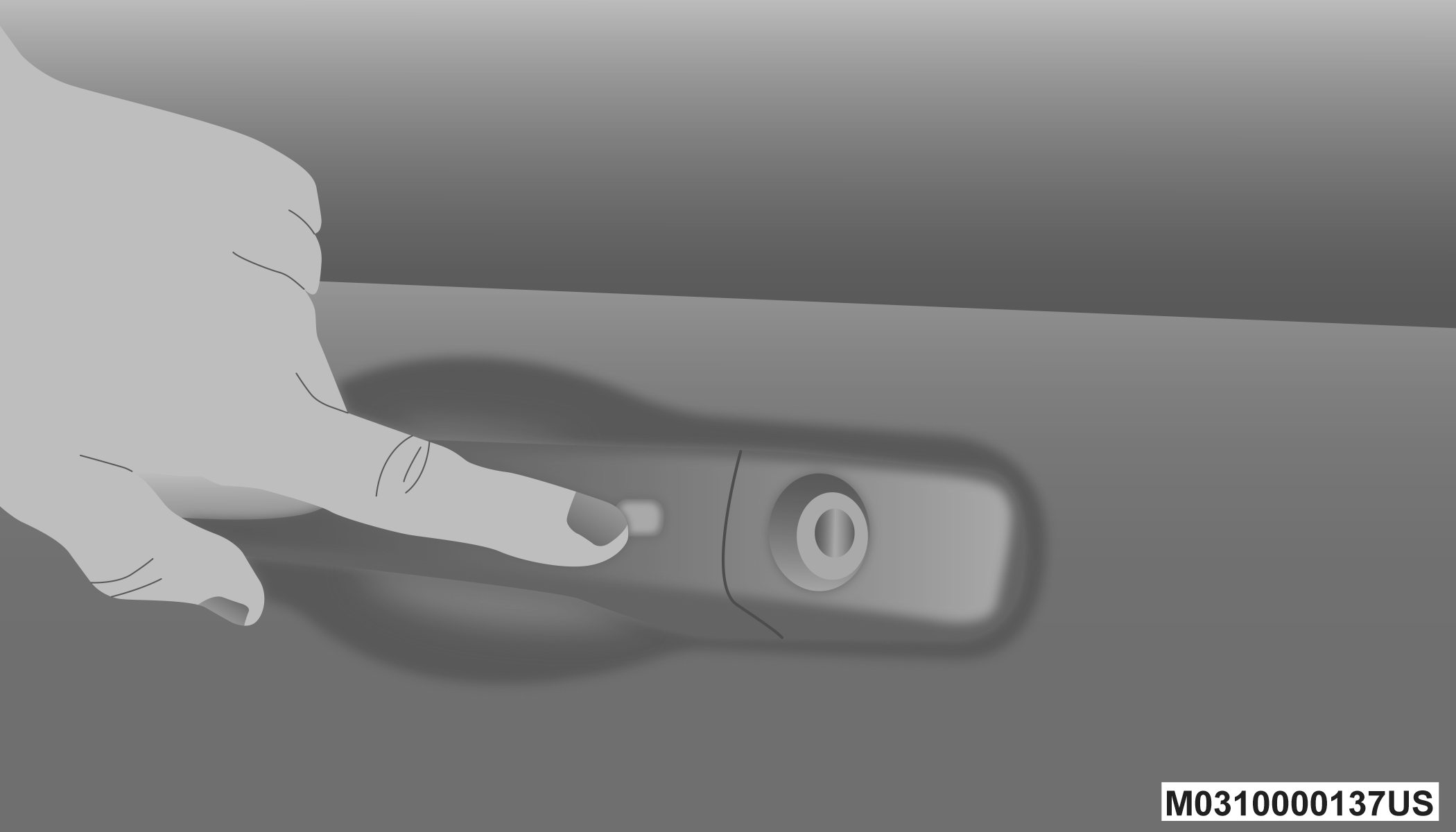
Push The Door Handle Button To Lock
Do NOT grab the door handle, when pushing the door handle button. This could unlock the door(s).
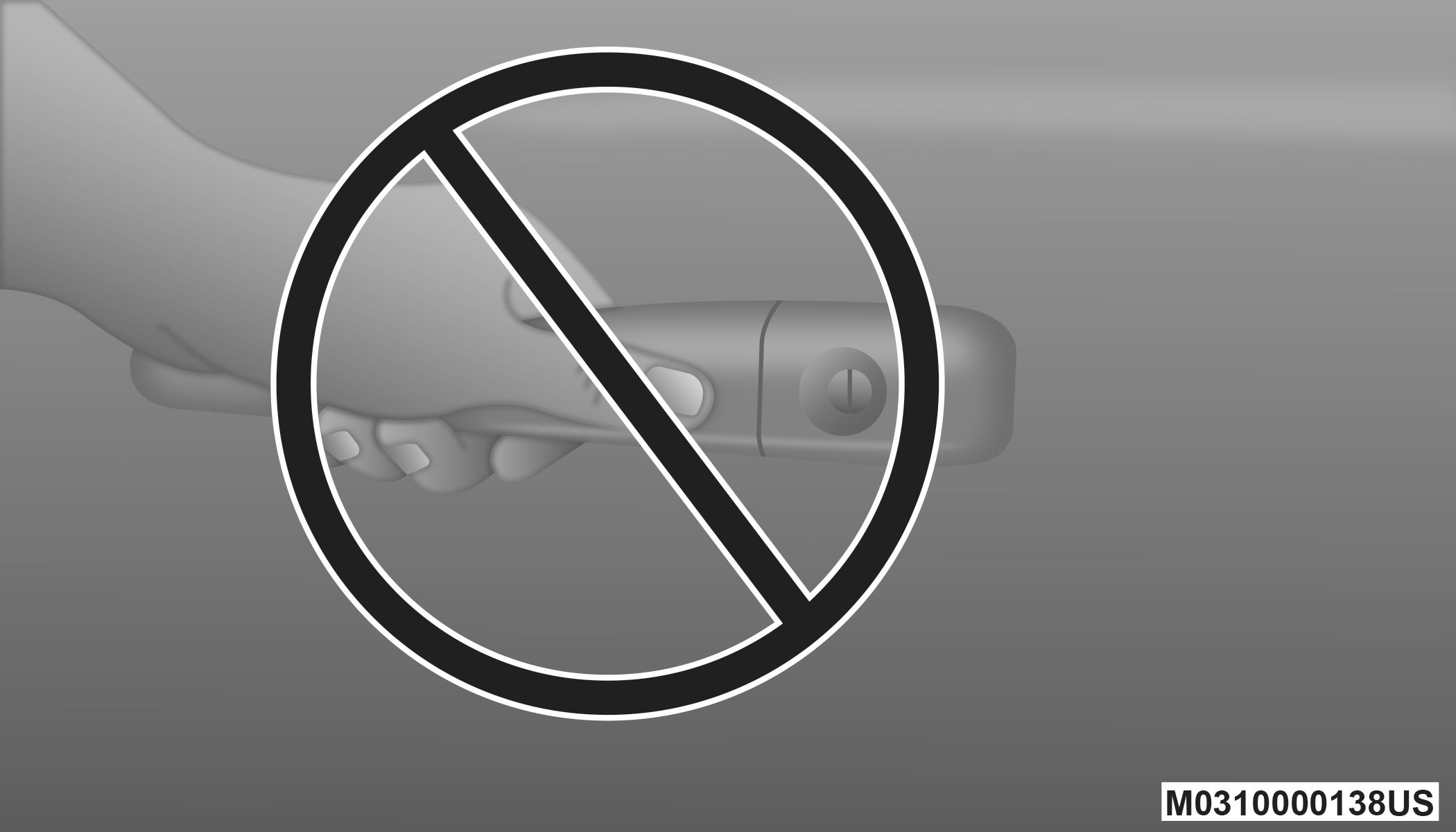
Do NOT Grab The Door Handle When Locking
Note:
-
After pushing the door handle button, you must wait two seconds before you can lock or unlock the doors, using either Passive Entry door handle. This is done to allow you to check if the vehicle is locked by pulling the door handle, without the vehicle reacting and unlocking.
-
If Passive Entry is disabled using Uconnect System, the key protection described in "Preventing Inadvertent Locking Of Passive Entry Key Fob In Vehicle" remains active/functional.
-
The Passive Entry system will not operate if the key fob battery is depleted.
The vehicle doors can also be locked by using the key fob lock button or the lock button located on the vehicle’s interior door panel.
GENERAL INFORMATION
The following regulatory statement applies to all Radio Frequency (RF) devices equipped in this vehicle:
This device complies with Part 15 of the FCC Rules and with Innovation, Science and Economic Development Canada license-exempt RSS standard(s). Operation is subject to the following two conditions:
-
This device may not cause harmful interference, and
-
This device must accept any interference received, including interference that may cause undesired operation.
Le présent appareil est conforme aux CNR d`Innovation, Science and Economic Development applicables aux appareils radio exempts de licence. L'exploitation est autorisée aux deux conditions suivantes:
-
l'appareil ne doit pas produire de brouillage, et
-
l'utilisateur de l'appareil doit accepter tout brouillage radioélectrique subi, même si le brouillage est susceptible d'en compromettre le fonctionnement.
La operación de este equipo está sujeta a las siguientes dos condiciones:
-
es posible que este equipo o dispositivo no cause interferencia perjudicial y
-
este equipo o dispositivo debe aceptar cualquier interferencia, incluyendo la que pueda causar su operación no deseada.
Note:
Changes or modifications not expressly approved by the party responsible for compliance could void the user’s authority to operate the equipment.
CHILD-PROTECTION DOOR LOCK SYSTEM — REAR DOORS
To Engage The Child-Protection Door Lock System
To provide a safer environment for small children riding in the rear seats, the rear doors are equipped with a Child-Protection Door Lock system.
-
Open the rear door.
-
Insert the tip of the emergency key (or alike) into the child lock control and rotate it to the lock position.
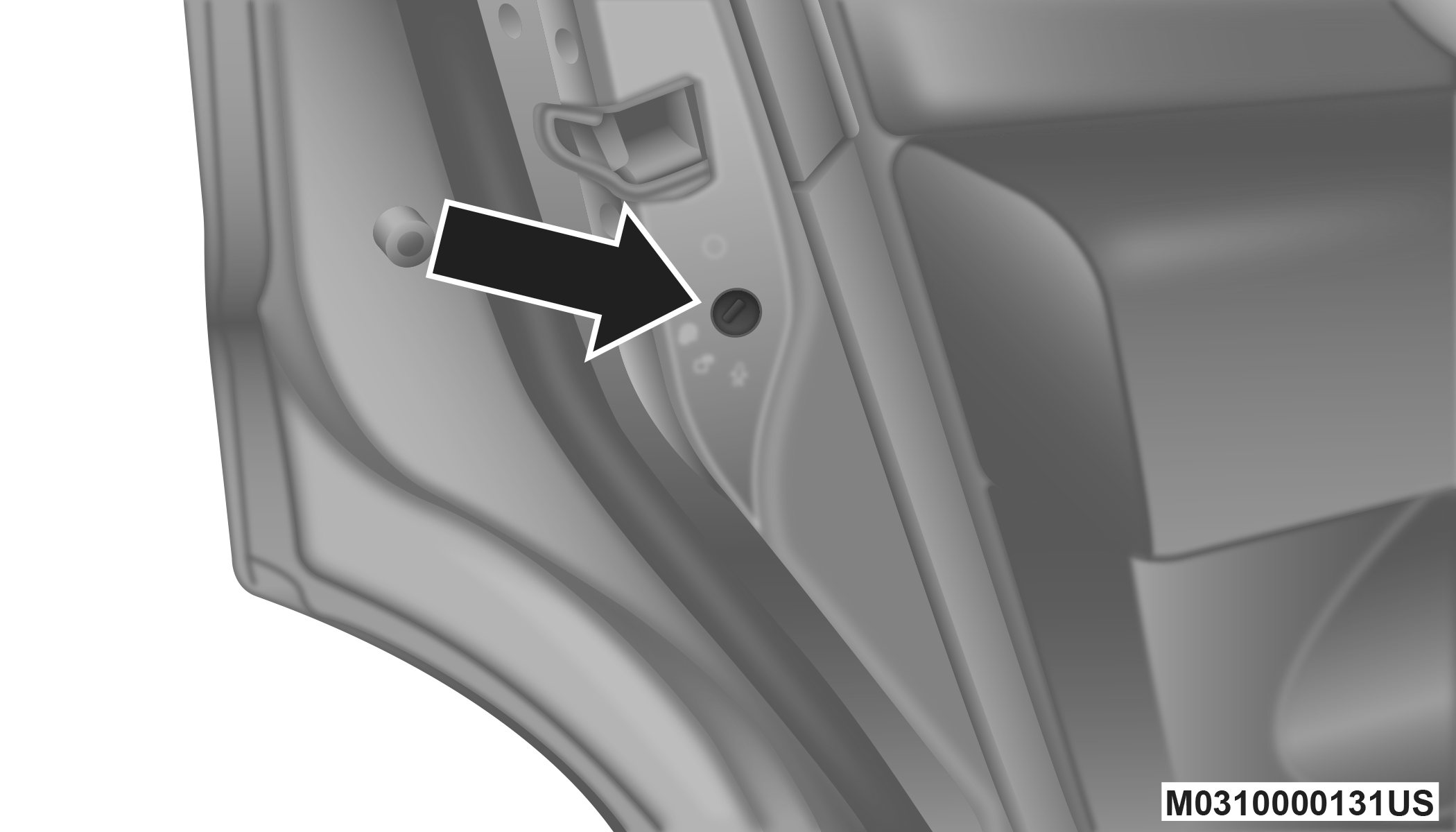
Child-Protection Door Lock Location
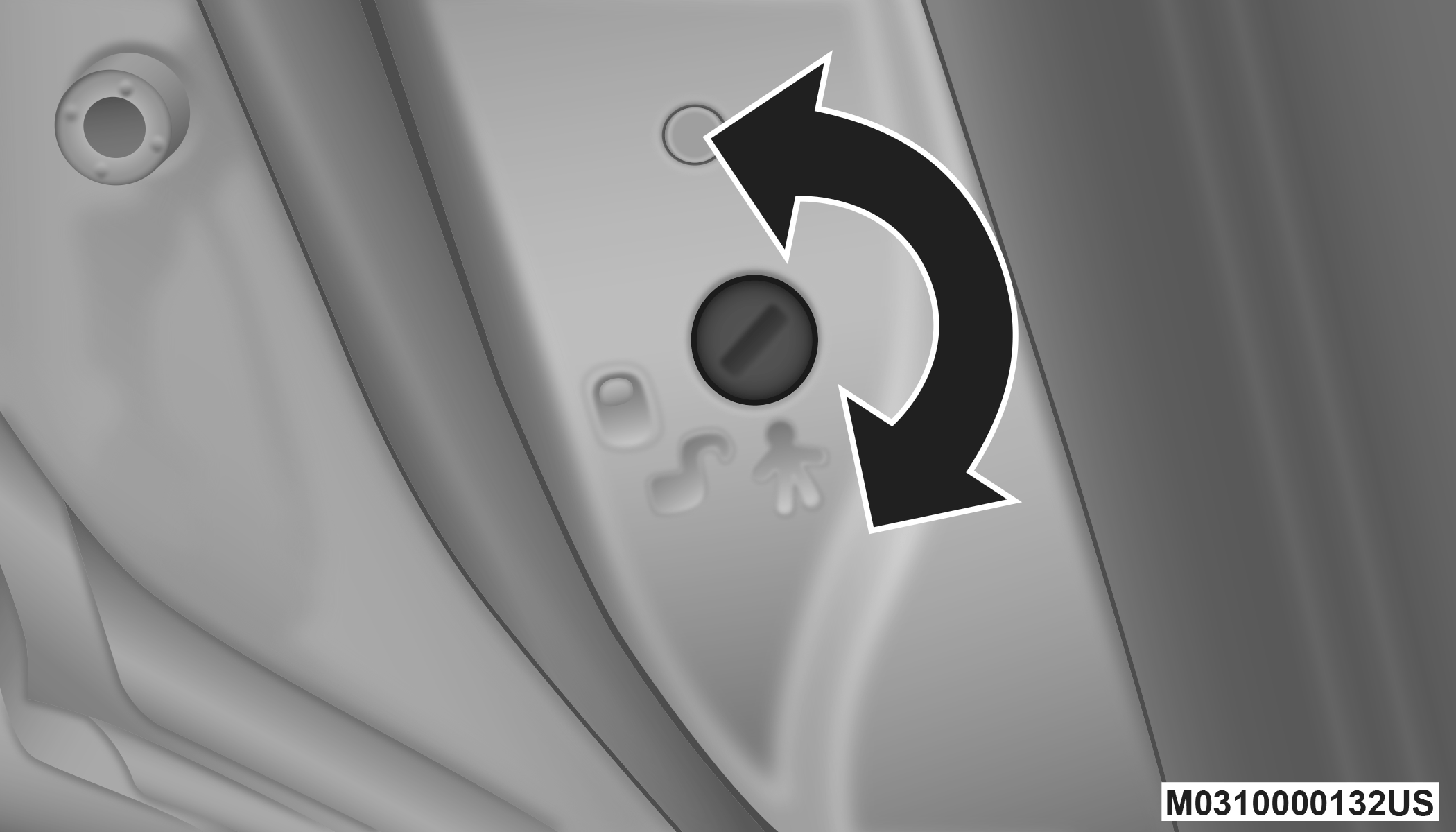
Child-Protection Door Lock Function
-
Repeat steps 1 and 2 for the opposite rear door.
Note:
When the Child-Protection Door lock system is engaged, the door can be opened only by using the outside door handle even though the inside door lock is in the unlocked position.
WARNING:
Avoid trapping anyone in a vehicle in a collision. Remember that the rear doors can only be opened from the outside when the Child-Protection locks are engaged. Failure to follow this warning may result in serious injury or death.
Note:
-
After engaging the Child-Protection Door Lock system, always test the door from the inside to make certain it is in the desired position.
-
For emergency exit with the system engaged, move the lock knob up to the unlock position, open the window, and open the door with the outside door handle.
-
To Disengage The Child-Protection Door Lock System
-
Open the rear door.
-
Insert the tip of the emergency key (or alike) into the child lock control and rotate it to the unlock position.
Child-Protection Door Lock Function
-
Repeat steps 1 and 2 for the opposite rear door.
Note:
After disengaging the Child-Protection Door Lock system, always test the door from the inside to make certain it is in the desired position.
Download Manual