Meters and gauges
NOTE
Some of the meters and gauges on the combination meter use liquid-crystal displays. You will find their indications hard to see if you wear polarized glasses.
The speedometer shows the vehicle speed.
The tachometer shows the engine speed in thousands of revolutions per minute.
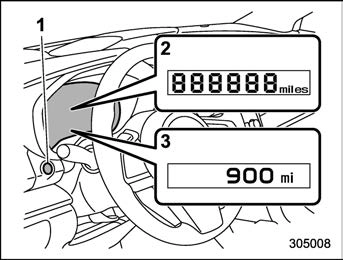
This meter displays the odometer when the ignition switch is in the “ON” position. The odometer shows the total distance that the vehicle has been driven.
The indicators will turn off when:
closed.
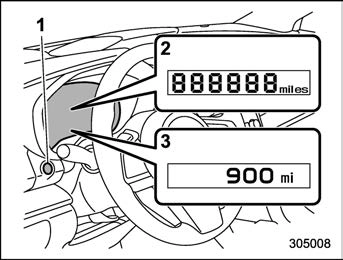
This meter displays the two trip meters when the ignition switch is in the “ON” position.
The trip meter shows the distance that the vehicle has been driven since you last set it to zero.
The display can be switched as shown in the following sequence by pressing the TRIP RESET switch.

To set the trip meter to zero, select the A trip or B trip meter by pressing the TRIP RESET switch and keep the knob pressed for more than 2 seconds.
In addition, it is possible to reset the trip meter by pressing and holding the TRIP
164 Meters and gauges
The indicators will turn off when:
& Fuel gauge
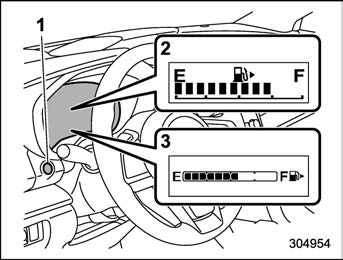
The fuel gauge is displayed when the ignition is in the “ON” position, and it shows the approximate amount of fuel remaining in the tank.
The gauge indication may change slightly during braking, turning or acceleration due
to fuel level movement in the tank.
 You will see the “ ” sign in the fuel gauge. This indicates that the fuel filler door (lid) is located on the right side of the vehicle.
The indicators will turn off when:
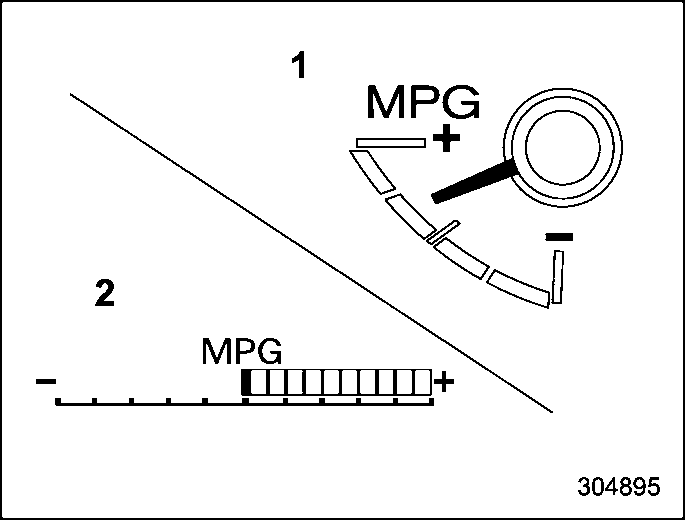
The ECO gauge shows the difference between the current rate of fuel consump- tion and the average rate of fuel consump- tion since the trip meter was last reset.
If the ECO gauge moves towards the + side, this indicates better fuel efficiency.
gauge does not operate.
& Combination meter settings
Meter and vehicle settings can be set on the combination meter.
Various adjustments can be made, such as switching units shown on the combina- tion meter and adjusting the warning tone volume.
While the ignition switch is in the “OFF” position, each press of TRIP RESET switch results in items shown in the table below being switched.
|
Item |
Combination meter display |
Possible settings |
|
A trip |
|
— |
|
B trip |
|
— |
|
Gauge needle sweep function |
|
On/Off |
|
Changing the unit* |
|
mile/km |
|
Warning volume* |
|
Lv. 1/Lv. 2/Lv. 3 |





*: If available
! Switching method
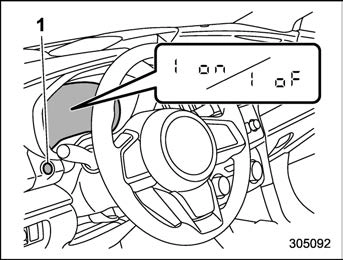
edly until the item you want to change is displayed.
Meter and vehicle settings can be set on the combination meter display (color LCD). Refer to “Menu screens” P197.
Download Manual