Manual climate control operation for front climate control panel
Select the airflow mode using the airflow mode selection button.
Airflow modes are as follows.
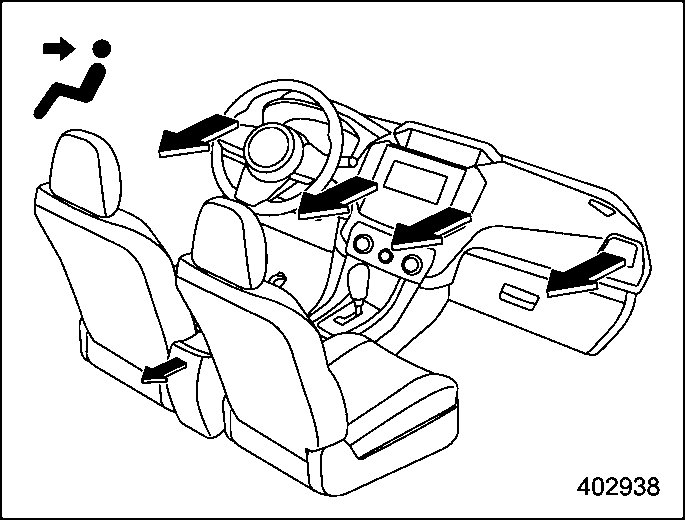
Ventilation: Instrument panel outlets
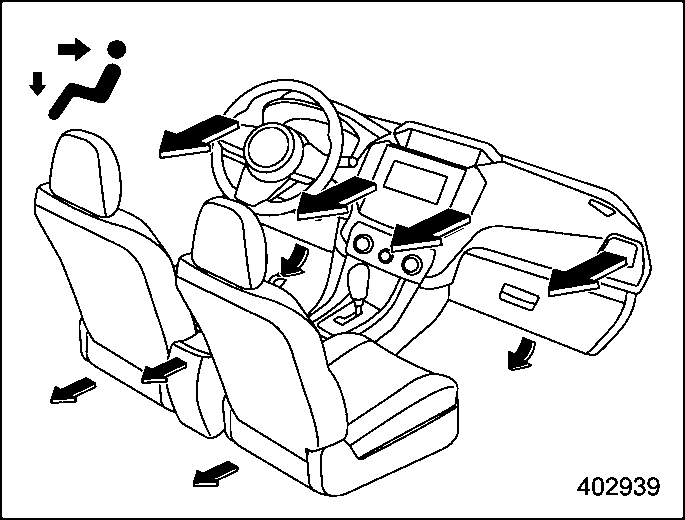
Ventilation 2: Instrument panel outlets and foot outlets
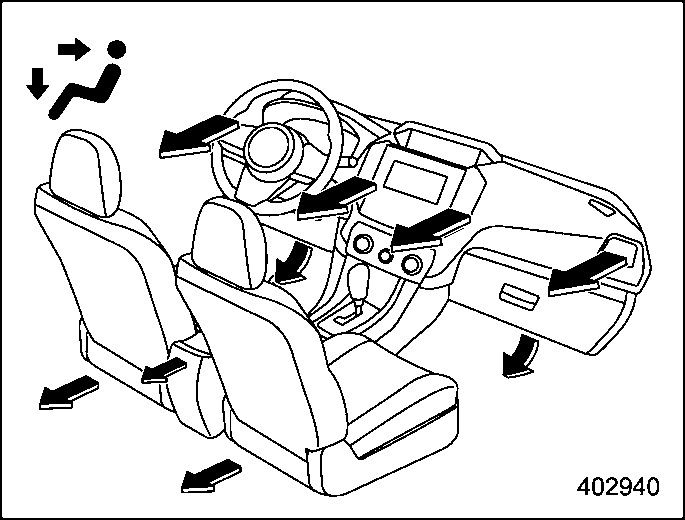
Bi-level: Instrument panel outlets and foot outlets
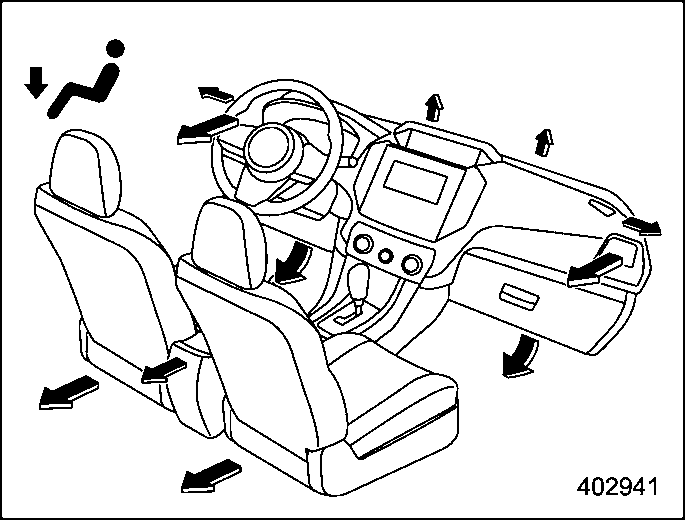
Heat: Foot outlets, both side outlets of the instrument panel and some through wind- shield defroster outlets (A small amount of air flows to the windshield and both side windows to prevent fogging.)
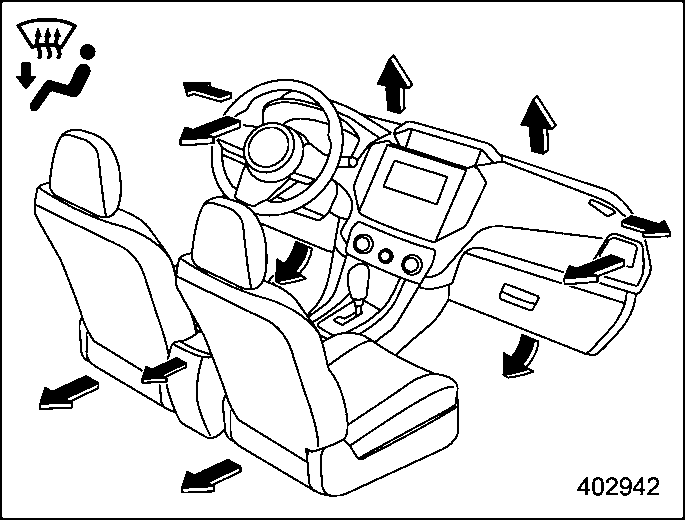
Heat-def: Windshield defroster outlets,
268 Manual climate control operation for front climate control panel
foot outlets and both side outlets of the instrument panel (Refer to “Defrosting”
P269.)
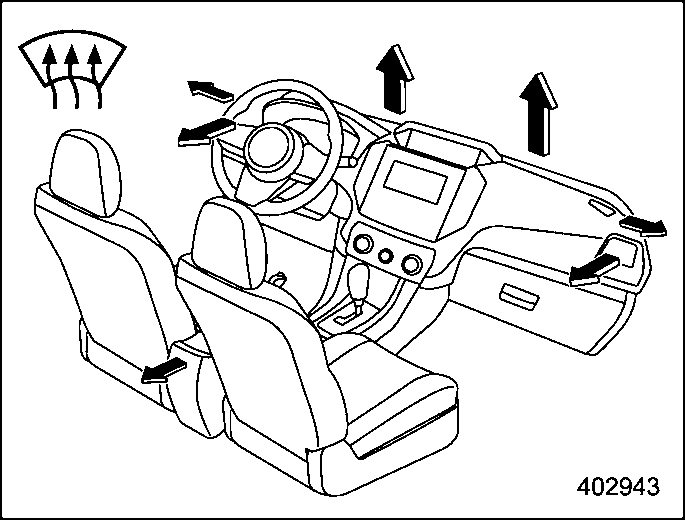
Defrost: Windshield defroster outlets and both side outlets of the instrument panel (Refer to “Defrosting” P269.)
For quicker cooling, press the MAX A/C button.
When the MAX A/C mode is on, the following settings will be changed auto- matically.
To turn off MAX A/C mode and return the previous setting, press the MAX A/C button again.
Turn the temperature control dial to set the preferred interior temperature.
! SYNC mode (if equipped)
When the SYNC mode is turned on, both the driver’s and front passenger’s side temperatures are synchronized using the driver’s side temperature control dial.
Press the SYNC button to turn on the SYNC mode. The SYNC button indicator will illuminate.
Press the SYNC button again or turn the front passenger’s side temperature control dial to cancel the SYNC mode. The SYNC button indicator will not illuminate. In this case, temperature control on the driver’s side and front passenger’s side is sepa- rated. The temperature will be controlled individually using the driver’s and front passenger’s temperature control dials.
Select the preferred fan speed by turning the fan speed control dial.
The air conditioner operates only when the engine is running.
Press the air conditioner button while the fan is in operation to turn on the air conditioner. When the air conditioner is on, the “A/C” indicator light illuminates.
To turn off the air conditioner, press the button again.
Defrosting 269
& Air inlet selection
Select the air inlet by pressing the air inlet selection button.
When the indicator light on the air inlet selection button illuminates, interior air is recirculated inside the vehicle. Press the air inlet selection button to the ON position for fast cooling with the air conditioner or when driving on a dusty road.
When the indicator light on the air inlet selection button does not illuminate, out- side air is drawn into the passenger compartment. Press the air inlet selection button to the OFF position when the interior has cooled to a comfortable tem- perature and the road is no longer dusty.
To turn off the climate control system: press the ON/OFF button.
Download Manual