Electronic Brake Force Distribution (EBD) system
The EBD system maximizes the effective- ness of the brakes by allowing the rear brakes to supply a greater proportion of the braking force. It functions by adjusting the distribution of braking force to the rear wheels in accordance with the vehicle’s loading condition and speed.
The EBD system is an integral part of the ABS and uses some of the ABS compo- nents to perform its function of optimizing the distribution of braking force. If any of the ABS components used by the EBD system malfunction, the EBD system also stops working.
When the EBD system is operating, you may hear a chattering noise or feel a slight vibration in the brake pedal. This is normal and does not indicate a malfunction.
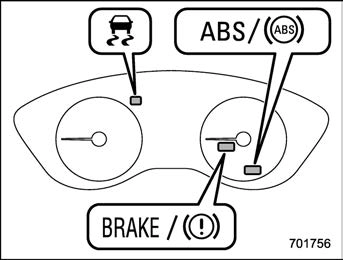
If a malfunction occurs in the EBD system, the system stops working and the following warning lights illuminate simultaneously.
If the both warning light remains on even though the parking brake is released, the brake fluid level may be low or there could be a problem with the EBD system. Park the vehicle in a safe place immediately and contact a Subaru dealer.
Vehicle Dynamics Control system 331
In the event of wheelspin and/or skidding on a slippery road surface and/or during cornering and/or an evasive maneuver, the Vehicle Dynamics Control system adjusts the engine’s output and the wheels’ respective braking forces to help maintain traction and directional control.
The traction control function is designed to prevent spinning of the driving wheels on slippery road surfaces, thereby helping to maintain traction and directional control. Activation of this function is shown by flashing the Vehicle Dynamics Control operation indicator light.
The skid suppression function is designed to help maintain directional stability by suppressing the wheels’ tendency to slide sideways during steering operations. Acti- vation of this function is shown by flashing the Vehicle Dynamics Control operation indicator light.
– Slight twitching of the brake
pedal is felt.
. Always turn off the engine before replacing a tire. Failure to do so may render the Vehicle Dynamics Control system unable to operate correctly.
Refer to “Vehicle Dynamics Control warn- ing light/Vehicle Dynamics Control opera- tion indicator light” P178 and “Vehicle Dynamics Control OFF indicator light”
P180.
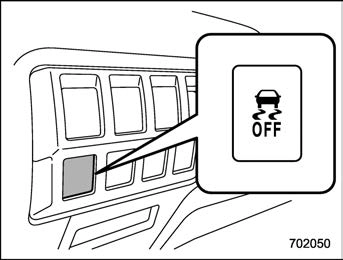
Type A
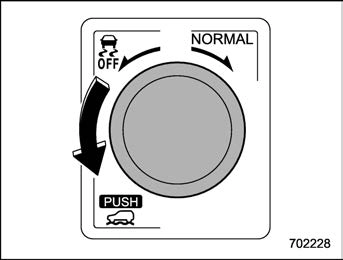
Type B
Press or turn the Vehicle Dynamics Con- trol OFF switch to deactivate the Vehicle Dynamics Control system. Creating ade- quate driving wheel slip by deactivating the Vehicle Dynamics Control system may help to recover from the loss of traction. Use the Vehicle Dynamics Control OFF switch as necessary.
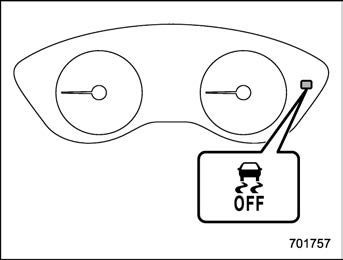
When the switch is pressed or turned during engine operation, the Vehicle Dy- namics Control OFF indicator light “  ” on the combination meter illuminates. The Vehicle Dynamics Control system will be deactivated and the vehicle will behave like a model not equipped with the Vehicle Dynamics Control system. When the switch is pressed again (type A) or turned to the “NORMAL” side (type B) to reacti- vate the Vehicle Dynamics Control sys- tem, the Vehicle Dynamics Control OFF indicator light turns off.
With the Vehicle Dynamics Control system deactivated, traction and stability en- hancement offered by the Vehicle Dy- namics Control system is unavailable. Therefore, you should not deactivate the Vehicle Dynamics Control system except
under the above-mentioned situations.
system is activated, the Vehicle Dy- namics Control operation indicator light flashes.
7-14. X-MODE (if equipped)
X-MODE is the integrated control system of the engine, AWD and Vehicle Dynamics Control system, etc. for driving with bad road conditions. Using X-MODE, you can drive more comfortably even in slippery road conditions including uphill and down- hill.
X-MODE has the following functions.
Using the hill descent control function, you can keep the vehicle at a consistent speed driving downhill. If the vehicle speed is likely to increase, the brake control system will be activated to adjust the vehicle speed.
This mode increases the hill-climbing ability and driving ability as well as enabling smooth application of torque for easier control of the steering wheel.
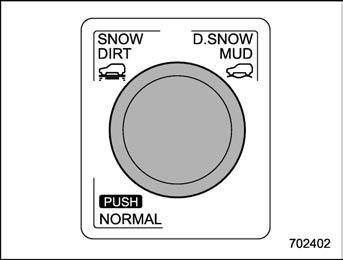
X-MODE switch (type A)
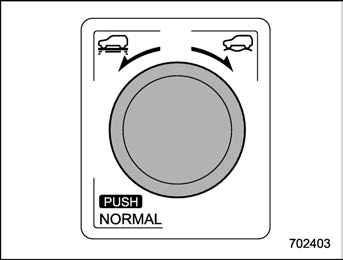
X-MODE switch (type B)
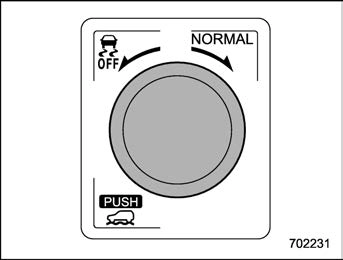
X-MODE switch (type C)
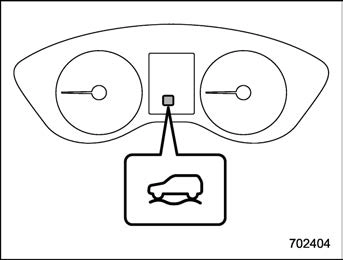
Type A and Type B
Type C
Turn the X-MODE switch to the right or left
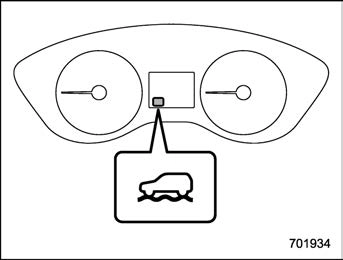
and select SNOW/DIRTor D.SNOW/MUD. While the X-MODE is activated, the X- MODE indicator appears.
Press the X-MODE switch. While the X- MODE is activated, the X-MODE indicator appears.
Type A, Type B and Type C
Press the X-MODE switch. The X-MODE indicator will disappear when the X-MODE is deactivated.
NOTE
For models with SI-DRIVE:
the Intelligent (I) mode when the X- MODE is deactivated.
The hill descent control function will be in standby mode when the X-MODE is activated and the vehicle speed is less than approximately 12 mph (20 km/h).
The function will operate when the vehicle speed is less than approximately 12 mph (20 km/h) and the accelerator ratio is less than approximately 10%.
The function will turn off when the vehicle speed is more than approximately 12 mph (20 km/h) and the accelerator pedal is depressed.
accelerator pedal.
! Hill descent control indicator
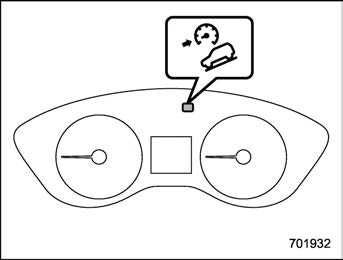
Hill descent control indicator (type A)
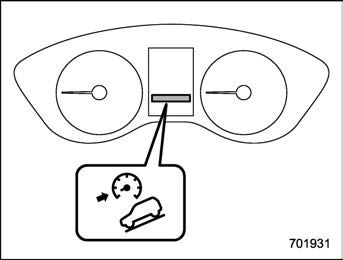
Hill descent control indicator (type B)
This indicator appears while the hill des- cent control function is in the standby mode. It flashes while the function is
operating. It will disappear when the function is in the disabled mode. When this function is changed from operational to non-operational, it will disappear when the vehicle speed reaches more than approximately 18 mph (30 km/h).
Download Manual