Accessory power outlets
Electrical power (12 V DC) is available at any of the accessory power outlets when the ignition switch is in either the “ACC” or “ON” position. Accessory power outlets are located in the following places.
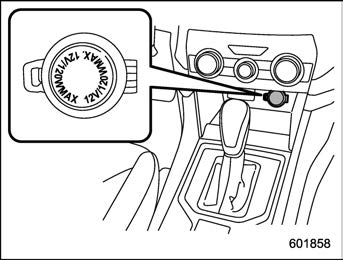
Power outlet below the climate control panel
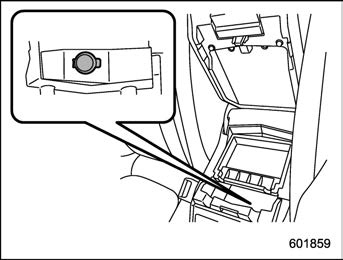
Power outlet in the center console
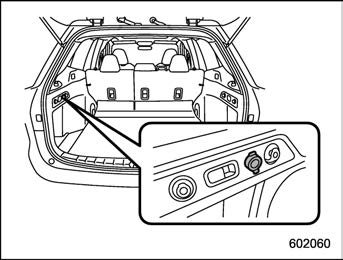
Power outlet in the cargo area
You can use an in-vehicle electrical appli- ance by connecting it to an outlet.
The maximum power rating of an appli- ance that can be connected is 120 W.
Accessory power outlets 285
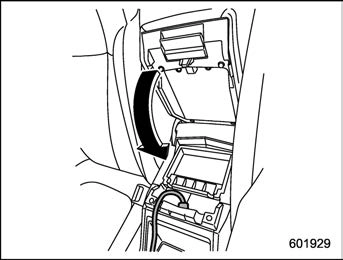
To use the accessory power outlet as a cigarette lighter socket, purchase the cigarette lighter plug, which is an optional accessory. A cigarette lighter plug is available from your SUBARU dealer.
The cigarette lighter operates only when the ignition switch is in the “ON” or “ACC” position.
To use the cigarette lighter, push in the knob and wait a few moments. It will automatically spring up when ready for use.
286 USB power supply
Ashtray (dealer option) 287
. When connect a device for charging, disconnect the device promptly after charging is completed.
& How to use the USB power supply
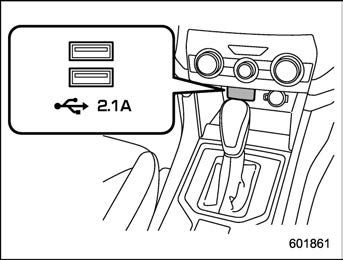
Front seat USB power supply (An audio device can be connected and used)
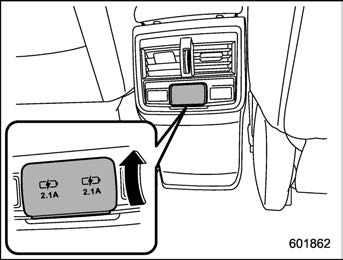
Console USB power supply (power supply function only) (if equipped)
Use the USB terminal to use or charge an electronic device.
When using the terminal, open the USB power supply cover. After use, close the USB power supply cover.
When the ignition switch is in the “ACC” or “ON” position, the power can be supplied to the electronic device. Up to DC 5 V/2.1 A can be supplied from each terminal (total of 4.2 A).
Download Manual