STOP/START SYSTEM — IF EQUIPPED
The Stop/Start function is developed to save fuel and reduce emissions. The system will stop the engine automatically during a vehicle stop if the required conditions are met. Releasing the brake pedal or shifting out of DRIVE will automatically restart the engine.
Vehicles equipped with eTorque contain a heavy duty motor generator and an additional hybrid electric battery to store energy from vehicle deceleration for use on engine startup after a stop as well as providing launch torque assist.
AUTOSTOP MODE
The Stop/Start feature is enabled after every normal customer engine start. It will remain in STOP/START NOT READY until you drive forward with a vehicle speed greater than
2 mph (3 km/h). At that time, the system will go into STOP/START READY.
The engine will shut down, the tachometer will move to the zero position and the stop/start telltale will illuminate indicating you are in an Autostop. While in an Autostop, the Climate Controls system may automatically adjust airflow to maintain cabin comfort. Customer settings will be maintained upon return to an engine running condition.
POSSIBLE REASONS THE ENGINE DOES NOT AUTOSTOP
Prior to engine shut down, the system will check many safety and comfort conditions to see if they are fulfilled. In following situations, the engine will not Autostop:
It may be possible to operate the vehicle several consecutive times in extreme conditions and not meet all criteria to enable an Autostop state.
TO START THE ENGINE WHILE IN AUTOSTOP MODE
While in DRIVE, the engine will start when the brake pedal is released or the throttle pedal is pressed and the transmission will automatically reengage upon engine restart.
The engine will start automatically when:
The engine will not start automatically and the transmission will be placed in PARK if:
The engine may then be restarted by moving the transmission shift selector out of PARK (e.g. to DRIVE) or, in some cases, only by a KEY START. The instrument cluster will display a SHIFT OUT OF PARK message, or a STOP/START KEY START REQUIRED message, to indicate which action is required page 114.
TO MANUALLY TURN OFF THE STOP START SYSTEM
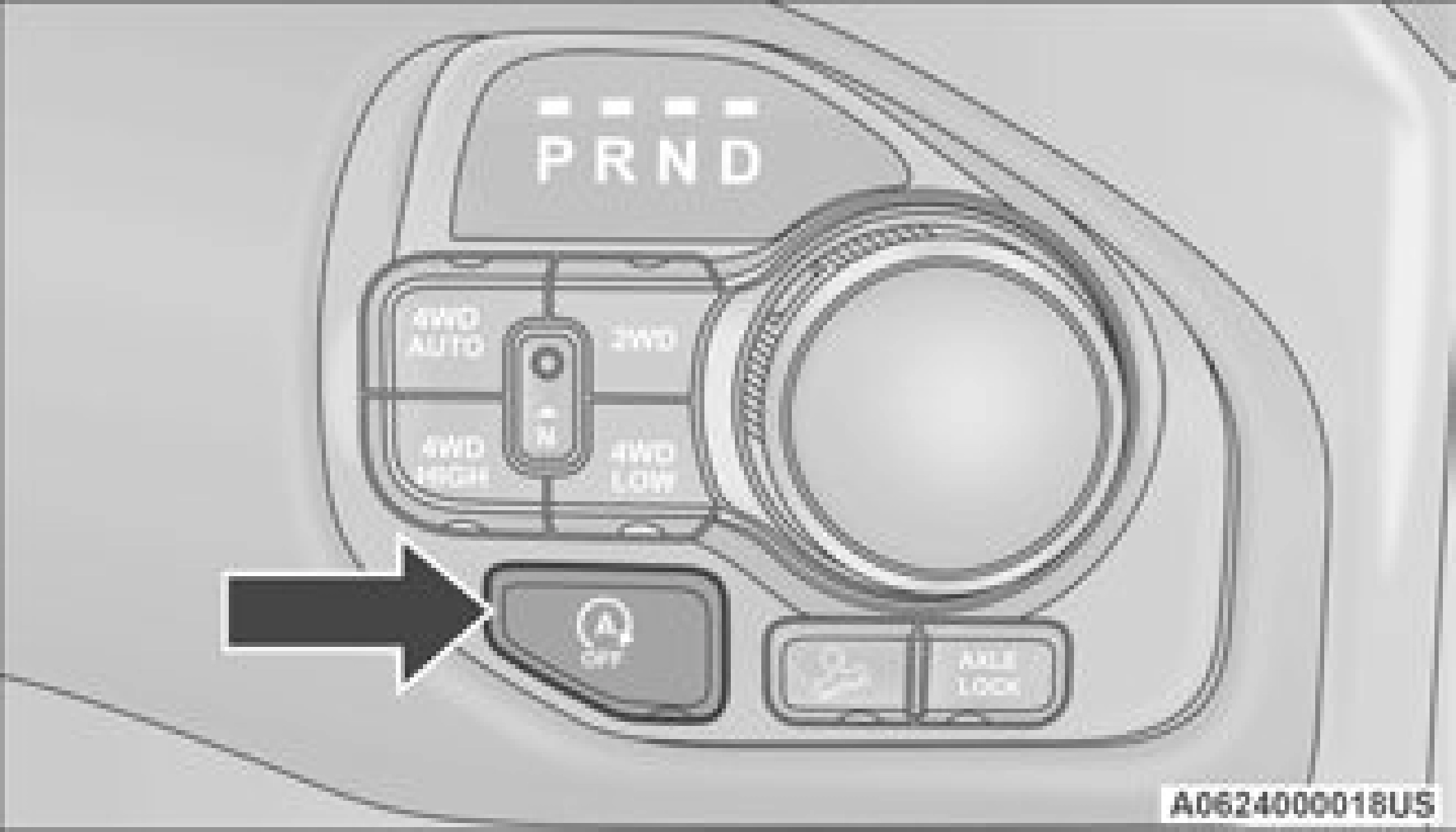
Push the Stop/Start OFF switch (located on the switch bank). The light on the switch will illuminate. The “STOP/START OFF” message will appear in the instrument cluster display and the autostop mode will be disabled
page 114.
The Stop/Start system will reset itself back to the ON mode every time the ignition is turned OFF and back ON.
TO MANUALLY TURN ON THE STOP START SYSTEM
Push the Stop/Start OFF switch (located on the switch bank). The light on the switch will turn off.
SYSTEM MALFUNCTION
If there is a malfunction in the Stop/Start system, the system will not shut down the engine. A “SERVICE STOP/START SYSTEM”
message will appear in the instrument cluster display page 126.
The system will need to be checked by an authorized dealer.
Download Manual