Disclaimer: Not affiliated with or endorsed by RAM Motor Company. For informational purposes only. Full Disclaimer

2021 RAM 1500 Owners Manual - HEAD-UP DISPLAY (HUD)


HEAD-UP DISPLAY (HUD)

The Head-Up Display layout on the instrument cluster can be customized through the Uconnect touchscreen. Each customized layout can be saved to the Driver Profiles that are created by the different drivers.

This feature is only accessed through the instrument cluster display once the “Custom” option is selected through the “Content & Layout” tab. To begin customizing the HUD layout through the instrument cluster display, follow these steps:

    Through the instrument cluster display, using the Up and Down Arrow buttons on the steering wheel, select the Content & Layout option by pressing the OK button on the steering wheel.

This option will not be available if the vehicle is going more than 5 mph (8 km/h).

    Select the Custom option by pushing the Right Arrow button on the steering wheel.

A message will appear on the instrument cluster display stating “Set Custom Layout in Radio”.

On the Uconnect touchscreen, you can select between four different custom layouts: Two icons, Three icons, Four icons, and Five icons. Press the Right or Left Arrow buttons, or the dots towards the bottom of the screen, to change your layout.

With your desired layout selected, you can drag and drop the available icons into the desired zones to customize the layout of your display.
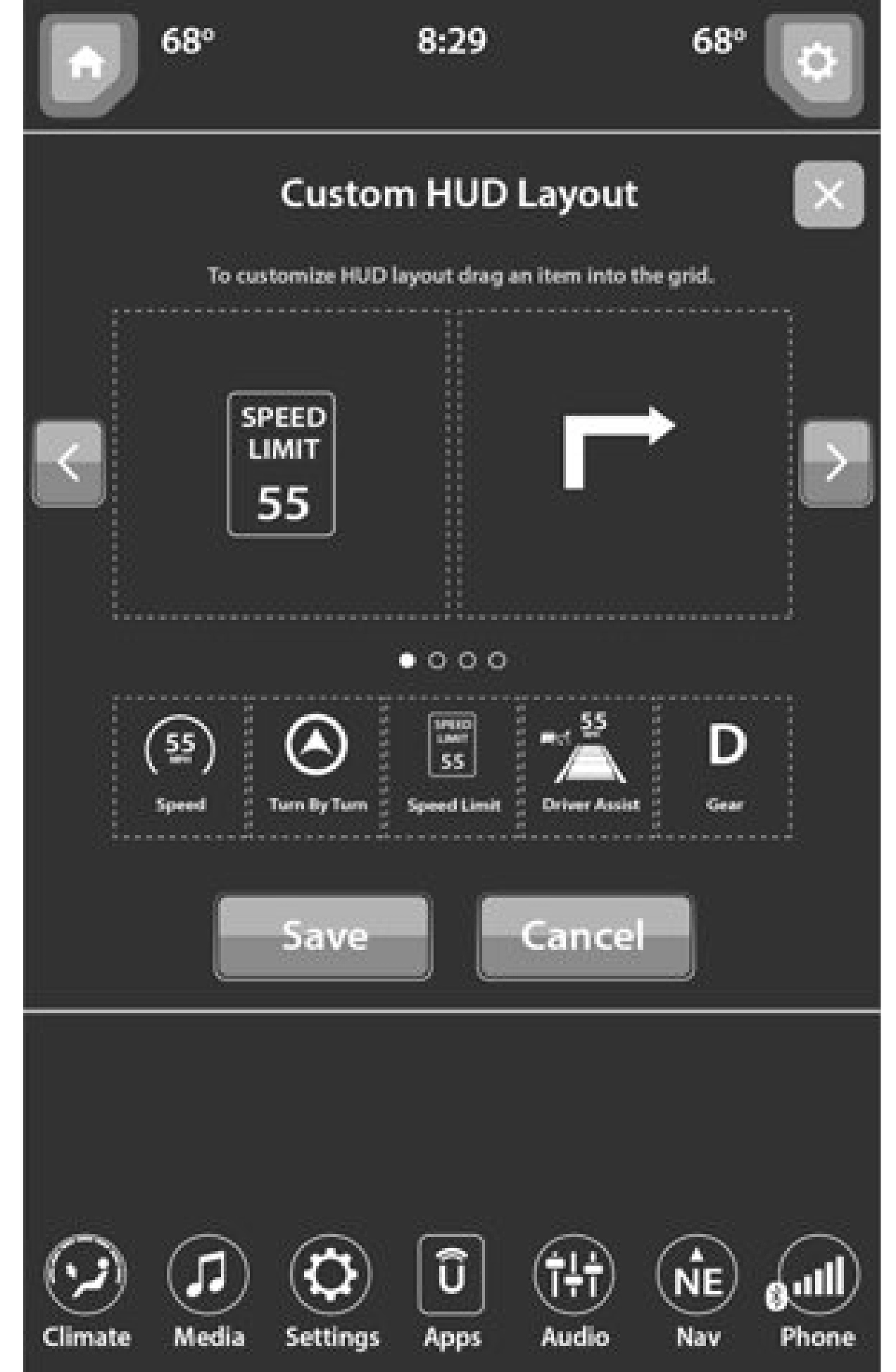
The following are the available icons that can be customized in the cluster:
5

    After the HUD layout customization is completed, press the Save button located in the upper left corner of the touchscreen, and then the OK button under the “Save changes?” screen. Once saved, the instrument cluster will display a message “Setting Saved”.
    Press the X button located in the upper right corner of the touchscreen, and then press the Cancel button to exit out of customizing the HUD layout. Doing this will not retain any information customized in the layout view. The instrument cluster display will return to the layout options screen.
    Pressing any other menu item on the touchscreen, for example “Climate”, will take the user back to whatever screen they were previously on before accessing the HUD layout page 118.

Download Manual