Power seats
 WARNING: Do not adjust the driver seat or seat backrest when your vehicle is moving. This may result in sudden seat movement, causing the loss of control of your vehicle. WARNING: Do not place cargo or any objects behind the seatback before returning it to the original position. WARNING: Do not adjust the driver seat or seat backrest when your vehicle is moving. This may result in sudden seat movement, causing the loss of control of your vehicle. WARNING: Do not place cargo or any objects behind the seatback before returning it to the original position. |
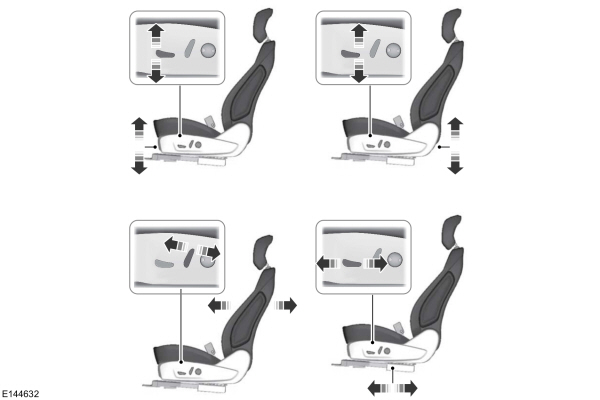
ADJUSTING THE LUMBAR SUPPORT
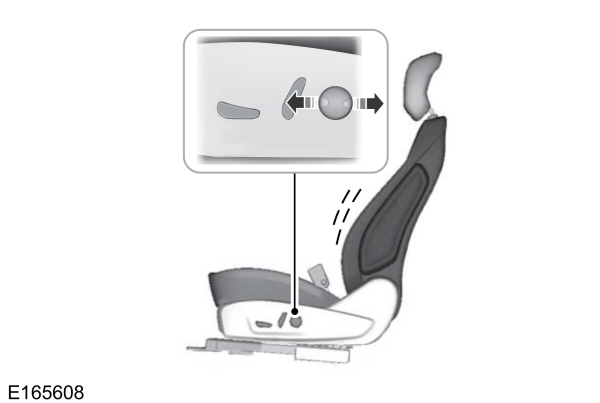
ADJUSTING THE FOUR-WAY LUMBAR SUPPORT (IF EQUIPPED)
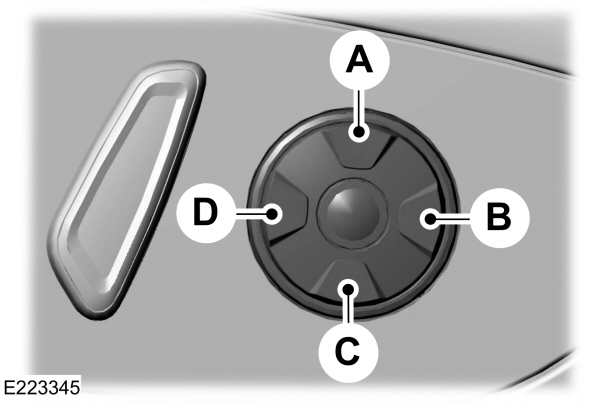
A Press to increase upper lumbar only. Press to increase upper lumbar only.B Press to decrease upper and lower lumbar.C Press to increase lower lumbar only.D Press to increase upper and lower lumbar. |
ADJUSTING THE MULTI-CONTOUR FRONT SEATS WITH ACTIVE MOTION (IF EQUIPPED)
Note: The engine must be running or the vehicle must be in accessory mode to activate the seats.
Note: Allow a few seconds for any selection to activate. The seat backrest and cushion massage cannot function at the same time.
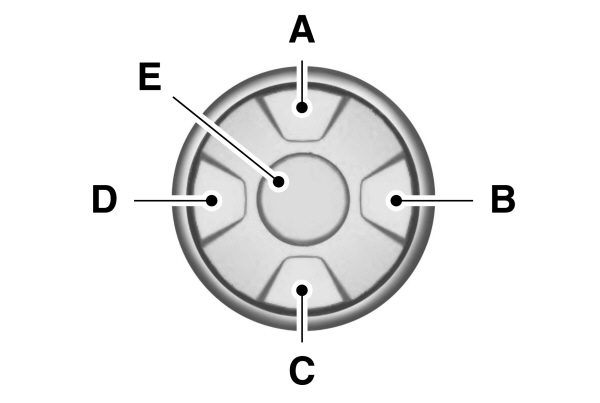
| Massage Mode | Lumbar and Bolster Mode | |
|---|---|---|
| A | Back massage intensity adjustment | Upper lumbar |
| B | Massage intensity decrease and off* | Lumbar decrease |
| C | Cushion massage intensity adjustment | Lower lumbar** |
| D | Massage intensity increase | Lumbar increase |
| E | On and off | - |
*The massage feature defaults to an alternating massage mode with back massage intensity adjustment. The lumbar and bolster features default to the middle lumbar mode.
**Press C a second time to adjust the back bolster. Press C a third time to adjust the cushion bolster.
You can also adjust this feature through the touchscreen.

When switched on, the system displays directions for you to adjust the lumbar settings in your seat or to set the massage function.
To access and make adjustments to the lumbar setting:
- Choose the desired seat to adjust.
- Press the + or - to adjust the lumbar intensity.
To access and make adjustments to the massage setting:
- Press the Menu Settings icon, then Vehicle. Choose Multi-Contour Seats.
- Choose the desired seat to adjust.
- Press OFF, LO or HI.
Download Manual