UCONNECT INTRODUCTION
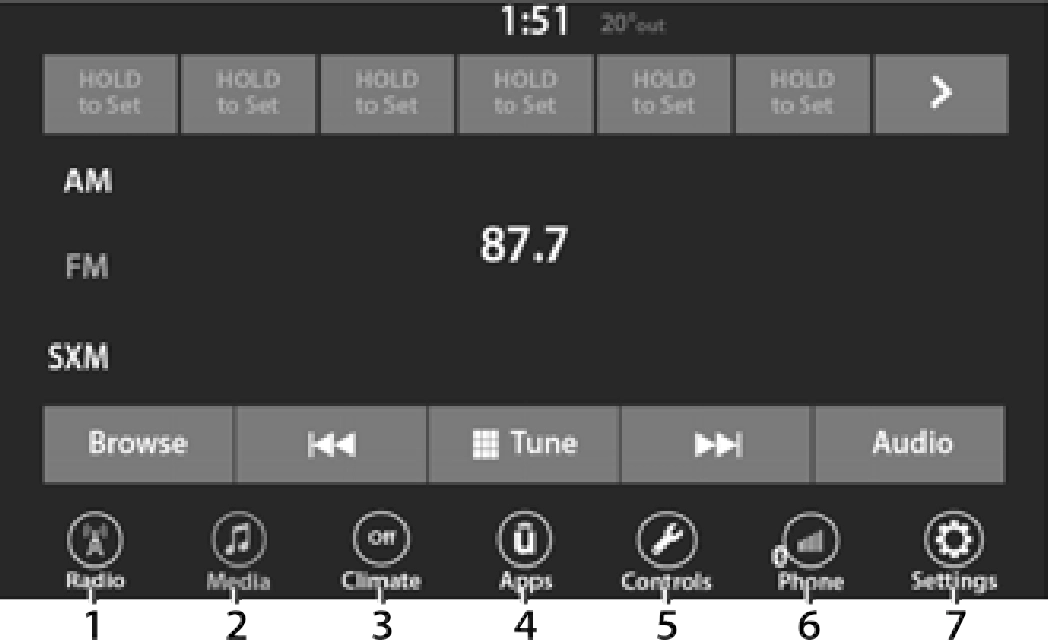
Uconnect 4 With 7-inch Display
1 — Radio Button 2 — Media Button 3 — Climate Button 4 — Apps Button
5 — Controls Button 6 — Phone Button 7 — Settings Button
Uconnect screen images are for illustration purposes only and may not reflect exact soft- ware for your vehicle.
5
|
Feature |
Description |
|
Controls — If Equipped |
Press the Controls button to access vehicle-specific features like heated seats and steering wheel. |
|
Apps |
Press the Apps button to access a list of the available Uconnect apps. |
|
Climate |
Press the Climate button to enter Climate Mode and access the climate control functions page 52. |
DRAG & DROP MENU BAR
The Uconnect features and services in the main menu bar are easily customized for your preference. Simply follow these steps:
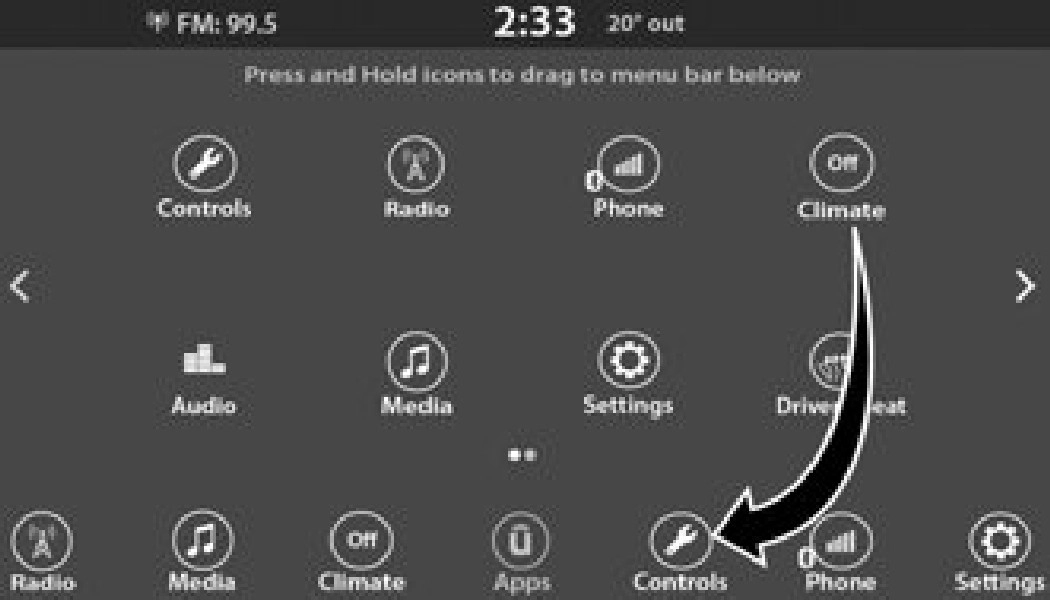
Uconnect 4 With 7-inch Display Drag & Drop
 button to open the App screen.
This feature is only available if the vehicle is in PARK.
Safety Guidelines
Please read this manual carefully before using the system. It contains instructions on how to use the system in a safe and effective manner.
Please read and follow these safety precautions. Failure to do so may result in injury or property damage.
Safe Usage Of The Uconnect System
Many features of this system are speed depen- dent. For your own safety, it is not possible to use some of the touchscreen features while the vehicle is in motion.
Download Manual