DRIVER MEMORY SETTINGS — IF EQUIPPED
This feature allows the driver to save up to two different memory profiles for easy recall
through a memory switch. Each memory profile saves desired position settings for the following features:
The memory settings switch is located on the driver’s door trim panel. The switch consists of three buttons:
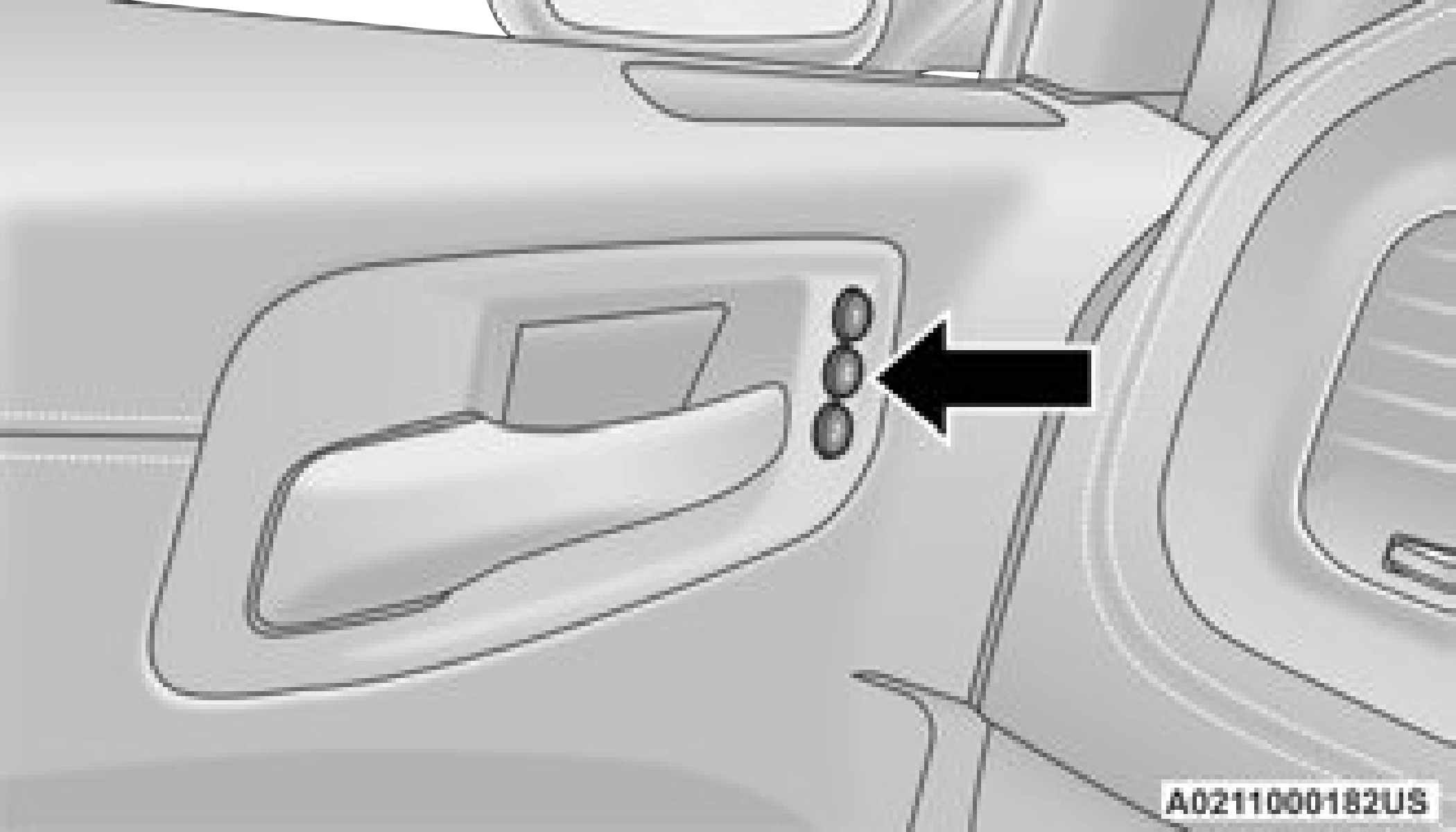
Memory Setting Switch
To create a new memory profile, perform the following:
Saving a new memory profile will erase the selected profile from memory.
Memory profiles can be set without the vehicle in PARK, but the vehicle must be in PARK to recall a memory profile.
Your key fobs can be programmed to recall one of two saved memory profiles.
Before programming your key fobs you must select the “Memory Linked To Fob” feature through the Uconnect system page 138.
To program your key fobs, perform the following:
Your key fob can be unlinked from your memory settings by pushing the set (S) button, followed by pushing the unlock button on the key fob within 10 seconds.
NOTE:
If a recall is attempted when the vehicle is not in PARK, a message will be displayed in the instru- ment cluster display.
To recall the memory settings for driver one or two, push the desired memory button number (1 or 2) or the unlock button on the key fob linked to the desired memory position.
A recall can be canceled by pushing any of the memory buttons (S, 1, or 2) during a recall.
When a recall is canceled, the driver seat will stop moving. A delay of one second will occur before another recall can be selected.
If the vehicle is equipped with Passive Entry, the memory settings are recalled when using Passive Entry to unlock the driver's door with a linked key fob.
Download Manual