Headlight and turn signal switch
Headlight control switch
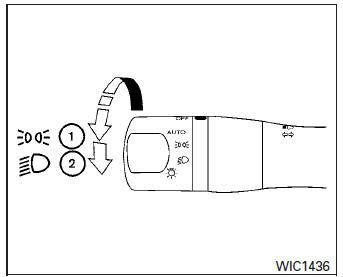
Type A
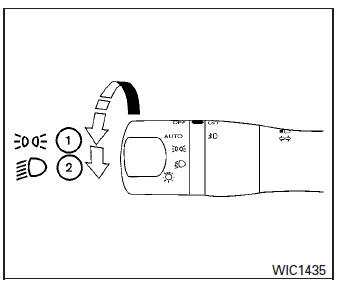
Type B
Lighting
- When turning the switch to the
 position,
the front parking, tail, license plate and instrument panel lights come on. - When turning the switch to the
 position,
the headlights come on and all the other lights remain on.
Headlight Type B is equipped with front LED accent lights.
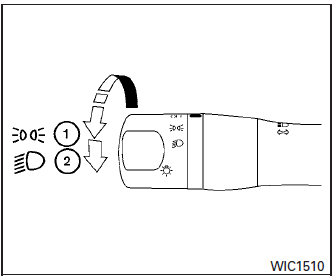
Type C
CAUTION
Use the headlights with the engine running to avoid discharging the vehicle battery.
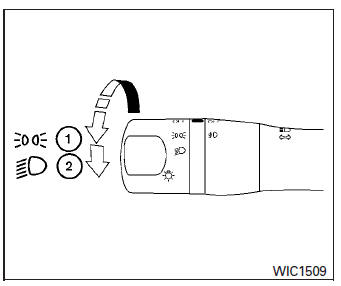
Type D
Autolight system (if so equipped)
The autolight system allows the headlights to be set so they turn on and off automatically. The autolight system can:
- Turn on the headlights, front parking, tail, license plate and instrument panel lights automatically when it is dark.
- The autolight system will turn on if the windshield wipers make four continuous passes (USA only).
- Turn off all the lights when it is light.
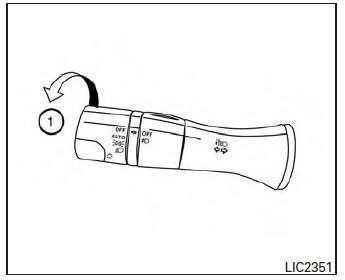
- Keep all the lights on a period of time after you turn the key to OFF and all doors are closed.
To turn on the autolight system:
- Turn the headlight switch to the AUTO position 1 .
- Turn the ignition key to ON.
- The autolight system automatically turns the headlights on and off.
Initially, if the ignition switch is turned OFF and a door is opened and left open, the headlights remain ON for a period of time. If another door is opened while the headlights are on, then the timer is reset.
To turn the autolight system off, turn the switch to the OFF,  , or
, or
 position.
Be sure you do not put anything on top of the autolight sensor located in the top side of the instrument panel. The autolight sensor controls the autolight; if it is covered, the autolight sensor reacts as if it is dark out and the headlights will illuminate. If this occurs while parked with the engine off and the key in the ON position, your vehicle’s battery could become discharged.
Headlight beam select
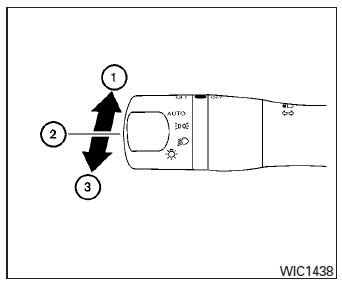
- To select the high beam function, push the lever forward. The high beam lights come on and the
 light illuminates.
 - Pull the lever back to select the low beam.
- Pulling and releasing the lever flashes the headlight high beams on and off.
Battery saver system
If the ignition switch is placed in the OFF position while the headlight switch is in the 
or  position, the headlights will
turn off after a period of time.
| WARNING
When the daytime running light system is active, tail lights on your vehicle are not on. It is necessary at dusk to turn on your headlights. Failure to do so could cause an accident injuring yourself and others. |
Instrument brightness control
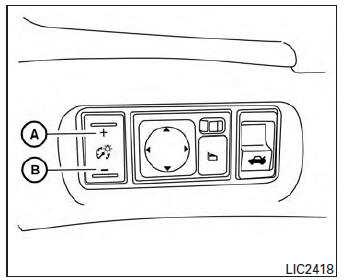
Push the “+” button A to increase the brightness of instrument panel lights when driving at night.
Push the “-” button B to decrease the brightness of instrument panel lights when driving at night.
Turn signal switch
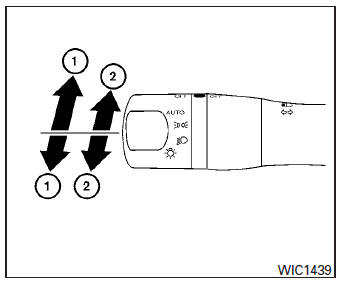
Turn signal
- Move the lever up or down to signal the turning direction. When the turn is completed, the turn signal cancels automatically.
Lane change signal
- To signal a lane change, move the lever up or down to the point where the indicator light begins to flash, but the lever does not latch.
The turn signal will flash three times automatically.
Fog light switch (if so equipped)
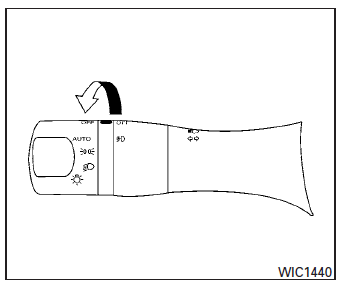
To turn the fog lights on, turn the headlight switch to the position, then turn the
fog light switch to the  position.
If the headlight switch is in the AUTO position and the fog light switch is moved to the ON position, both the fog lights and the headlights (including all other outside lights) will turn on.
To turn the fog lights off, turn the fog light switch to the OFF position.
Using the fog light switch in AUTO mode forces the headlights to come on, even if the light sensor has not activated them. The fog lights automatically turn off when the high beam headlights are selected.
Download Manual