Toyota apps settings
413
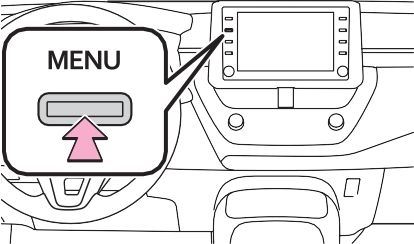
Press the “MENU” button.
|
|
Select “Setup”.
Select “Toyota apps”.
Select the desired items to be set.
Select to set the pop up reminder for smart phone data usage. (P.411)
Select to detect iPhone app automatically on/off.
Select to set the enhanced mode with connecting USB device on/off.
When an iPhone is connected while this setting is set to “On”, communi- cation with devices connected to other USB ports may not be possi- ble. Also, depending on the device, charging may not be possible.
The data use notification
pop-up, which indicates that the system will use an internet con- nection, can be enabled/dis- abled.
Display the Toyota apps set- tings screen. (P.413)
Select “Data Usage Mes- sage”.
Change the setting as desired.
Interior features 6
6-3. Using the storage features
List of storage features
.................................. 430
Trunk features 433
6-4. Other interior features Other interior features . 434 Garage door opener 444
415
6
Download Manual