Interior Storage and Equipment
The glove compartment is located on the passenger side of the instrument panel.
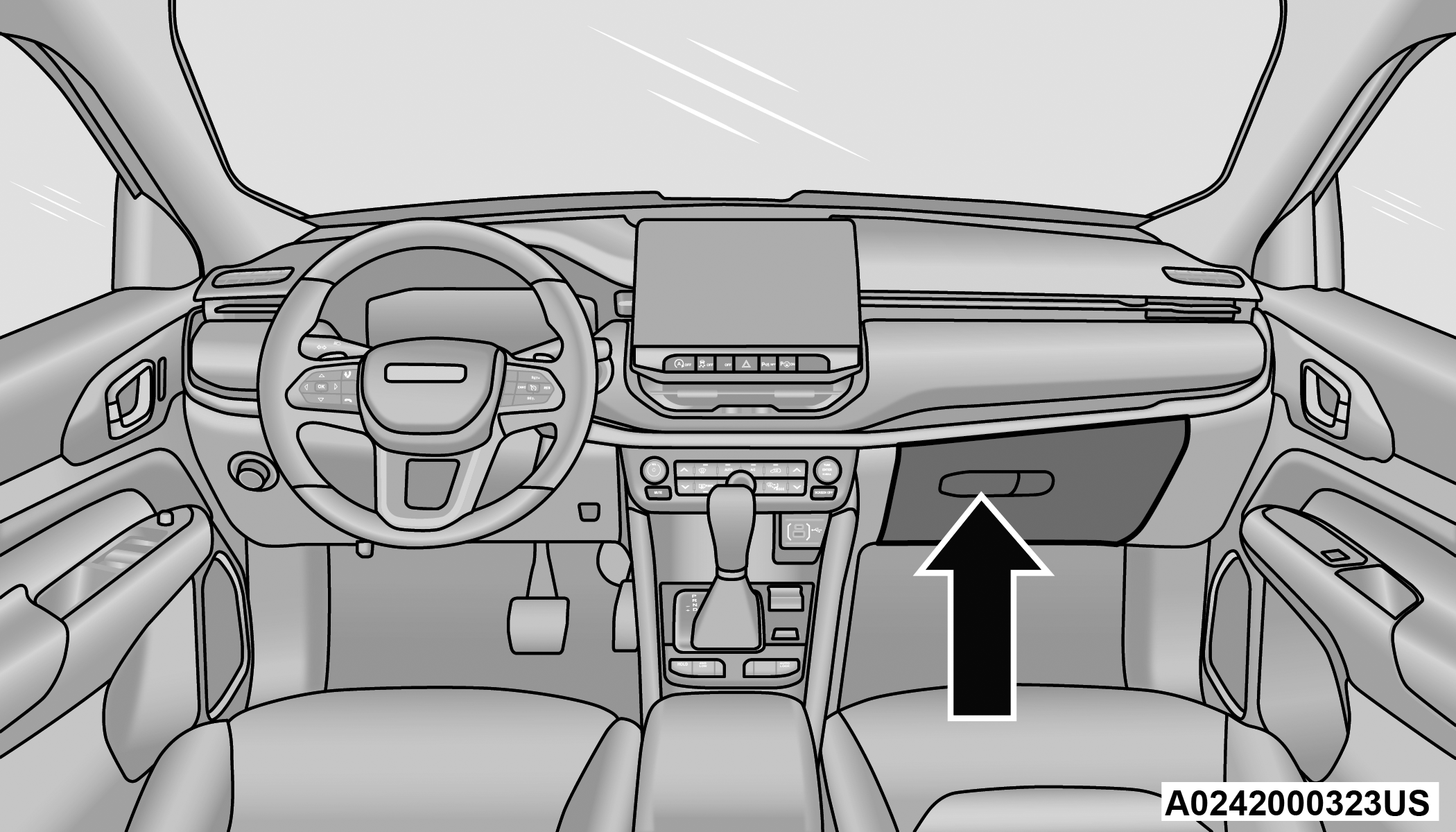
Glove Compartment
To open the glove compartment, pull the release handle.
WARNING:
Do not operate this vehicle with a glove compartment in the open position. Driving with the glove compartment open may result in injury in a collision.
CONSOLE STORAGE COMPARTMENT
To open, pull up on the latch and lift the cover.
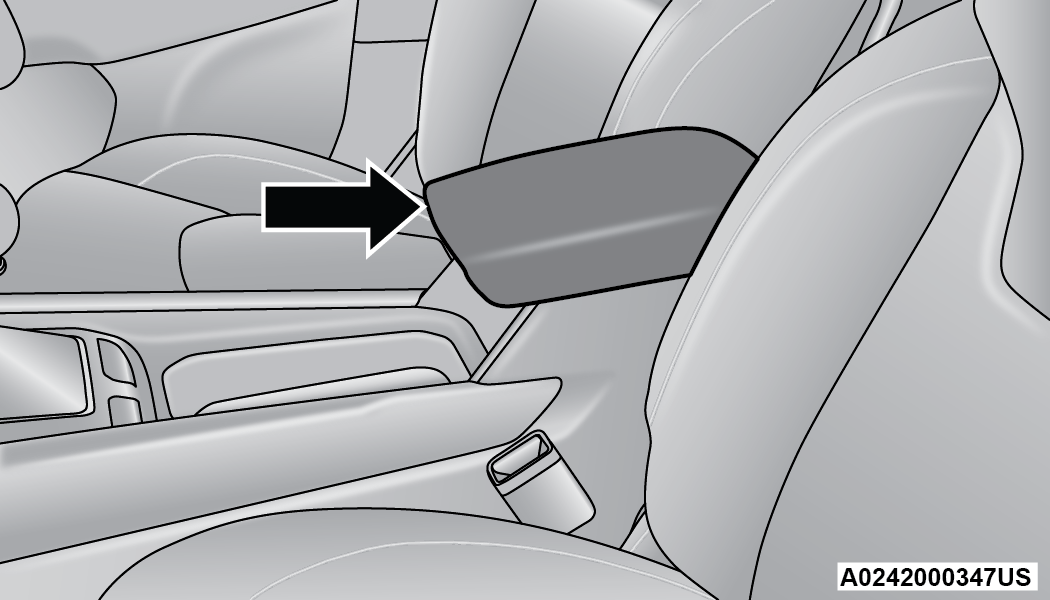
Center Console
The center console has a storage area which can hold cell phones, PDAs, and other small items. The center console can slide forward and rearward for comfort.
WARNING:
Do not operate this vehicle with a console compartment lid in the open position. Driving with the console compartment lid open may result in injury in a collision.
USB CONTROL
This feature allows an external USB device to be plugged into one of the USB ports, located in the center stack of the instrument panel.
Plugging in a smartphone device to a USB port will activate Android Auto™ or Apple CarPlay® features, if equipped. For further information, refer to “Android Auto™” or “Apple CarPlay®” in the Owner’s Manual Supplement.
Note:
Two devices can be plugged in at the same time, and both ports will provide charging capabilities. Only one port can transfer data to the system at a time.
For example, if a device is plugged into the Type A USB port and another device is plugged into the Type C USB port, a message will appear and allow you to select which device to use.
Different scenarios are listed below when a non-phone device is plugged into the smaller and larger USB ports, and when a phone device is plugged into the smaller and larger USB ports:
-
“A new device is now connected. Previous connection was lost”.
-
“(Phone Name) now connected. Previous connection was lost”.
-
“Another device is in use through the same USB port. Please disconnect the first device to use the second device”.
Plugging in a phone or another USB device may cause the connection to a previous device to be lost.
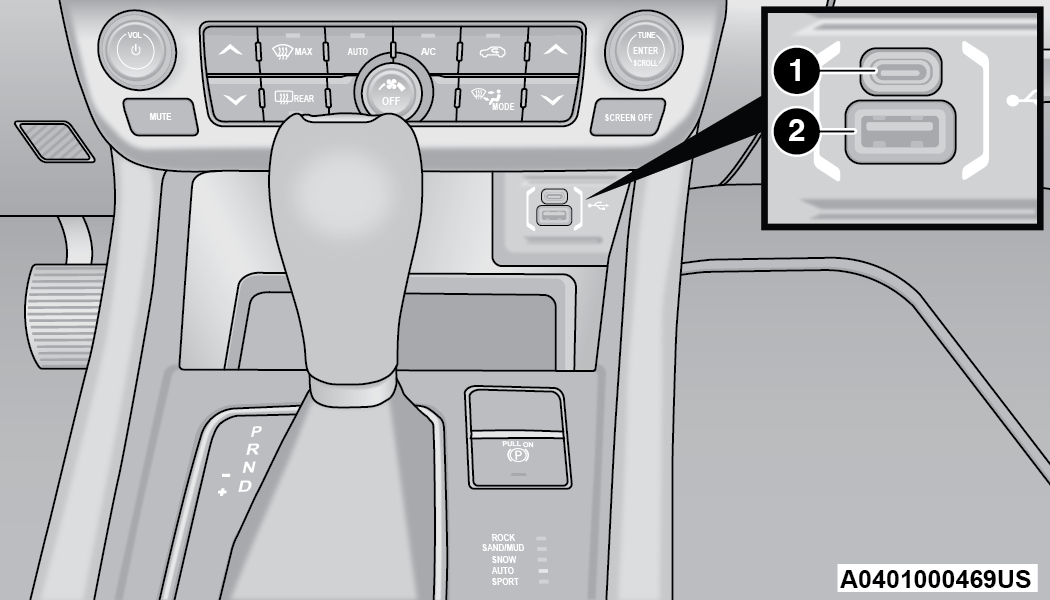
>Front USB Ports
|
1 — Type C USB Port |
|
2 — Type A USB Port |
By using a USB cable to connect an external device:
-
The device can be played on the vehicle’s sound system, providing the artist, track title, and album information on the radio display.
Note:
Depending on track configuration, track information may not be present on the radio display.
-
The device can be controlled using the radio buttons to play, and browse the contents of the device.
-
The audio device battery charges when plugged into the USB port.
The second row USB ports can be used to charge an external device.
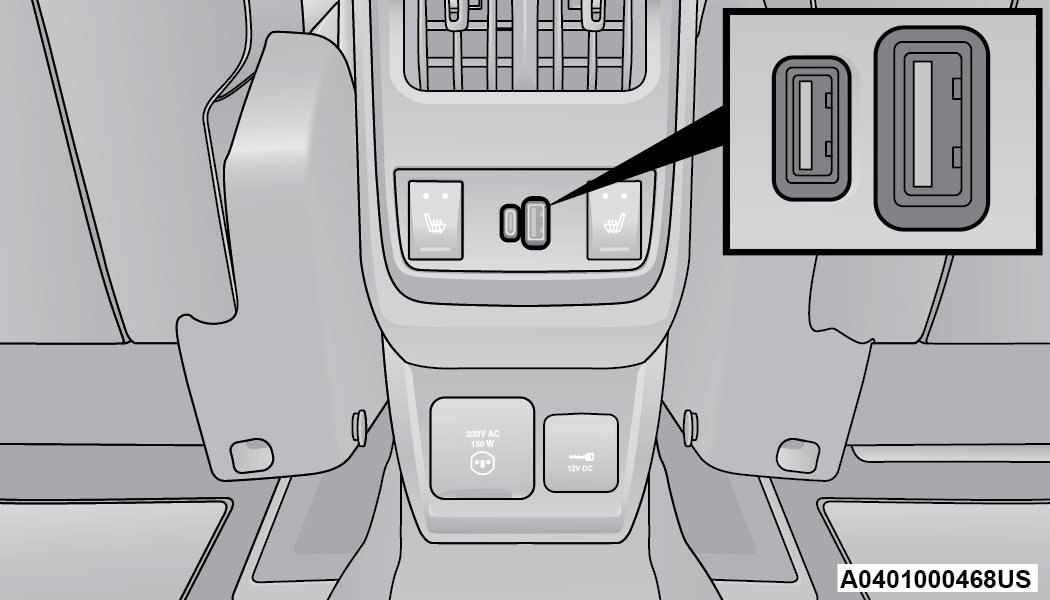
>Charge Only Rear USB Ports
Note:
Charge unsupported devices with the Charge Only USB ports. If an unsupported device is plugged into a Media USB port, a message will display on the touchscreen that the device is not supported by the system.
POWER OUTLETS — IF EQUIPPED
Your vehicle may be equipped with 12 Volt (13 Amp) power outlets that can be used to power cellular phones, small electronics and other low powered electrical accessories. The power outlets are labeled with either a “key” or a “battery” symbol to indicate how the outlet is powered. Power outlets labeled with a key symbol are powered when the ignition is in the ON/RUN position, while the outlets labeled with a battery symbol are connected directly to the battery, and powered at all times.
Note:
All accessories connected to the battery powered outlets should be removed or turned off when the vehicle is not in use to protect the battery against discharge.
CAUTION:
Power outlets are designed for accessory plugs only. Do not insert any other object in the power outlets as this will damage the outlet and blow the fuse. Improper use of the power outlet can cause damage not covered by your New Vehicle Limited Warranty.
If equipped, the front power outlet is located on the center stack of the instrument panel.
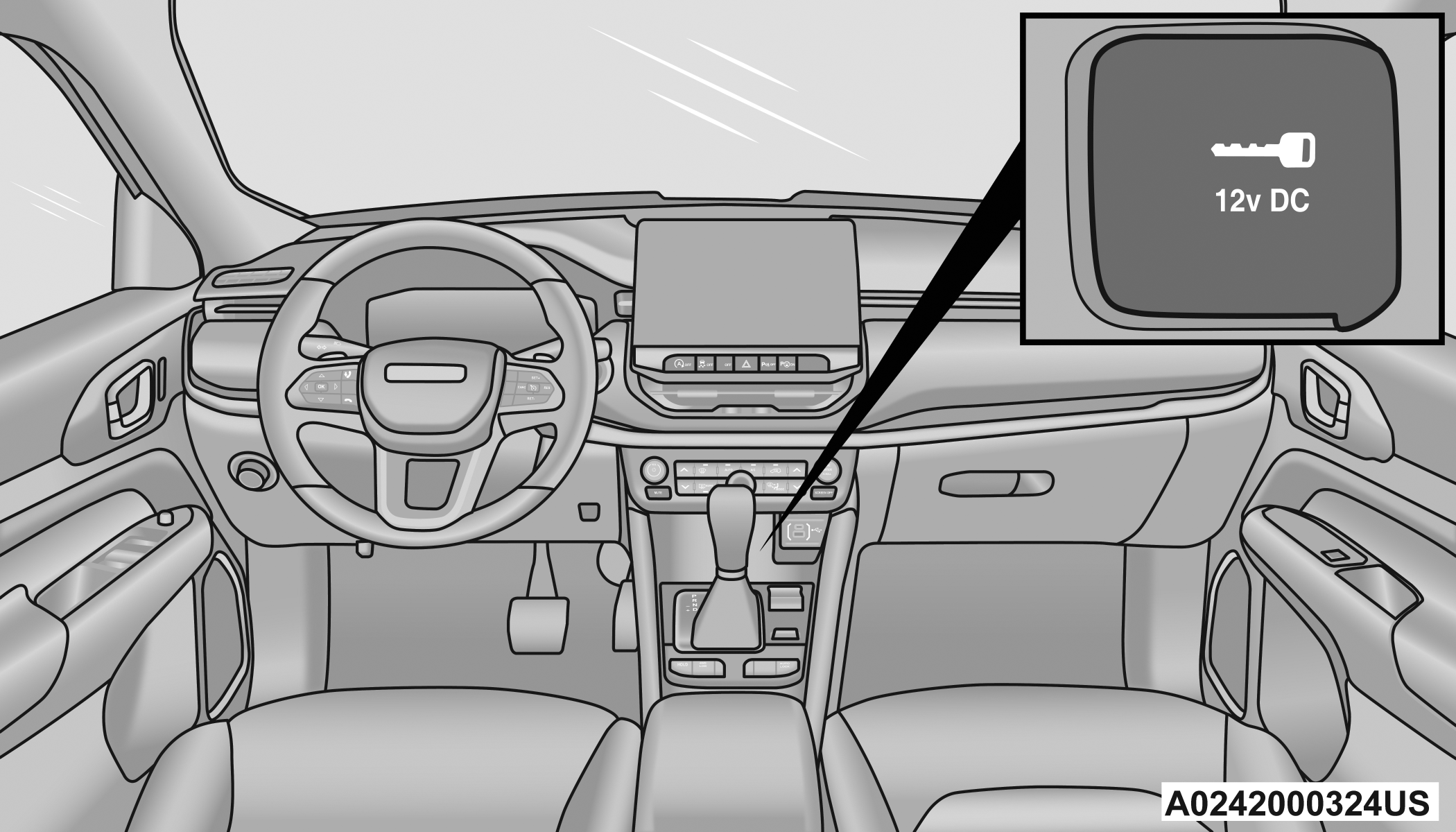
>Front Power Outlet
If equipped, a power outlet is located in the rear cargo area.
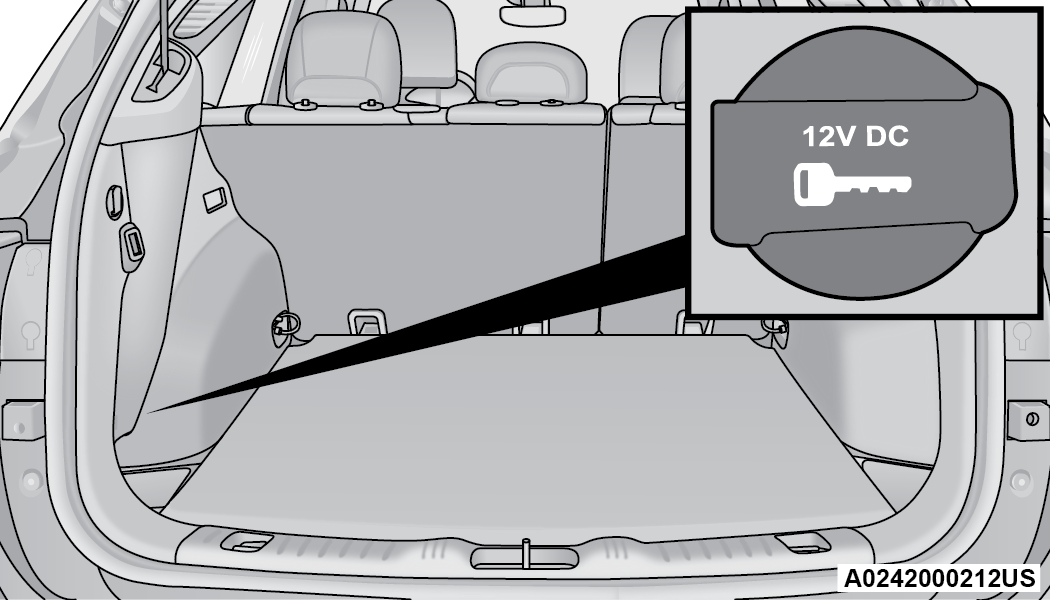
>Rear Cargo Area Power Outlet — If Equipped
Note:
The rear cargo area power outlet can be switched from ignition-only to constant battery powered all the time. See an authorized dealer for details.
WARNING:
To avoid serious injury or death:
-
Only devices designed for use in this type of outlet should be inserted into any 12 Volt outlet.
-
Do not touch with wet hands.
-
Close the lid when not in use and while driving the vehicle.
-
If this outlet is mishandled, it may cause an electric shock and failure.
CAUTION:
-
Many accessories that can be plugged in draw power from the vehicle's battery, even when not in use (i.e., cellular phones, etc.). Eventually, if plugged in long enough, the vehicle's battery will discharge sufficiently to degrade battery life and/or prevent the engine from starting.
-
Accessories that draw higher power (i.e., coolers, vacuum cleaners, lights, etc.) will degrade the battery even more quickly. Only use these intermittently and with greater caution.
-
After the use of high power draw accessories, or long periods of the vehicle not being started (with accessories still plugged in), the vehicle must be driven a sufficient length of time to allow the generator to recharge the vehicle's battery.
POWER INVERTER — IF EQUIPPED
There is a 115 Volt, 150 Watt inverter outlet located on the back of the center console to convert DC current to AC current. This outlet can power cellular phones, electronics and other low power devices requiring power up to 150 Watts. Certain game consoles will exceed this power limit, as will most power tools.
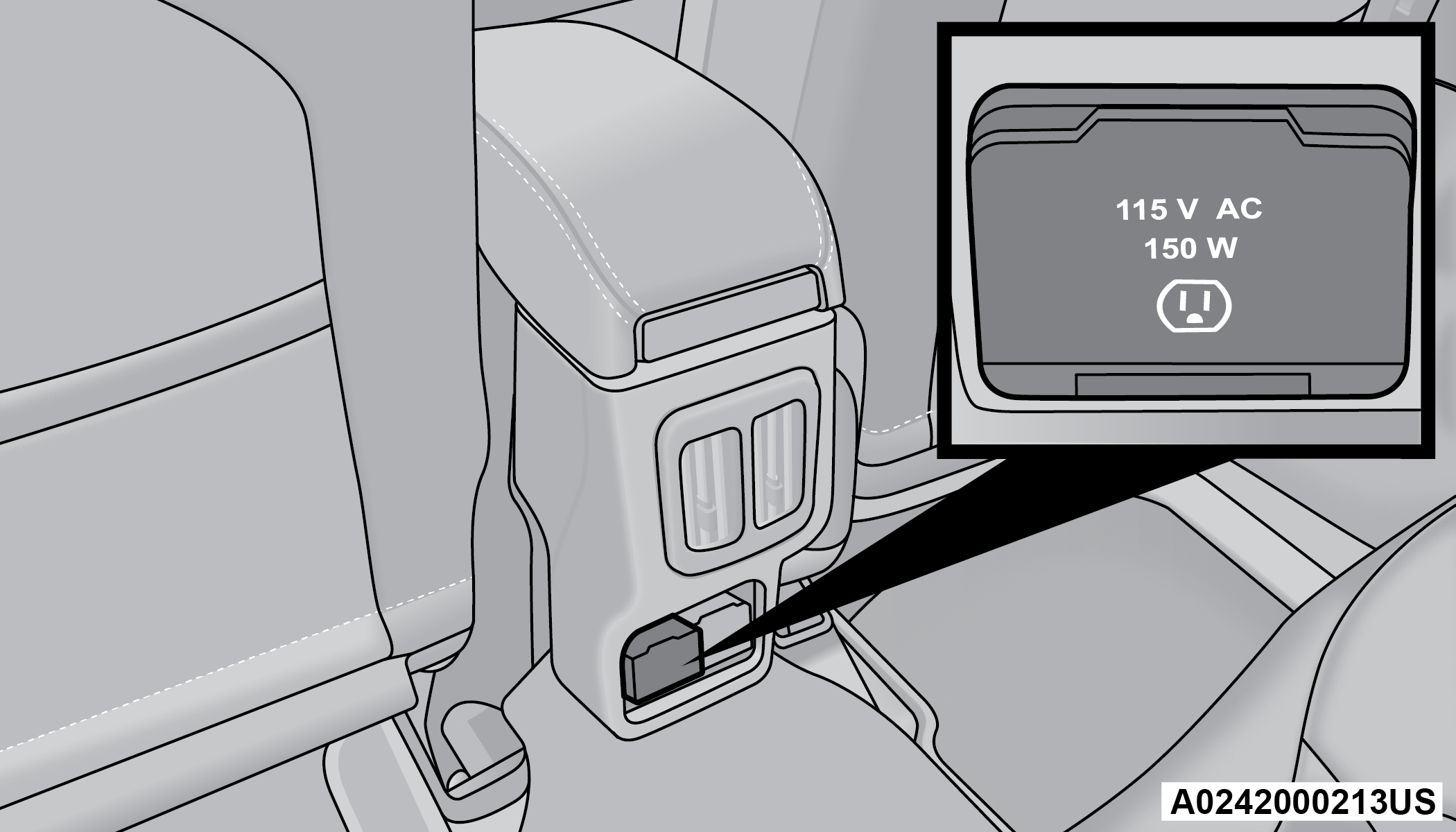
>Power Inverter Location
To turn on the power inverter outlet, simply plug in a device. The outlet automatically turns off when the device is unplugged.
The power inverter is designed with built-in overload protection. If the power rating of 150 Watts is exceeded, the power inverter will automatically shut down. Once the electrical device has been removed from the outlet the inverter should automatically reset. To avoid overloading the circuit, check the power ratings on electrical devices prior to using the inverter.
WARNING:
To avoid serious injury or death:
-
Do not insert any objects into the receptacles.
-
Do not touch with wet hands.
-
Close the lid when not in use.
-
If this outlet is mishandled, it may cause an electric shock and failure.
WIRELESS CHARGING PAD — IF EQUIPPED
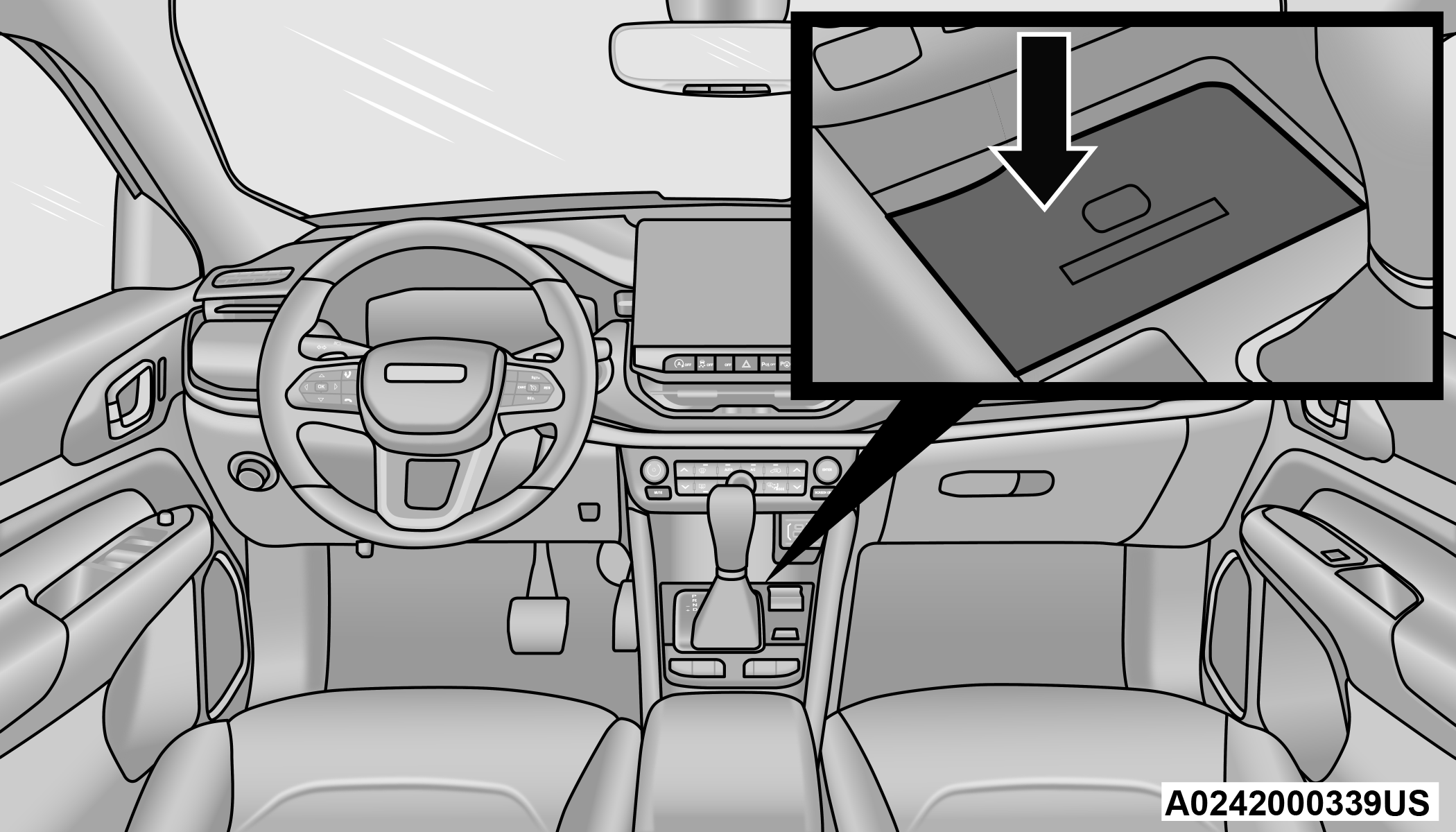
>Wireless Charging Pad
Your vehicle may be equipped with a 15W 3A Qi wireless charging pad located below the center stack by the cupholders. This charging pad is designed to wirelessly charge your Qi enabled mobile phone. Qi is a standard that allows wireless charging of your mobile phone.
Your mobile phone must be designed for Qi wireless charging. If the phone is not equipped with Qi wireless charging functionality, an aftermarket sleeve or a specialized back plate can be purchased from your mobile phone provider or a local electronics retailer. Please see your phone’s owner’s manual for further information.
The wireless charging pad is equipped with an anti-slip mat to hold your mobile phone in place, and an LED indicator light.
LED Indicator Status:
-
No Light: Charging pad is idle or searching for a device.
-
Blue Light: Device is detected and is charging.
-
Red Light/Flashing: Internal error, or foreign object is detected.
Note:
-
The wireless charging pad will not work if any of the four doors are open, even if the engine is running. Opening the liftgate will not interfere with charging pad operation.
-
Using a phone case may interfere with wireless charging.
CAUTION:
The key fob should not be placed on the charging pad or within 6 inches (15 cm) of it. Doing so can cause excessive heat buildup and damage to the fob. Placing the fob in close proximity of the charging pad blocks the fob from being detected by the vehicle and prevents the vehicle from starting.
Download Manual