Rear View Camera
 WARNING: The rear view camera system is a reverse aid supplement device that still requires the driver to use it in conjunction with the interior and exterior mirrors for maximum coverage. WARNING: Objects that are close to either corner of the bumper or under the bumper, might not be seen on the screen due to the limited coverage of the camera system. WARNING: Reverse your vehicle slowly. Failure to follow this instruction could result in the loss of control of your vehicle, personal injury or death. WARNING: Use caution when the rear cargo door is ajar. If the rear cargo door is ajar, the camera will be out of position and the video image could be incorrect. All guide lines disappear when the rear cargo door is ajar. Failure to follow this instruction could result in personal injury. WARNING: The rear view camera system is a reverse aid supplement device that still requires the driver to use it in conjunction with the interior and exterior mirrors for maximum coverage. WARNING: Objects that are close to either corner of the bumper or under the bumper, might not be seen on the screen due to the limited coverage of the camera system. WARNING: Reverse your vehicle slowly. Failure to follow this instruction could result in the loss of control of your vehicle, personal injury or death. WARNING: Use caution when the rear cargo door is ajar. If the rear cargo door is ajar, the camera will be out of position and the video image could be incorrect. All guide lines disappear when the rear cargo door is ajar. Failure to follow this instruction could result in personal injury. |
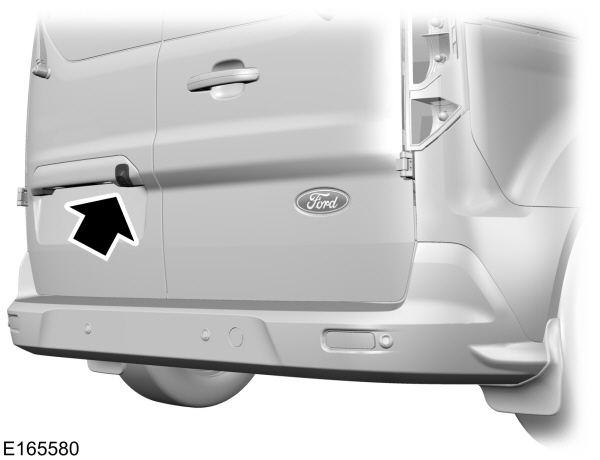
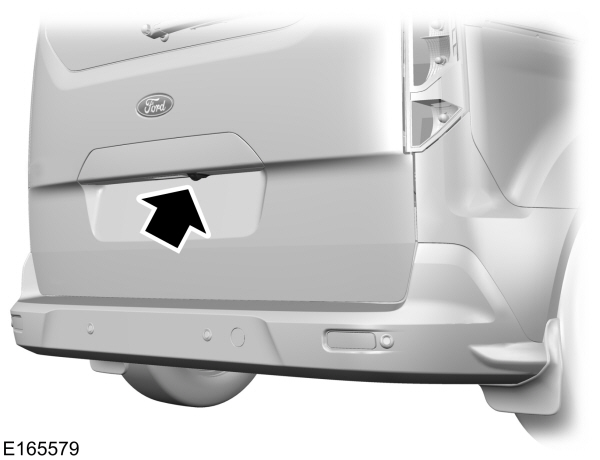
The camera is on the rear cargo door or liftgate.
Switching the Rear View Camera On
Switch the ignition on.
Shift into reverse (R).
The camera may not operate correctly in the following conditions:
- Dark areas.
- Intense light areas.
- If there is a sudden change to the outside temperature.
- If the camera is wet.
- If the camera is obstructed.
Using the Display
| WARNING: The operation of the camera depends on the outside temperature, vehicle and road conditions. WARNING: Objects above the camera may not be visible. Check the area behind your vehicle when necessary. WARNING: To help avoid personal injury always use caution when in reverse (R) and when using the rear view camera. |
Distance markers are only a guide and are calculated for unloaded vehicles on an even road surface.
The lines show a projected vehicle path and the approximate distance from the rear bumper to an object.
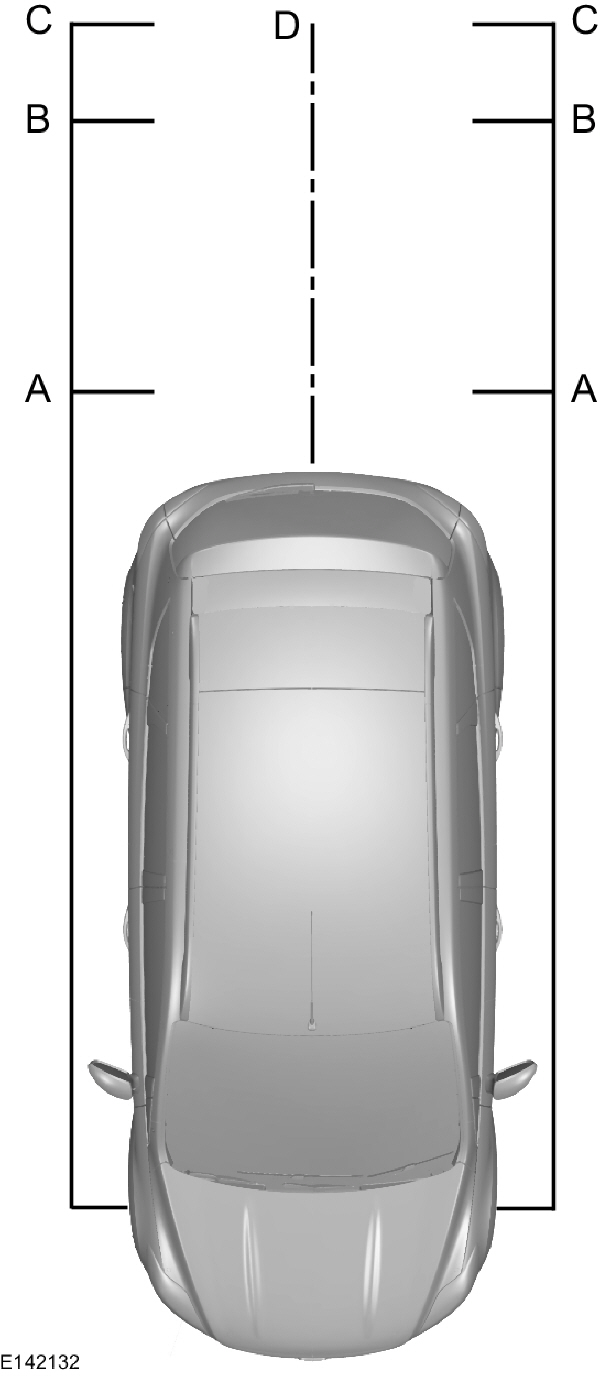
A Red - Zone Red - ZoneB Amber - ZoneC Green - ZoneD Black - center line of the projected vehicle path |
Note: When reversing with a trailer the camera shows the direction of your vehicle and not the direction of the trailer.
Note: When reversing with a trailer the screen does not display the lines.
Switching the Rear View Camera Off
The image does not display when you move the gearshift lever into Park (P).
Vehicles With Rear View Camera Delay
To turn this feature onSee Settings .
The display will automatically switch off after disengaging reverse (R) gear.
The system will automatically switch off when your vehicle speed is above 5.0 mph (8 km/h).
Note: Depending upon which type of multimedia display you have, the rear view camera delay is always on, it cannot be switched off.
Vehicles With Parking Aid
The display shows a colored distance bar. This indicates the approximate distance from the rear bumper to an object.
These are color coded as follows:
- Red - Zone
- Amber - Zone
- Green - Zone
Download Manual