Lane Keeping System
 WARNING: You are responsible for controlling your vehicle at all times. The system is designed to be an aid and does not relieve you of your responsibility to drive with due care and attention. Failure to follow this instruction could result in the loss of control of your vehicle, personal injury or death. WARNING: The system may not function if the sensor is blocked. WARNING: The sensor may incorrectly track lane markings as other structures or objects. This can result in a false or missed warning. WARNING: In cold and severe weather conditions the system may not function. Rain, snow and spray can all limit sensor performance. WARNING: Large contrasts in outside lighting can limit sensor performance. WARNING: The system will not operate if the sensor cannot track the road lane markings. WARNING: If damage occurs in the immediate area surrounding the sensor, have your vehicle checked as soon as possible. WARNING: The system may not correctly operate if your vehicle is fitted with a suspension kit not approved by us. WARNING: You are responsible for controlling your vehicle at all times. The system is designed to be an aid and does not relieve you of your responsibility to drive with due care and attention. Failure to follow this instruction could result in the loss of control of your vehicle, personal injury or death. WARNING: The system may not function if the sensor is blocked. WARNING: The sensor may incorrectly track lane markings as other structures or objects. This can result in a false or missed warning. WARNING: In cold and severe weather conditions the system may not function. Rain, snow and spray can all limit sensor performance. WARNING: Large contrasts in outside lighting can limit sensor performance. WARNING: The system will not operate if the sensor cannot track the road lane markings. WARNING: If damage occurs in the immediate area surrounding the sensor, have your vehicle checked as soon as possible. WARNING: The system may not correctly operate if your vehicle is fitted with a suspension kit not approved by us. |
The system is designed to alert you by providing temporary steering assistance or steering wheel vibration when it detects an unintended lane departure. The system detects and tracks the road lane markings using a camera mounted behind the interior mirror.The system only operates when the vehicle speed is greater than approximately 40 mph (65 km/h).You can view the system status in the information display.
Note: The system works when the camera can detect at least one lane marking.
The system may not correctly operate in any of the following conditions:
- The system does not detect at least one lane marking.
- You switch the direction indicator on.
- You apply direct steering, accelerate fast or brake hard.
- The vehicle speed is less than 40 mph (65 km/h).
- The anti-lock brake, stability control or traction control system activates.
- Narrow lane width.
The system may not correct lane positioning in any of the following conditions:
- High winds.
- Uneven road surfaces.
- Heavy or uneven loads.
- Incorrect tire pressure.
Switching Lane Keeping System On or Off
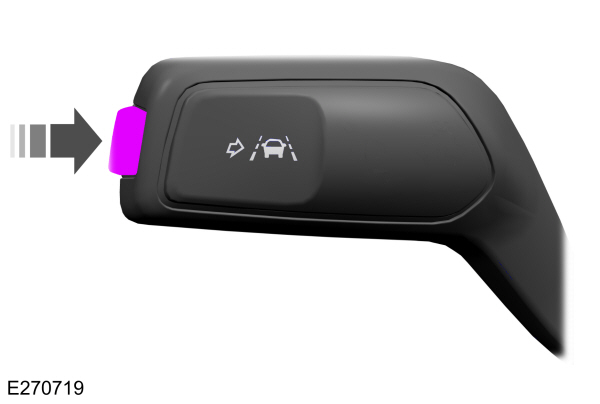
Press the button on the direction indicator stalk.
Lane Keeping System Settings
The system has different settings that you can view or adjust using the information display.
Note: The system remembers the last setting when you start your vehicle. If the system detects a MyKey, the mode is set to alert.
Alert Mode
Provides steering wheel vibration when the system detects an unintended lane departure.
Intensity Setting
To adjust the steering wheel vibration intensity setting, use the information display controls on the steering wheel to select the following:
| Menu Item | Action |
|---|---|
|
Driver Assist. |
Press the menu button. |
|
Lane Keeping System |
Press the OK button. |
|
Intensity |
Press the OK button.Press the toggle button upward or downward to choose your required setting.Press the OK button. |
Note: This setting does not affect the aid mode.
Note: The system remembers the last setting when you start your vehicle.
Aid Mode
Provides temporary steering assistance toward the lane center when the system detects an unintended lane departure.
Note: When aid mode is on and the system does not detect any steering activity for a short period of time, for example lightly holding the steering wheel, the system alerts you to put your hands on the steering wheel.
Alert and Aid Mode
Provides temporary steering assistance toward the lane center when the system detects an unintended lane departure. If your vehicle continues drifting out of the lane, the steering wheel vibrates.
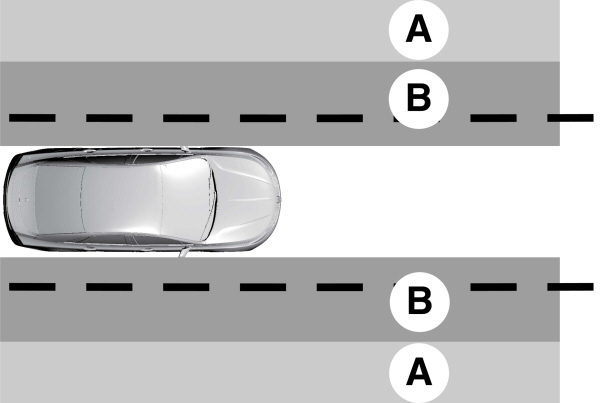
A Alert mode. Alert mode.B Aid mode. |
Note: The diagram illustrates general zone coverage. It does not provide exact zone parameters.
To change between the lane keeping system modes, use the information display controls on the steering wheel to select the following:
| Menu Item | Action |
|---|---|
|
Driver Assist. |
Press the menu button. |
|
Lane Keeping System |
Press the OK button. |
|
Mode |
Press the OK button.Press the toggle button upward or downward to choose your required setting.Press the OK button. |
Lane Keeping System Display
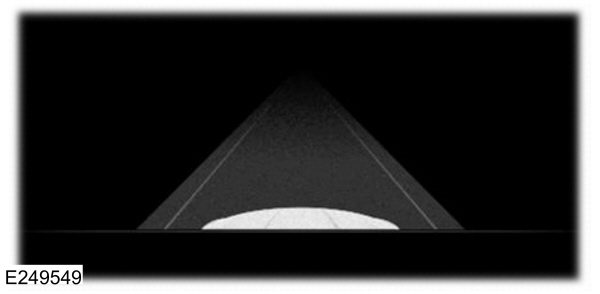
When the system is off, the system indicator or the lane markings do not display.
Alert Mode
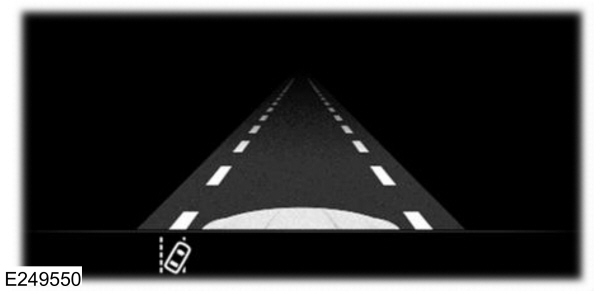
When you switch the system on, an indicator appears in the information display and a graphic showing the lane markings displays.
Aid Mode
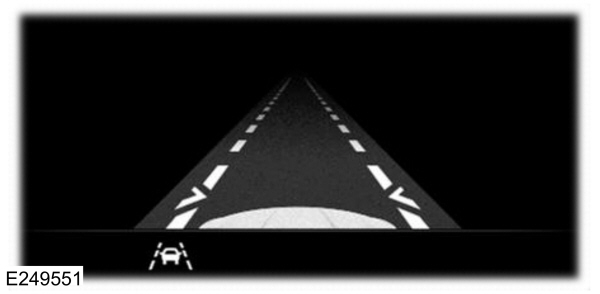
If you switch Aid Mode or Alert and Aid Mode on, arrows also display with the lane markings.
Lane Keeping System Warning Lamps and Indicators
Lane Keeping Alert Indicator
 It illuminates when you switch the system on. It illuminates when you switch the system on. |
Lane Keeping Aid Warning Lamp
 It illuminates when the system activates. It illuminates when the system activates. |
Black and White Information Display
| Indicator | System Status |
|---|---|
| Gray. | Unavailable. |
| White. | Available. |
| White and inverted. | Temporary steering assistance. |
| White and flashing. | Steering wheel vibration. |
Color Information Display
| Indicator | System Status |
|---|---|
| Gray. | Unavailable. |
| Green. | Available. |
| Amber. | Temporary steering assistance. |
| Red. | Steering wheel vibration. |
Lane Keeping System Messages
| Message | Action |
|---|---|
|
Lane Keeping Sys. Malfunction Service Required |
The system has detected a fau |
Download Manual