Cargo Nets
Installing the Net (If Equipped)
 WARNING: Always attach and tighten the net to the luggage anchor points and do not put more than 22 lb (10 kg) of cargo behind the net and above the seat back. Otherwise, the net could fail and cargo could become a projectile, which could cause serious injury. WARNING: Do not allow people to ride in the third row seating positions when the cargo net is installed behind the second row. Failure to do so may limit egress from the vehicle in an emergency. WARNING: Always attach and tighten the net to the luggage anchor points and do not put more than 22 lb (10 kg) of cargo behind the net and above the seat back. Otherwise, the net could fail and cargo could become a projectile, which could cause serious injury. WARNING: Do not allow people to ride in the third row seating positions when the cargo net is installed behind the second row. Failure to do so may limit egress from the vehicle in an emergency. |
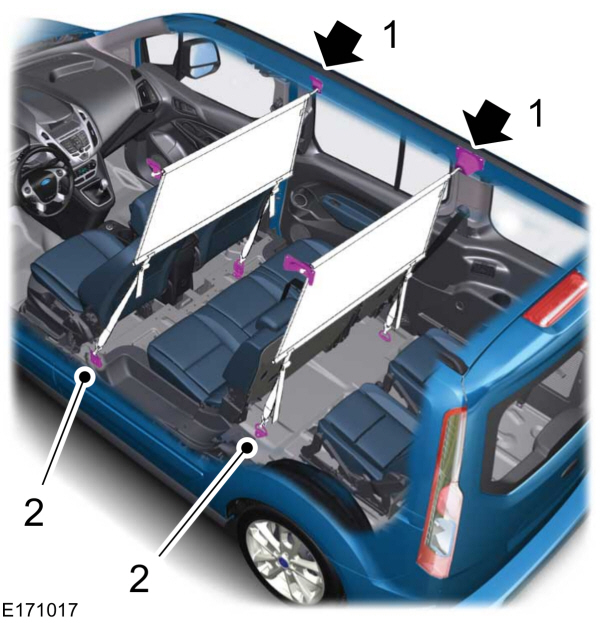
- Push the ends of the upper bar toward each other and insert them into the retainers in the roof. Push the bar forward into the narrow section of the retainers.
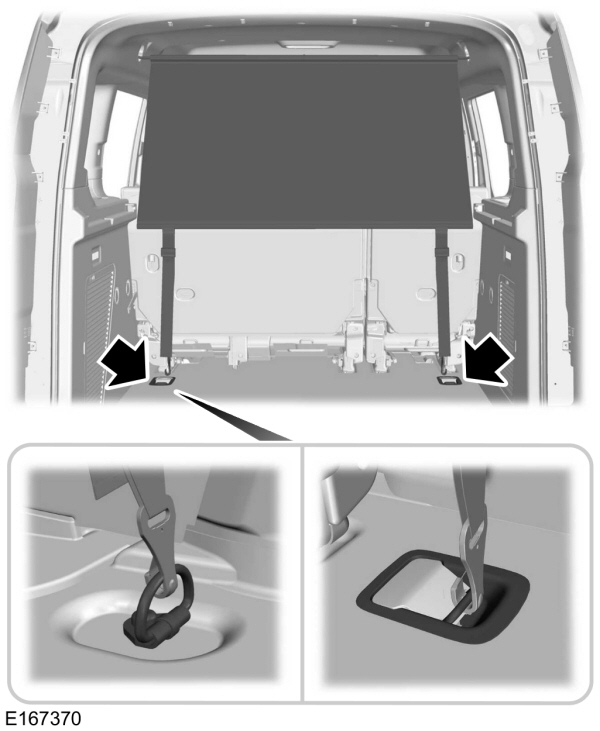
- Attach the net to the luggage anchor points. See Luggage Anchor Points.
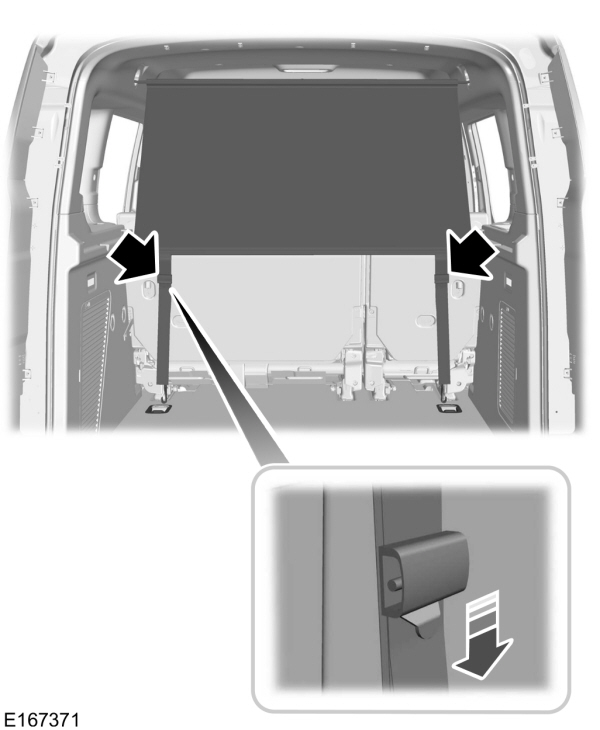
- Tighten the straps.
Removing the Net
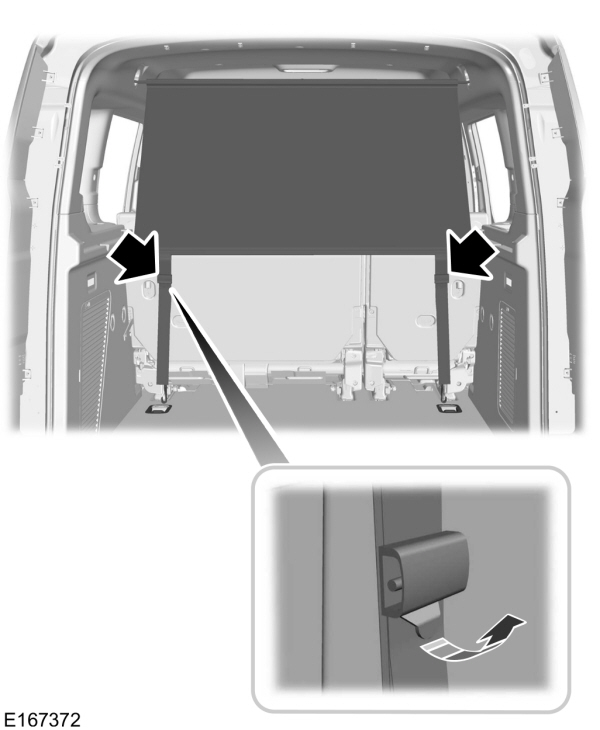
- Release the straps.
- Remove the net from the luggage anchor points.
- Remove the upper bars.
Download Manual