Doors
To lock each door, rotate the door lock on each door trim panel forward. To unlock the front doors, pull the inside door handle to the first detent or rotate the door lock button until the ribbing is visible. To unlock the rear doors, rotate the door lock button until the red indicator is visible.
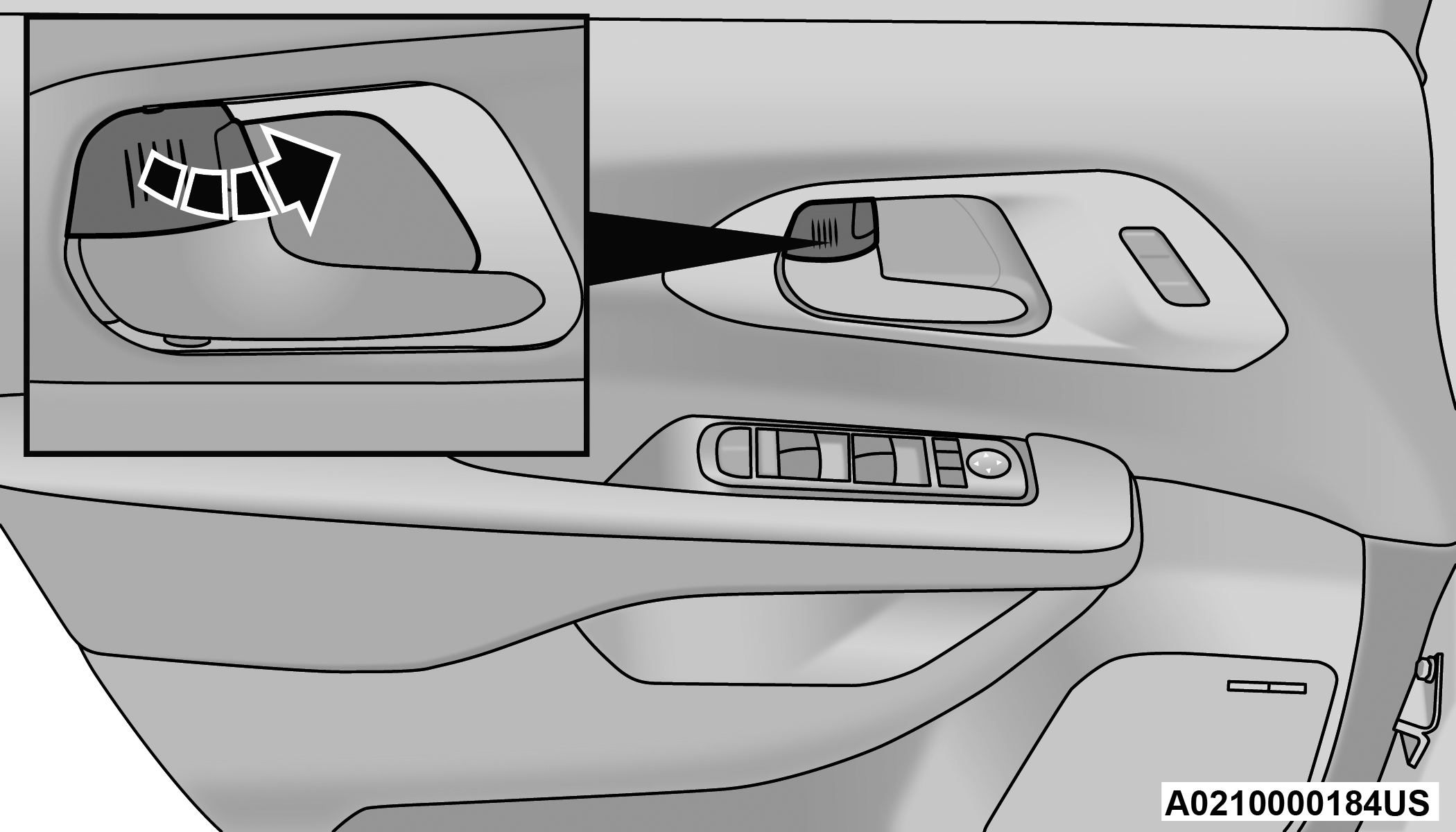
Manual Front Door Lock
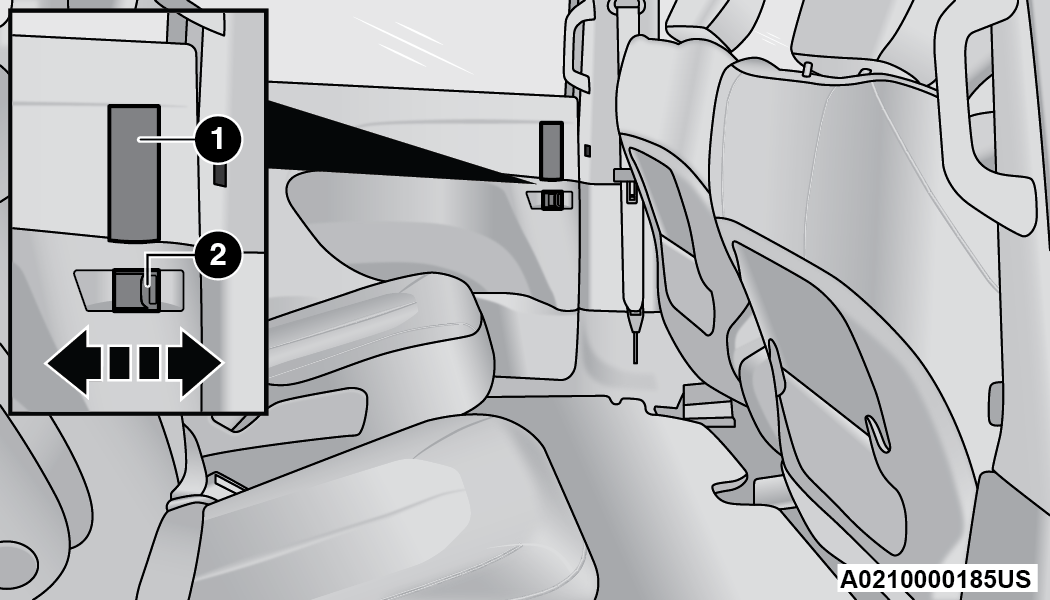
Manual Rear Door Lock
|
1 — Door Handle |
|
2 — Manual Door Lock |
If the door lock is in the locked position (no ribbing is visible) when you shut the door, the door will lock. Therefore, make sure the key fob is not inside the vehicle before closing the door.
Note:
The manual door locks will not lock or unlock the liftgate.
WARNING:
-
For personal security and safety in the event of a collision, lock the vehicle doors before you drive as well as when you park and leave the vehicle.
-
Never use the PARK position as a substitute for the parking brake. Always apply the parking brake fully when parked to guard against vehicle movement and possible injury or damage.
-
When exiting the vehicle, always make sure the ignition is in the OFF position, remove the key fob from the vehicle and lock the vehicle.
-
Never leave children alone in a vehicle, or with access to an unlocked vehicle. Allowing children to be in a vehicle unattended is dangerous for a number of reasons. A child or others could be seriously or fatally injured. Children should be warned not to touch the parking brake, brake pedal or the gear selector.
-
Do not leave the key fob in or near the vehicle, or in a location accessible to children, and do not leave the Keyless Enter ‘n Go™ Ignition in the ACC or ON/RUN position. A child could operate power windows, other controls, or move the vehicle.
POWER DOOR LOCKS — IF EQUIPPED
A power door lock switch is on each front door trim panel. Use this switch to lock or unlock the doors.
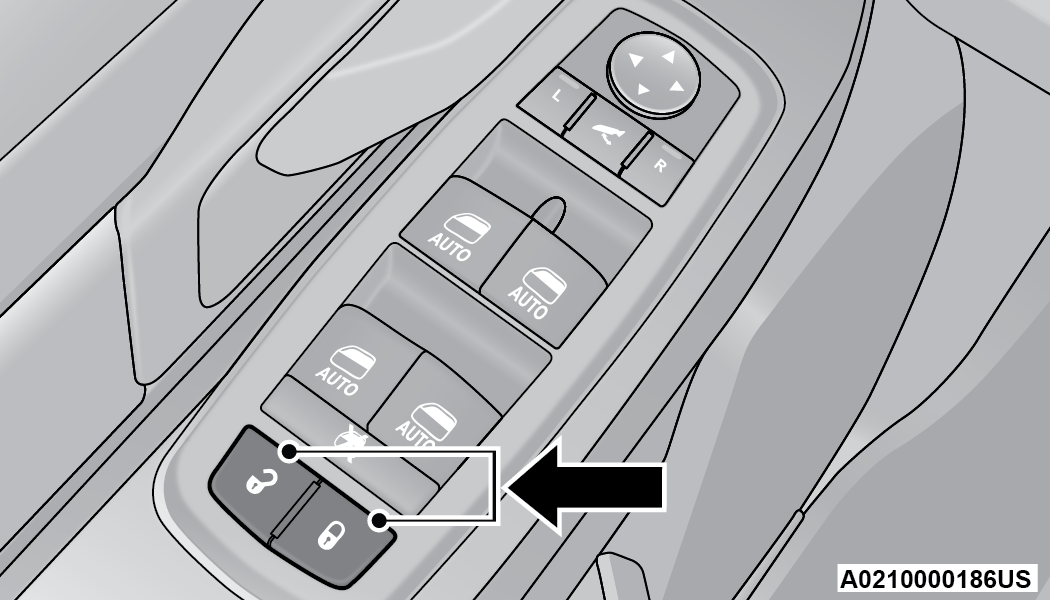
Driver Power Door Lock Switches
If you push the power door lock switch while the ignition is in the ACC or ON/RUN position, and any front door is open, the power locks will not operate. This prevents you from accidentally locking your key fob in the vehicle. Placing the ignition in the OFF position or closing the door will allow the locks to operate. A chime will sound if the ignition is in the ACC or ON/RUN position and a door is open, as a reminder to place the ignition in the OFF position and remove the key fob.
KEYLESS ENTER ‘N GO™ — PASSIVE ENTRY
The Passive Entry system is an enhancement to the vehicle’s Remote Keyless Entry system. This feature allows you to lock and unlock the vehicle’s door(s) without having to push the key fob lock or unlock buttons.
Note:
-
Passive Entry may be programmed on/off through the Uconnect system "⇨UCONNECT SETTINGS".
-
The key fob may not be detected by the Passive Entry system if it is located next to a mobile phone, laptop, or other electronic device; these devices may block the key fob’s wireless signal and prevent the Passive Entry handle from locking/unlocking the vehicle.
-
If set by the customer in the Uconnect Settings, unlocking with Passive Entry will initiate illuminated approach (low beams, license plate light, parking lights) for the duration of 0, 30, 60 or 90 seconds. Passive Entry also initiates two flashes of the turn signals.
-
If wearing gloves, if it has been raining/snowing, or there is salt/dirt covering the Passive Entry door handle, the unlock sensitivity can be affected, resulting in a slower response time.
-
The doors may unlock when water is sprayed on the Passive Entry door handles, if the key fob is located outside of the vehicle within 5 ft (1.5 m) of the handle.
-
If the vehicle is unlocked by Passive Entry and no door is opened within 60 seconds, the vehicle will relock and will arm the Vehicle Security system (if equipped).
-
The sliding side doors can be unlocked from the outside using the hands-free or Passive Entry system.
To Unlock From The Driver Or Passenger Side:
With a valid key fob within 5 ft (1.5 m) of the door handle, grab the handle to unlock the vehicle. Grabbing the driver’s door handle will unlock the driver’s side doors (driver/sliding door) automatically. Grabbing the front passenger door handle will unlock all four doors and the liftgate automatically. The interior door panel lock knob will rotate when the door is unlocked.
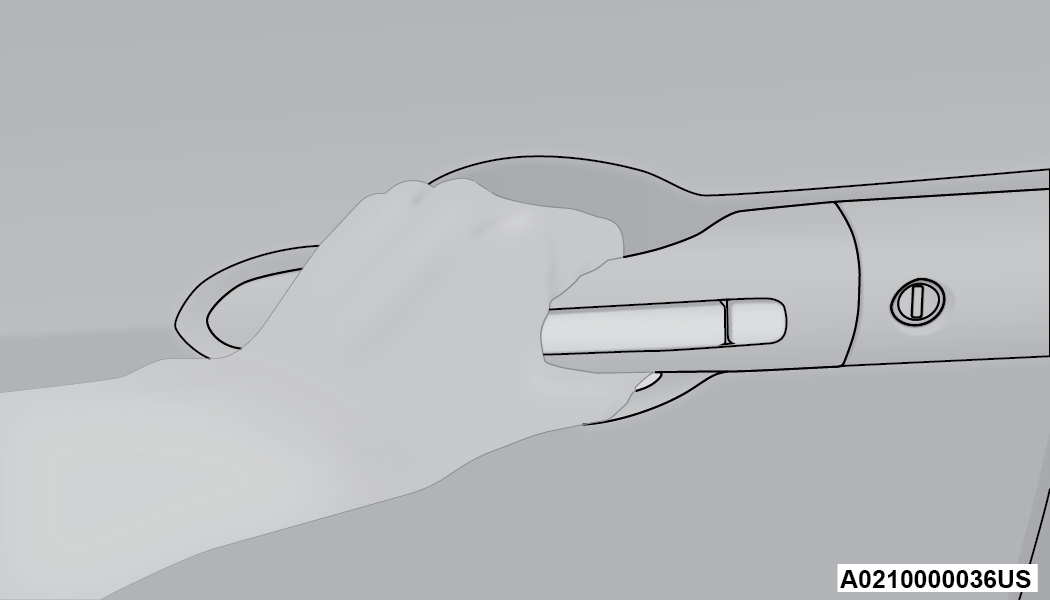
Grab The Door Handle To Unlock
Note:
-
Either the driver door only or all doors will unlock when you grab hold of the front driver’s door handle, depending on the selected setting in the Uconnect system "⇨UCONNECT SETTINGS".
-
All doors will unlock when the front passenger door handle is grabbed regardless of the driver’s door unlock preference setting.
Frequency Operated Button Integrated Key (FOBIK-Safe)
To minimize the possibility of unintentionally locking a key fob inside your vehicle, the Passive Entry system is equipped with an automatic door unlock feature.
There are three situations that trigger a FOBIK-Safe search in any Passive Entry vehicle:
-
A lock request is made by a valid key fob while a door is open.
-
A lock request is made by the Passive Entry door handle while a door is open.
-
A lock request is made by the door panel switch while the door is open.
When any of these situations occur, after all open doors are shut, the FOBIK-Safe search will be executed. If it detects a key fob inside the car, and it does not detect any key fob outside the car, then the car will unlock and alert the customer.
Note:
The vehicle will only unlock the doors when a valid Passive Entry key fob is detected inside the vehicle, and no valid key fob is detected outside the vehicle. The vehicle will not unlock the doors when any of the following conditions are met:
-
The doors are manually locked using the door lock knobs.
-
Three attempts are made to lock the doors using the door panel switch and then the doors are closed.
-
There is a valid Passive Entry key fob outside the vehicle and within 5 ft (1.5 m) of either Passive Entry door handle.
Note:
On the third attempt ALL doors will lock and the key fob can be locked in the vehicle.
To Lock The Vehicle’s Doors And Liftgate
With one of the vehicle’s key fobs within 5 ft (1.5 m) of the driver or passenger front door handle, push the door handle lock button to lock all four doors and the liftgate.
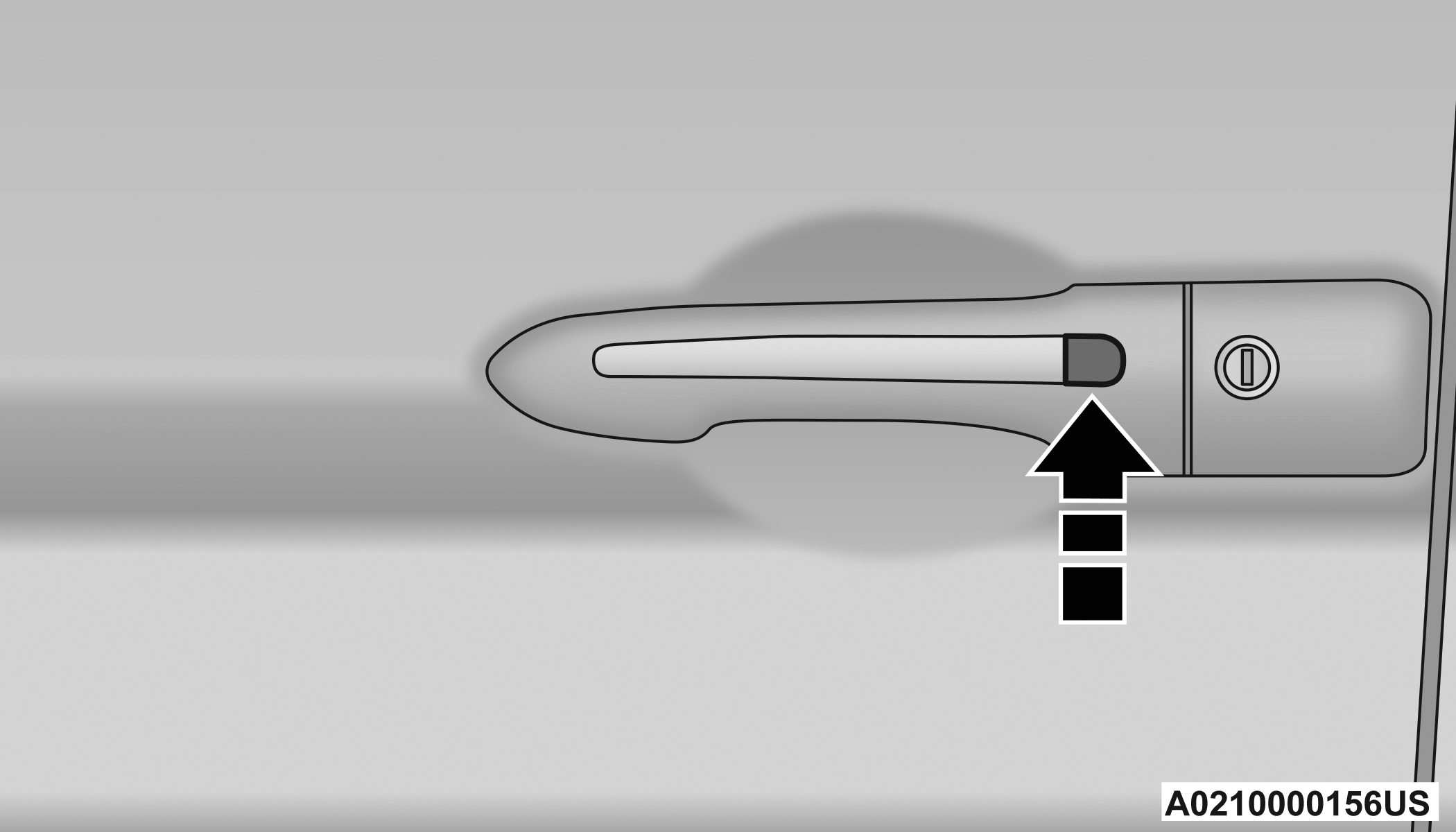
Push The Door Handle Button To Lock
Do NOT grab the door handle when pushing the door handle button. This could unlock the door(s).
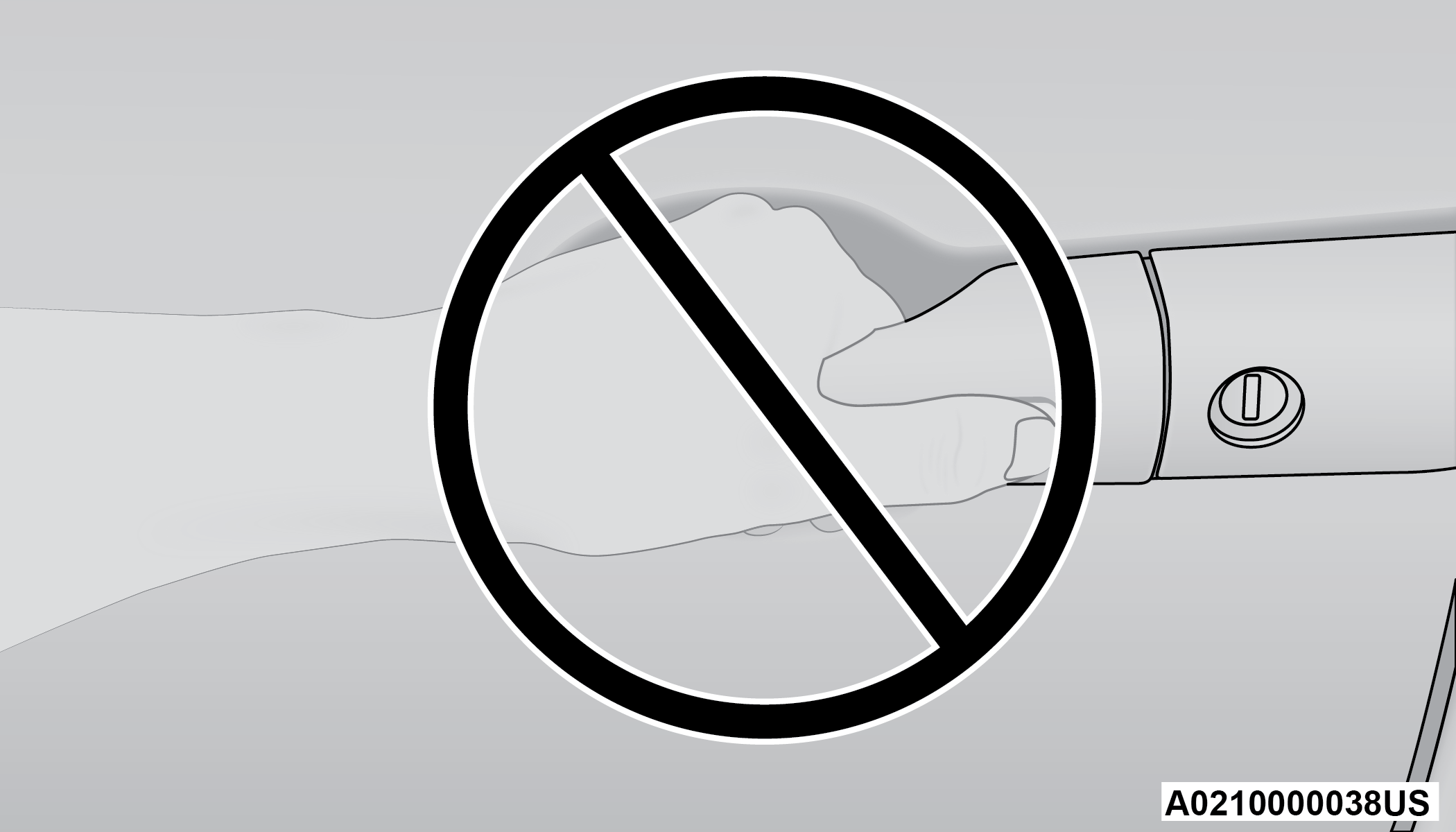
Do NOT Grab The Door Handle When Locking
Note:
-
After pushing the door handle lock button, you must wait two seconds before you can lock or unlock the doors, using either Passive Entry door handle. This is done to allow you to check if the vehicle is locked by pulling the door handle, without the vehicle unlocking.
-
If Passive Entry is disabled using the Uconnect Settings, the key fob protection described in "Frequency Operated Button Integrated Key (FOBIK-Safe)" remains active/functional.
-
The Passive Entry system will not operate if the key fob battery is depleted.
To Unlock/Enter The Liftgate
The liftgate Passive Entry unlock feature is built into the electronic liftgate release handle. With a valid Passive Entry key fob within 5 ft (1.5 m) of the liftgate, push the electronic liftgate release handle for a power open on vehicles equipped with Power Liftgate. Pull the electronic liftgate handle and lift for manual liftgate vehicles "⇨GENERAL INFORMATION".
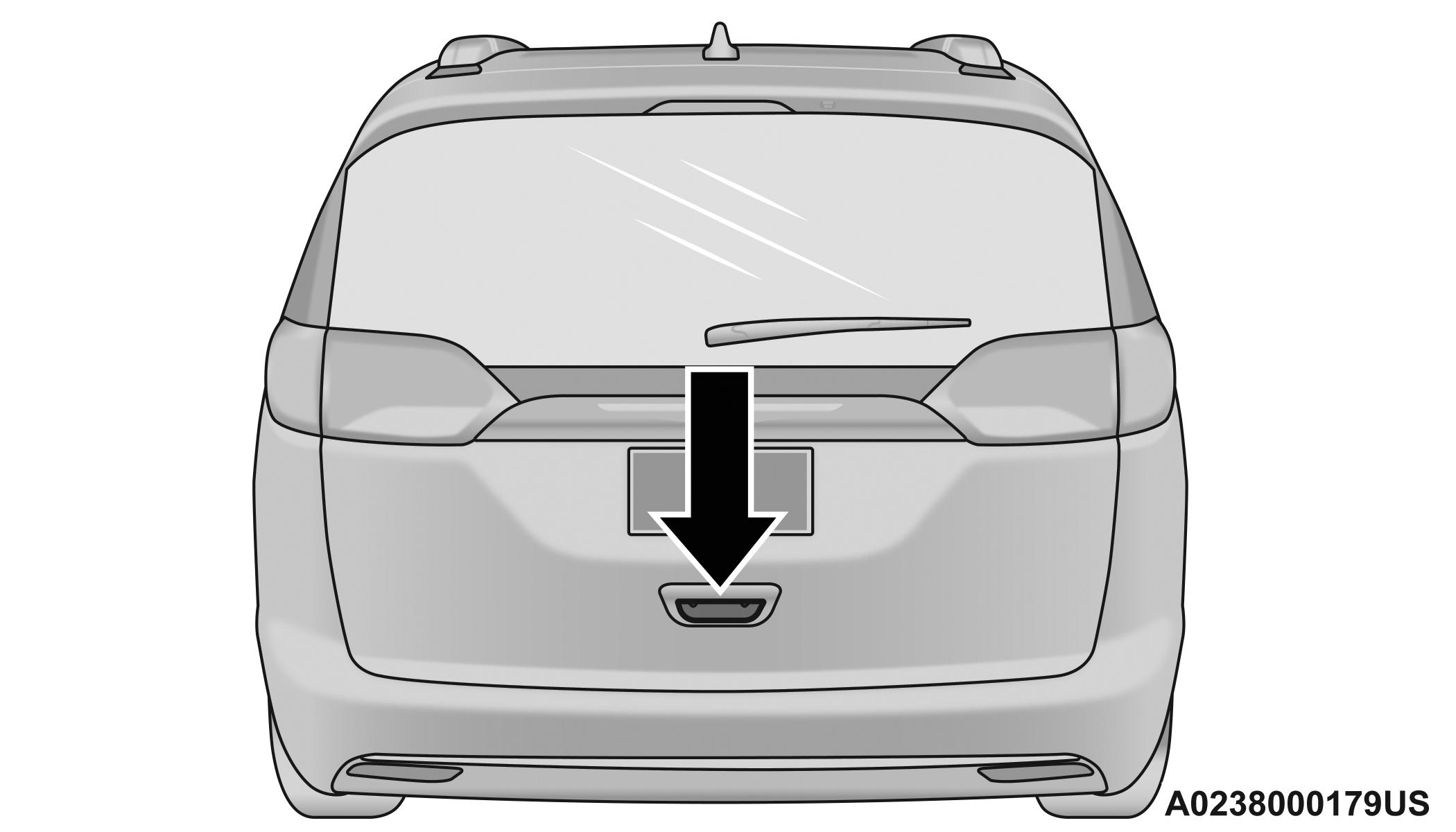
Electronic Liftgate Release Handle
AUTOMATIC UNLOCK DOORS ON EXIT — IF EQUIPPED
The Unlock Doors Automatically On Exit feature unlocks all of the vehicle doors when any door is opened. This will occur only after the gear selector has been placed into the PARK position, after the vehicle has been driven (the gear selector has been placed out of PARK and all doors closed).
The Unlock Doors Automatically On Exit feature will not operate if there is any manual operation of the door locks (lock or unlock).
This feature can be turned on or off in the Uconnect system "⇨UCONNECT SETTINGS".
MANUAL SLIDING SIDE DOOR
The sliding door may be opened from the inside or the outside. Pull outward on the exterior handle to open the sliding door. The sliding door inside handle functions by rocking forward and back. Rocking the handle backwards opens the door and rocking forward releases the hold open latch in order to close the door.
Note:
If equipped with power sliding doors, using the manual door handle will activate the power opening/closing function. Allow the door to open or close fully on its own, without forcing it.
Side Door Handle And Lock Functions
|
1 — Door Handle |
|
2 — Door Lock |
To keep your door operating properly, observe the following guidelines:
-
Always open the door smoothly.
-
Avoid high impacts against the door stop when opening the door. This is very important when your vehicle is parked on an incline as the door will slide faster in the downhill direction.
-
There is a hold-open latch that is activated when the sliding door is fully opened. This latch will keep your sliding door open on any incline. To close the sliding door after the hold-open latch is activated, you must rock the inside handle forward or pull outward on the exterior handle.
Always make sure that the sliding door is fully latched anytime the vehicle is in motion.
Note:
The left side sliding door cannot be opened while the fuel door is open. If attempted, a message will appear in the instrument cluster display, and the door will automatically return to the closed position.
POWER SLIDING SIDE DOOR — IF EQUIPPED
The power sliding door may be power opened or closed in several ways:
-
Key fob
-
Inside or outside handles
-
Buttons located:
-
In the overhead console
-
Just inside the sliding door
-
On the outside handle
-
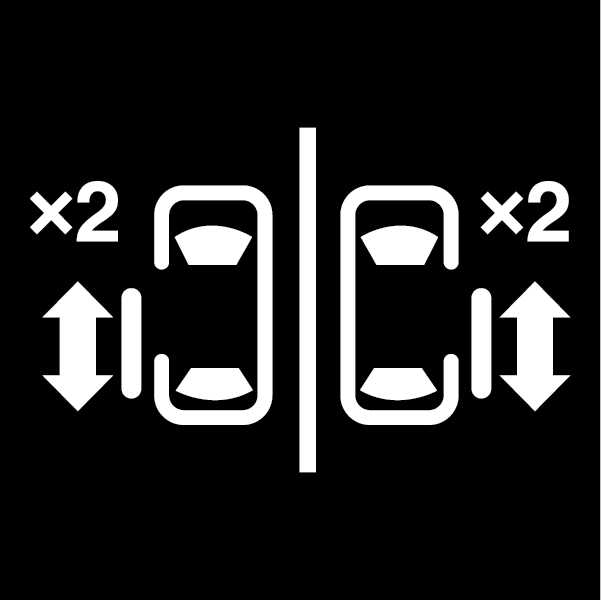 Push the button on the key fob twice within five seconds to open, close, or reverse a power sliding door.
The key fob and the overhead console button will operate the door when the door is locked. All other ways require the sliding door to be unlocked. If the vehicle is equipped with Passive Entry, pushing the button on the outside handle or Hands-Free feature (if equipped) will unlock and open the sliding door, with a valid Passive Entry key fob within 5 ft (1.5 m) of the door handle.
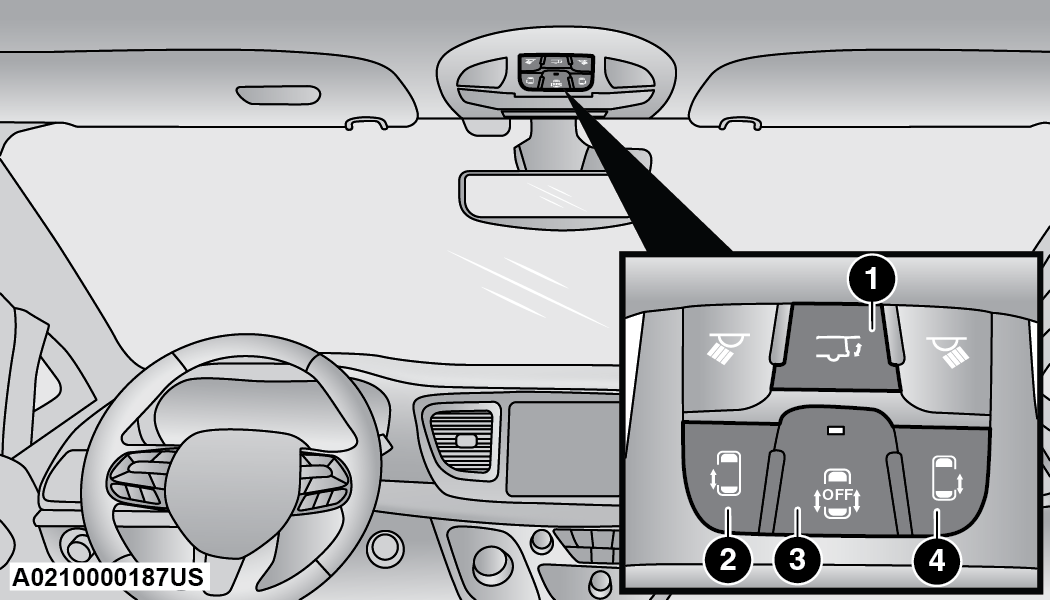
Overhead Console Power Switches
|
1 — Liftgate |
|
2 — Left Sliding Door |
|
3 — Sliding Door Power Off |
|
4 — Right Sliding Door |
There is a power sliding side door switch located on the B-pillar trim panel on the driver’s and passenger’s side, just in front of the power sliding door for the rear seat passengers.
To operate the sliding door manually with the handles or to avoid unintentional operation of the power sliding doors from the rear seats, push the power sliding door power off button, located in the overhead console, to remove power to the handles and buttons just inside the sliding doors. The power off LED, in the overhead console, will be lit when the handles are manual. When the LED is lit, pushing the power sliding door power off button will return the handles to power operation.
Note:
-
If anything obstructs the power sliding side door while it is closing or opening, the door will automatically reverse to the closed or open position and an audible tone will sound, provided it meets sufficient resistance. The turn signals will flash with sliding door movements.
-
If the power sliding door stops in the middle due to obstacles, it will power open on the next command.
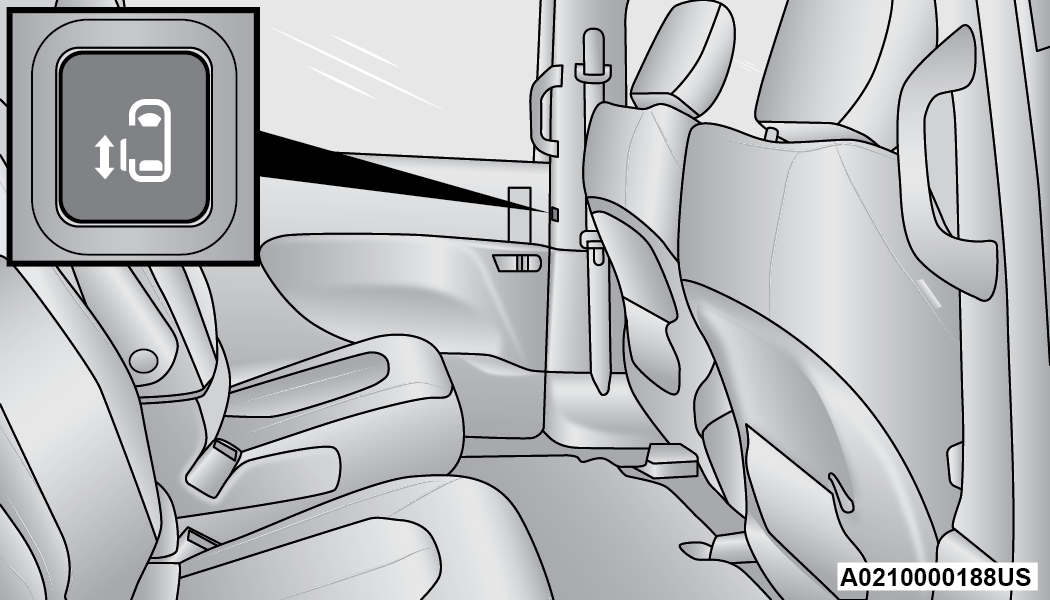
Power Sliding Side Door Switch (Left Side Shown)
WARNING:
-
Personal injury or cargo damage may occur if caught in the path of the sliding door. Make sure the door path is clear before closing the door.
-
Before driving off, check the instrument cluster for a sliding door or door open message or warning indicator. Failure to do this could result in unintentionally leaving the sliding door open while driving.
HANDS-FREE SLIDING DOORS — IF EQUIPPED
To open the Hands-Free Sliding Doors, use a straight in and out kicking motion, move your foot from side to side, or in a sweeping motion, under the vehicle in the general location below the door handle(s).
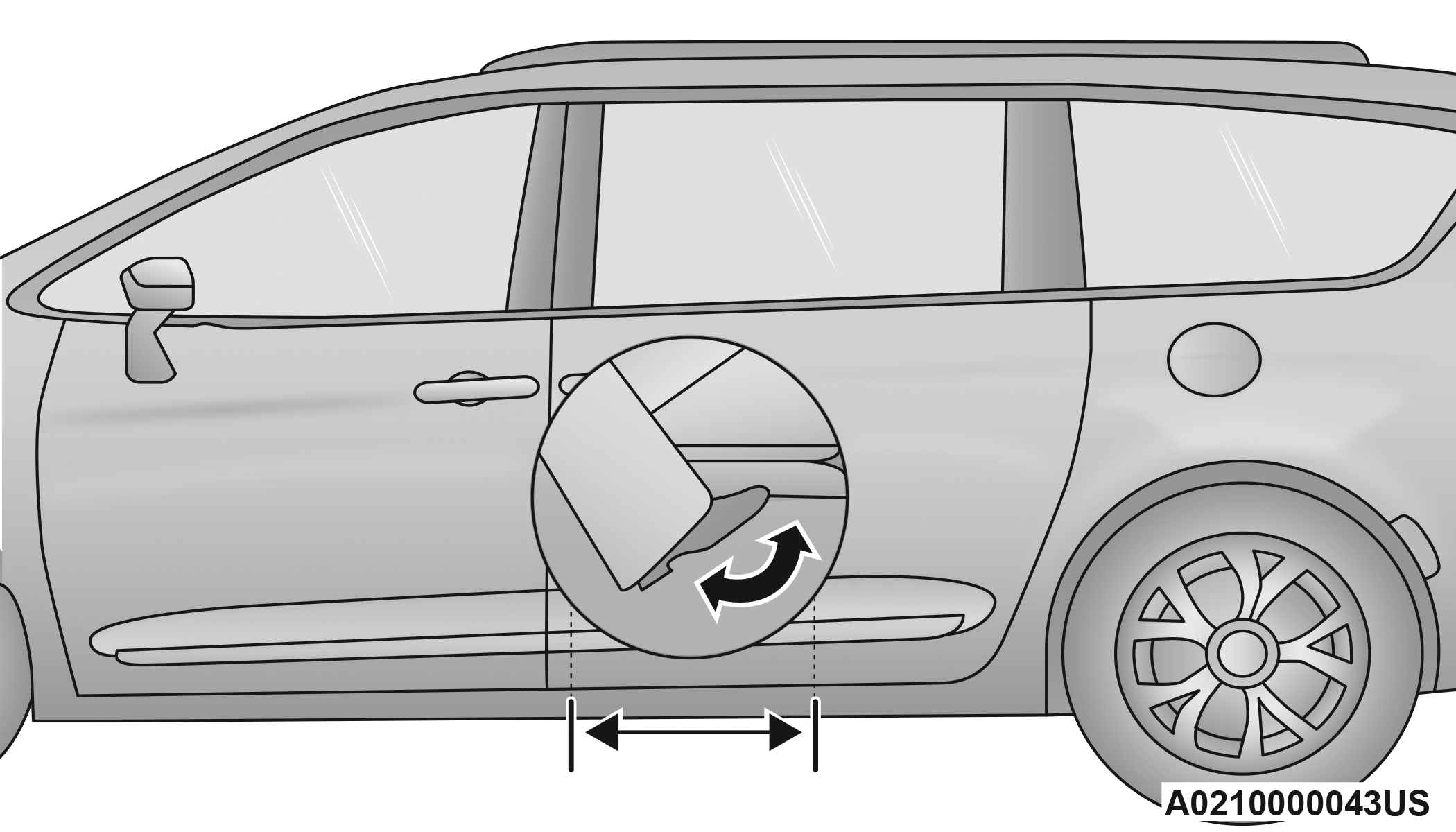
Activation Zone
When a valid kicking motion is completed, the sliding door will chime, the hazard lights will flash and the sliding door will open almost instantaneously. This assumes all options are enabled in the Uconnect Settings.
Note:
-
To open the Hands-Free Sliding Doors requires a valid Passive Entry key fob within 5 ft (1.5 m) of the door handle. If a valid Passive Entry key fob is not within 5 ft (1.5 m), the door will not respond to any kicks.
-
The Hands-Free Sliding Doors will only operate when the gear selector is in PARK.
-
With every movement of the Hands-Free Sliding Doors, an audible tone will sound and the turn signals will flash. You can turn these alerts on or off in the Uconnect system "⇨UCONNECT SETTINGS".
-
If anything obstructs the power sliding side door while it is closing or opening, the door will automatically reverse to the closed or open position and an audible tone will sound, provided it meets sufficient resistance. The turn signals will flash with sliding door movements.
-
If the power sliding doors encounter multiple obstructions within the same cycle, the system will automatically stop.
The Hands-Free Sliding Doors feature may be turned off through Uconnect Settings "⇨UCONNECT SETTINGS".
Note:
The Hands-Free Sliding Doors feature should be turned off during jacking, tire changing, and vehicle service.
CHILD PROTECTION DOOR LOCK SYSTEM — REAR DOORS
To provide a safer environment for small children riding in the rear seats, the sliding doors are equipped with a Child Protection Door Lock system.
To Engage The Child Protection Door Lock
-
Open the sliding side door.
-
On the rear of the sliding door, slide the Child Protection Door Lock control inward (toward the vehicle) to engage the Child Protection Door Lock.
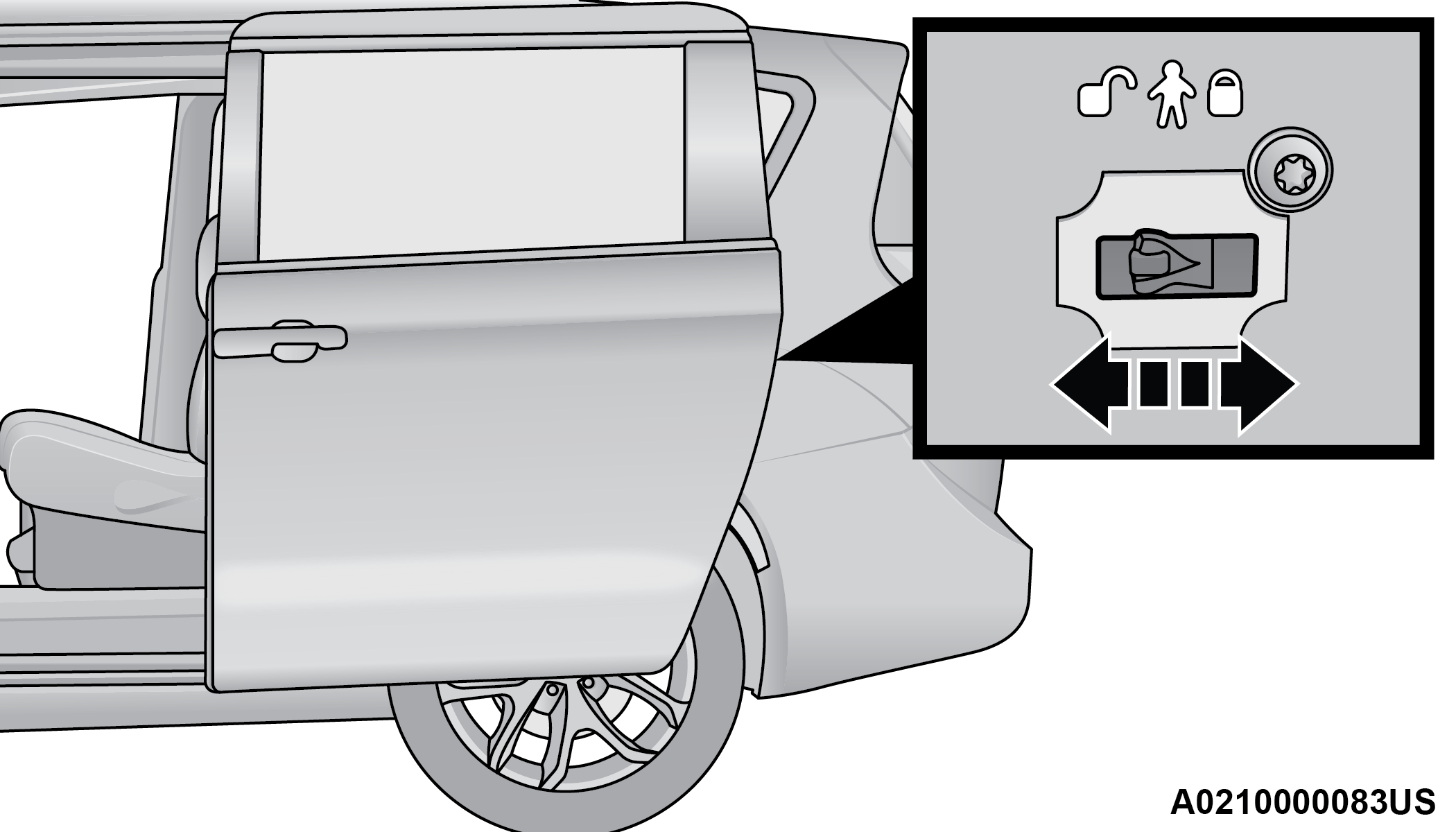
Child Protection Door Locks
-
Repeat Steps 1 and 2 on the opposite sliding door.
Note:
-
After engaging the Child Protection Door Lock, always test the inside door handle with the sliding door closed to make certain the Child Protection Door Lock is in the locked position.
-
After disengaging the Child Protection Door Lock, always test the inside door handle with the sliding door closed to make certain the Child Protection Door Lock is in the unlocked position.
-
The inside door handle will not open the sliding door when the Child Protection Door Lock is engaged.
-
The power sliding door will operate from the switch located just inside the sliding door, regardless of the Child Protection Door Lock lever position.
-
To avoid unintentional operation of the power sliding door from the rear seats, push the Sliding Door Power Off button, located in the overhead console. When the overhead console power OFF LED is illuminated, the sliding door may not be power opened or closed by pushing the buttons just inside the sliding doors or pulling on the handles.
WARNING:
Avoid trapping anyone in the vehicle in a collision. Remember that the sliding doors cannot be opened from the inside door handle when the Child Protection Door Locks are engaged.
To Disengage The Child Protection Door Lock
-
Open the sliding side door.
-
Slide the Child Protection Door Lock control outward (away from the vehicle) to disengage the Child Protection Door Lock.
-
Repeat Steps 1 and 2 on the opposite sliding door.
Note:
After disengaging (or engaging) the Child Protection Door Lock, always test the inside door handle with the sliding door closed to make certain the Child Protection Door Lock is in the desired position. The inside door handle will open the sliding door when the Child Protection Door Lock is disengaged.
Download Manual