Keys
Your vehicle is equipped with a key fob which supports Passive Entry, Remote Keyless Entry (RKE), Keyless Enter ‘n Go™ (if equipped), Remote Start (if equipped), and remote power liftgate operation. The key fob allows you to lock or unlock the doors and liftgate, optional power liftgate, left power sliding door, and right power sliding door, from distances up to approximately 66 ft (20 m). When any button on the key fob is pushed, or when any signal is being transferred between the key fob and the vehicle, an LED light on the key fob will flash as an indicator. The key fob does not need to be pointed at the vehicle to activate the system. The key fob also contains an emergency key, which is stored in the rear of the key fob.
The emergency key allows for entry into the vehicle should the battery in the vehicle or the key fob become depleted. The emergency key is also for locking/unlocking the glove compartment. You can keep the emergency key with you when valet parking.
Note:
-
The key fob’s wireless signal may be blocked if the key fob is located next to a mobile phone, laptop, or other electronic device. This may result in poor performance.
-
If your vehicle is equipped with a Wireless Charging Pad, the key fob may not be detected if it is placed within 6 inches (15 cm) of the pad "⇨Wireless Charging Pad — If Equipped".
-
With the ignition in the ON position and the vehicle moving at 2 mph (4 km/h), all RKE commands are disabled.
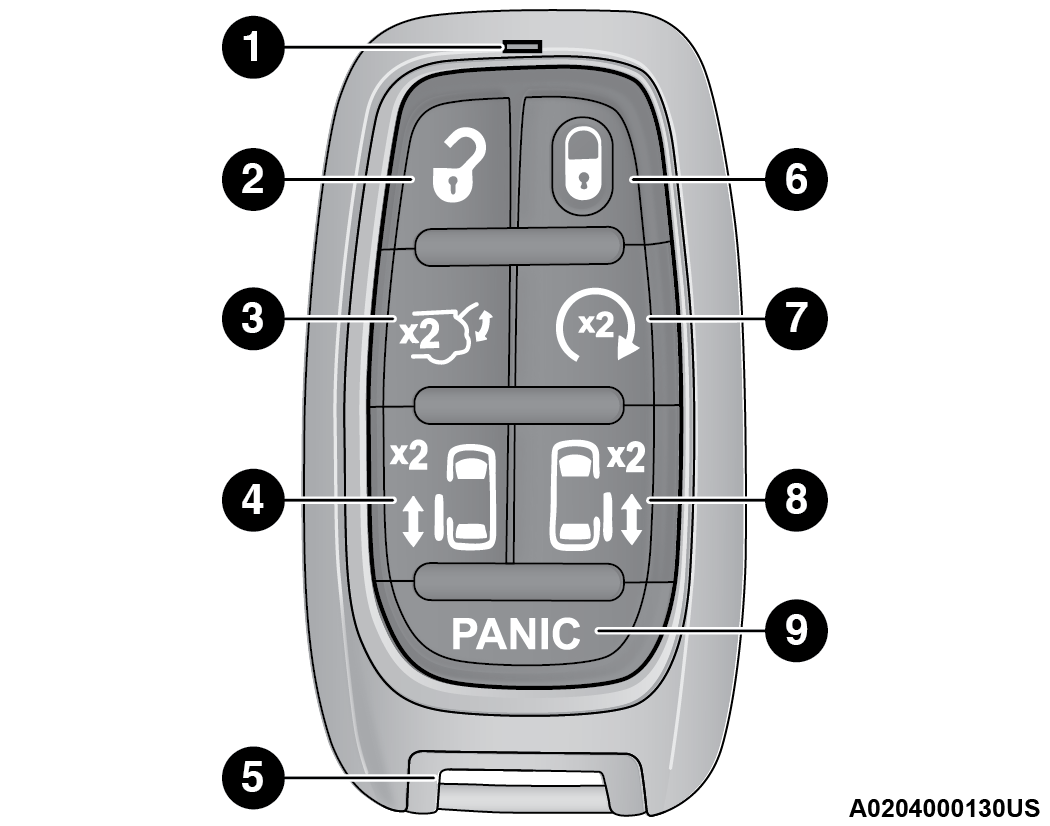
Key Fob
|
1 — LED Light |
|
2 — Unlock |
|
3 — Liftgate |
|
4 — Left Power Sliding Side Door |
|
5 — Emergency Key |
|
6 — Lock |
|
7 — Remote Start |
|
8 — Right Power Sliding Side Door |
|
9 — Panic Alarm |
In case the ignition switch does not change with the push of a button, the key fob may have a low or fully depleted battery. A low key fob battery can be verified by referring to the instrument cluster, which will display directions to follow.
Note:
-
A low key fob battery condition may be indicated by a message in the instrument cluster display, or by the LED light on the key fob. If the LED key fob light no longer illuminates from key fob button pushes, then the key fob battery requires replacement.
-
The key fob LED light brightness is designed for indoor light viewing, so the LED light may not be visible in direct sunlight "⇨GENERAL INFORMATION".
TO LOCK/UNLOCK THE DOORS AND LIFTGATE
Push and release the unlock button on the key fob once to unlock the driver’s front door and sliding door or twice within five seconds to unlock all doors and the liftgate. Push and release the lock button on the key fob to lock all doors and the liftgate.
When the doors are unlocked, the turn signals will flash and the illuminated entry system will be activated. When the doors are locked, the turn signals will flash and the horn will chirp. Settings in the Uconnect system can change to lights only, chirp only, or both.
Vehicles Equipped With Keyless Enter ‘n Go™ — Passive Entry
If one or more doors are open, or the liftgate is open, the doors can be locked. The doors will unlock again only if the key fob is inside the passenger compartment.
All doors can be programmed to unlock on the first push of the unlock button within Uconnect Settings "⇨UCONNECT SETTINGS".
KEY LEFT VEHICLE FEATURE
If a valid key fob is no longer detected inside the vehicle while the vehicle’s ignition system is in the ON/RUN or START position, the message “Key Fob Has Left The Vehicle” will be shown in the instrument cluster display along with an interior chime. An exterior audible and visual alert will also be activated to warn the driver.
The vehicle’s horn will rapidly chirp three times along with a single flash of the vehicle’s exterior lights.
Note:
-
The doors have to be open and then closed in order for the vehicle to check for the presence of a key fob; the Key Left Vehicle feature will not activate until all of the doors are closed.
-
These alerts will not be activated in situations where the vehicle’s engine is left running with the key fob inside.
REPLACING THE BATTERY IN THE KEY FOB
The recommended replacement battery is one CR2032 battery.
Note:
-
Customers are recommended to use a battery obtained from Mopar®. Aftermarket coin battery dimensions may not meet the original OEM coin battery dimensions.
-
Batteries contain harmful chemicals. Dispose old batteries by placing them in correct containers according to the law or by taking them to a dealership, where they will be handled appropriately.
-
Perchlorate Material — special handling may apply. See www.dtsc.ca.gov/hazardouswaste/perchlorate for further information.
-
Do not touch the battery terminals that are on the back housing or the printed circuit board.
-
Remove the emergency key by pushing the mechanical release button on the side of the key fob with your thumb and then pulling the key out with your other hand.
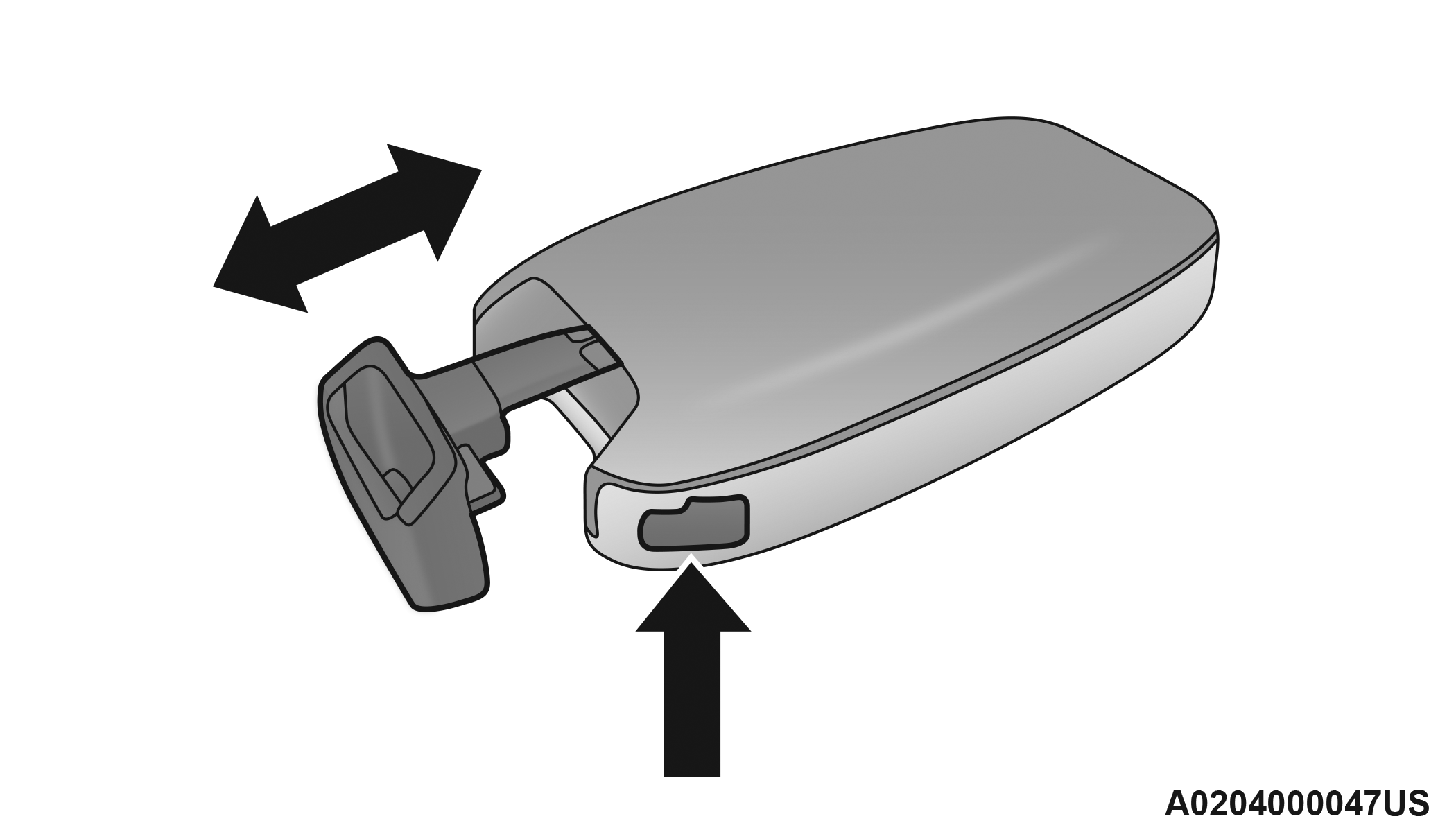
Emergency Key Removal
-
Insert a coin or a flat-blade screwdriver into the now exposed slot and carefully pry on both sides to disengage the snaps. Gently remove the back cover from the fob, being careful not to damage any of the snaps.
-
Remove the battery by sliding the battery rearward in its pocket until the battery lifts up. Remove the depleted battery from the battery pocket and dispose appropriately.
-
Fit a new battery ensuring that the positive (+) side is facing upwards. Push the battery into the pocket until it is firmly seated in place and secured under both tabs.
-
Align the back cover into its original position and snap it back in place by pushing it against the fob until it is seated all around.
WARNING:
-
The integrated key fob contains a coin cell battery. Do not ingest the battery; there is a chemical burn hazard. If the coin cell battery is swallowed, it can cause severe internal burns in just two hours and can lead to death.
-
If you think a battery may have been swallowed or placed inside any part of the body, seek immediate medical attention.
-
Keep new and used batteries away from children. If the battery compartment does not close securely, stop using the product and keep it away from children.
PROGRAMMING AND REQUESTING ADDITIONAL KEY FOBS
Programming the key fob may be performed by an authorized dealer.
Note:
-
Once a key fob is programmed to a vehicle, it cannot be repurposed and reprogrammed to another vehicle.
-
Only key fobs that are programmed to the vehicle electronics can be used to start and operate the vehicle. Once a key fob is programmed to a vehicle, it cannot be programmed to any other vehicle.
WARNING:
-
Always remove the key fobs from the vehicle and lock all doors when leaving the vehicle unattended.
-
For vehicles equipped with Keyless Enter ‘n Go™ Ignition, always remember to place the ignition in the OFF position when exiting the vehicle.
Duplication of key fobs may be performed at an authorized dealer. This procedure consists of programming a blank key fob to the vehicle electronics. A blank key fob is one that has never been programmed.
Note:
-
When having the Sentry Key Immobilizer system serviced, bring all vehicle keys with you to an authorized dealer.
-
Keys must be ordered to the correct key cut to match the vehicle locks.
KEYSENSE FEATURES — IF EQUIPPED
This feature provides the vehicle owner with the ability to customize vehicle settings that can be applied to determine the driving experience for other drivers of the vehicle. The vehicle settings are protected by a unique 4-digit PIN, which the vehicle owner creates when accessing the specific settings for the first time.
KeySense also has additional features that are always enabled when the specific key fob is in use that cannot be set by the vehicle owner. While this specific key fob is in use, the vehicle will respond accordingly to the customized vehicle settings and mandatory features. This includes enhanced driving assistance features, increased driver alerts, and the locking of certain optional features. These settings can be selected within the Uconnect system "⇨UCONNECT SETTINGS".
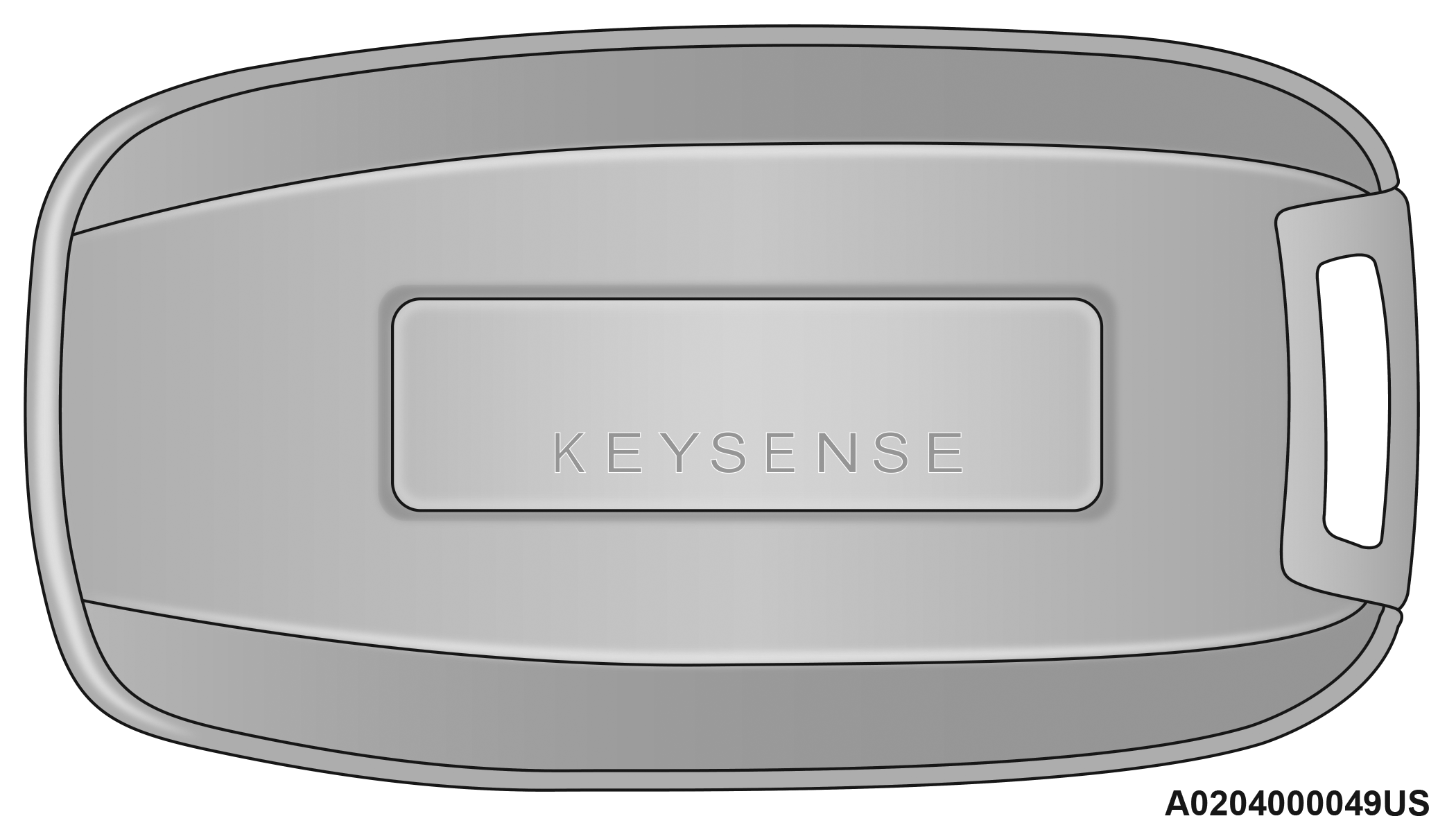
KeySense Key Fob
KeySense Unique Splash Screen
At vehicle start-up, the KeySense splash screen should inform the driver that the vehicle will be functioning in KeySense mode when the KeySense key fob is in use.
Start Up Display Features
-
Unique splash screen graphic
-
Telltale
 illuminated
 -
After unique splash screen, and after stored messages are cycled, then start-up KeySense messages (Range & Max Speed) are displayed
The following features are always enabled when this key fob is in use:
-
Entertainment audio muted if front occupied seat belts are not fastened
-
Consistent seat belt unfastened chime
-
Maximum radio volume limited to 15 out of 39
-
Daytime Running Lights
-
Headlights On With Wipers
-
Rain Sensing Wipers
-
Automatic High Beams
Download Manual