Surround View Camera*
Surround View Camera*
Four cameras assist in helping you view blind spots around the vehicle.
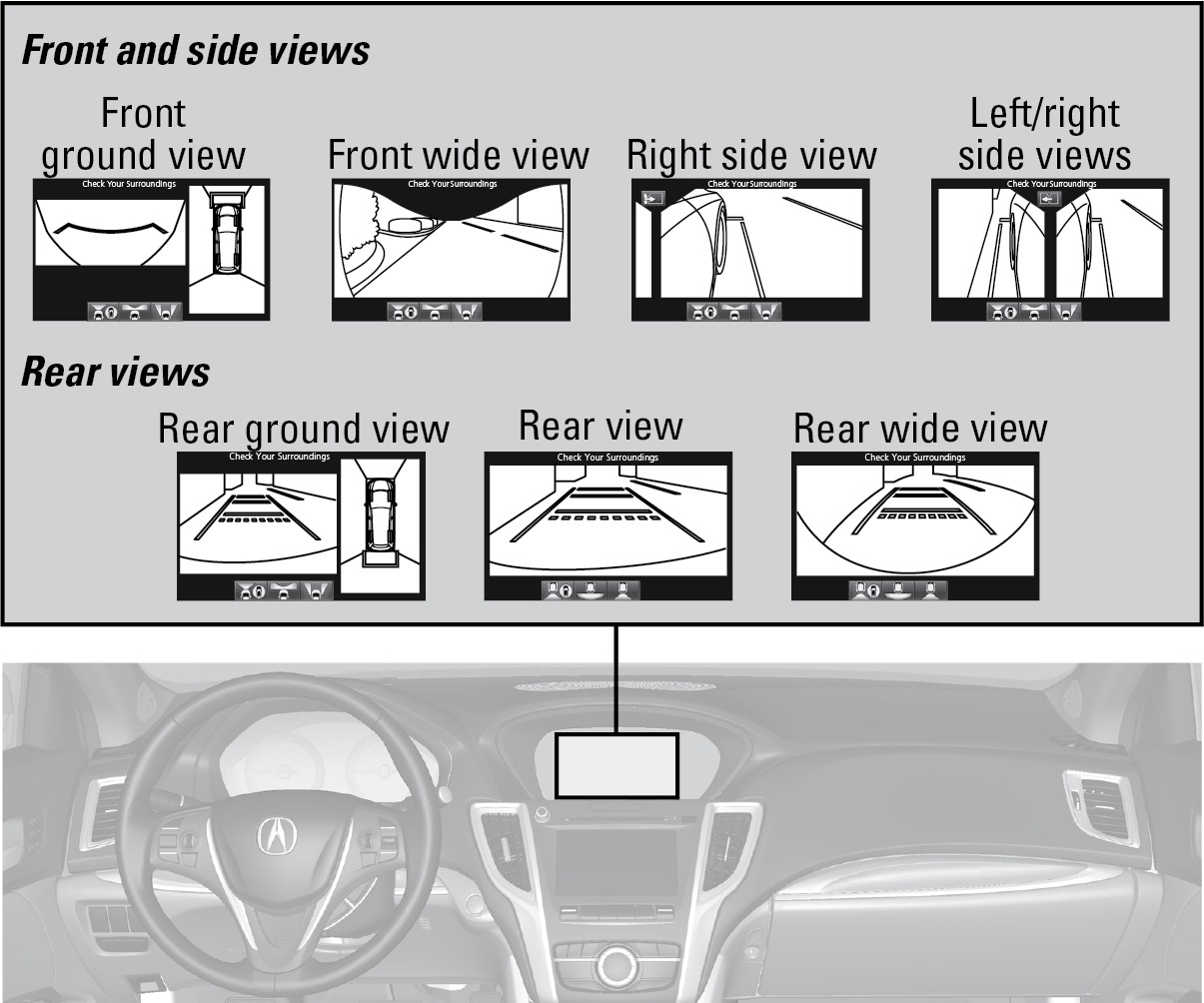
Displaying Front or Side Views
Press the CAMERA button when the vehicle is stationary or moving at 12 mph (20 km/h) or less. Press the button again or the interface dial to switch camera views.
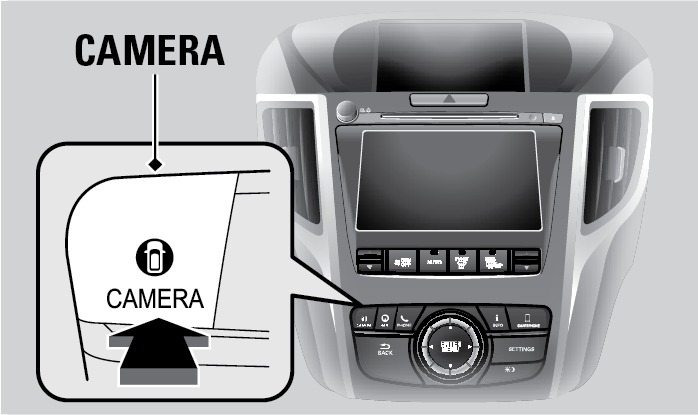
Press any other button to turn off the camera view.
Displaying the Rear View
Shift into Reverse (R) to display the rear view. Press CAMERA or the interface dial to switch rear views.
The surround view camera does not eliminate all blind spots. Visually confirm safety around the vehicle with your own eyes and the mirrors. Do not rely on the camera view.
*if equipped
Changing Camera Settings
Use the interface dial to make and enter selections.
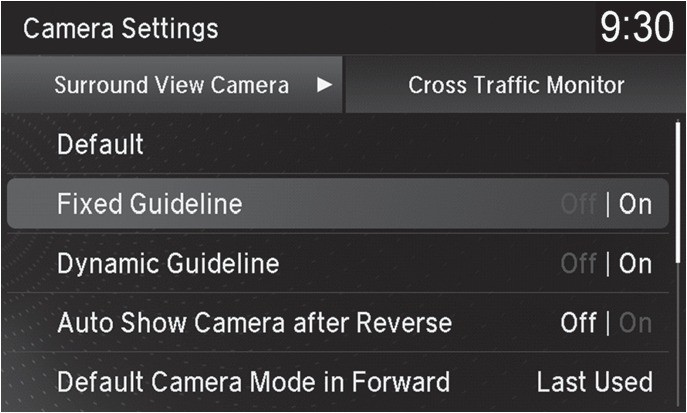
Press SETTINGS.
Select Camera Settings.
Select guideline options:
Fixed Guidelines: Turn the reference guidelines on or off.
Dynamic Guidelines: Turn the steering-angle-aware gridlines on or off.
- Select other options as desired.
- Press BACK to exit the menu.
Failure to visually assess the area around the vehicle (directly or by use of the mirrors) may result in a crash causing serious injury or death.
The areas shown in the surround view camera system display are limited. The display may not show all pedestrians or other objects around your vehicle.
Do not solely rely only on the surround view camera system display to assess whether it is safe to move your vehicle.
Failure to pay proper attention to your surroundings while driving may result in a crash causing serious injury or death.
To help mitigate the chances of a collision, only look at the surround view camera system display when it is safe to do so.
Download Manual