Routing
Routing
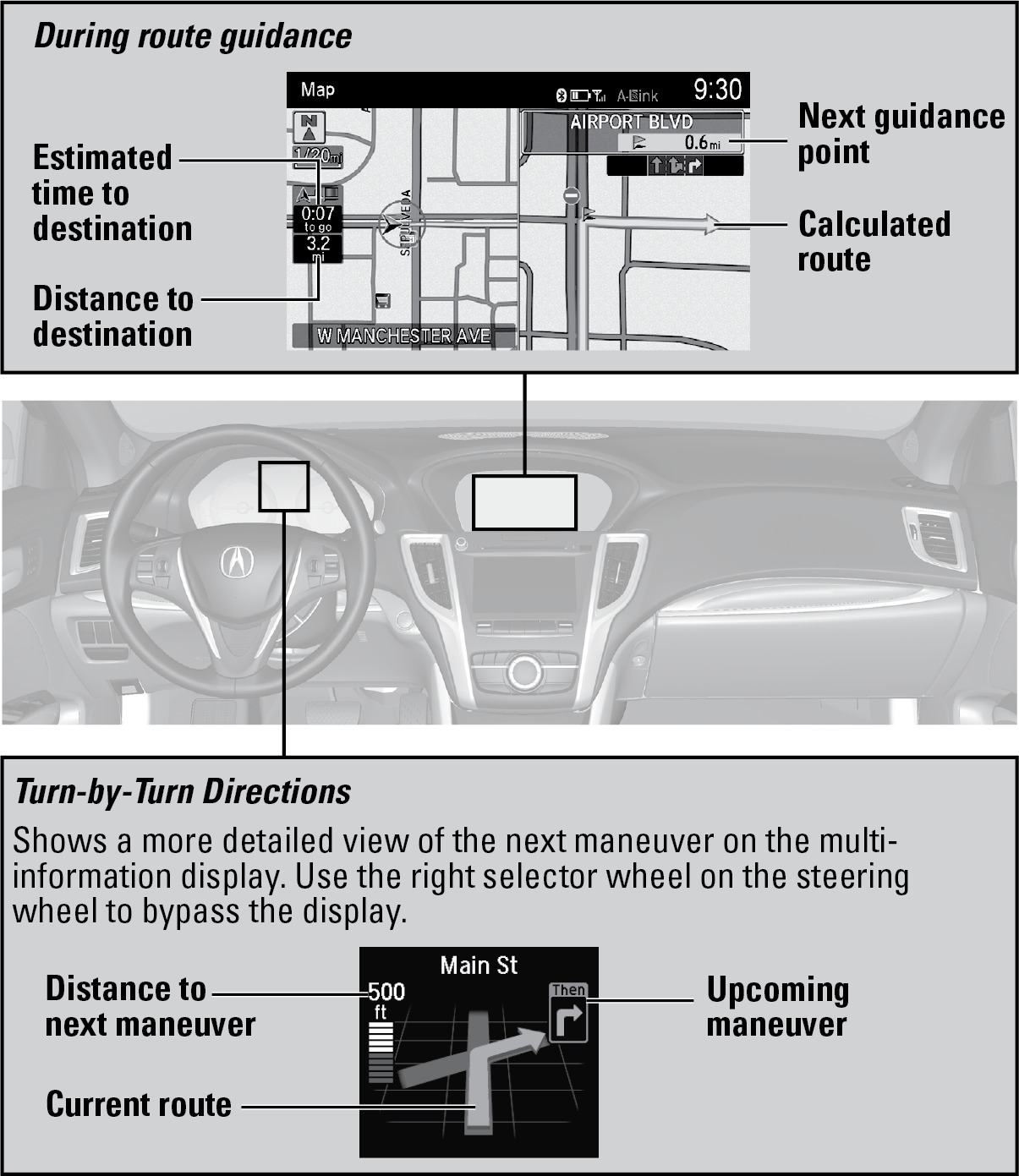
After a destination is set, you can alter or cancel your route.
Map Legend
Taking a Detour
You can calculate a detour route manually if you encounter a road closure or other obstacle. Use the interface dial to make and enter selections.
When en route, press the MENU button.
Select Detour. The system attempts to calculate a new route by avoiding the next 5 miles (8 km) while on a freeway or 1 mile (1 km) while on a surface street.
AcuraLink Real-Time Traffic™*
View traffic flow, incidents, and construction in major metro areas. You can also route around congestion or incidents when you have a destination set. Use the interface dial to make and enter selections. Available in the U.S. only.
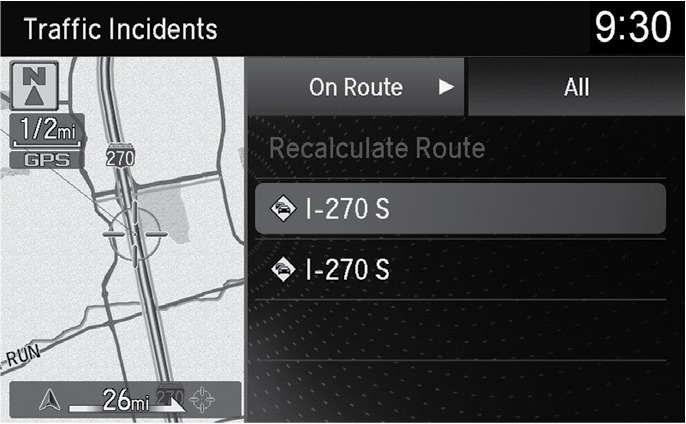
From the map screen, press the interface dial. Select Map/Route. Select Traffic Incidents.
A list of incidents on your route appears. Select the incident you want to avoid.
Select Avoid. Repeat as necessary to select other incidents.
Select Recalculate Route.
*Requires AcuraLink subscription.
Canceling Your Route
You can cancel your route at any time.
When en route, press the MENU button.
Select Cancel Route. The route is cleared and the map screen returns.
Download Manual