Adjusting the Mirrors
Adjusting the Mirrors
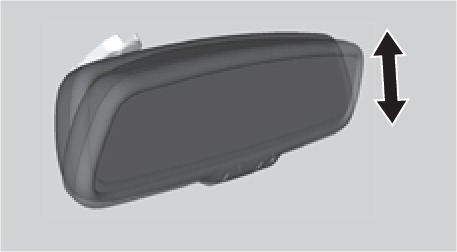
Adjust the angle of the mirrors for the best visibility when you are sitting in the correct driving position.
Automatic Dimming Rearview Mirror
When driving after dark, the automatic dimming function reduces glare in the rearview mirror and door mirrors from headlights behind you. This cannot be turned off. The function cancels when the shift lever is in Reverse (R).
Power Door Mirrors
Adjust the power door mirrors when the vehicle is on.
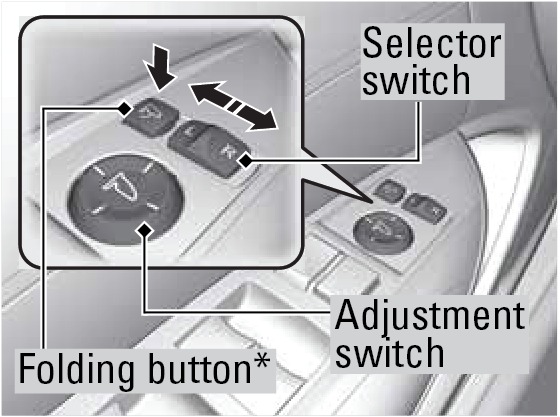
L/R selector switch: Select the left or right mirror. After adjusting the mirror, return the switch to the center position.
Mirror position adjustment switch: Press the switch left, right, up, or down to move the mirror.
Folding door mirror button*: Press to fold the door mirrors in or out.
Reverse Tilt Door Mirrors
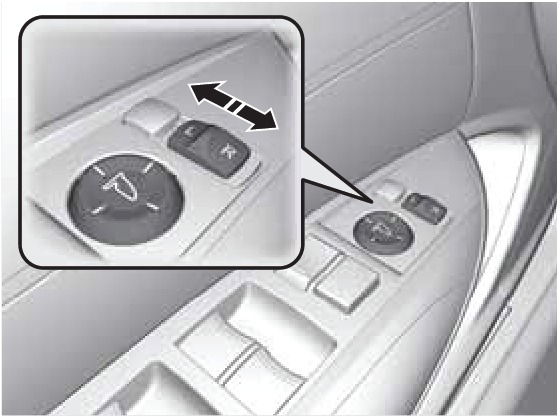
Either side door mirror can tilt downward when you shift to Reverse (R) to improve visibility on the selected side of the vehicle when reversing.
When in Reverse, slide the selector switch to the left or right side. The selected door mirror tilts down.
The mirror returns to its original position when you shift out of Reverse.
*if equipped (Canadian models)
HomeLink® Universal Transceiver
HomeLink® Universal Transceiver
Program your vehicle to operate up to three remote-controlled devices around your home-such as garage doors, lighting, or home security systems-using the buttons on the ceiling.
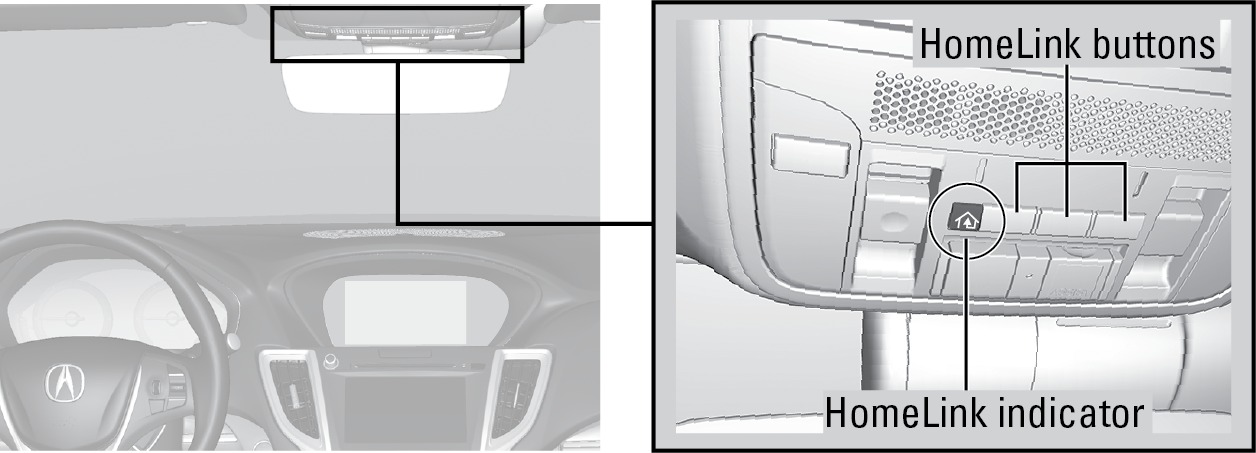
Training a Button
Park near the system you want to program, and follow the instructions in the flowchart below.
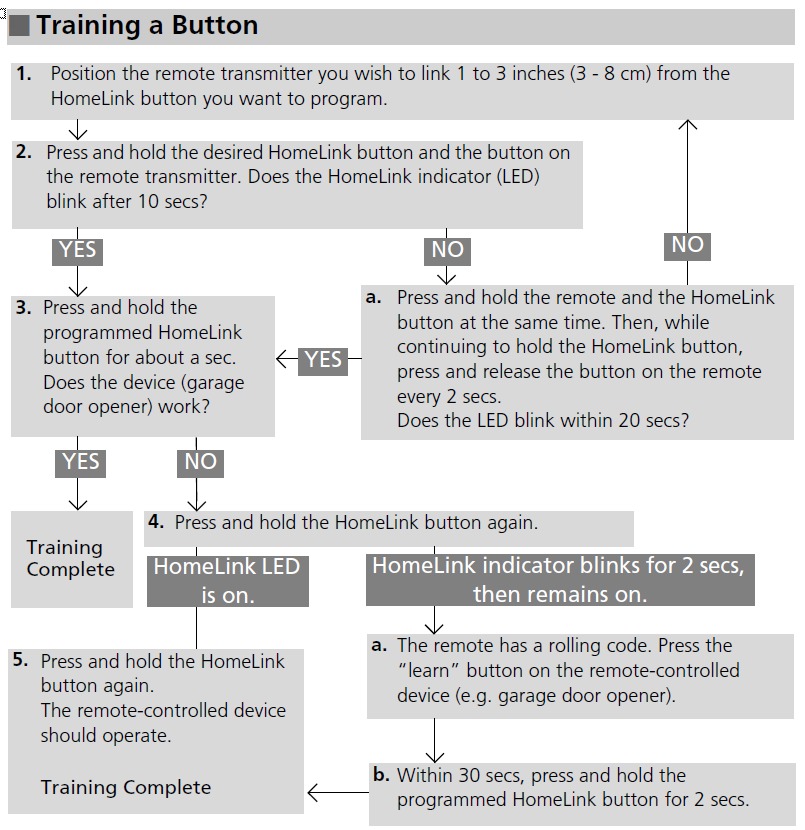
To retrain a button or erase codes, see the Owner's Manual on the Owner Information CD or visit
(U.S.) or
(Canada).
If you need help, call
or visit
Climate Control System
Climate Control System
Set your preferred interior temperature by selecting the proper mix of heated or cooled air and fan speed. Use the On-Demand Multi-Use Display (ODMD) or buttons to operate the system.
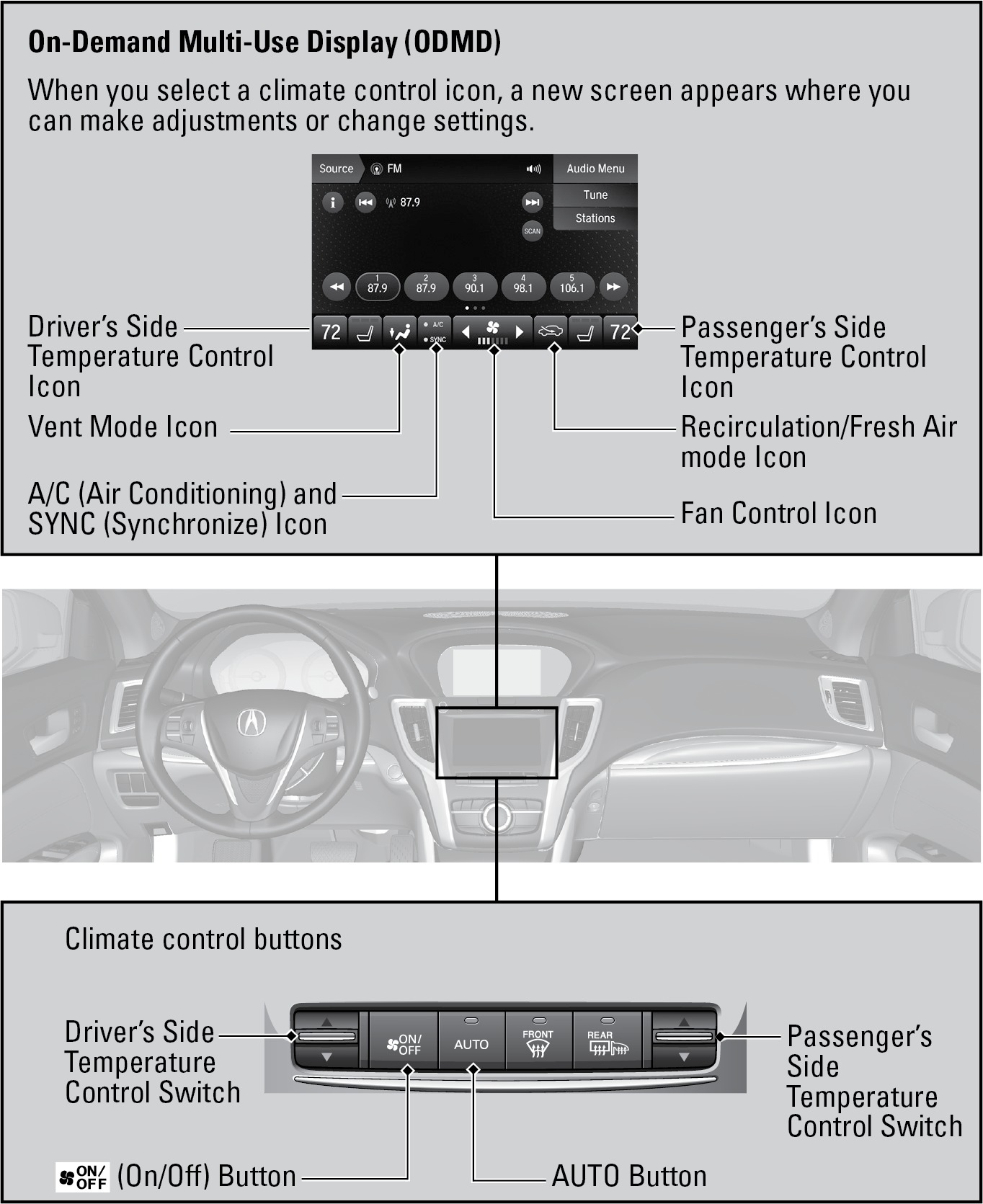
Climate control operation is affected during auto idle stop operation* (see "Auto Idle Stop").
*if equipped
Download Manual