Customized Features
Customized Features
You can easily customize many features of your vehicle. The customized settings are recalled every time you unlock the driver's door with the remote (Driver 1 or Driver 2). Settings are unique to each remote.
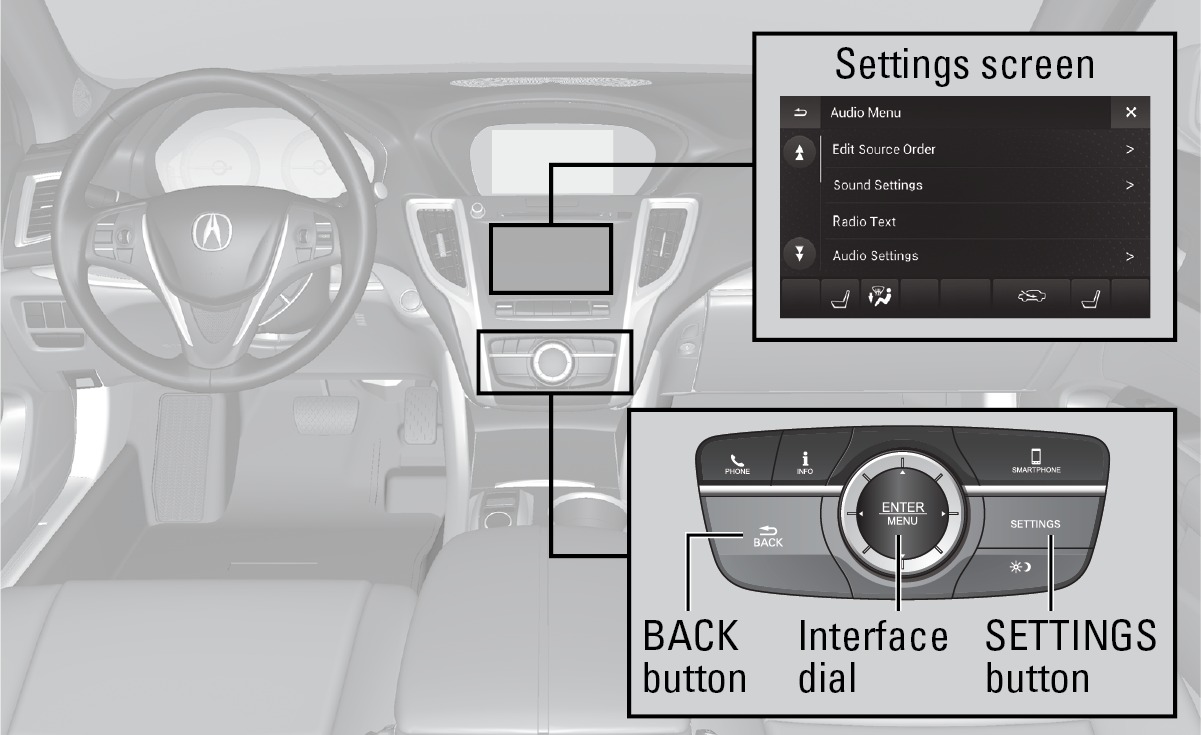
*if equipped
How to Change a Setting
The vehicle must be in Park (P) and the power mode set to ON to select Vehicle Settings. Use the interface dial to make and enter selections.
- Press the SETTINGS button.
- Select a category.
- Select a setting option, and make your preferred changes.
- Press the BACK button to exit out of the menus.
Customization Example: Door Lock Settings
To customize the door lock/unlock settings, follow the steps below when the vehicle is stopped and the power mode is ON.
|
Auto Door Lock Choices |
Auto Door Unlock Choices |
|---|---|
|
With Vehicle Speed |
All Doors When Driver's Door Opens |
|
Shift from Park |
All Doors When Shifted to Park |
|
Off |
All Doors When Ignition Switched Off |
|
Off |
-
Press Settings.
-
Press Vehicle Vehicle Settings.
-
Press Door Setup:
-
To customize door lock settings, press Auto Door Lock.
-
To customize door unlock settings, press Auto Door Unlock.
-
-
Choose a setting:
-
The default lock setting is With Vehicle Speed.
-
The default unlock setting is All Doors when Driver's Door Opens.
-
-
Press BACK when you are done.
Setting the Clock
On vehicles without navigation, use the interface dial to adjust the time in the clock display. On vehicles with navigation, the time is automatically set using GPS signals.
-
Press the SETTINGS button.
-
Select Clock Settings
-
Select Clock Adjustment.
-
Tilt the interface dial to choose the item you wish to change. Rotate the interface dial to change the value. Press the interface dial to exit the screen.
-
Press the BACK button to exit out of the menus.
Using the Remote Transmitter
Using the Remote Transmitter
Lock or unlock the doors and trunk.
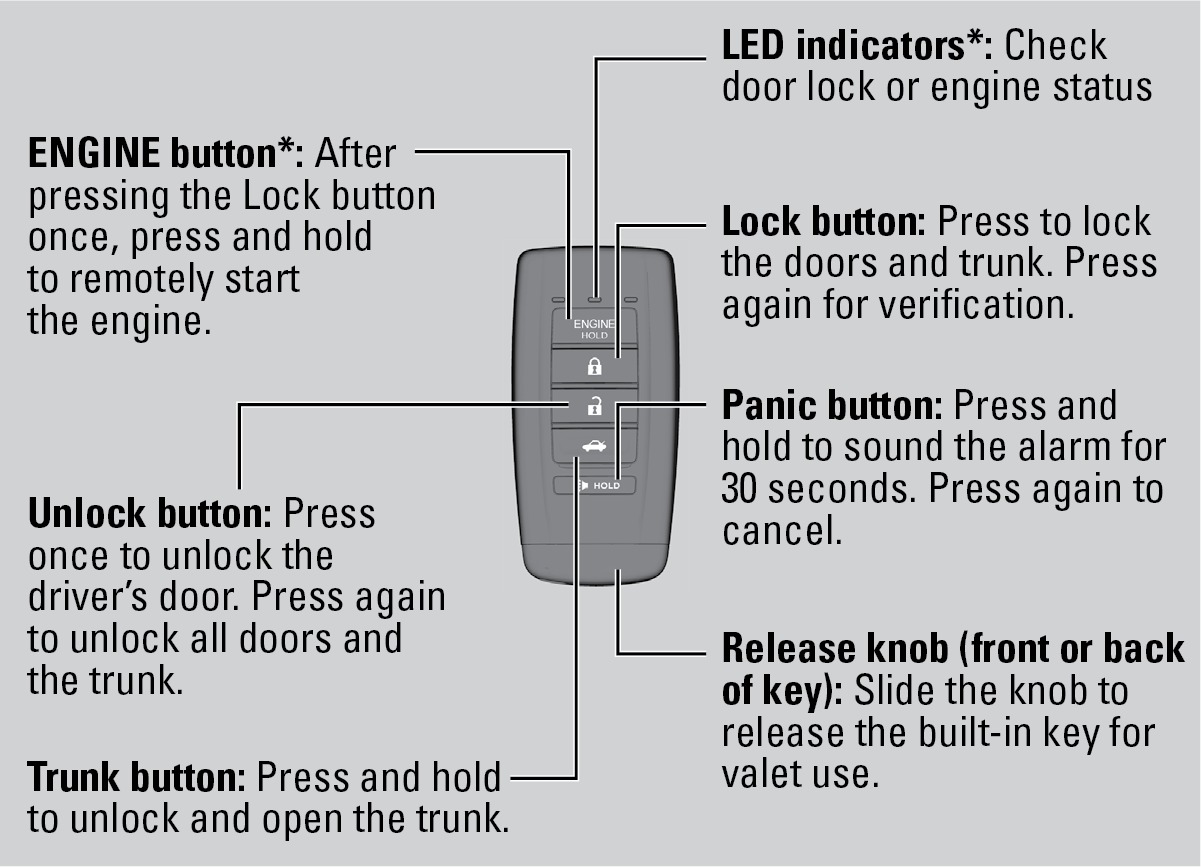
Leaving the remote transmitter in the vehicle can result in theft or accidental movement of the vehicle. Always take it with you whenever you leave the vehicle unattended.
*if equipped
Download Manual