Making a Call
Making a Call
You can make calls using several methods.
Dialing a Number
Enter a 10-digit phone number to call.
Using voice commands
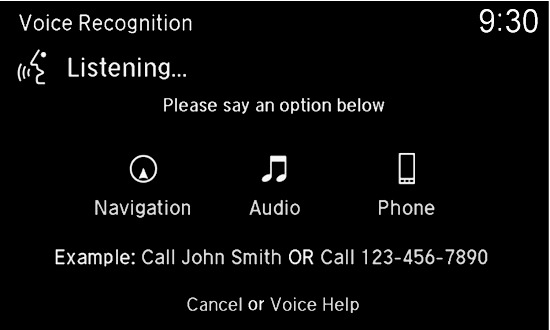
Press the Talk button.
Say "Dial" and the number. For example, "Dial 3-1-0-5-5-5-1-2-3-4."
The system begins to dial.
Using the touchscreen
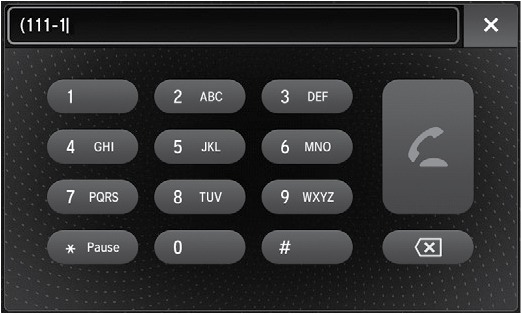
Use the interface dial and the touchscreen. This is inoperable while the vehicle is moving.
Press PHONE.
Use the interface dial to select Dial.
Use the touchscreen to enter the phone number.
Select the green phone icon to call.
Using the Phonebook
When your phone is paired, its entire phonebook can be automatically imported to the system if you select On for Automatic Phone Sync.
Using voice commands
Press the Talk button.
Say "Call" and the contact name. For example, "Call John Smith."
Using the menu
Use the interface dial to make and enter selections.
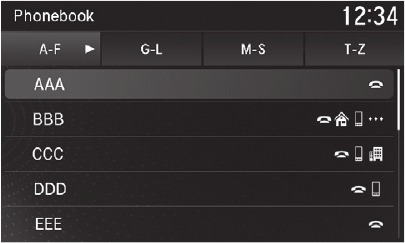
Press PHONE.
Select Phonebook.
Scroll through the list to find the name you want to call, then select the number to call.
Storing Speed Dial Entries
Store up to 20 numbers for quick dialing.
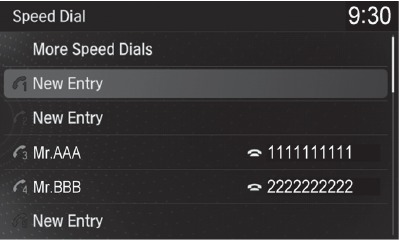
Press PHONE.
Select Speed Dial, then select New Entry.
Choose an entry method.
If desired, you can create a voice tag for the number. Follow the prompts.
When a voice tag is created, you can press the Talk button and say "Call" and the stored voice tag.
Using Speed Dial and Call History
Make calls quickly using stored speed dial entries or call history numbers.
Using voice commands
Press the Talk button.
Say "Call" and the stored voice tag name. For example, "Call John Smith."
The system begins to dial.
Using the MID
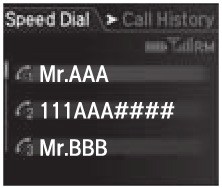
Press the Pick-Up button on the steering wheel.
The speed dial list appears in the MID. For Call History, move the left selector wheel to the right.
Use the left selector wheel to scroll through the list to find the entry you want to call, and select it to call.
Using the menus
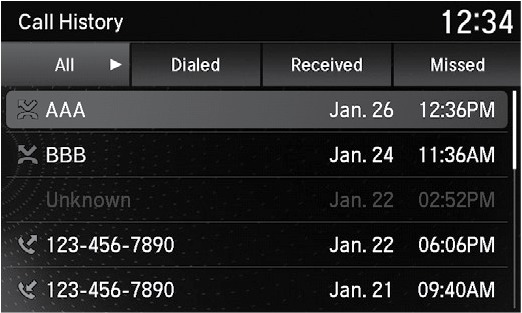
Use the interface dial to make and enter selections.
Press PHONE.
Select Speed Dial, then use the interface dial to scroll through the list to find the entry you want to call, and select it to call. For Call History, move the interface dial to the right and scroll through the list (All, Dialed, Received or Missed).
Download Manual