Seat Heaters
or Ventilation*
Quickly warm or ventilate the seats when the vehicle is on.
Front Seat Heaters*
Press the switch for the desired setting. An indicator in the switch appears for the selected setting.
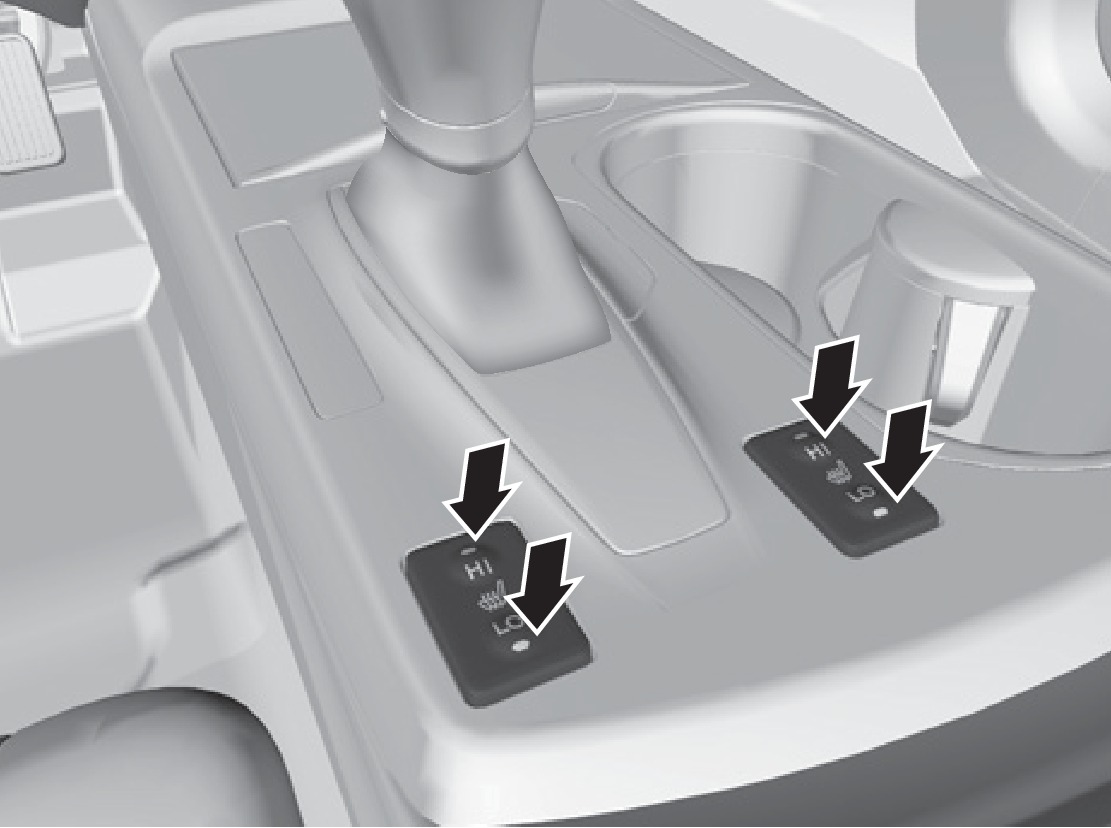
LO button: Press to slowly warm the seat, or to maintain continuous heating.
HI button: Press to quickly warm the seat. If left in HI, the heater cycles on and off.
Return the switch to the center to turn the seat heaters off.
Front Seat Heaters and Ventilation*
Press the seat heater or seat ventilation button to cycle through settings. The appropriate indicator (red for heat, blue for ventilation) appears for each setting.
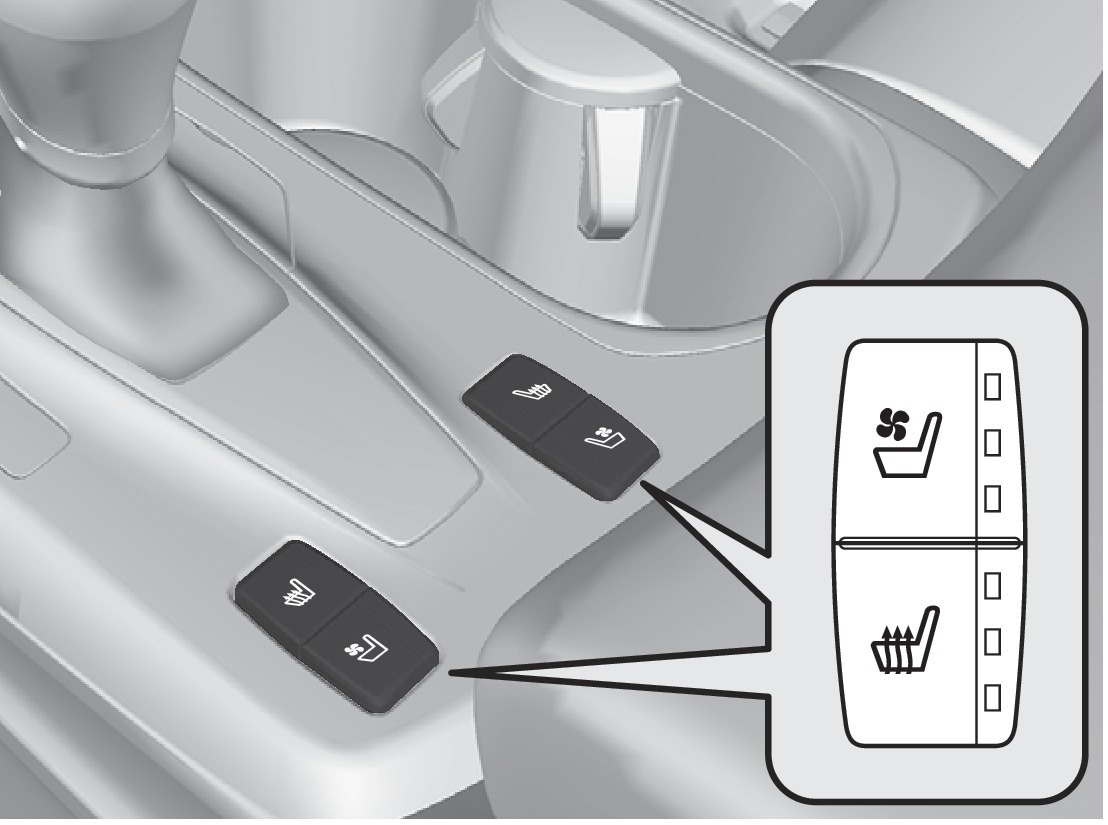
Once - HI setting (three indicators)
Twice - MID setting (two indicators)
Three times - LO setting (one indicator)
Four times - OFF (no indicators)
Rear Seat Heaters*
You can heat the two outer rear seats. An indicator in the button appears for the selected setting.
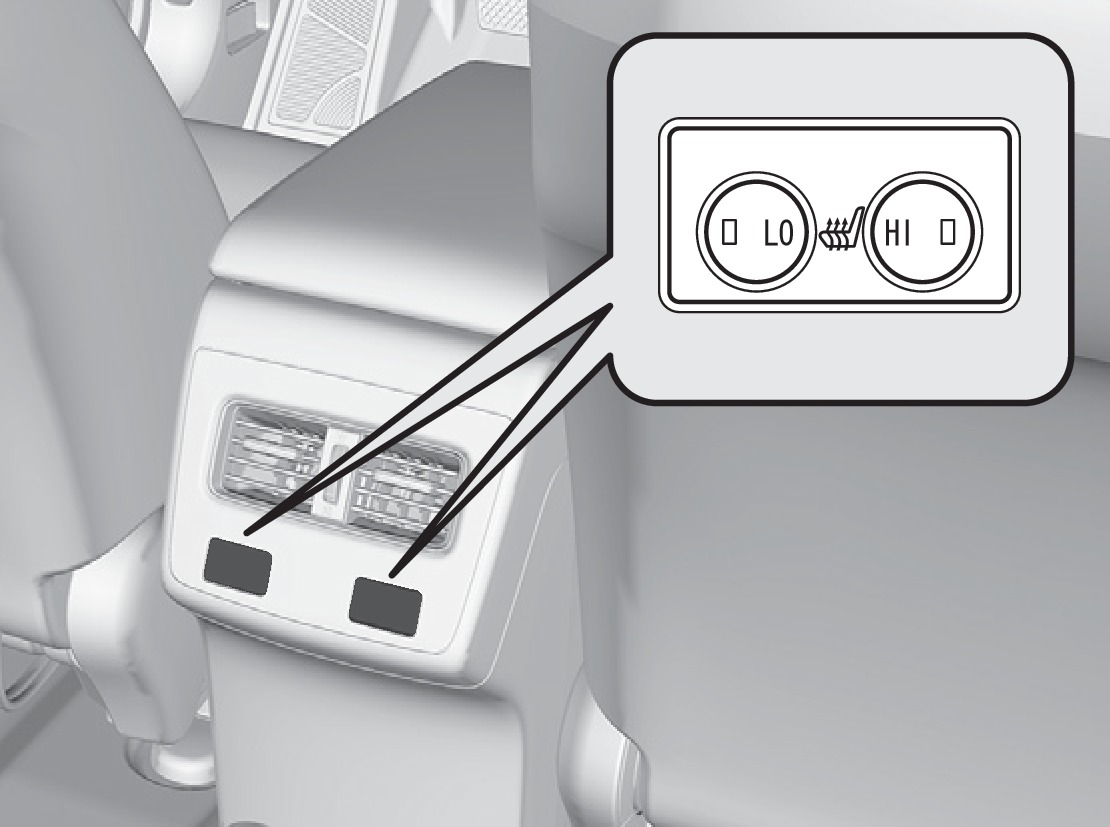
LO button: Press to slowly warm the seat, or to maintain continuous heating.
HI button: Press to quickly warm the seat. If left in HI, the heater cycles on and off.
Press the button again to turn off.
Heat-induced burns are possible when using seat heaters.
Persons with a diminished ability to sense temperature (e.g., persons with diabetes, lower-limb nerve damage, or paralysis) or with sensitive skin should not use the seat heaters.
*if equipped
- Adjusting the Seats
- Driving Position Memory System
- Climate Control System
Download Manual