COLOR INFORMATION DISPLAY
Color Information Display
Models without navigation
Display audio information. Use the buttons to operate the system.
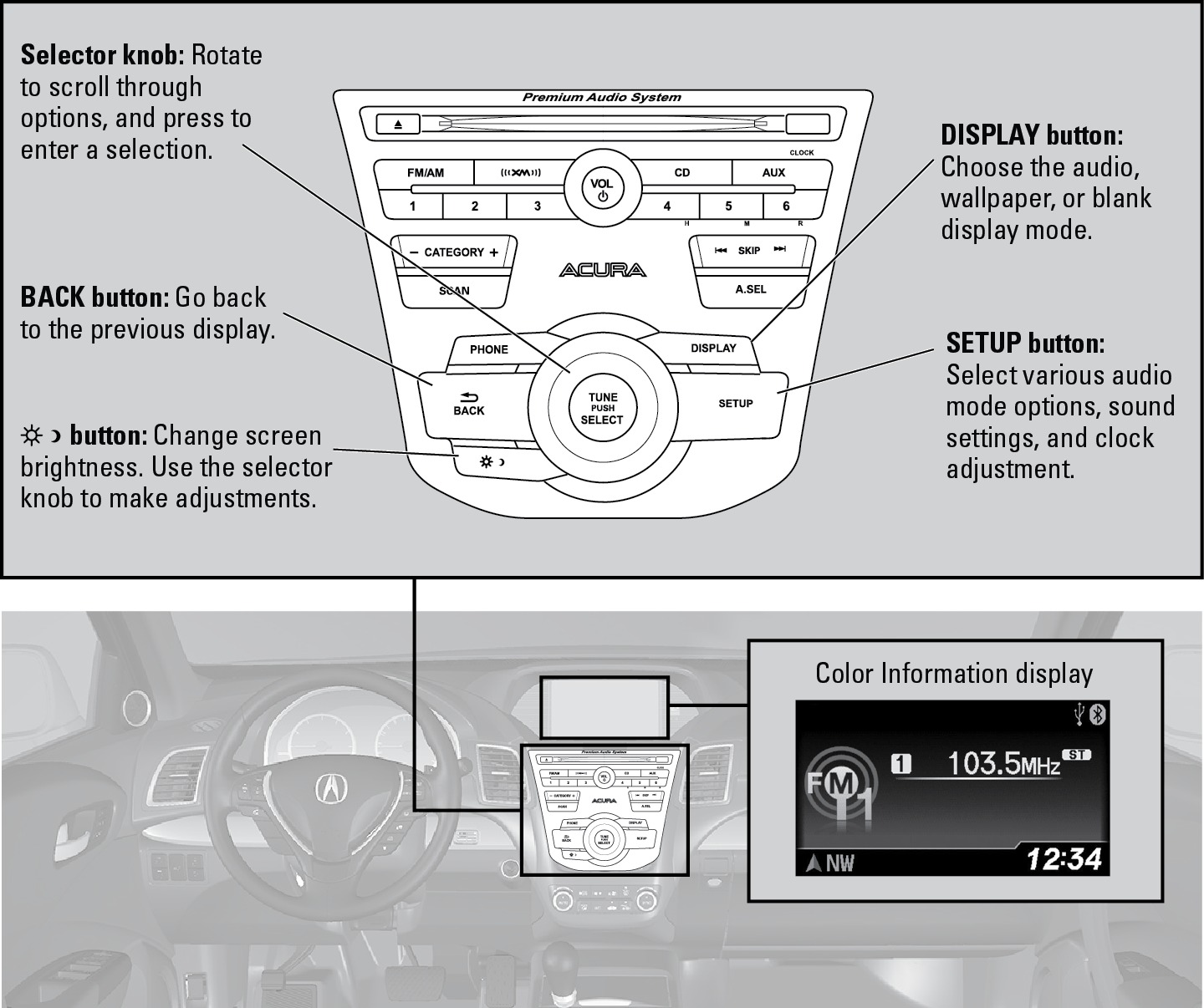
- FM/AM Radio
- Compact Disc (CD)
- SiriusXM Radio
- iPod
- USB Flash Drive
- Bluetooth Audio
- Pandora*
- Basic Audio Operation
FM/AM Radio
Models without navigation
Play FM or AM radio stations.
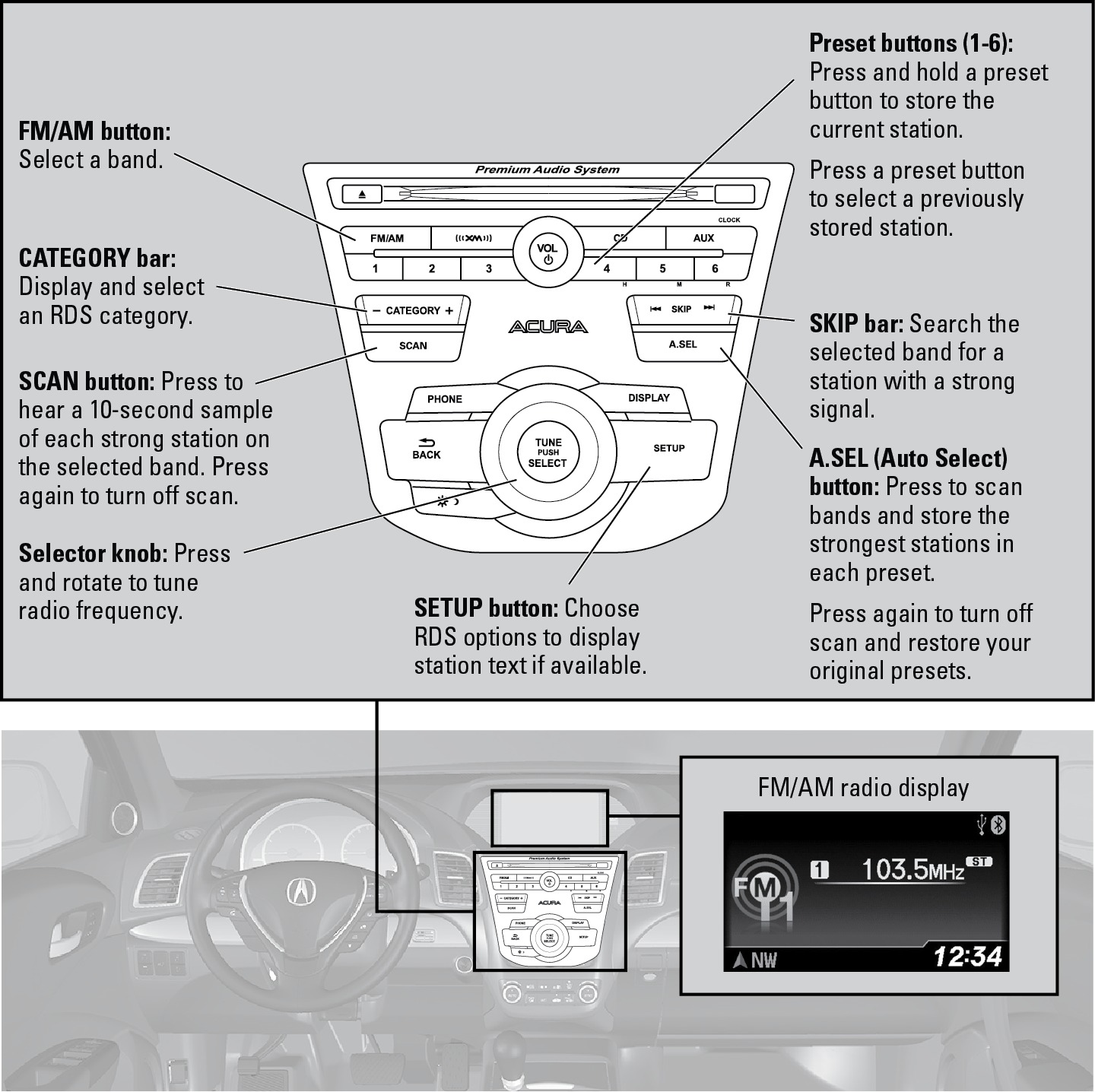
- Basic Audio Operation
SiriusXM® Radio
Models without navigation
Available on a subscription basis only. For more information or to subscribe, contact your dealer, or visit Open Web Page (U.S.) or Open Web Page (Canada)
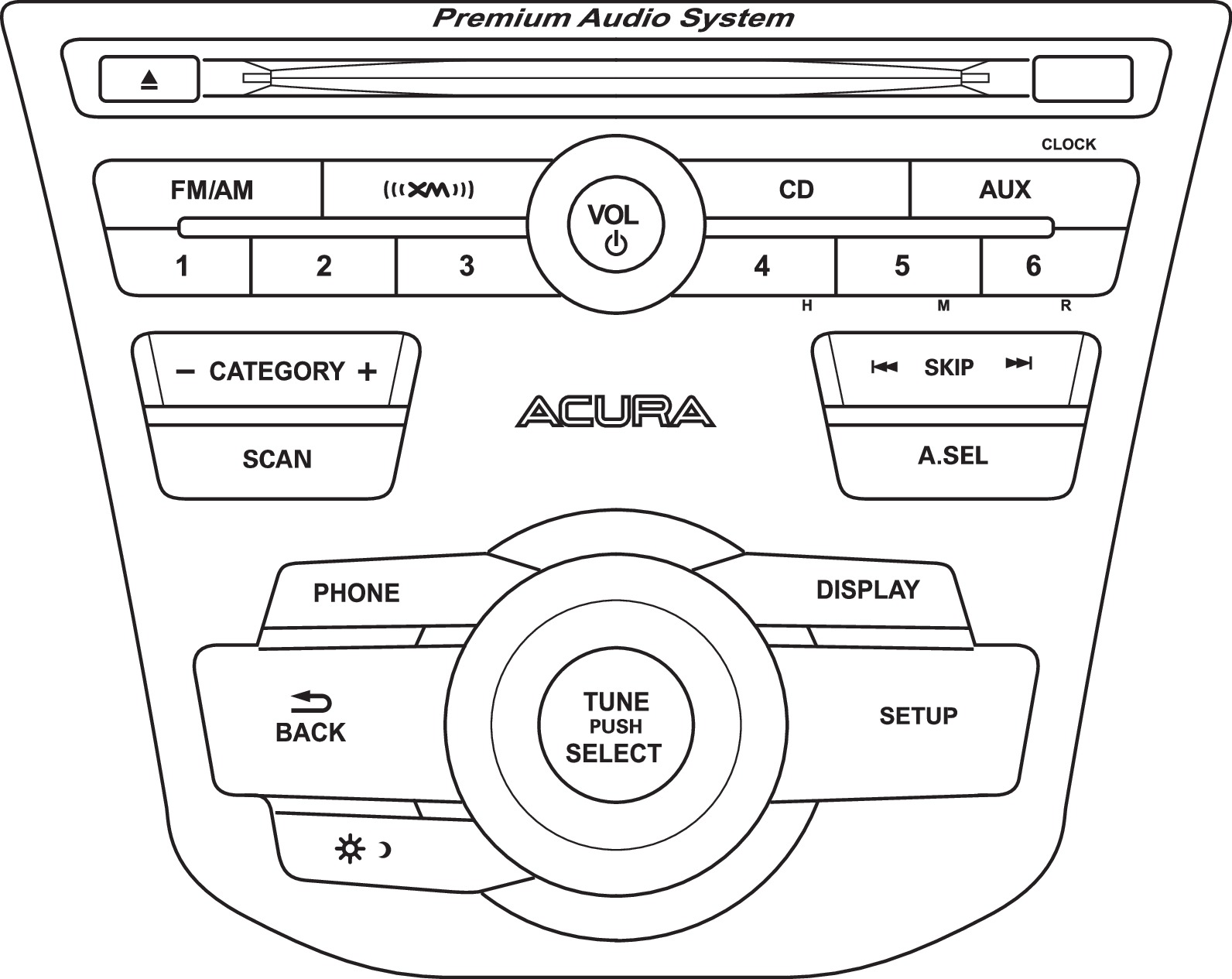
XM button: Select XM1 or XM2.
CATEGORY bar: Display and select an XM category.
SCAN button: Press to hear a 10-second sample of each channel. Press again to turn off scan.
Selector knob: Press and rotate to change channels.
Preset buttons (1-6): Press and hold a preset button to store the current channel.
Press a preset button to select a previously stored station.
SKIP bar: Go to the previous or next channel.
SETUP button: Choose Channel Mode or Category Mode.
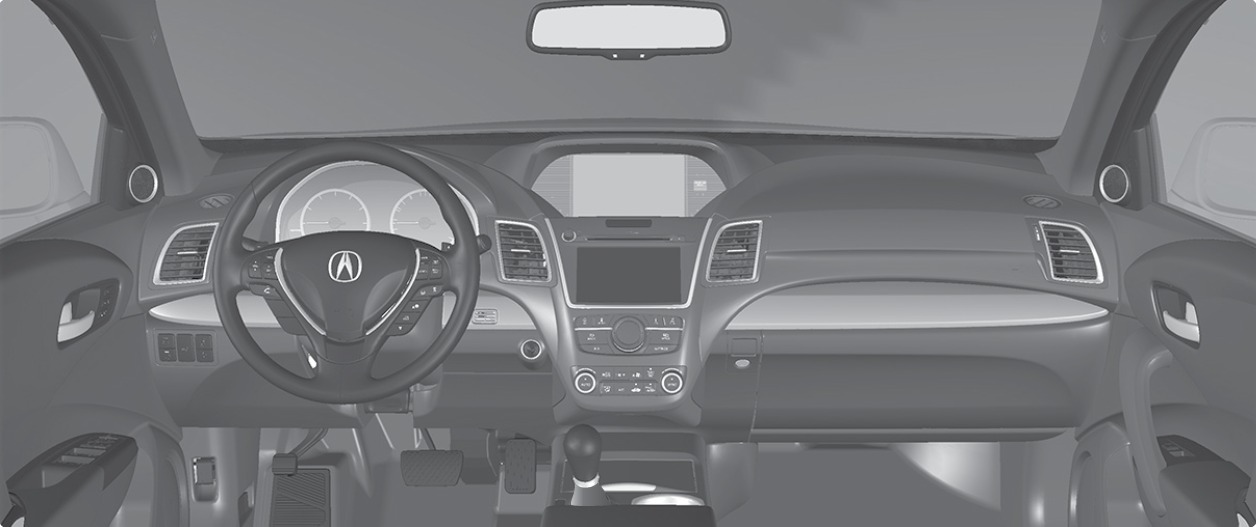
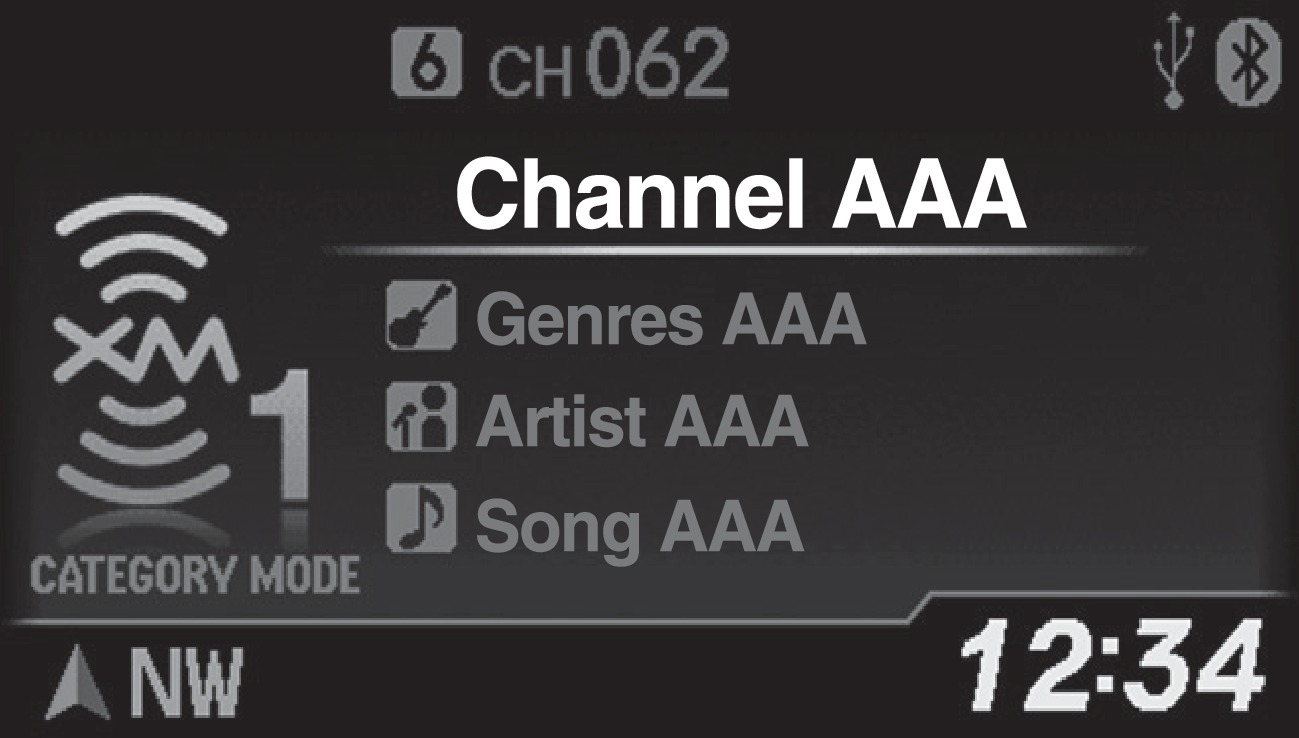
SiriusXM display
Available in the U.S. and Canada, except Hawaii, Alaska, and Puerto Rico.
XM® is a registered trademark of Sirius XM Radio, Inc.
- Basic Audio Operation
- Basic Navigation Operation
Compact Disc (CD)
Models without navigation
Insert a CD to begin playing. The audio system supports audio CDs, CD-Rs, and CD-RWs in MP3, WMA, or AAC formats.
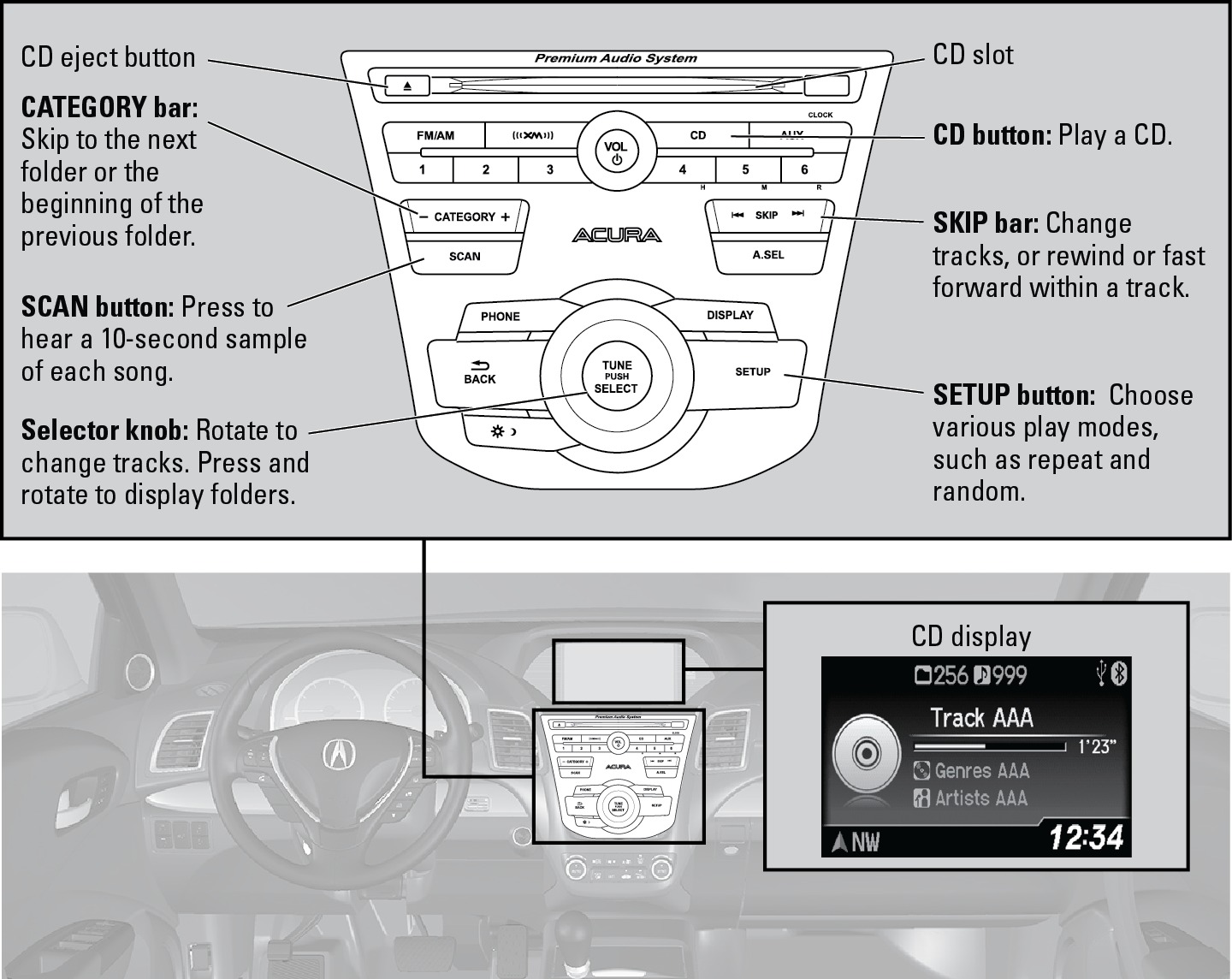
Do not use CDs with adhesive labels or insert a damaged CD. Inserting these types of CDs may cause them to get stuck or damage the audio unit.
- Basic Audio Operation
iPod®
Models without navigation
Play and operate an iPod through the vehicle's audio system. Connect your device to the USB port (see "Basic Audio Operation" section).
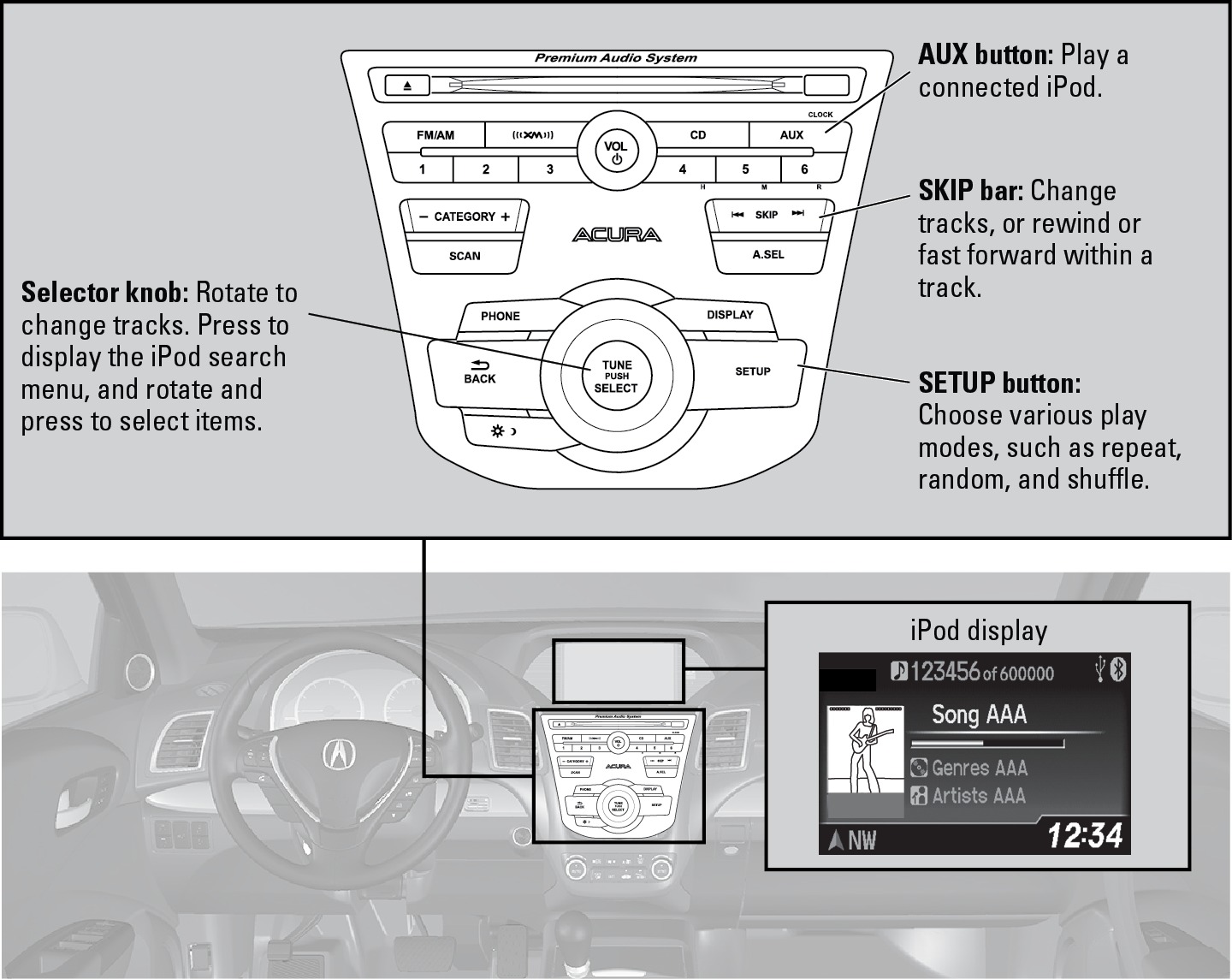
Searching for Music
Use the selector knob to search for tracks stored on the iPod using several methods.
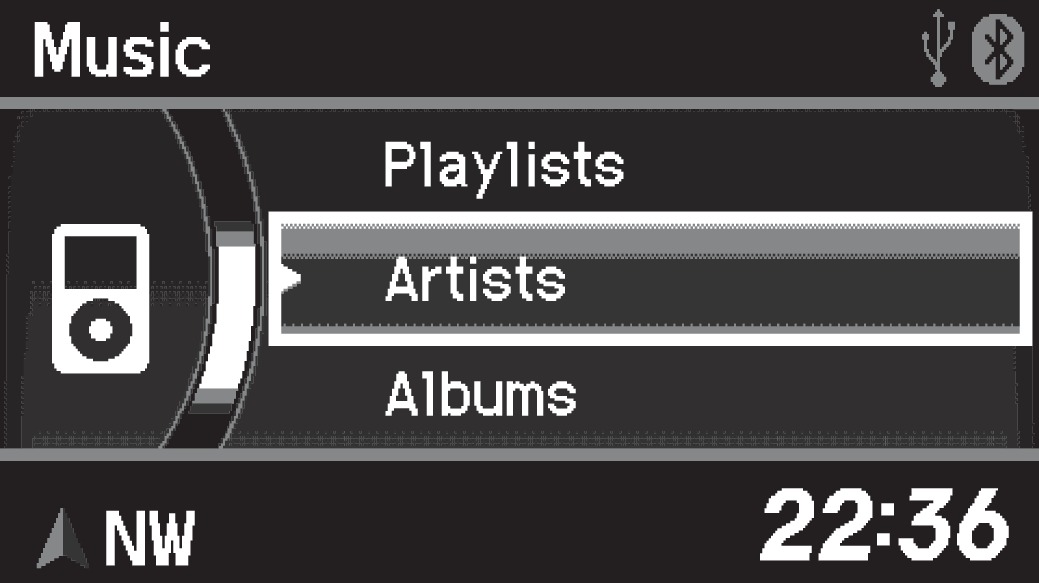
iPod is a trademark of Apple, Inc.
- From the audio screen, press the selector knob to enter the iPod menu.
- Select a search type (artist, album, track, etc.).
- Select the song you want to play.
Applicable laws may prohibit the operation of handheld electronic devices while operating a vehicle.
Launch streaming audio on your phone only when it is safe to do so.
- Bluetooth Audio
- Pandora*
- Basic Audio Operation
USB Flash Drive
Models without navigation
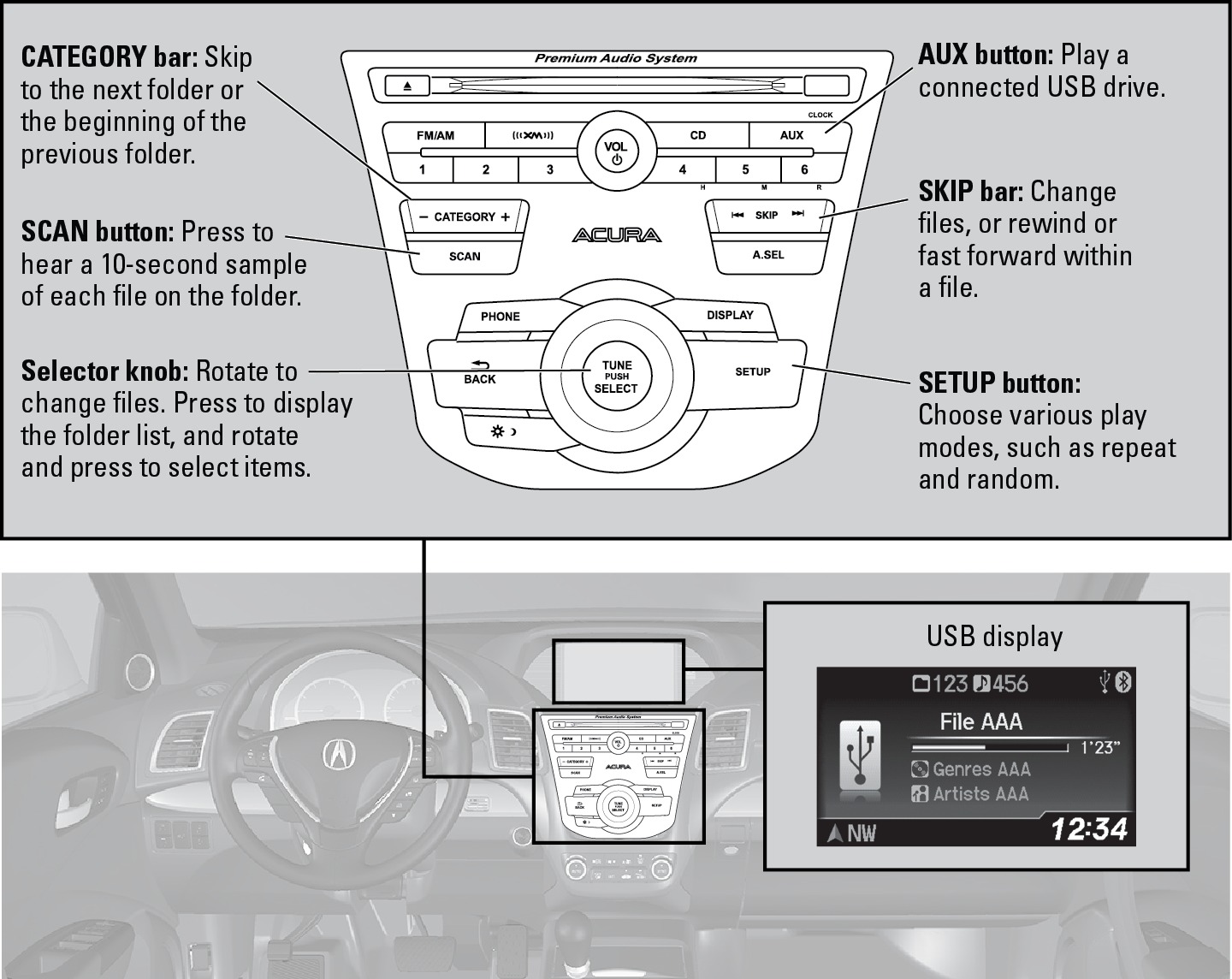
Play and operate a USB flash drive through the vehicle's audio system. Connect your USB flash drive to the USB port (see "Basic Audio Operation" section).
Searching for Music
Use the selector knob to search for tracks stored on the USB drive using several methods.
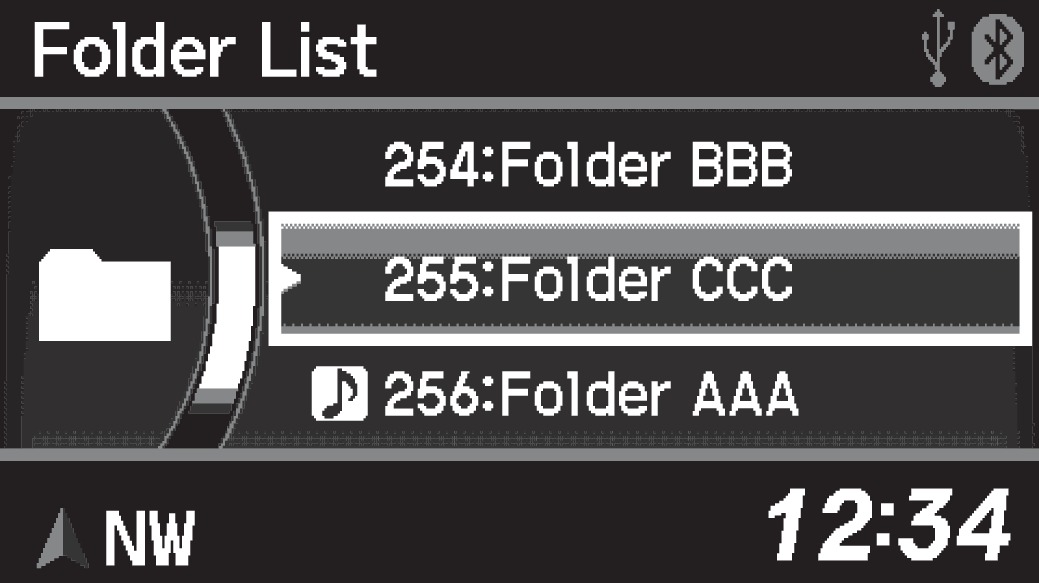
- From the audio screen, press the selector knob to enter the USB menu.
- Select a folder or file.
- Select the song you want to play.
Bluetooth® Audio
Models without navigation
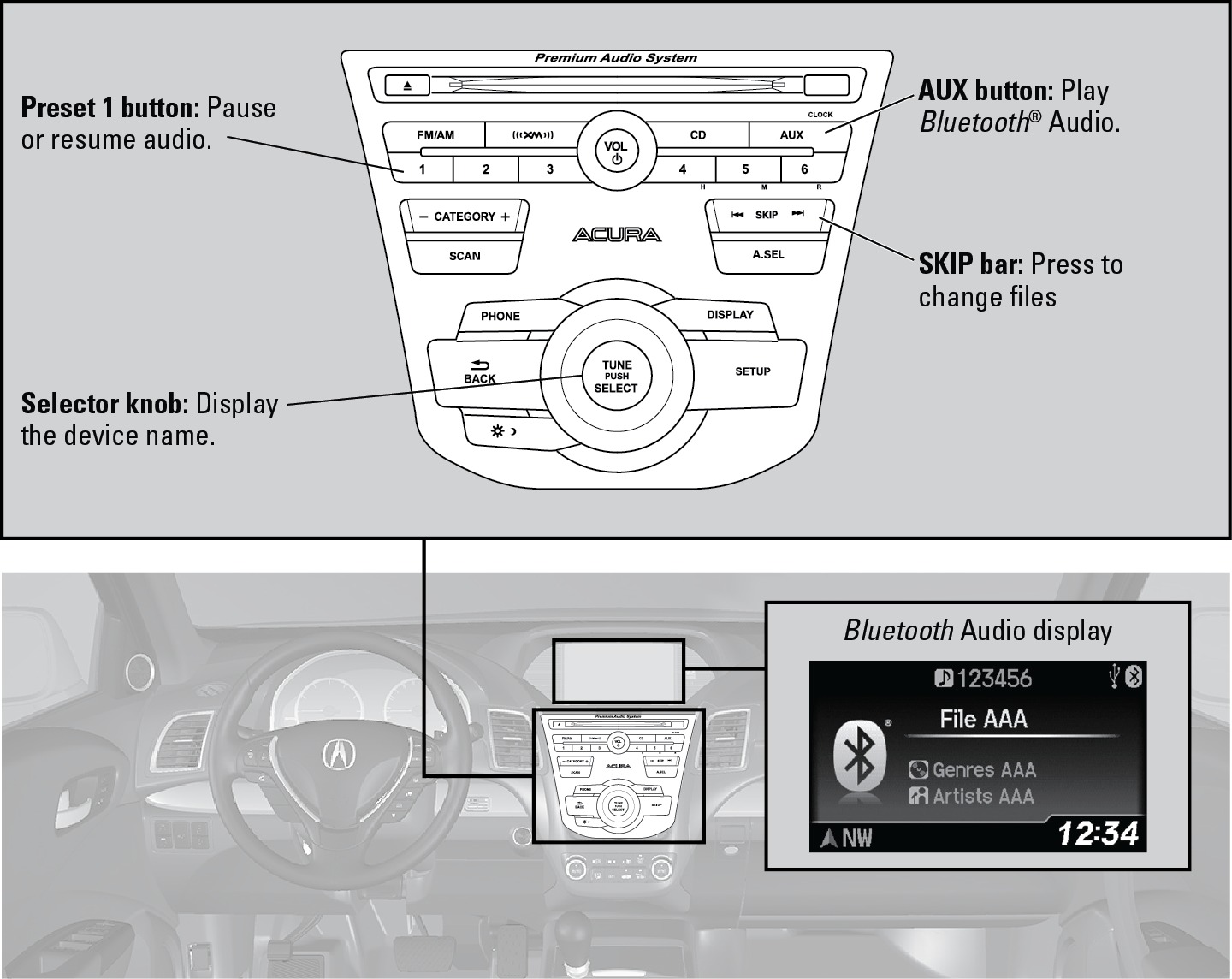
Play streaming or stored audio from your compatible phone through your vehicle's audio system. Connect your phone to Bluetooth® HandsFreeLink® (see "Color Information Display-Pairing a Phone" section).
Visit Open Web Page (U.S.) or Open Web Page (Canada) to check phone compatibility. Standard data rates apply.
Notes:
- Make sure the volume on your phone is properly adjusted.
- You may need to enable additional settings on your phone for playback.
- The resume/pause function and remote audio controls are not supported on all phones.
Applicable laws may prohibit the operation of handheld electronic devices while operating a vehicle.
Launch streaming audio on your phone only when it is safe to do so.
- Basic Audio Operation
- Pairing a Phone
- Basic HFL Operation
- Subscription Features
- Siri Eyes Free
Pandora®*
Models without navigation
Play and operate Pandora from your compatible phone through the vehicle's audio system. Visit Open Web Page to check phone compatibility. Standard data rates apply with your phone service provider. Available in the U.S. only.
- Connect your phone to the USB port (see "Basic Audio Operation").
- A pop-up may appear on your phone requesting you to allow access for Pandora to be launched.
- If you cannot operate Pandora through the audio system, it may be streaming through Bluetooth® Audio. Make sure Pandora mode on the audio system is selected.
- If Pandora still does not operate, you may have to reconnect the cable.
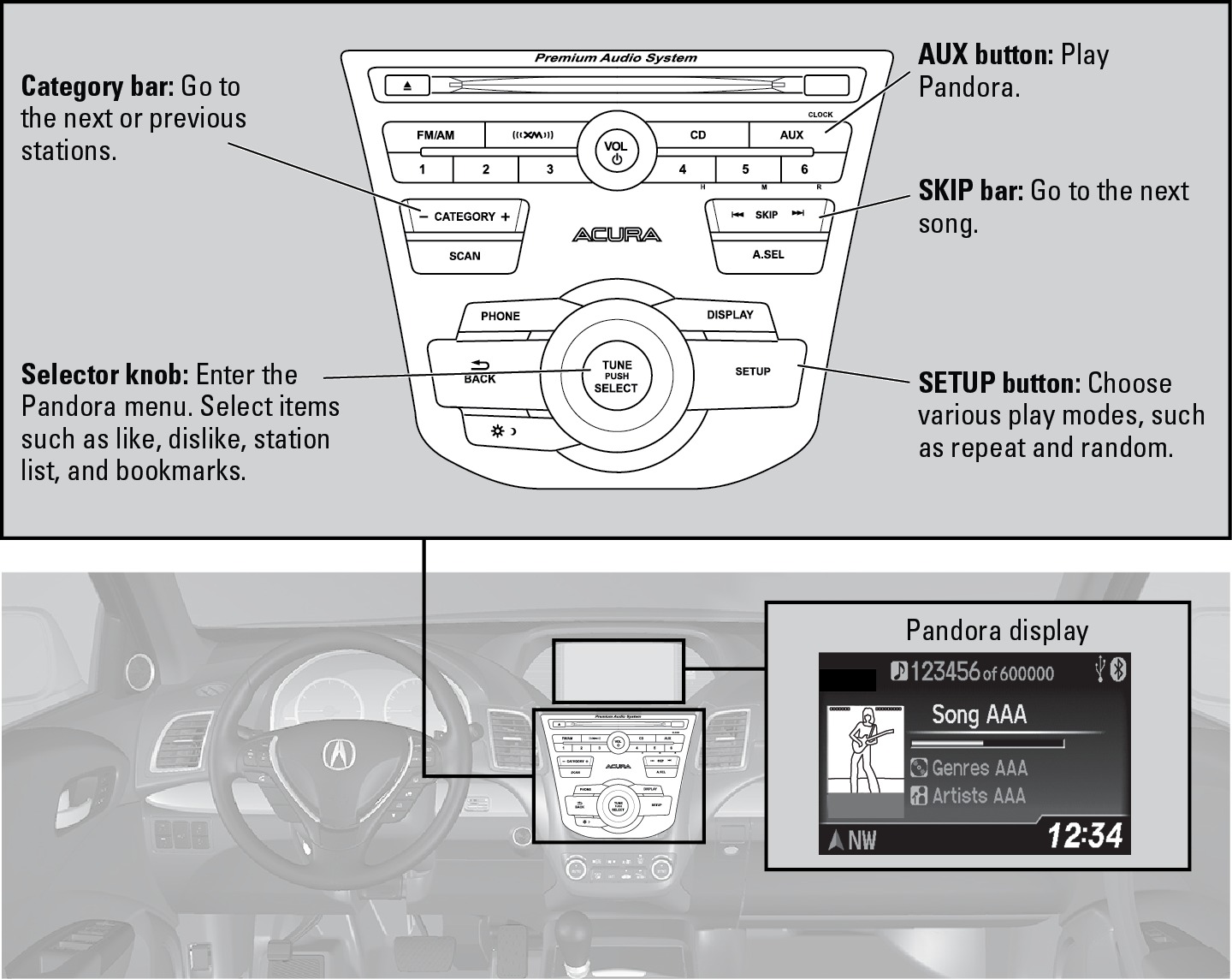
*U.S. models only. Applicable laws may prohibit the operation of handheld electronic devices while operating a vehicle.
Launch streaming audio on your phone only when it is safe to do so.
- Basic Audio Operation
- SiriusXM Radio
Download Manual