Smartphone Navi
App*
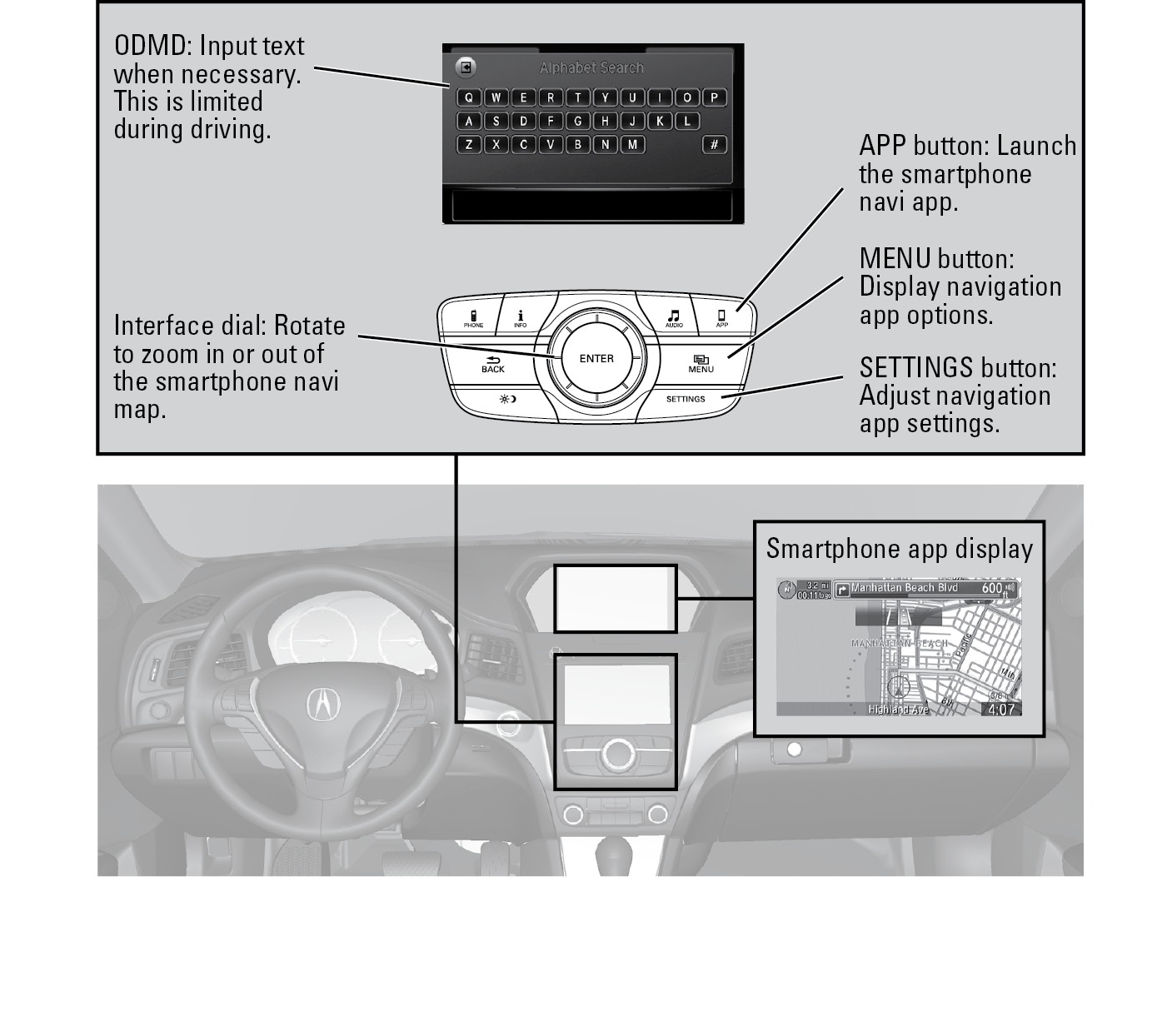
On vehicles with ODMD without navigation, you can connect an iPhone to the system to enable integration between the AcuraLink navigation app and the vehicle. This allows you to view the app's navigation map and routing on the upper display. Use the interface dial and buttons to control the app when connected to the vehicle.
For more information on the AcuraLink navigation app, its features and operation, phone compatibility, connection requirements, and downloading instructions, visit Open Web Page.
*if equipped
Phone Setup
Follow the below steps to begin using the smartphone navi app in your vehicle.
- From your iPhone, purchase and download the AcuraLink navigation app (visit Open Web Page).
- Once downloaded onto your phone, launch the app. Register or log in using your AcuraLink account.
- The app launches on your phone.
Phone-Vehicle Connection
Follow the below steps to begin using the smartphone navi app in your vehicle. You must purchase the necessary cables from your dealer for connection.
- Make sure your phone is paired to Bluetooth HandsFreeLink (see "Pairing a Phone").
- Connect the necessary cables between your phone and the vehicle.
- Press the APPS button. Your phone prompts you to "Allow" the connection. If you exit the app using the phone's home button, you are prompted to "Allow" each time you re-enter the app.
- The smartphone navi app launches on the upper screen in the vehicle. Use the interface dial and other buttons as necessary to control the app.
Related topics:
- Basic Navigation Operation
Download Manual