Basic Audio
Operation
Connect audio devices and operate buttons and displays for the audio system.
USB Connection
Connect a USB flash drive or other audio device, such as an iPod® or iPhone®.
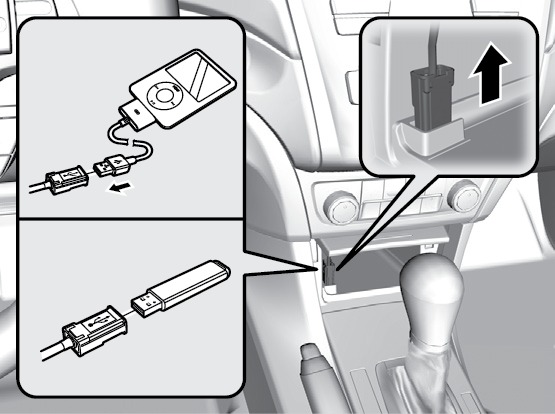
USB adapter cable*
- Open the front pocket. Unclip the USB adapter cable.
- Install the flash drive or cable connector to the USB adapter cable.
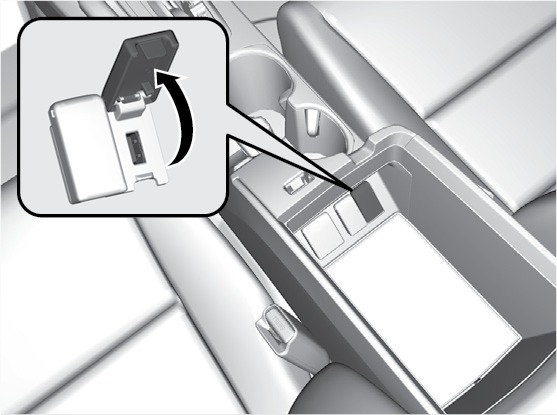
- Open the center console. Open the USB port cover.
- Connect the device to the USB port.
iPod and iPhone are trademarks of Apple, Inc.
*if equipped
HDMI Port*
Connect an HDMI cable.
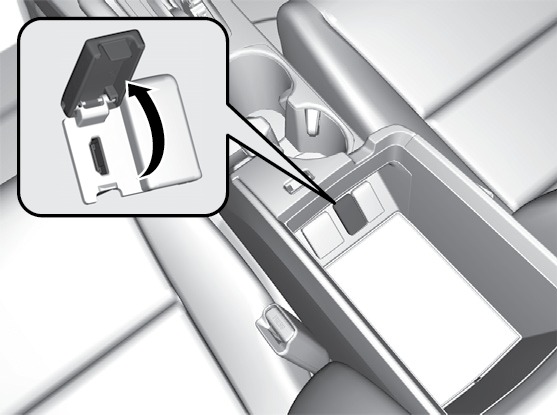
- Open the center console. Open the HDMI port cover.
- Insert an HDMI cable to the HDMI port.
*if equipped
Auxiliary Input Jack*
Connect standard audio devices with a 1/8-inch (3.5 mm) stereo miniplug.
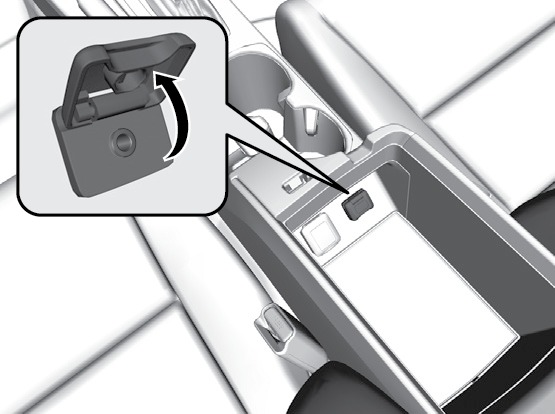
- Open the center console. Open the AUX cover.
- Connect the device to the input jack. Use the device to control the audio.
*if equipped
Accessory Power Socket
Open the center console. Open the socket cover to use it when the vehicle is on.
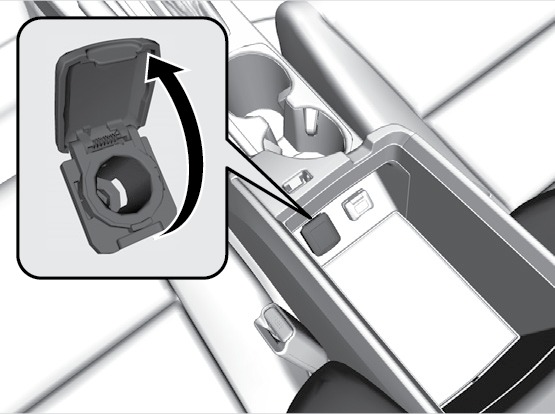
Do not insert an automotive type cigarette lighter element. This can overheat the power socket.
Steering Wheel Controls
Operate certain functions of the audio system using the steering wheel controls.
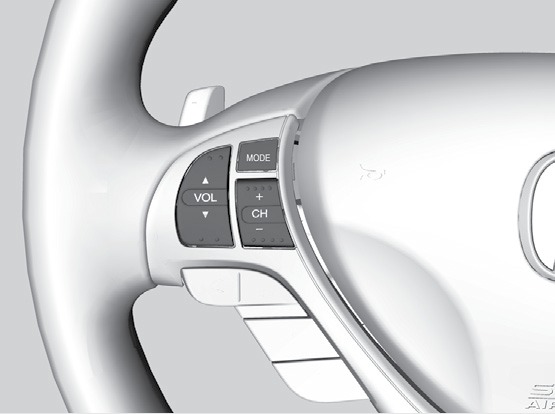
MODE button: Cycle through available audio modes.
VOL buttons: Adjust audio volume.
CH buttons: Change presets, tracks, albums, or folders.
FM/AM/SiriusXM® Radio*
Press (+) or (-) for the next or previous station. Press and hold (+) or (-) for the next or previous strong station.
CD/HDD*/iPod/USB/Bluetooth Audio
Press (+) or (-) for the next or previous track. Press and hold (+) or (-) for the next or previous folder (CD/USB).
Pandora®*/Aha
Press (+) for the next song. Press and hold (+) or (-) for the next or previous station.
*if equipped
Adjusting the Sound
Adjust various sound settings using these two methods.
Models with one display
Use the selector knob or SETUP to access and change some audio functions.
- Press the SETUP button.
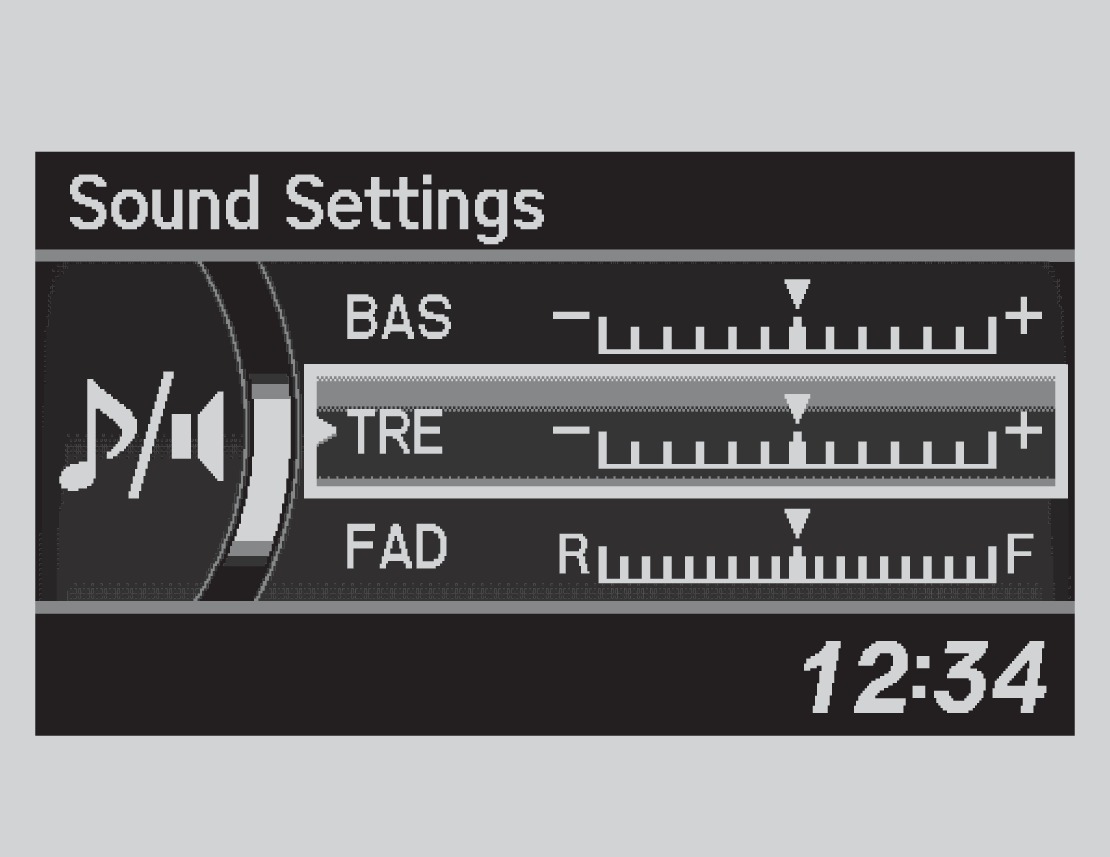
- Select Sound Settings.
-
Select the setting you want, and adjust it to the desired level.
- Press the BACK button to exit out of the menu.
Models with two displays
Use the touchscreen to make and enter selections.
- Select More.
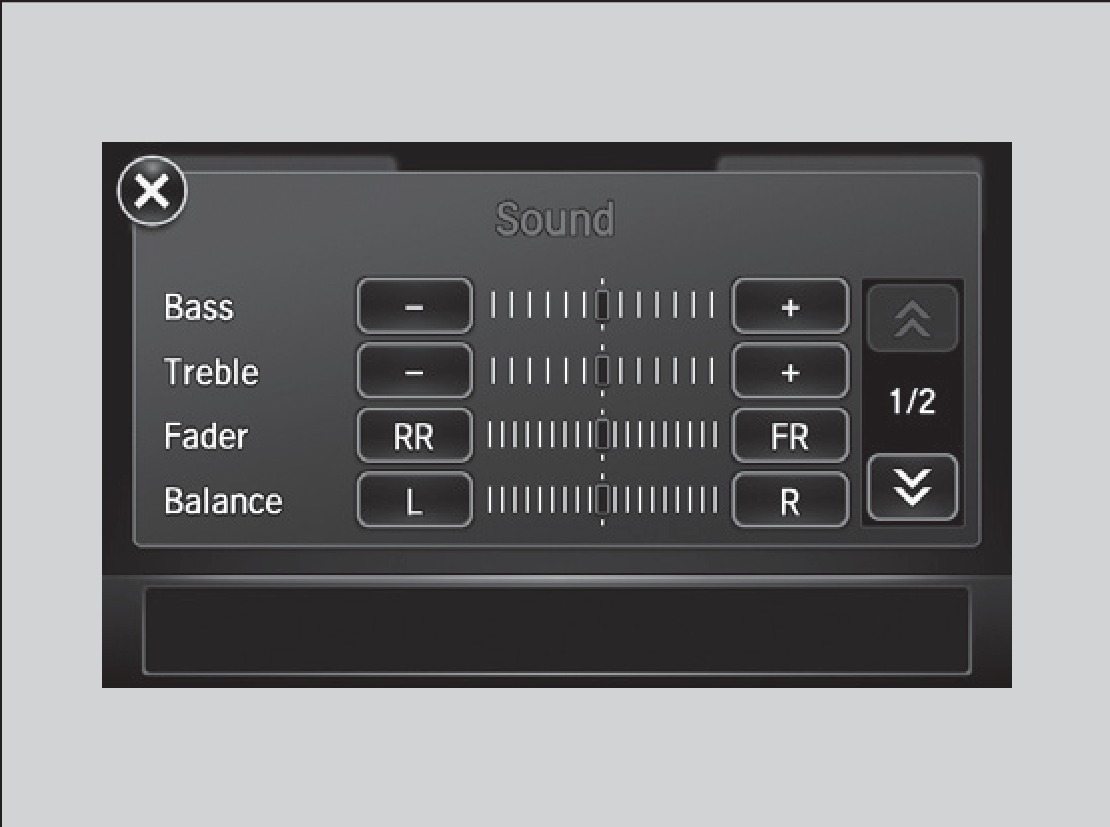
- Select Sound.
-
Select the item you want to adjust, and rotate to change it.
- Press BACK to exit out of the menus.
- Setting the Clock
- Basic Navigation Operation
- Steering Wheel and Nearby Controls
Download Manual