Customized Features
You can easily customize many features of your vehicle. The customized settings are recalled every time you unlock the driver's door with the remote (Driver 1 or Driver 2). Settings are unique to each remote. Models with Navigation: See the Navigation System Manual for the customized features except for the Vehicle Settings.
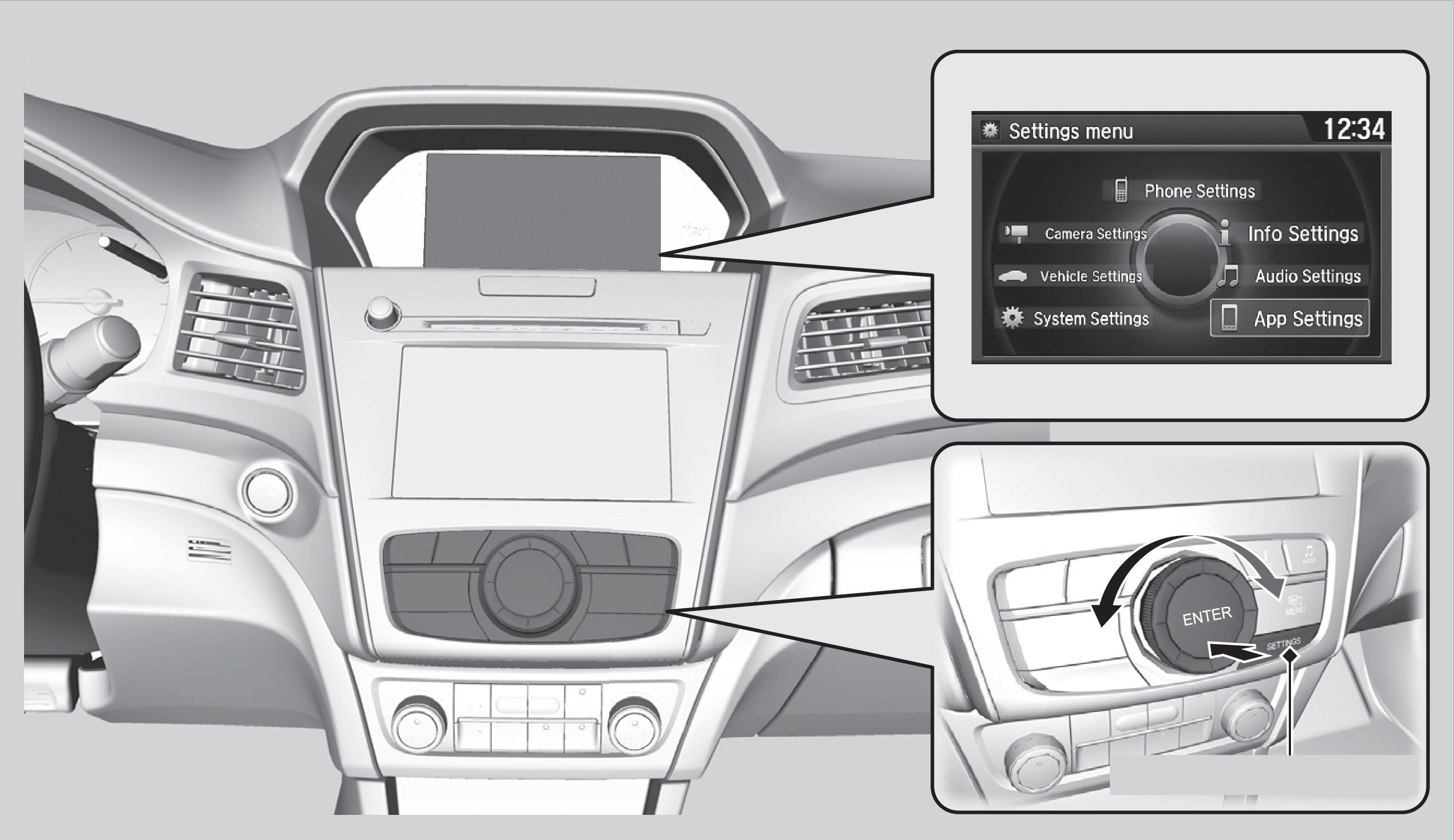
How to Change a Setting
The vehicle must be in Park (P) to select Vehicle Settings. Use the interface dial to make and enter selections.
- Press SETTINGS.
- Select an option (System, Vehicle, Camera, Audio, Phone, Info, and App* or Navi*).
- Select a setting option, and make your preferred changes.
- Press BACK to exit out of the menus.
*if equipped
Customization Example: Door Lock Settings
To customize the door lock/unlock settings, follow the steps below when the vehicle is stopped and the power mode is ON.
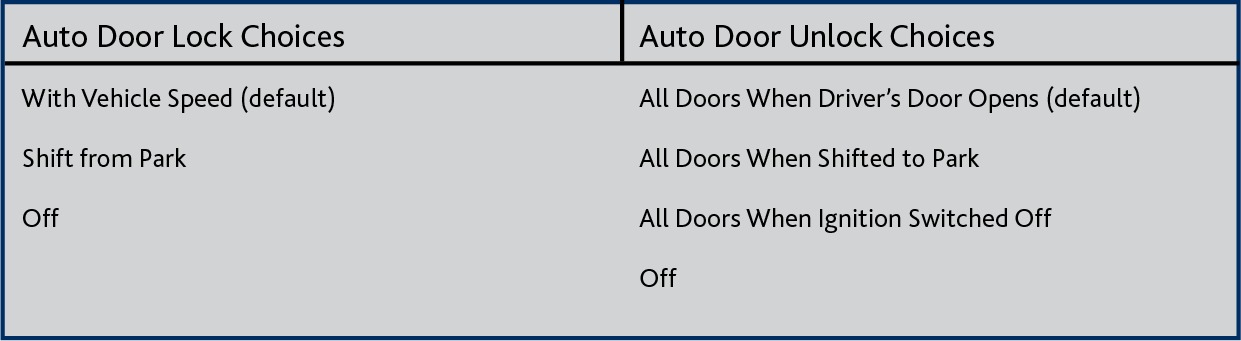
1. Press Settings.
2. Press Vehicle Settings.
3. Press Door Setup:
-
To customize door lock settings, press Auto Door Lock.
-
To customize door unlock settings, press Auto Door Unlock.
4. Choose a setting:
-
The default lock setting is With Vehicle Speed.
-
The default unlock setting is All Doors when Driver's Door Opens.
5. Press BACK when you are done.
- Setting the Clock
- Basic Navigation Operation
- Multi-View Rear Camera
- Basic Audio Operation
Download Manual