Door locks
NOTE
– Insert the key into the ignition switch and turn the ignition switch to “ON”.
For details about the alarm system, refer to “Alarm system” 2-27.
! How to lock and unlock the vehicle by using the key
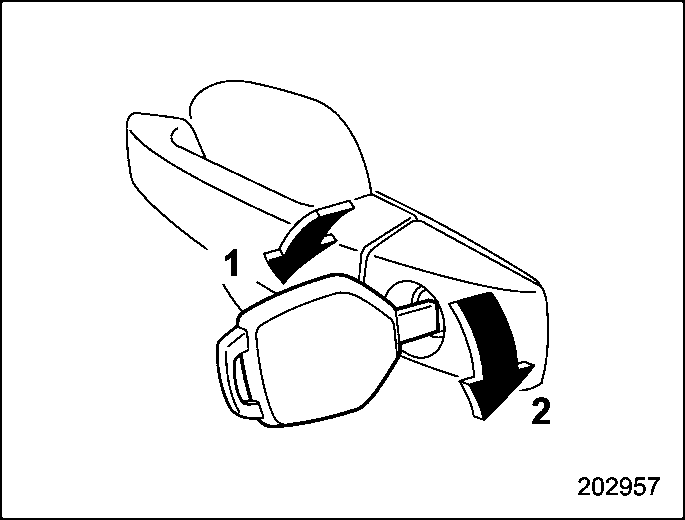
In this case, only the driver’s side door is locked.
The emergency key is directional. If the key cannot be inserted, change the
direction that the grooved side is facing and insert it again.
! How to lock the vehicle without using the key
To lock the door from outside without the key, the following methods are available.
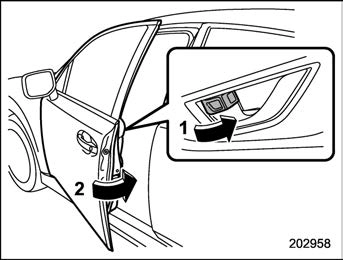
In this way, only the door that was operated will be locked.
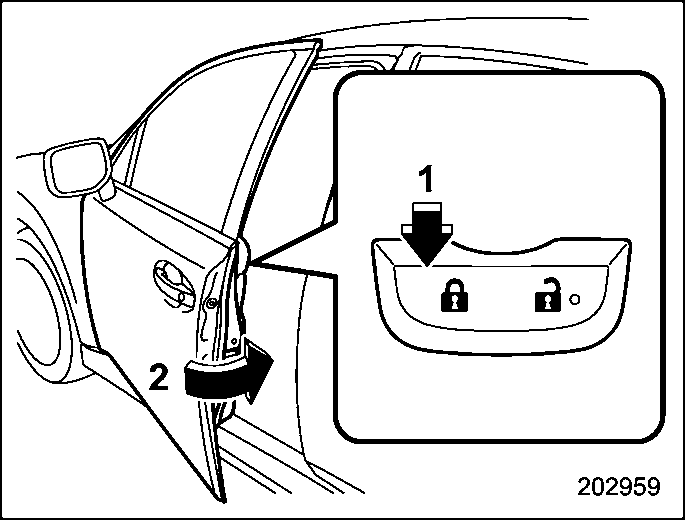
*: For details about the power door locking switch, refer to “How to operate the power door locking switches” 2-25.
In this case, all closed doors and the rear gate (5-door models) are locked at the same time.
 & Locking and unlocking from the inside
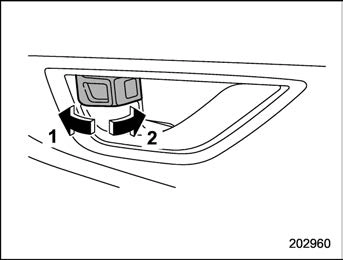 ! How to use the lock lever
Always make sure that all doors and the rear gate (5-door models) are closed before starting to drive.
The red mark on the lock lever appears when the door is unlocked.
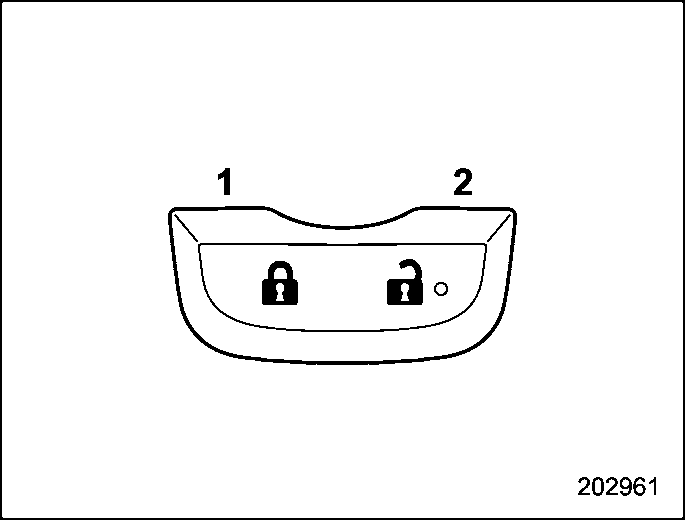
All doors and the rear gate (for 5-door models) can be locked and unlocked using the power door locking switches located at the driver’s side and the front passenger’s side doors.
Example
All doors are automatically locked or unlocked under the following conditions.
a rear door, make sure to unlock all the doors by pushing the unlock side of the power door locking switch. If a rear door is unlocked from the inside door lever then the door is opened and closed, the Key lock-in prevention function will be triggered. All doors will be unlocked, the Key lock-in prevention warning indicator “  ” will appear and the warning chime will also sound.
Under the following conditions, all the doors will not lock when the power door locking switch is pushed with the front door open.
the doors.
! Non-operation of key lock-in pre- vention function
When the system is set so that it does not operate, the doors are locked by the following operation.
If a door or the rear gate (5-door models) is not completely closed, the interior lights will remain illuminated as a result. How- ever, several lights are automatically turned off by the battery drainage preven- tion function to prevent the battery from discharging. The following interior lights are affected by this function.
|
Item |
Switch position |
Automatically turning off |
|
Map lights |
DOOR |
Approximately 20 minutes later |
|
Dome light |
DOOR |
Approximately 20 minutes later |
|
Ignition switch light |
— |
Approximately 20 minutes later |
|
Cargo area light |
DOOR |
Approximately 20 minutes later |
Download Manual