Setting the
Clock.Adjust the time using the steps described for your system type.
Models with color audio system
Use the selector knob to make and enter selections.
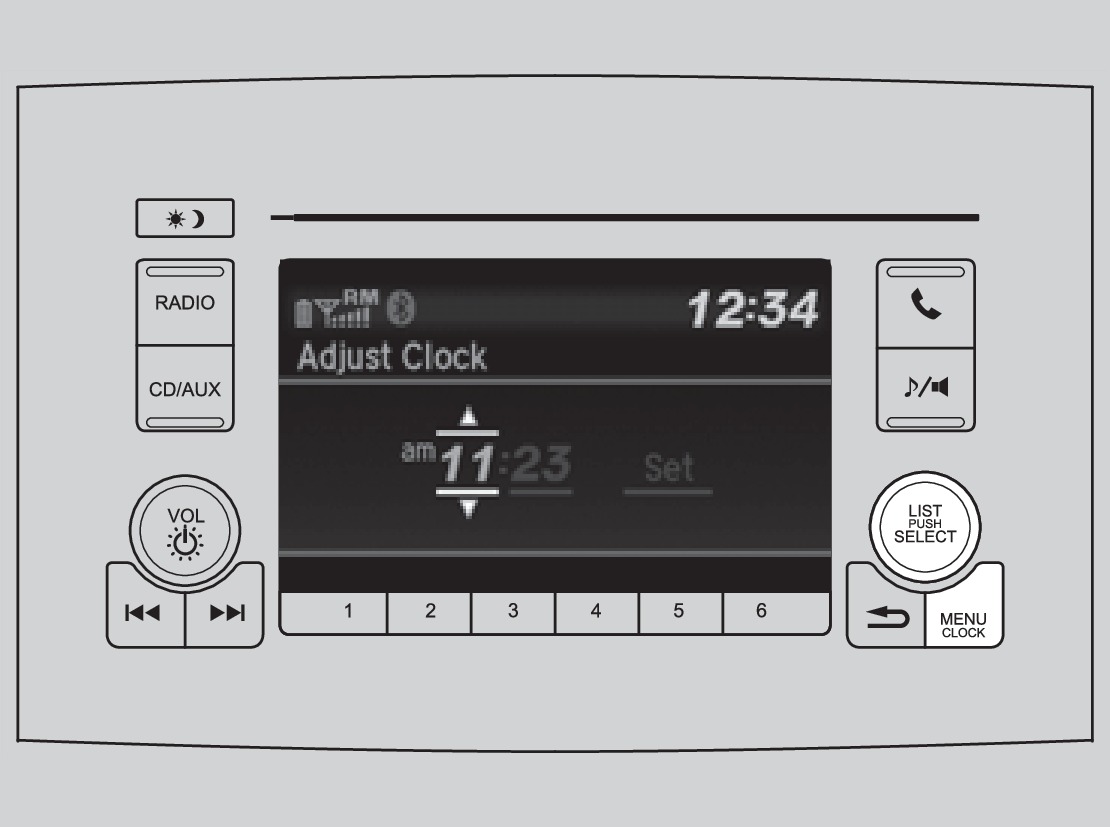
- Press and hold the MENU/CLOCK button.
- Select Adjust Clock.
- Select the hour and adjust as necessary.
- Select the minutes and adjust as necessary.
- Select Set when complete.
- Press the Back button to exit the menu.
Models with touchscreen
Select items on the touchscreen to make selections.
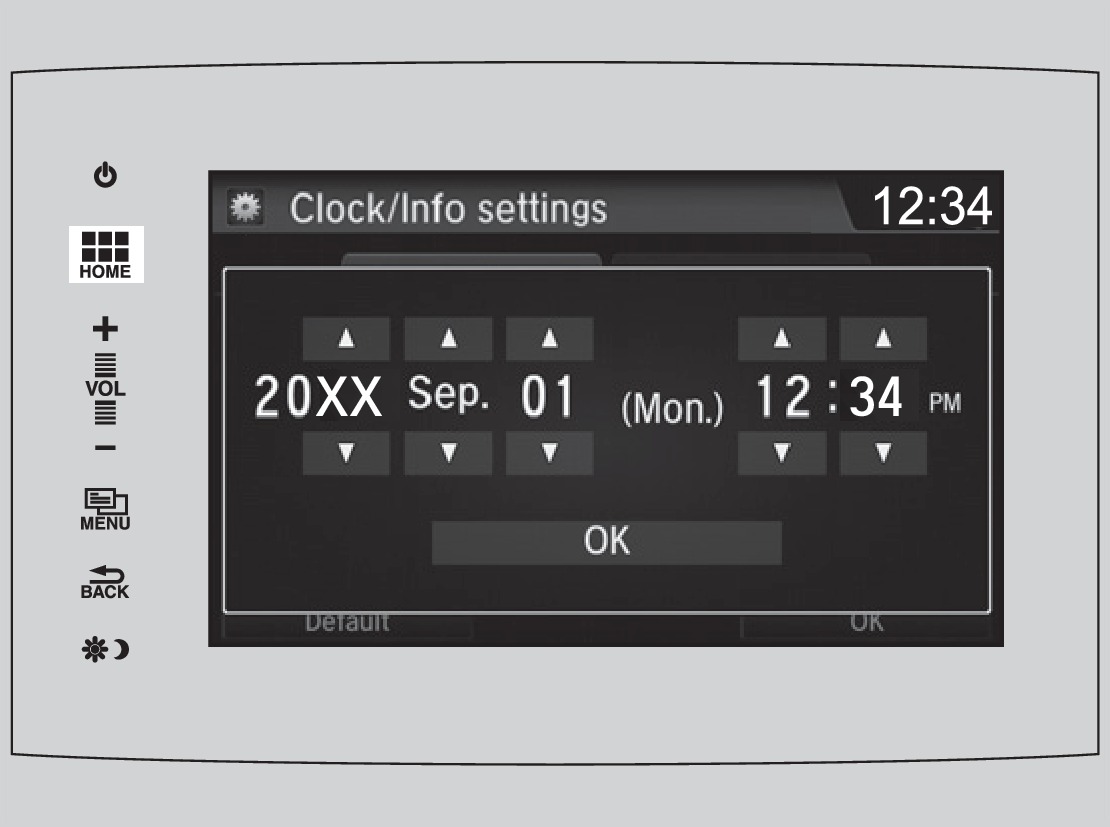
- From the HOME screen, select Settings.
- Select Clock/Info.
- Select Clock Adjustment.
- Adjust the hour and minute values.
- Select OK when complete.
On vehicles with navigation, the time is automatically set using GPS signals.
Related topics:
- Touchscreen Operation
- Color Audio System
- Customized Features
Download Manual