Door Operation
Use several methods to lock or unlock the doors.
Using the Lock Tab
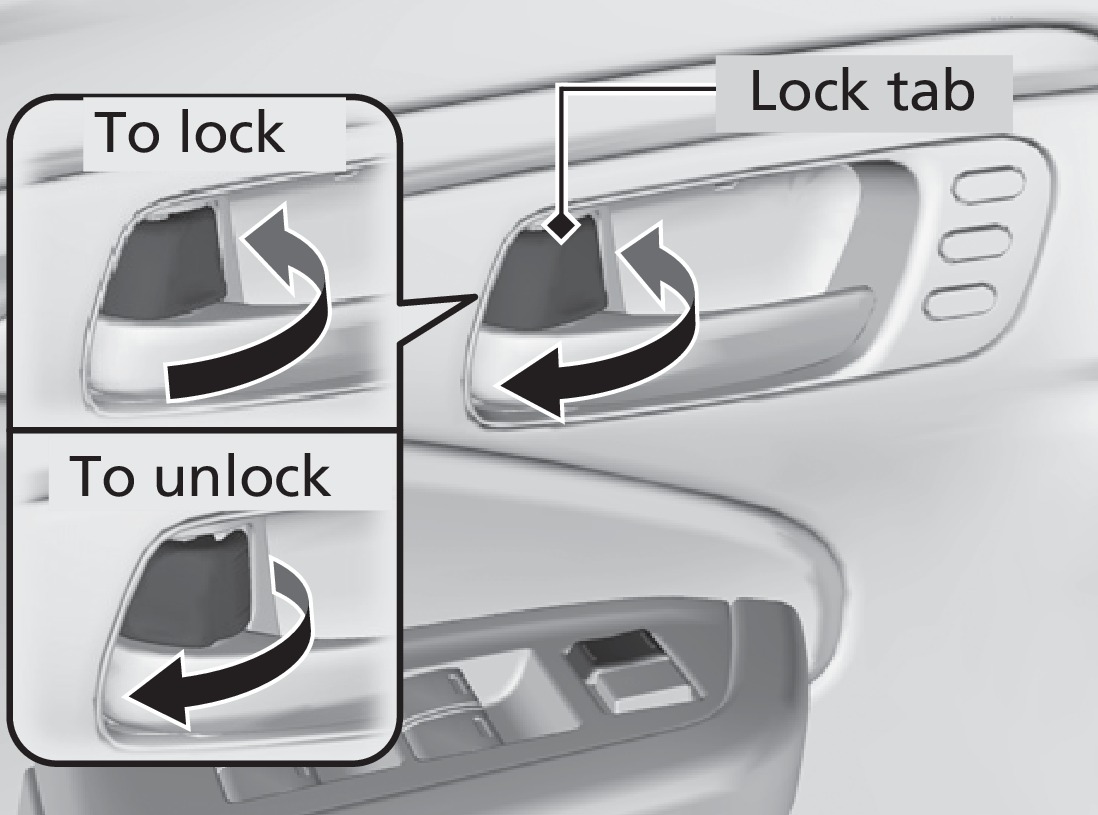
To unlock: When you unlock either front door using the lock tab, the specific door (driver's or passenger's) unlocks.
To lock: When you lock the door using the lock tab on the driver's door, all the other doors and the trunk lock at the same time. When you lock the door using the lock tab on the front passenger's door, only that door locks.
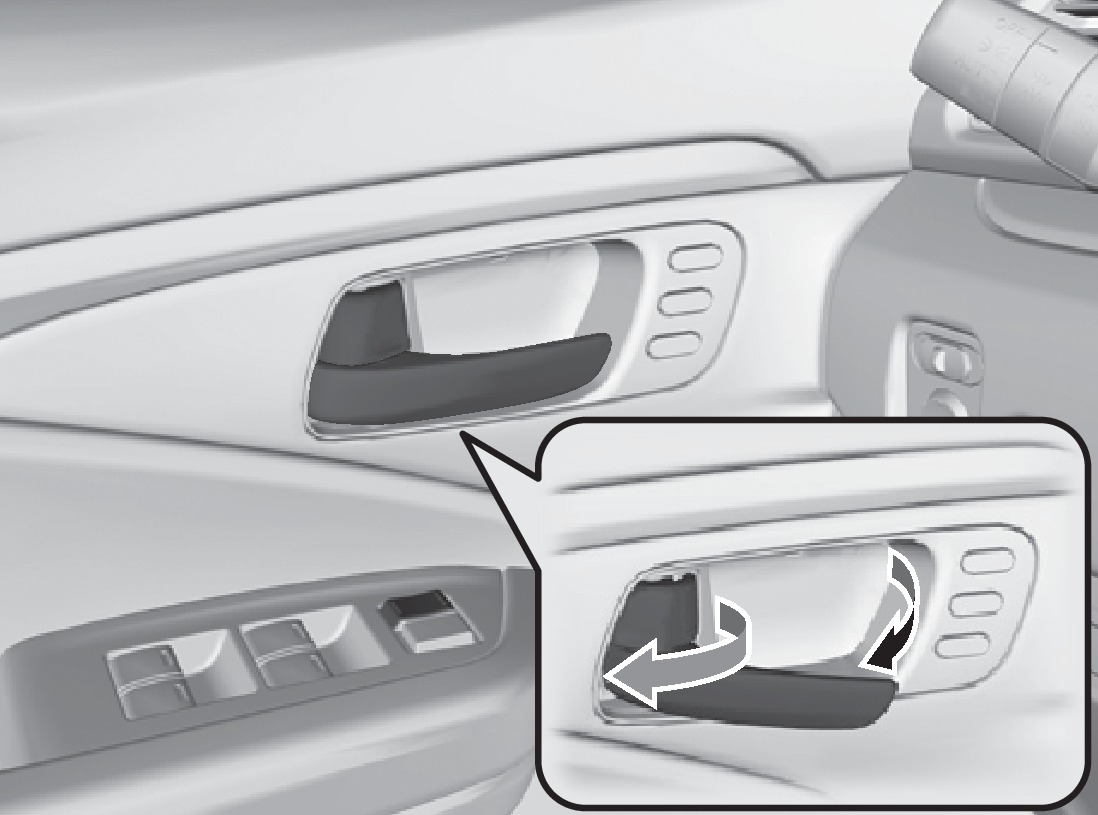
Using the Front Door Inner Handle
When you pull either front door inner handle, the door unlocks and opens.
Unlocking and opening the driver's door from the inner handle unlocks all the other doors and the trunk.
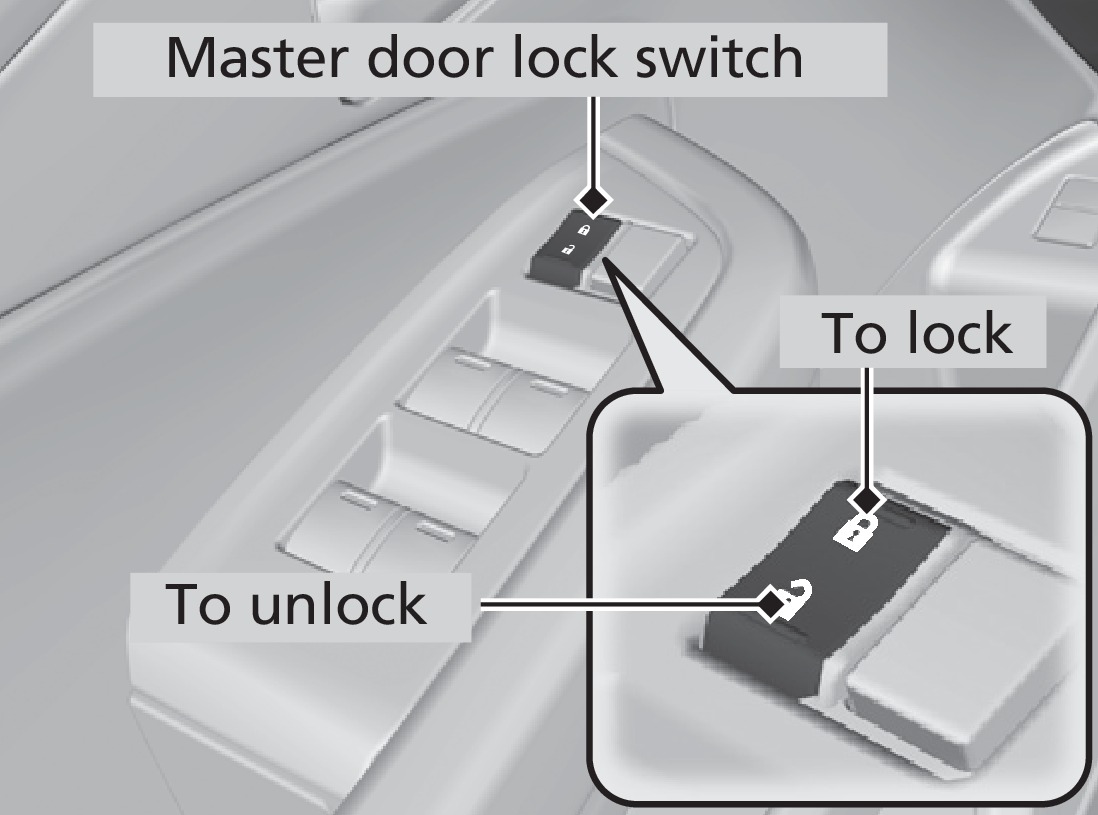
Using the Master Door Lock Switch
To unlock: Press the unlock side of the switch to unlock all doors and the trunk.
To lock: Press the lock side of the switch to lock all doors and the trunk.
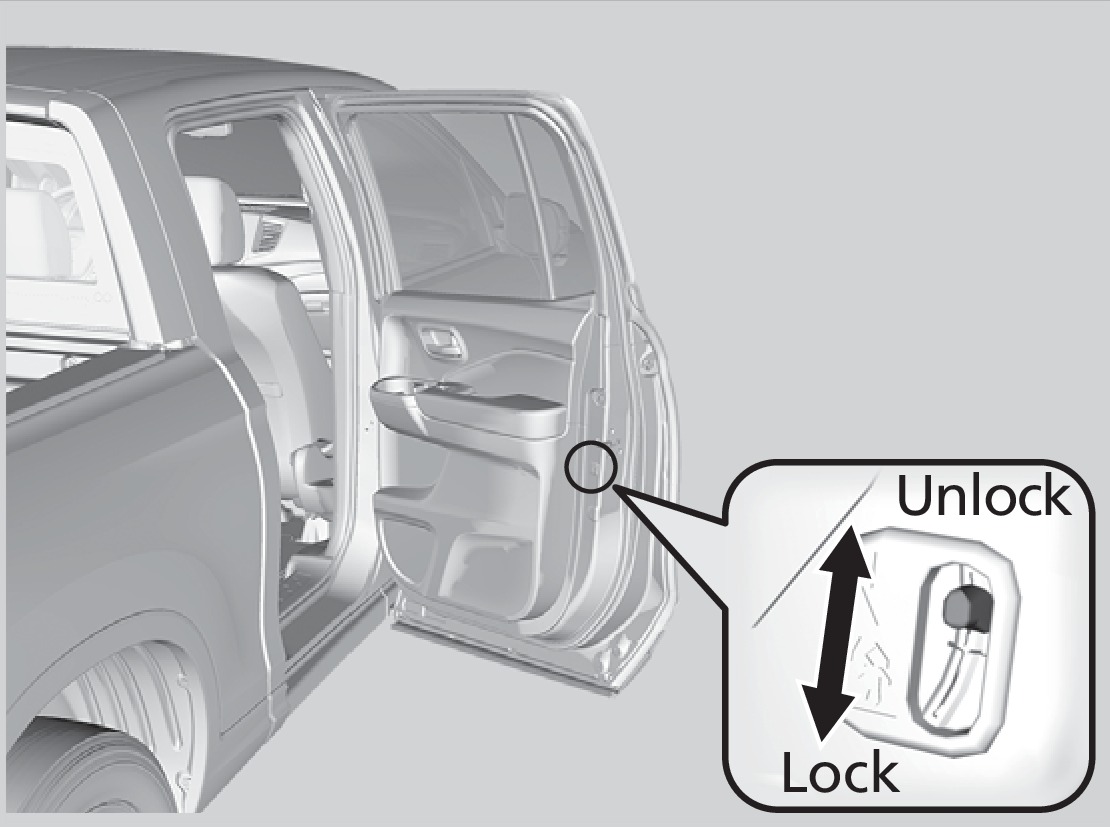
Childproof Door Locks
The childproof door locks prevent the rear doors from being opened from the inside regardless of the position of the lock tab.
Slide the lever in the rear door to the lock position, and close the door.
Open the door using the outer door handle.
- Remote Engine Start*
- Using the Key or Remote Transmitter
- Smart Entry System
Download Manual