Collision Mitigation
Braking System™ (CMBS™)*Can assist you when there is a possibility of your vehicle colliding with a vehicle or a pedestrian detected in front of yours.
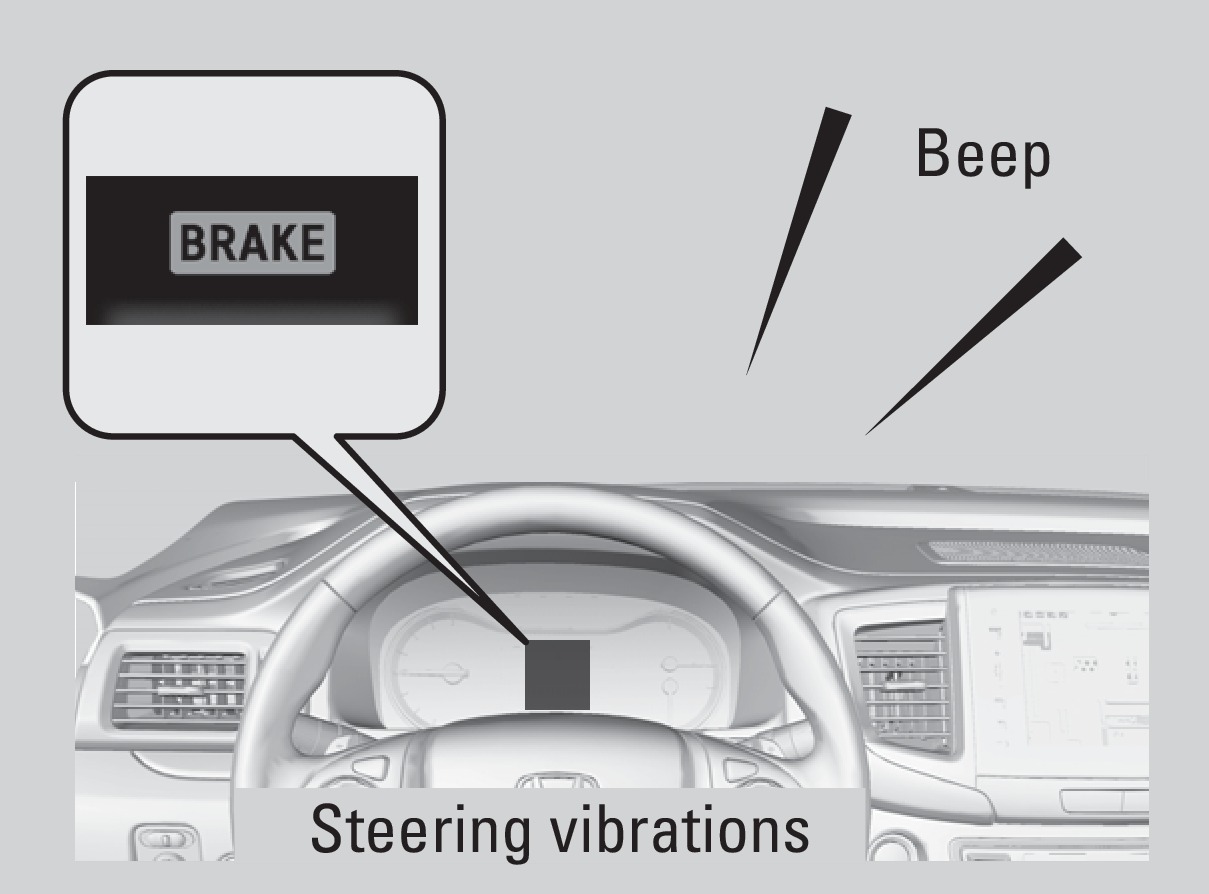
The system can give you visual, audible, and tactile alerts when a potential collision is determined, and reduce your vehicle speed to help minimize collision severity when a collision is deemed unavoidable.
When a potential collision with a detected oncoming vehicle is determined, the system also alerts you with rapid vibrations on the steering wheel.
The system activates when:
- The speed difference between your vehicle and a vehicle or pedestrian detected in front of you is about 3 mph (5 km/h) and over with a chance of a collision.
- Your vehicle speed is about 62 mph (100 km/h) or less and there is a chance of a collision with an oncoming detected vehicle or a pedestrian in front of you.
Alert Stages
The system has three alert stages for a possible collision. Depending on the circumstances or CMBS settings, CMBS may not go through all of the stages before initiating the last stage.
Stage 1: Visual and audible warning, steering wheel vibrations
Stage 2: Visual and audible warning and light brake application
Stage 3: Visual and audible warning and strong brake application
Changing Settings
Determine the warning timing.
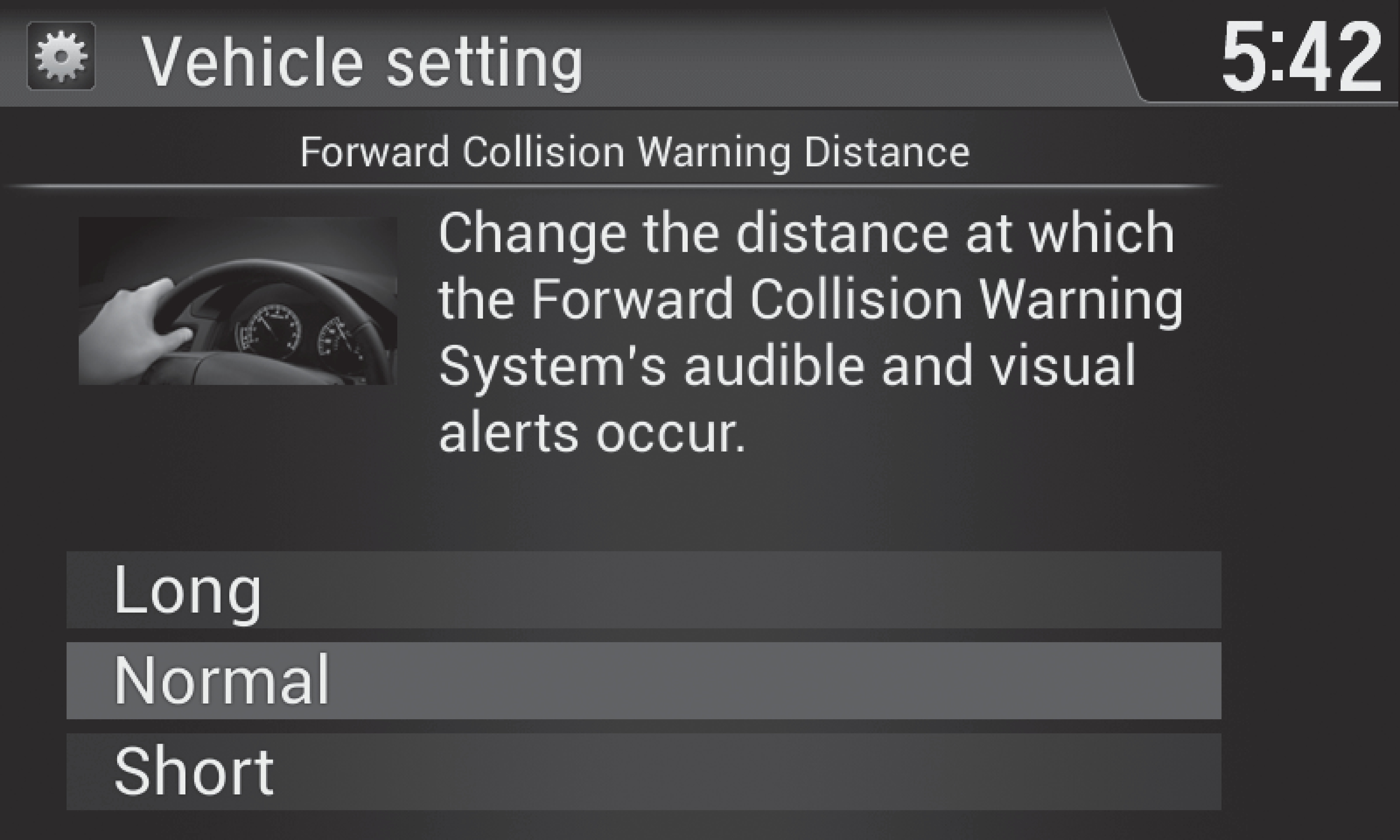
- From the HOME screen, select Settings.
- Select Vehicle. The vehicle must be in Park (P).
- Select Forward Collision Warning Distance.
- Select Long, Normal, or Short.
- Press BACK to exit the menu.
*if equipped
Turning CMBS On or Off
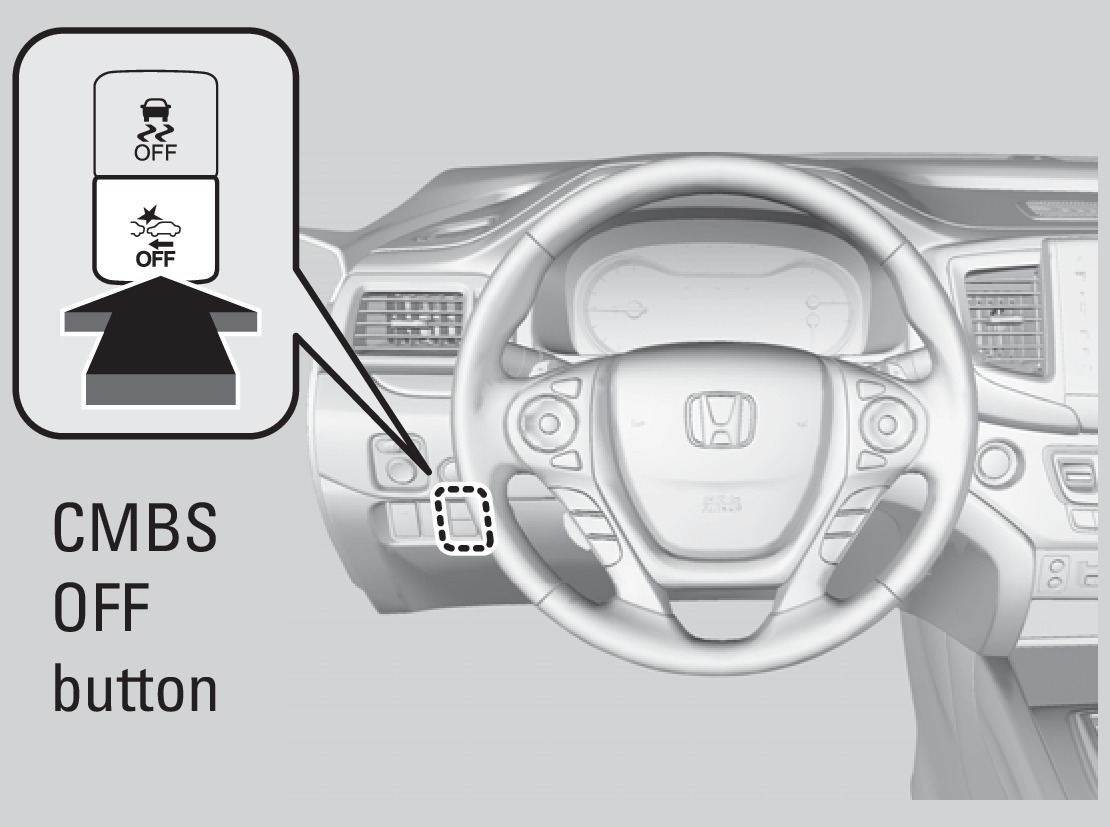
Press and hold the CMBS OFF button. A beep sounds and a message appears in the MID. The CMBS indicator appears when the system is off.
Important Safety Reminder
CMBS is designed to reduce the severity of an unavoidable collision. It does not prevent collisions nor stop the vehicle automatically. It is still your responsibility to operate the brake pedal and steering wheel appropriately according to the driving conditions.
- Braking
Download Manual