Setting the
Clock
Adjust the time using the steps described below. On vehicles with navigation, the time is automatically set using GPS signals.
Models with Color Audio
Use the selector knob to make and enter selections.
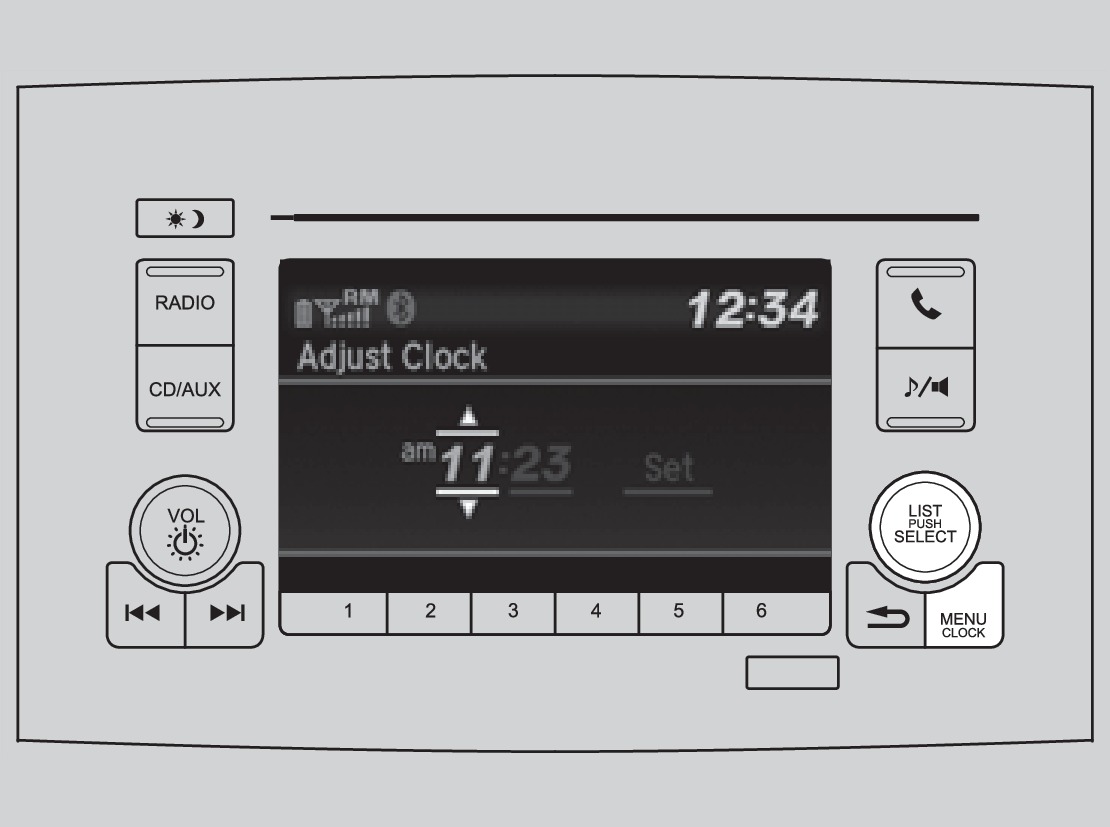
- Press and hold the MENU/CLOCK button.
- Select Adjust Clock.
- Select the hour and adjust as necessary.
- Select the minutes and adjust as necessary.
- Select Set when complete.
- Select Back button to exit the menu.
Models with Display Audio
Select items on the touchscreen to make selections.
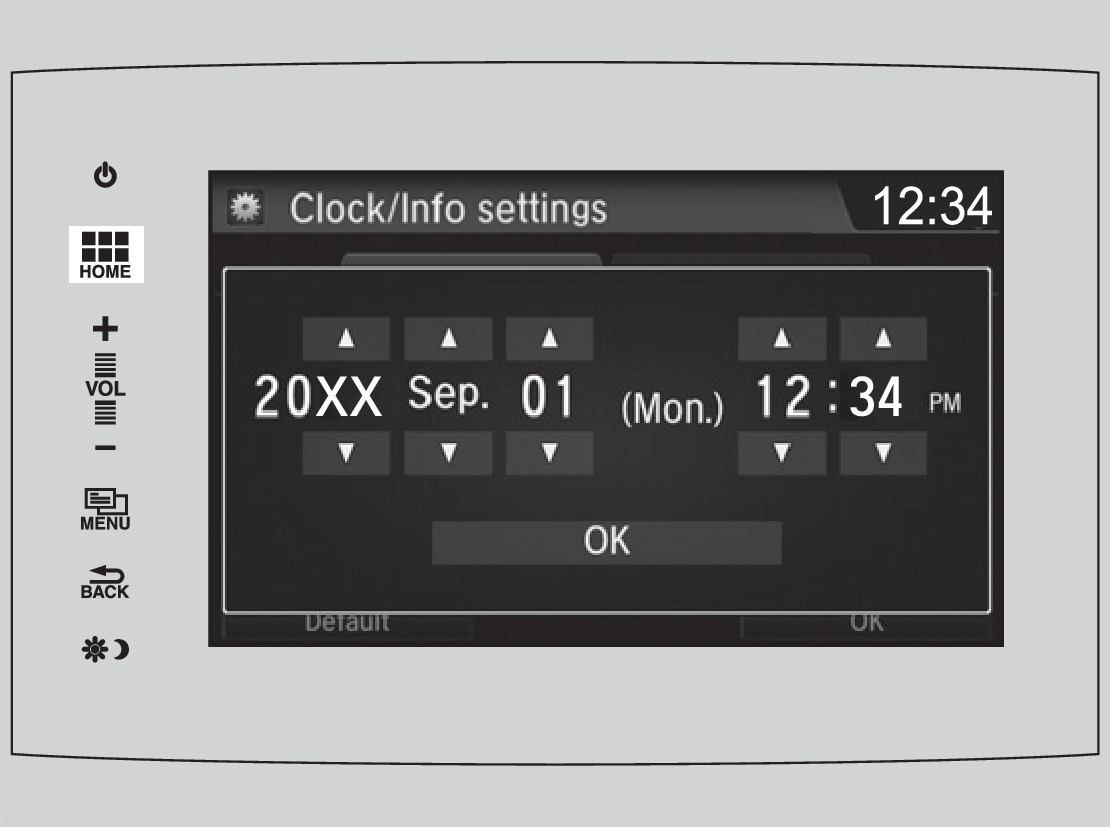
- From the HOME screen, select Settings.
- Select Clock/Info.
- Select Clock Adjustment.
- Adjust the hour and minute values.
- Select OK when complete.
Download Manual