Climate Control
System*
The automatic climate control system can maintain your preferred interior temperature by selecting the proper mix of heated or cooled air and fan speed. Use the buttons on the dashboard to control both front and rear operation.
Climate control is turned off during auto idle stop* operation (see "Auto Idle Stop").
Front Operation
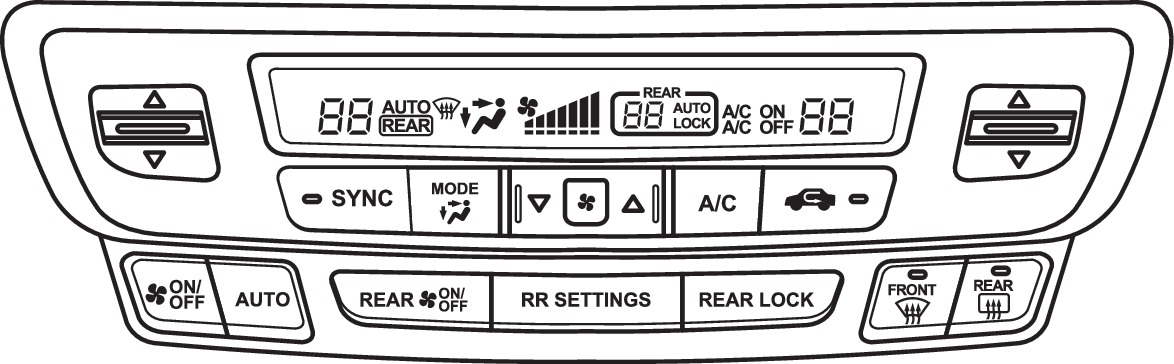
SYNC button: Set the passenger's side and rear temperature to the same as the driver's side.
Driver's side temperature control switch
ON/OFF button
AUTO button: Press, then use the temperature control switch to set your preferred temperature.
MODE button: Change airflow location.
Fan control buttons
A/C button
Windshield defroster button
Rear defogger/heated door mirrors button*
Passenger's side temperature control switch
Recirculation button: Recirculation mode (indicator on): Recirculates air from the vehicle's interior.
Fresh Air mode (indicator off): Maintains outside ventilation.
Rear Operation
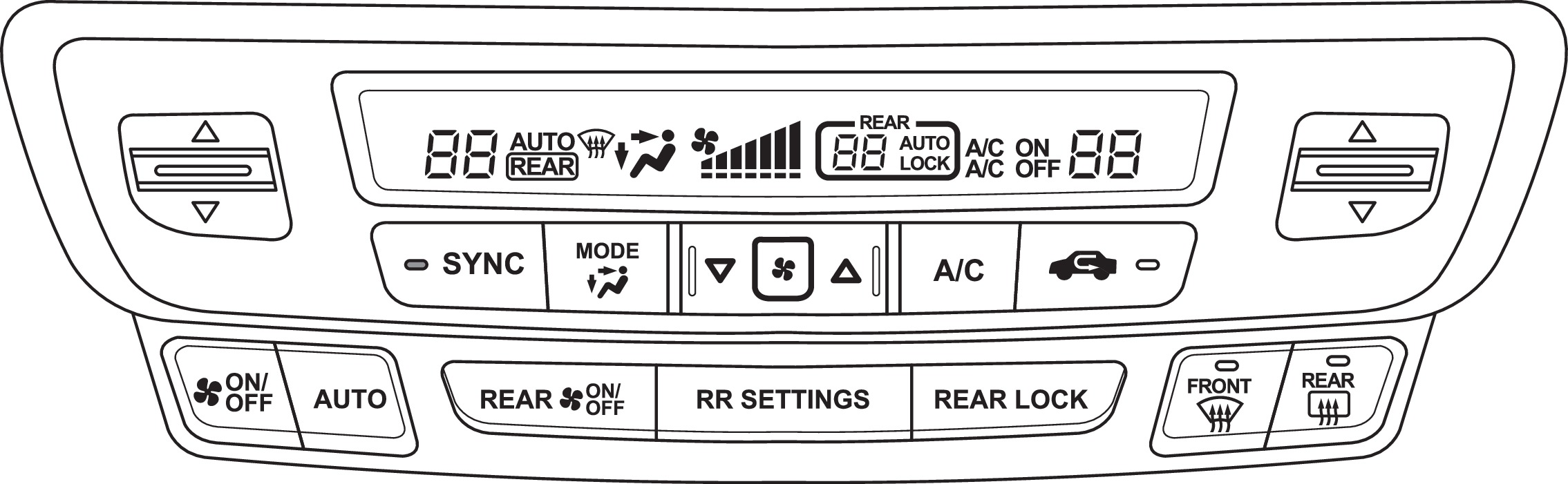
REAR ON/OFF button
RR SETTINGS button: Adjust rear temperature.
REAR LOCK button: Disable rear control.
You can also operate the rear climate control using the rear controls located on the back of the center console. Make sure the REAR LOCK button is not on in the front.
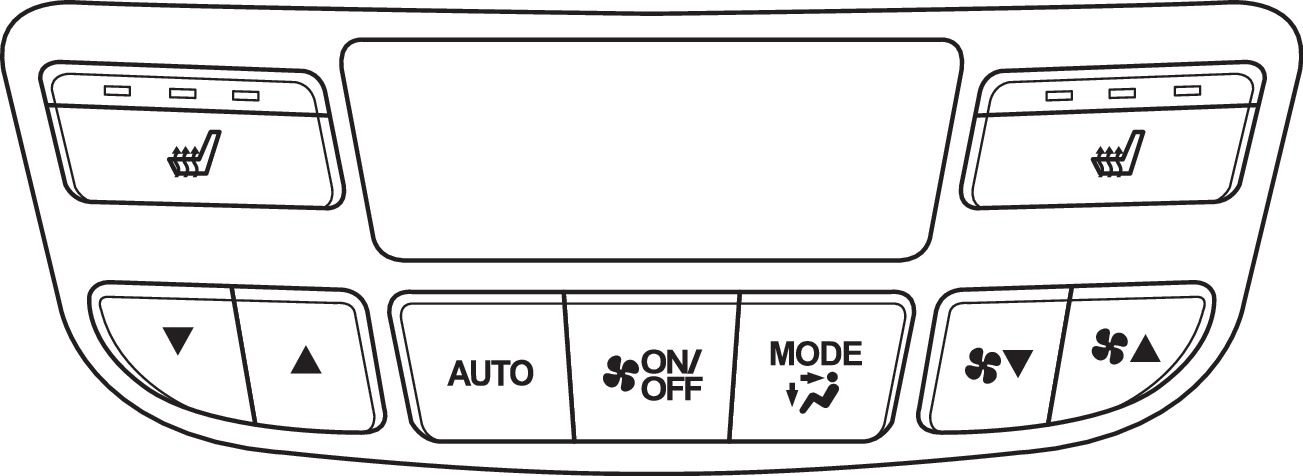
Temperature control buttons
AUTO button
ON/OFF button
MODE button
Fan control buttons
*if equipped
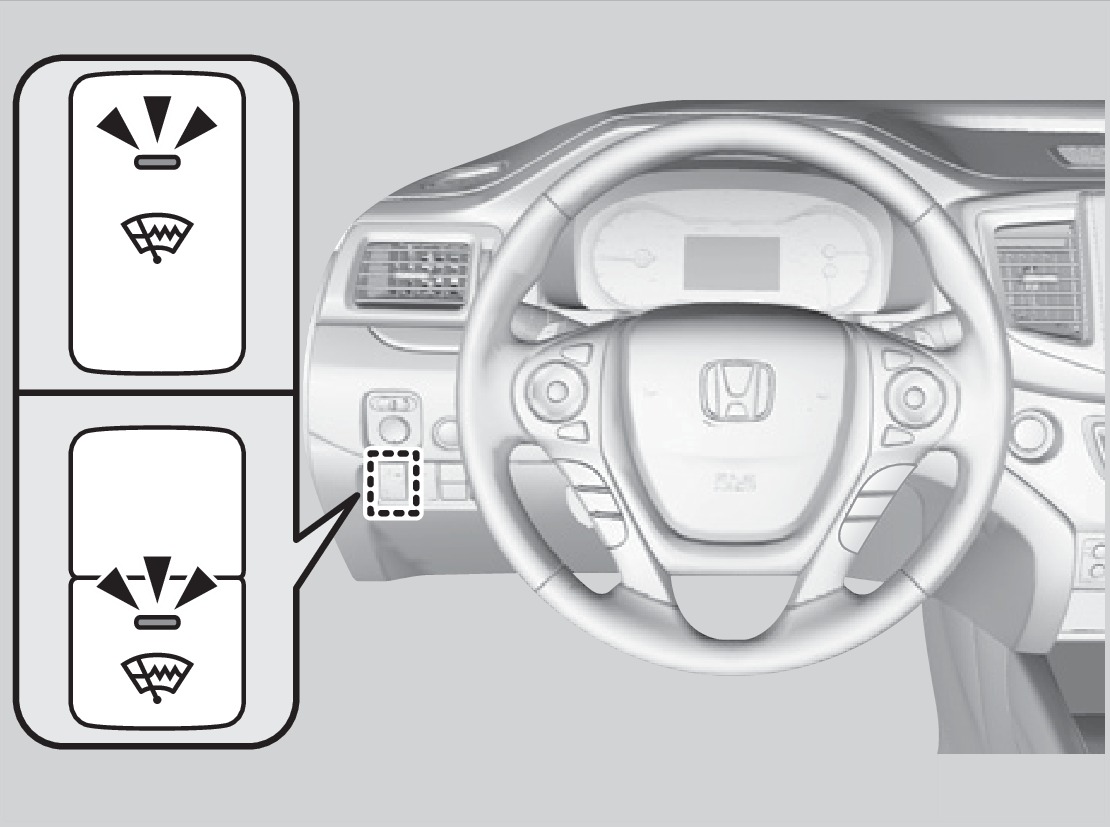
Heated Windshield Button
Canadian models
Press the heated windshield button to deice the windshield when the vehicle is on.
If the outside temperature goes below 4°C, the heated windshield automatically activates for 15 minutes.
Heated Steering Wheel*
Press the button to heat the steering wheel when the vehicle is on. Press the button again to turn off heating.
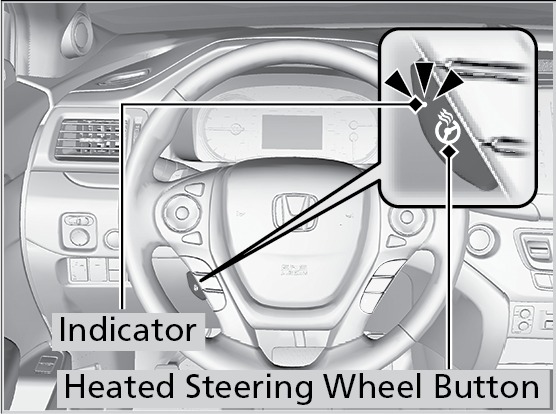
*if equipped
Download Manual