Changing Wiper
Blades
If the wiper blades leave streaks across the windshield, try cleaning them first with a paper towel or soft cloth and wiper fluid. If the wiper blade rubber has deteriorated, you should change the wiper blades.
Changing the Front Wiper Blade Rubber
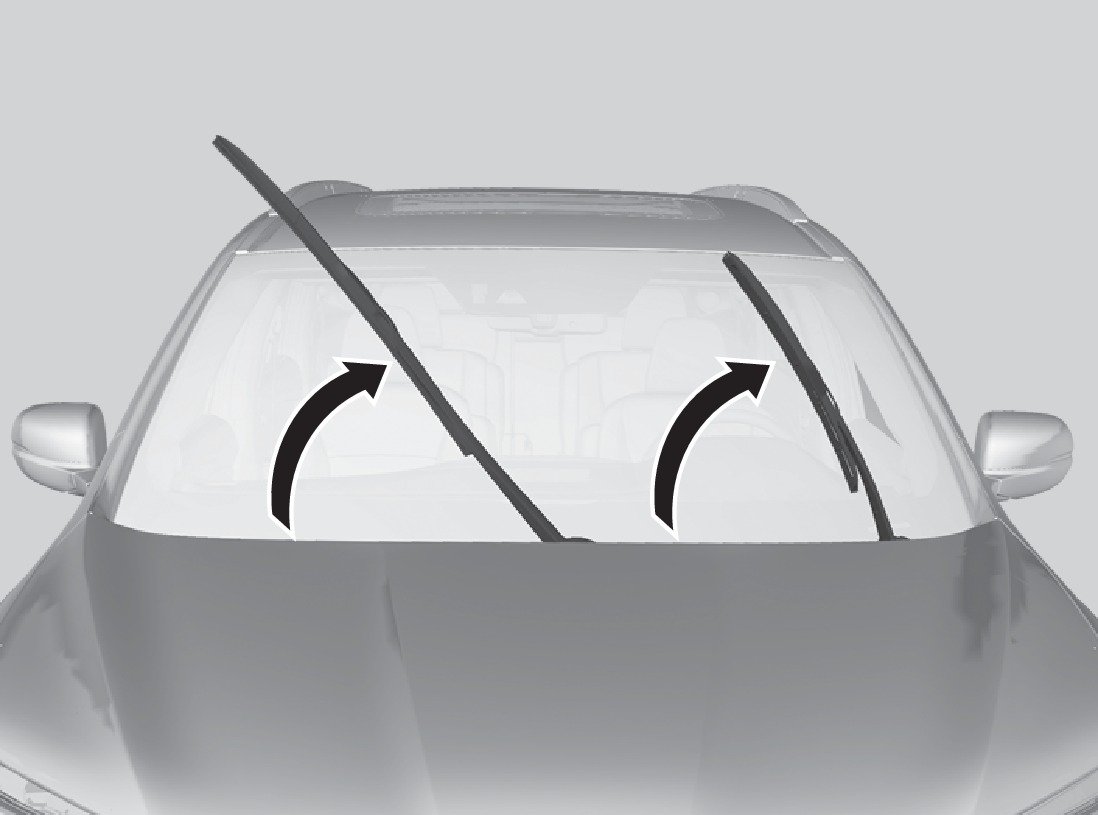
- Lift the driver side wiper arm first, then the passenger side.
- Place a cloth on the edge of the lock tab. Push the lock tab up with a flat-tip screwdriver.
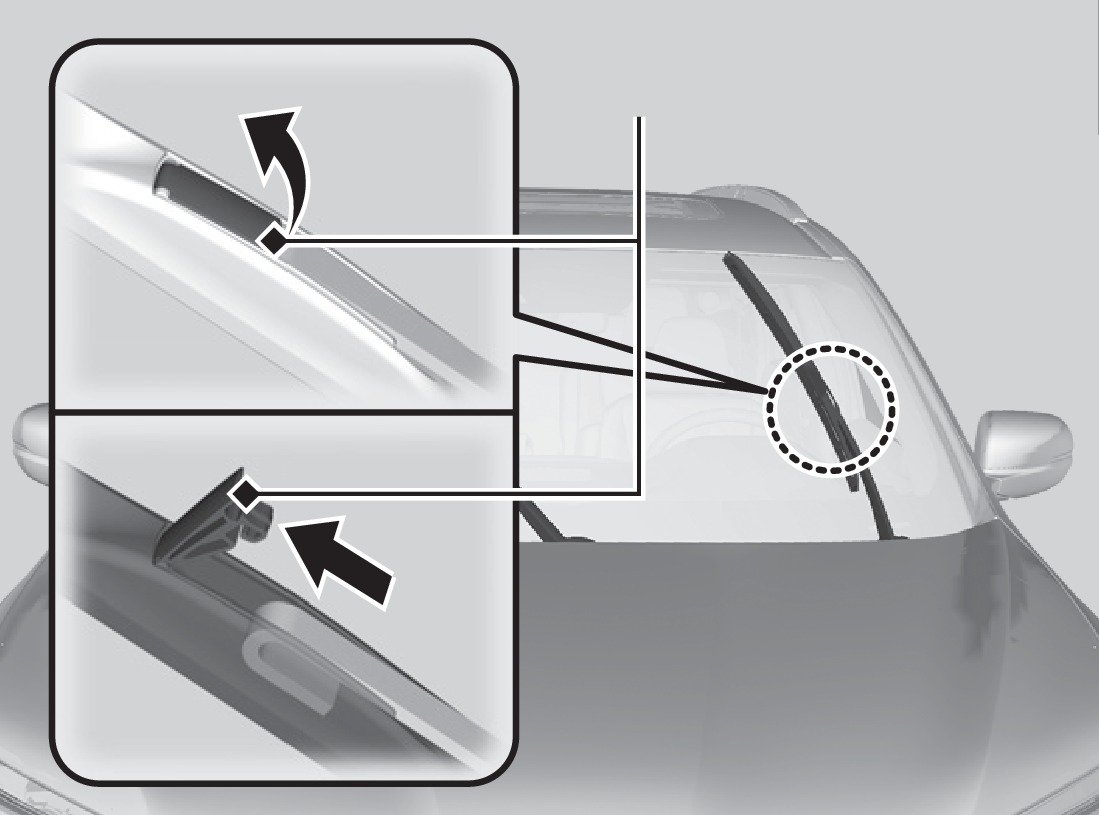
Lock tab
- Slide the holder from the wiper arm.
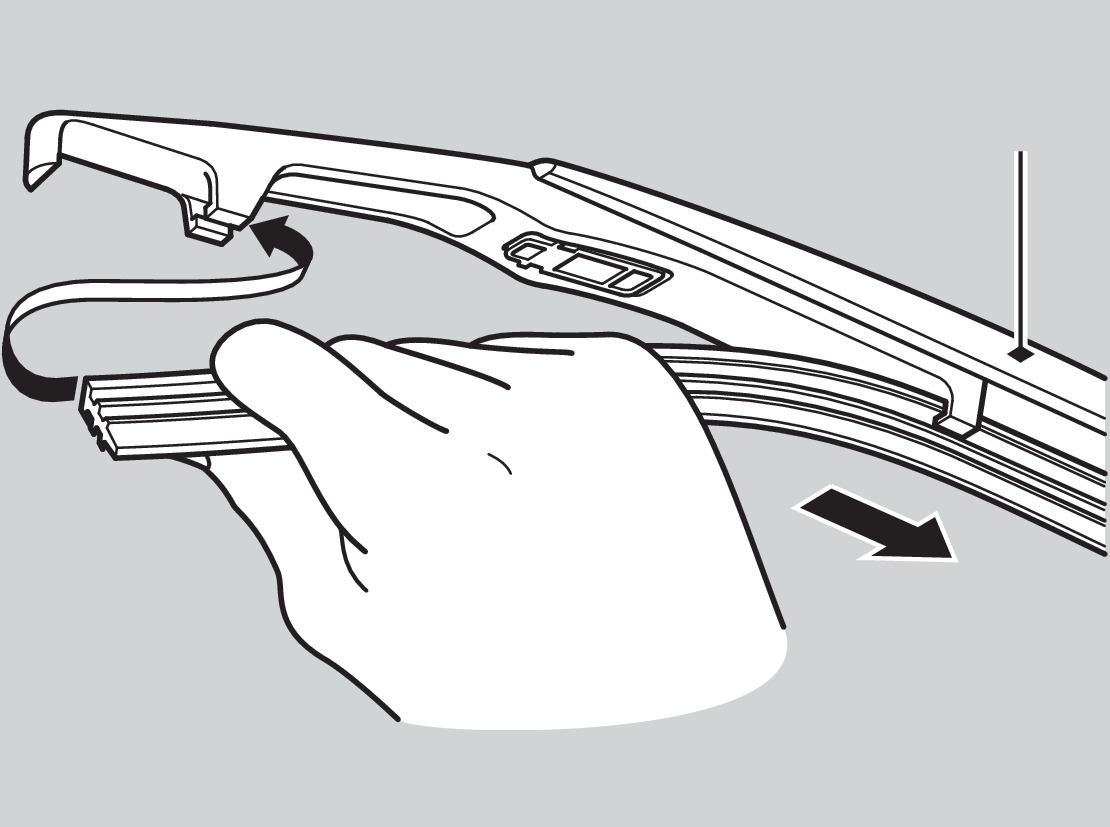
- Slide the wiper blade out from its holder by pulling the tabbed end out.
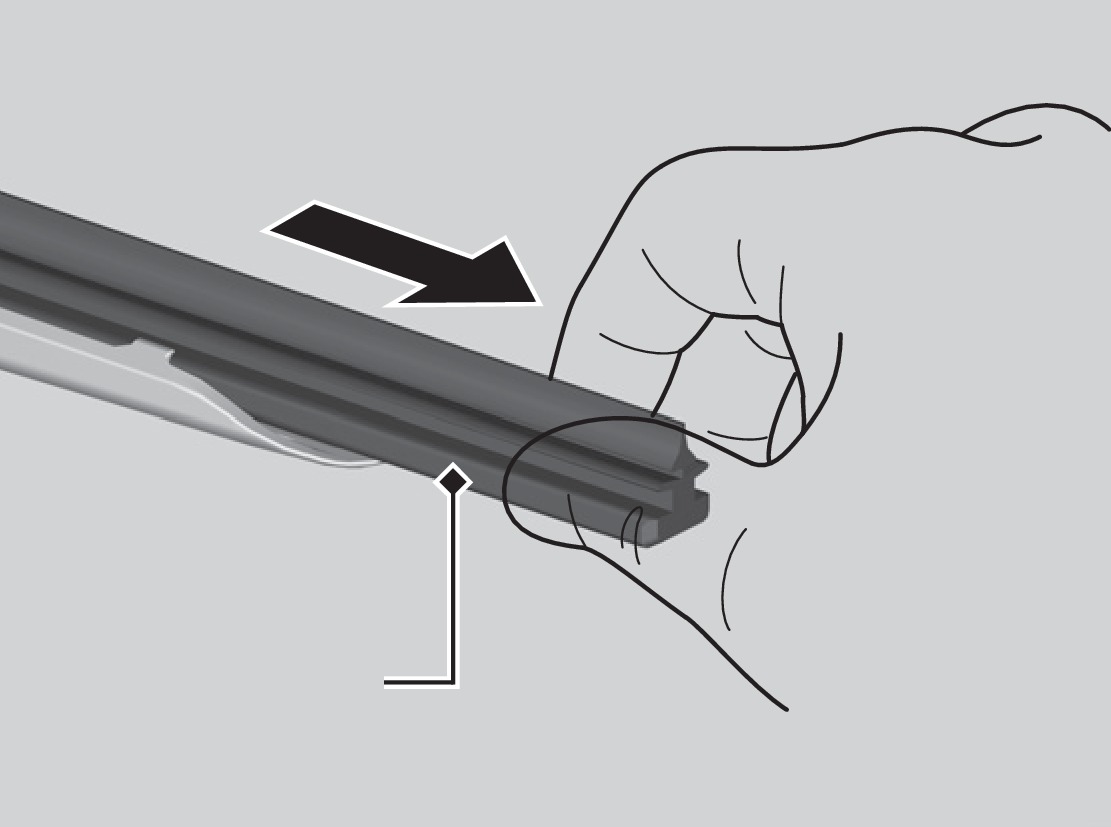
Blade
- Remove the retainers from the rubber blade that has been removed, and mount to a new rubber blade. Correctly align the rubber protrusion and the retainer grooves.
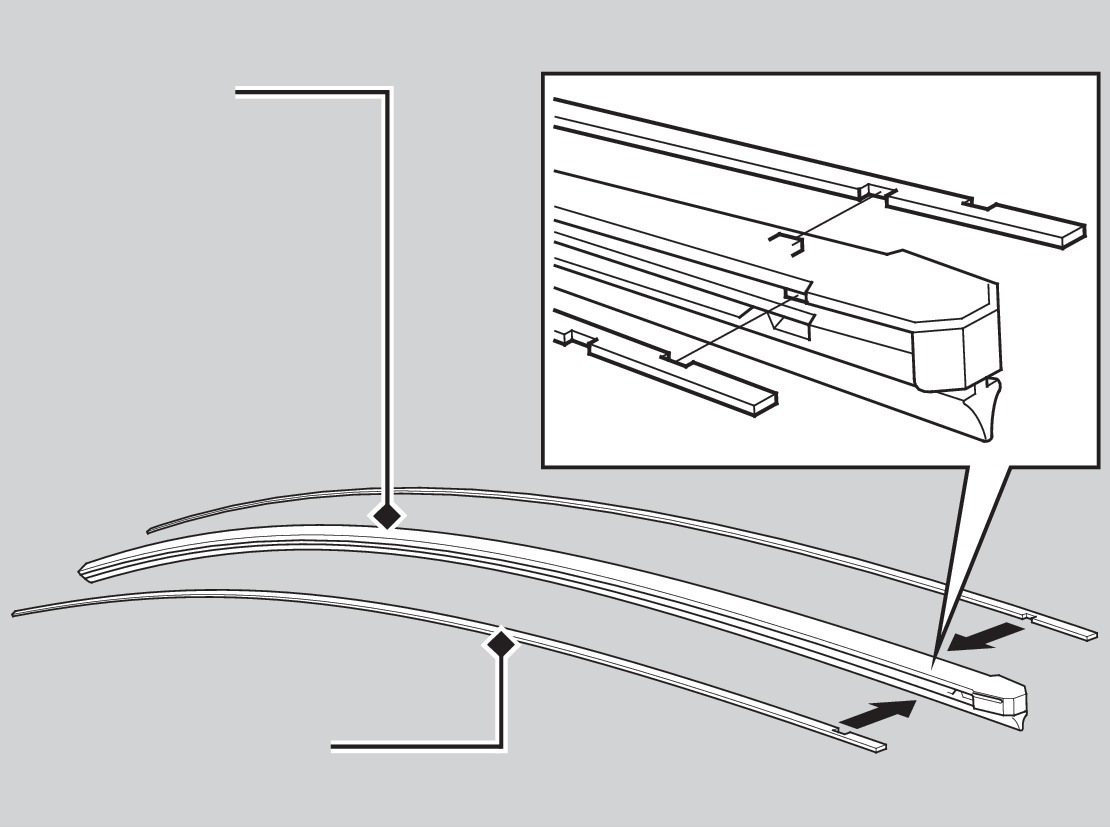
Blade
Retainer
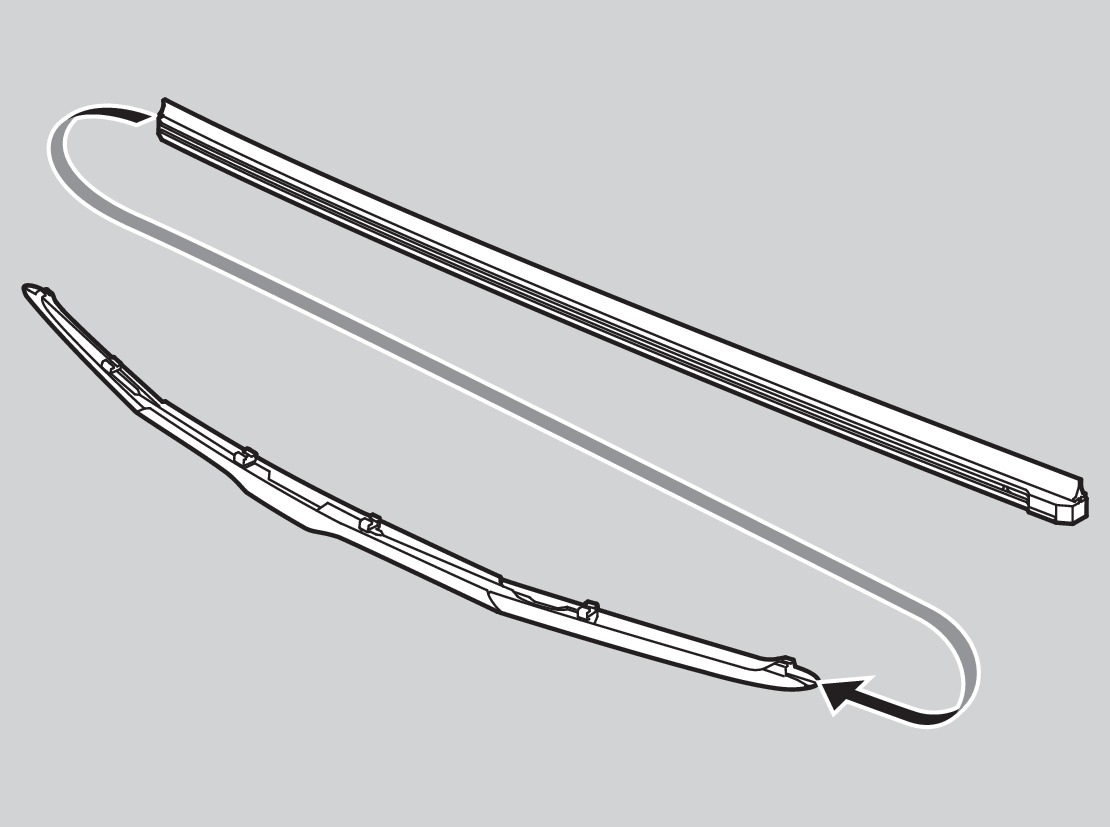
- Slide the new wiper blade onto the holder from the bottom end. The tab on the holder should fit in the indent of the wiper blade.
- Slide the wiper blade onto the wiper arm, then push down the lock tab.
- Lower the passenger side wiper arm first, then the driver side.
NOTICE
Avoid dropping the wiper arm, as it may damage the windshield. Do not open the hood while the wiper arms are raised, as it may damage them.
Changing the Rear Wiper Blade Rubber
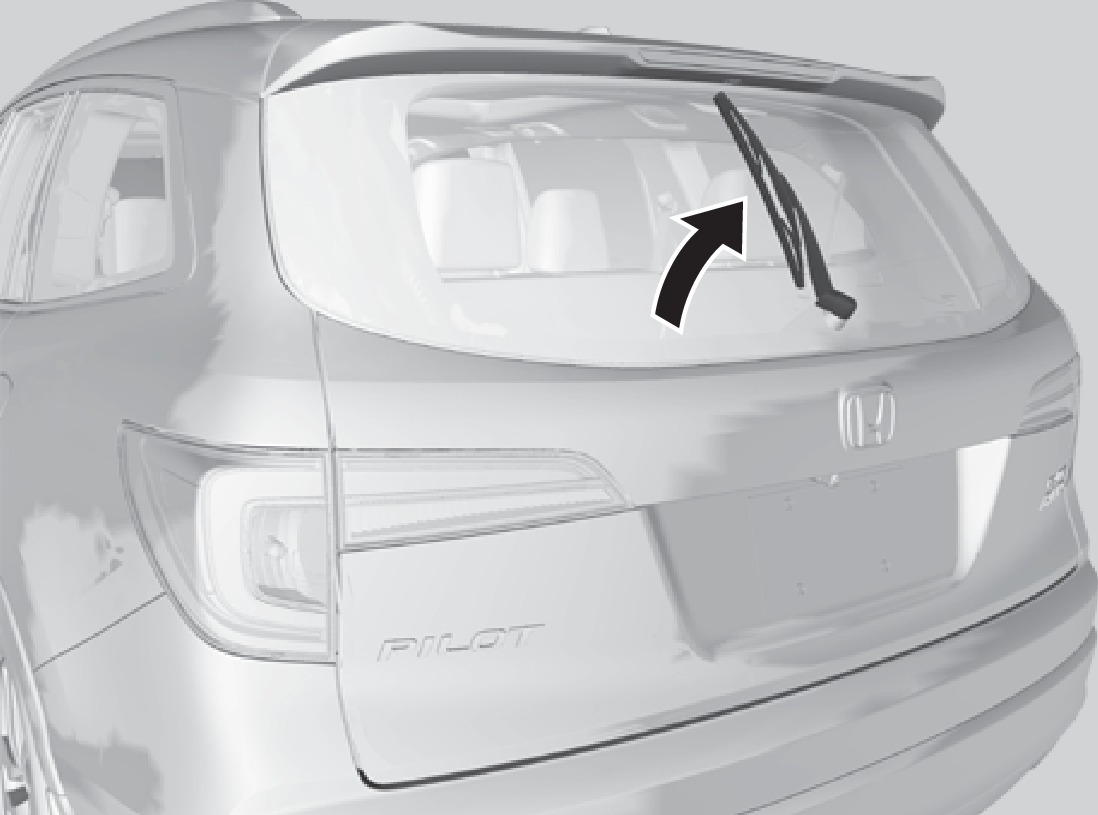
- Raise the wiper arm off the glass.
- Slide the wiper blade out from the end with the indent.
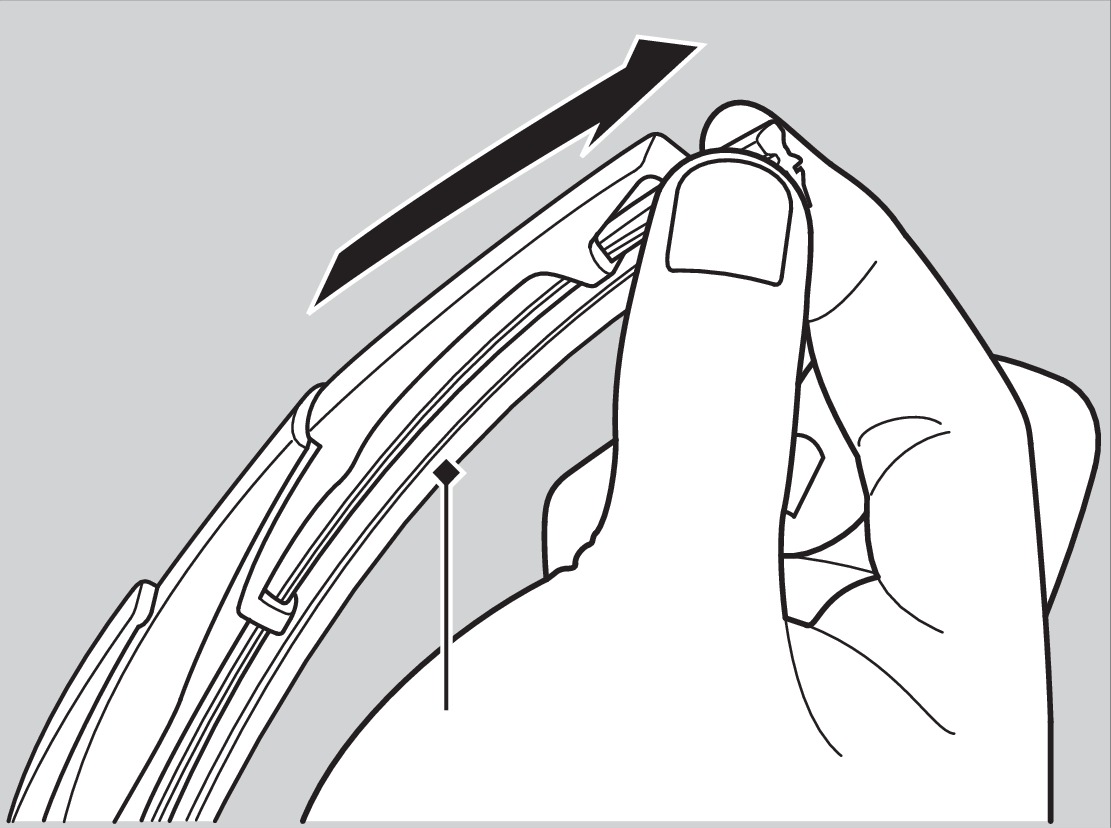
Blade
- Remove the retainers from the wiper blade, and mount to a new rubber blade.
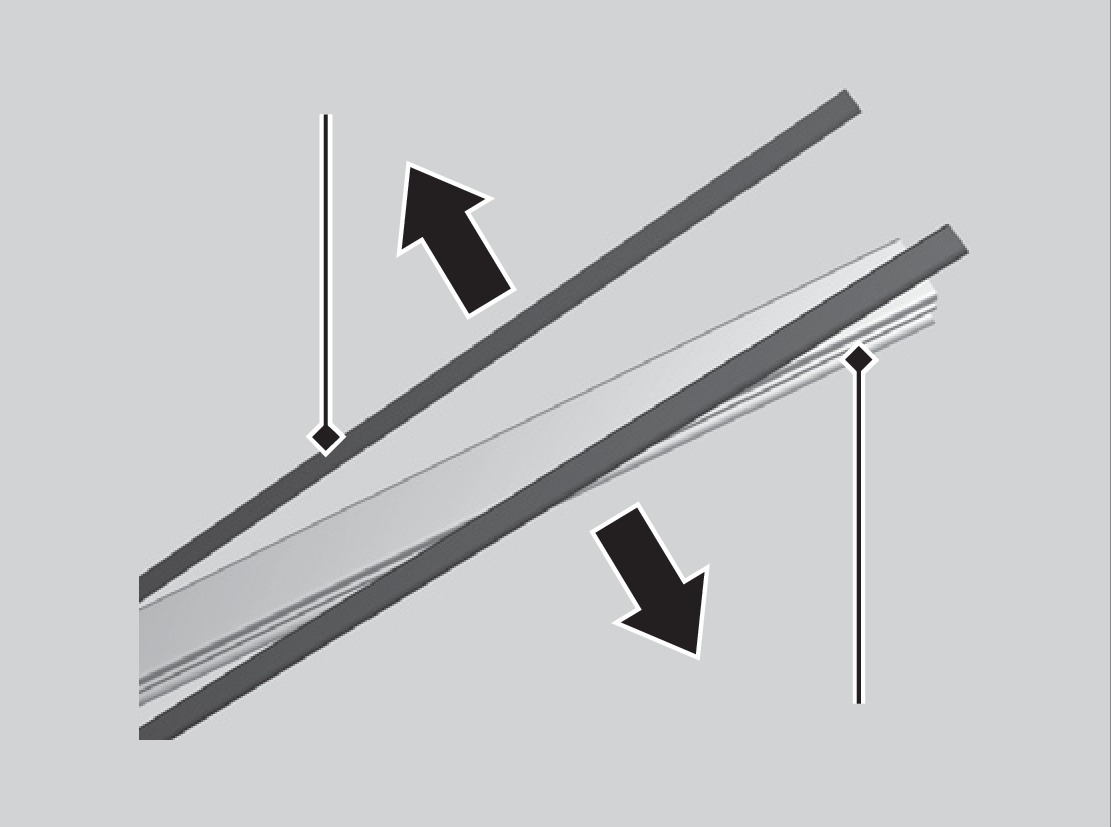
Retainer
Rubber
- Slide the new wiper blade onto the holder. Make sure it is engaged correctly, then install the wiper blade assembly onto the wiper arm.
Holder
Download Manual