Making a Call
You can make calls by inputting any phone number, or by using the imported phonebook, call history, speed dial entries, or redial.
- Dialing a Number
- Using the Phonebook
- Storing Speed Dial Entries
- Using Speed Dial
Parent topic: Bluetooth® HandsFreeLink ® (HFL)
■Dialing a Number
Models with Display Audio
Enter a 10-digit phone number to call.
- From the Home screen, select Phone.
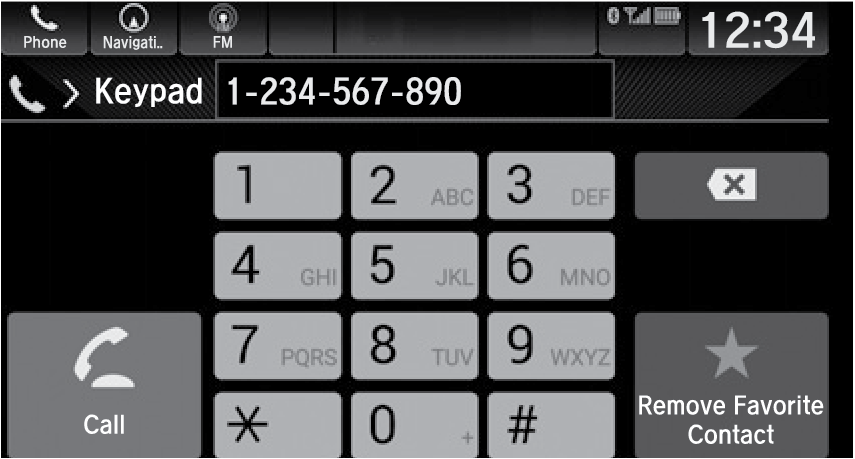
- Select Keypad.
- Enter the phone number.
- Select Call.
Parent topic: Making a Call
■Using the Phonebook
When your phone is paired, its phonebook is automatically imported to the system.
This method is inoperable while the vehicle is moving.
Models with Display Audio
- From the Home screen, select Phone.
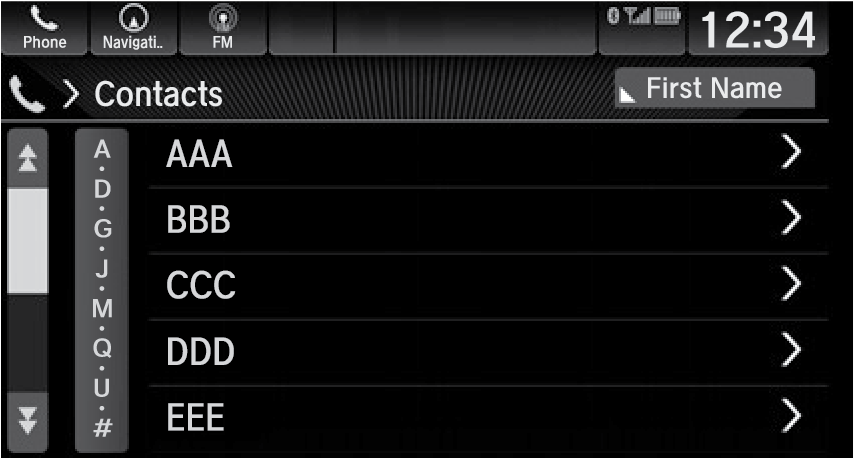
- Select Contacts.
- Scroll through the list to find the name.
- Select a number.
Parent topic: Making a Call
■Storing Speed Dial Entries
Store up to 20 numbers for quick dialing. To store a speed dial number:
Models with Display Audio
- Go to the phone menu screen.
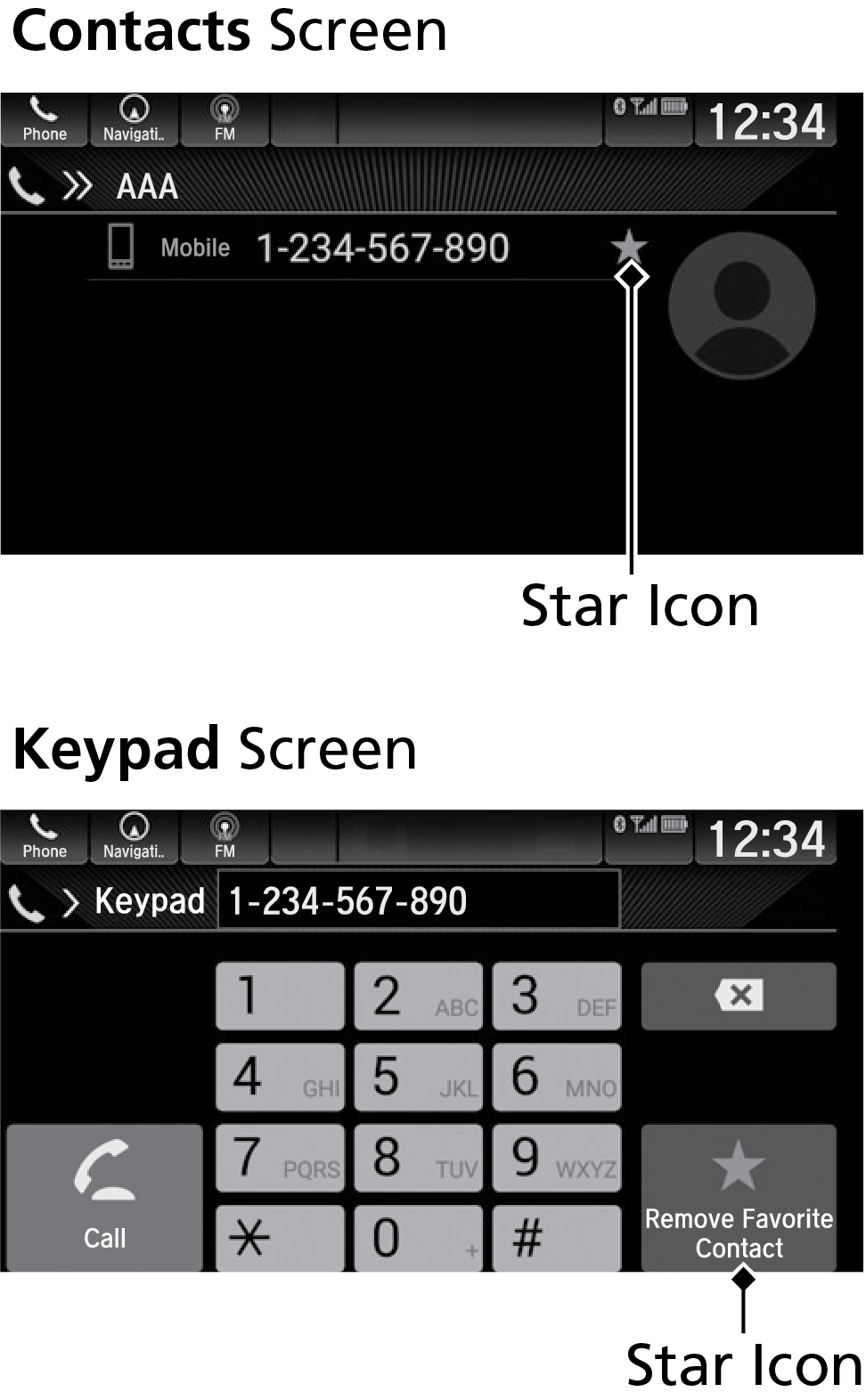
- Select the Recent Calls, Contacts, or Keypad screen.
- Select the star icon.
A notification appears on the screen if the speed dial is successfully stored.
To remove the speed dial, select the star icon again.
Parent topic: Making a Call
■Using Speed Dial
Models with Display Audio
- Go to the phone menu screen.
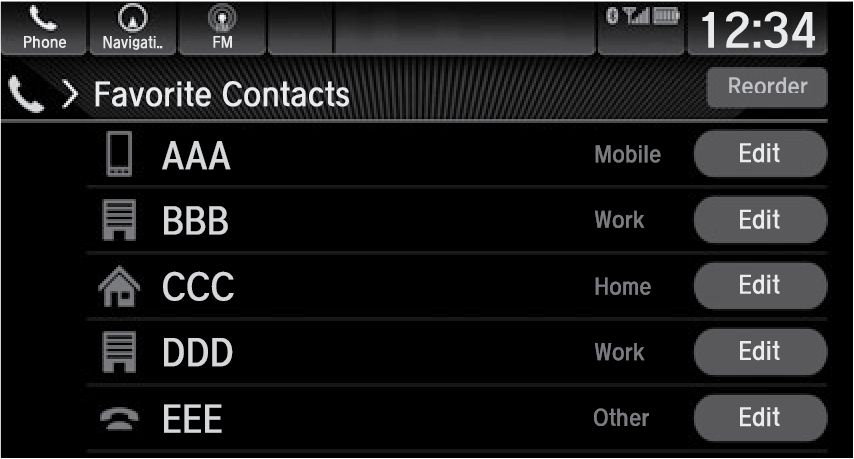
- Select Favorite Contacts.
You can change the order of speed dial entries by selecting Reorder.
- Select a number.
Parent topic: Making a Call
Download Manual