Basic Audio Operation
Connect audio devices and operate buttons and displays for the audio system.
- USB Port
- Accessory Power Socket
- Audio Remote Controls
- Adjusting the Sound
Parent topic: Audio and Connectivity
■ USB Port
Connect a USB flash drive or other audio device, such as an iPod® or iPhone®*14. Install the flash drive or cable connector to the USB port.
Models with Color Audio
The right-side port (1.0A) is for playing audio, connecting a phone, and device charging.

The left-side port (2.5A) is for device charging only.
Models with Display Audio
The USB port (2.5A) on the right side is for charging devices, playing audio files and connecting compatible phones with Apple CarPlay™ or Android Auto™.

The USB port (2.5A) on the left side is only for charging devices.
Parent topic: Basic Audio Operation
■Accessory Power Socket
Open the socket cover to use power when the vehicle is on.
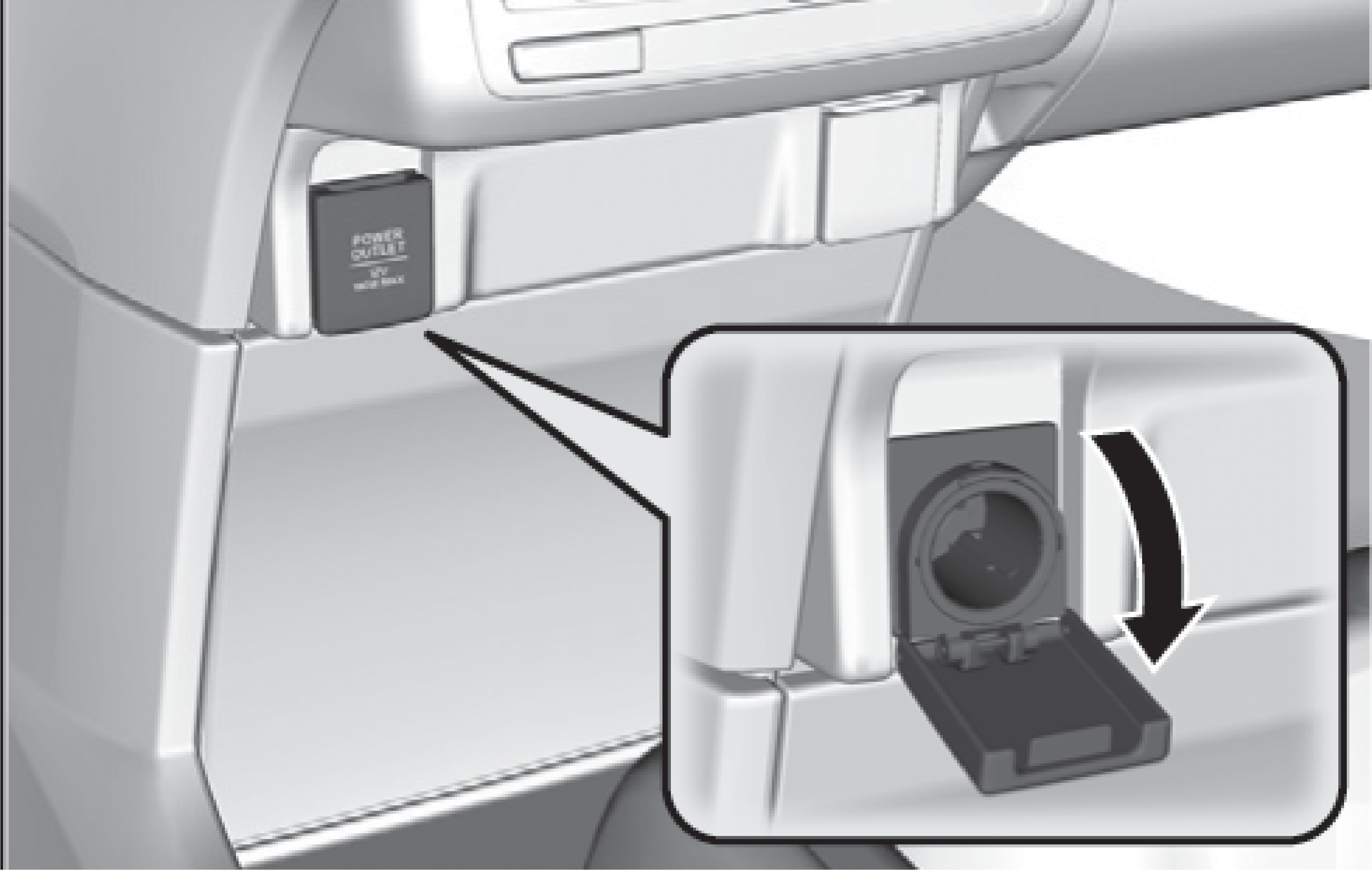
Power sockets are located in the front console and the driver’s side rear cargo area and the third-row seat*1.
Notice
Do not insert an automotive type cigarette lighter element. This can overheat the power socket.
Parent topic: Basic Audio Operation
■Audio Remote Controls
You can operate certain functions of the audio system using the steering wheel controls.
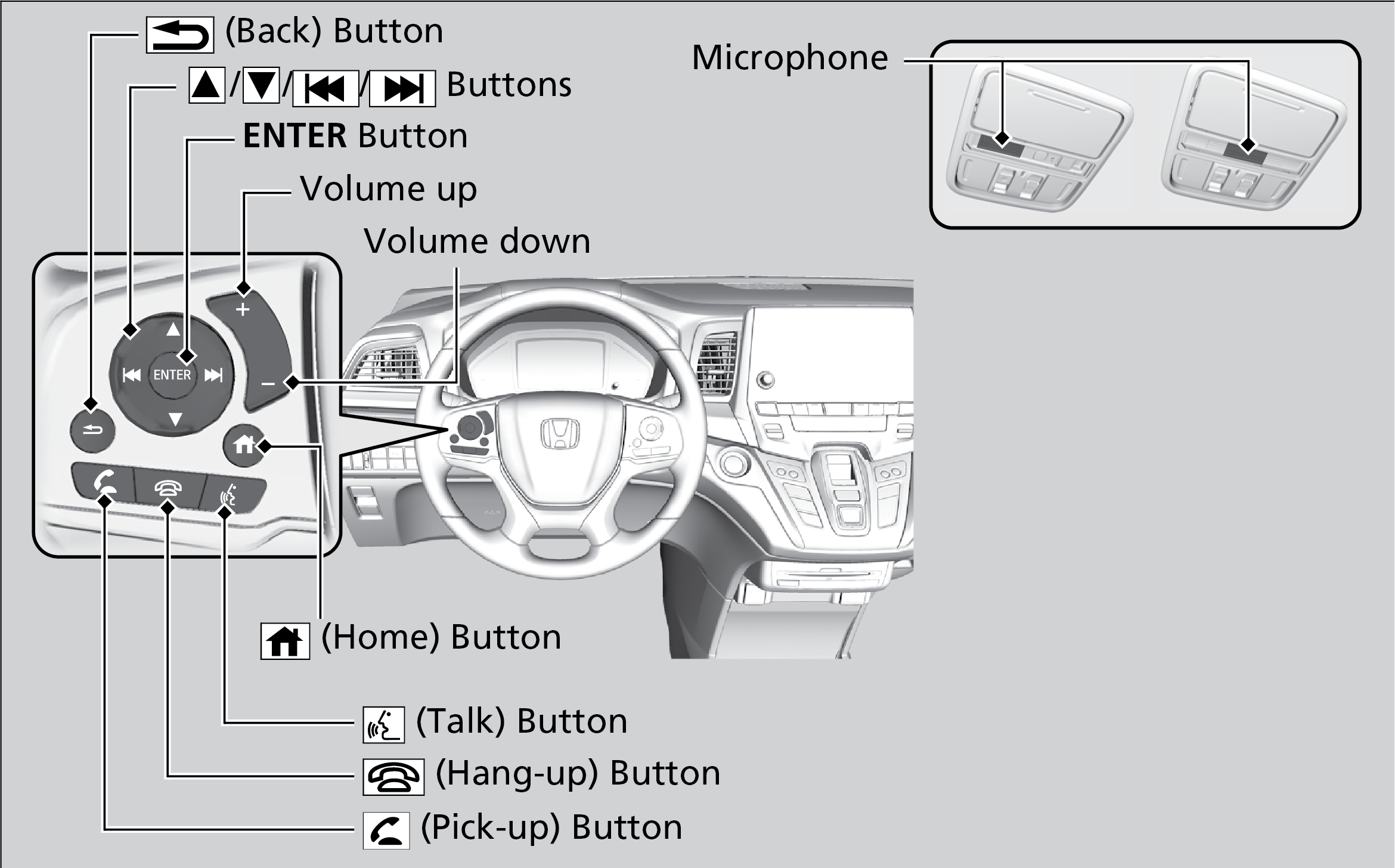
Parent topic: Basic Audio Operation
■Adjusting the Sound
Adjust various sound settings.
Models with Color Audio
Use the selector knob to make and enter selections.
- Press the Sound button.
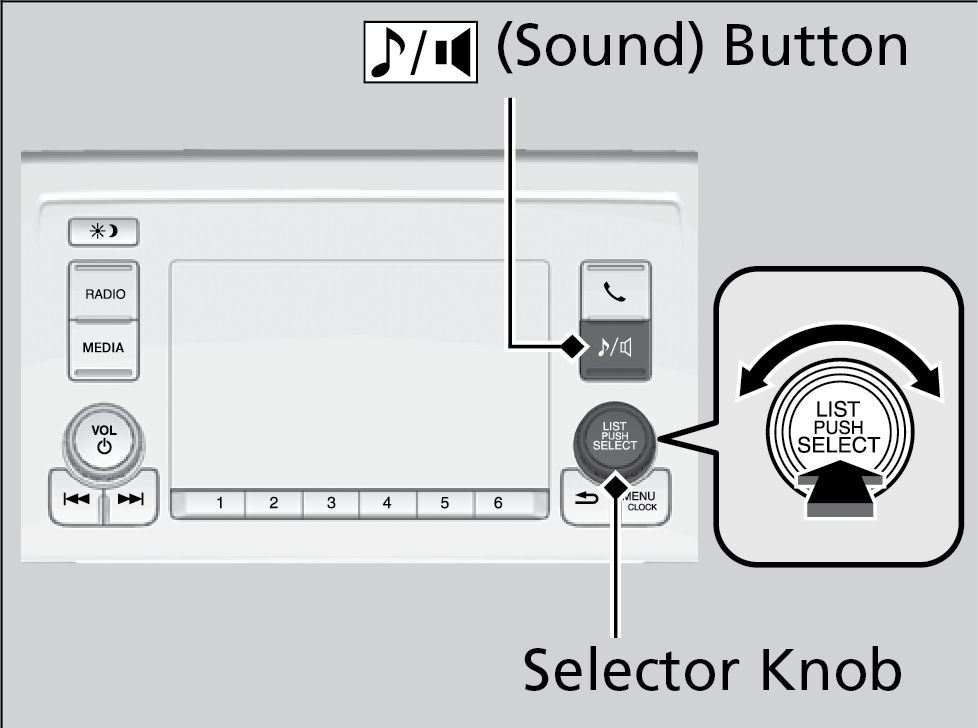
- Select a sound mode to change, and adjust it using the selector knob.
- Press the Back button to exit the menu.
Models with Display Audio
Touch items on the screen to make and enter selections.
- From the HOME screen, select an audio source.
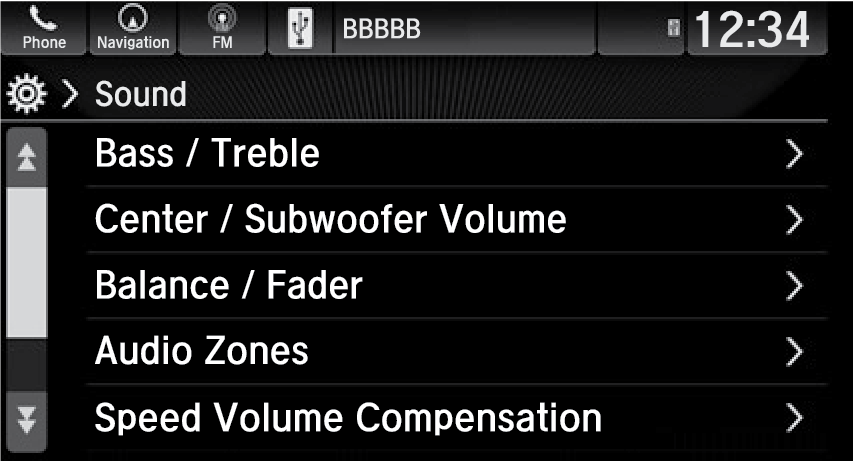
- Select Sound.
- Select an item to change and adjust the setting.
Parent topic: Basic Audio Operation
Download Manual