iPod®
Play and operate an iPod®*14 through the vehicle’s audio system. Connect your device to the USB port (see USB Port).
Models with Color Audio
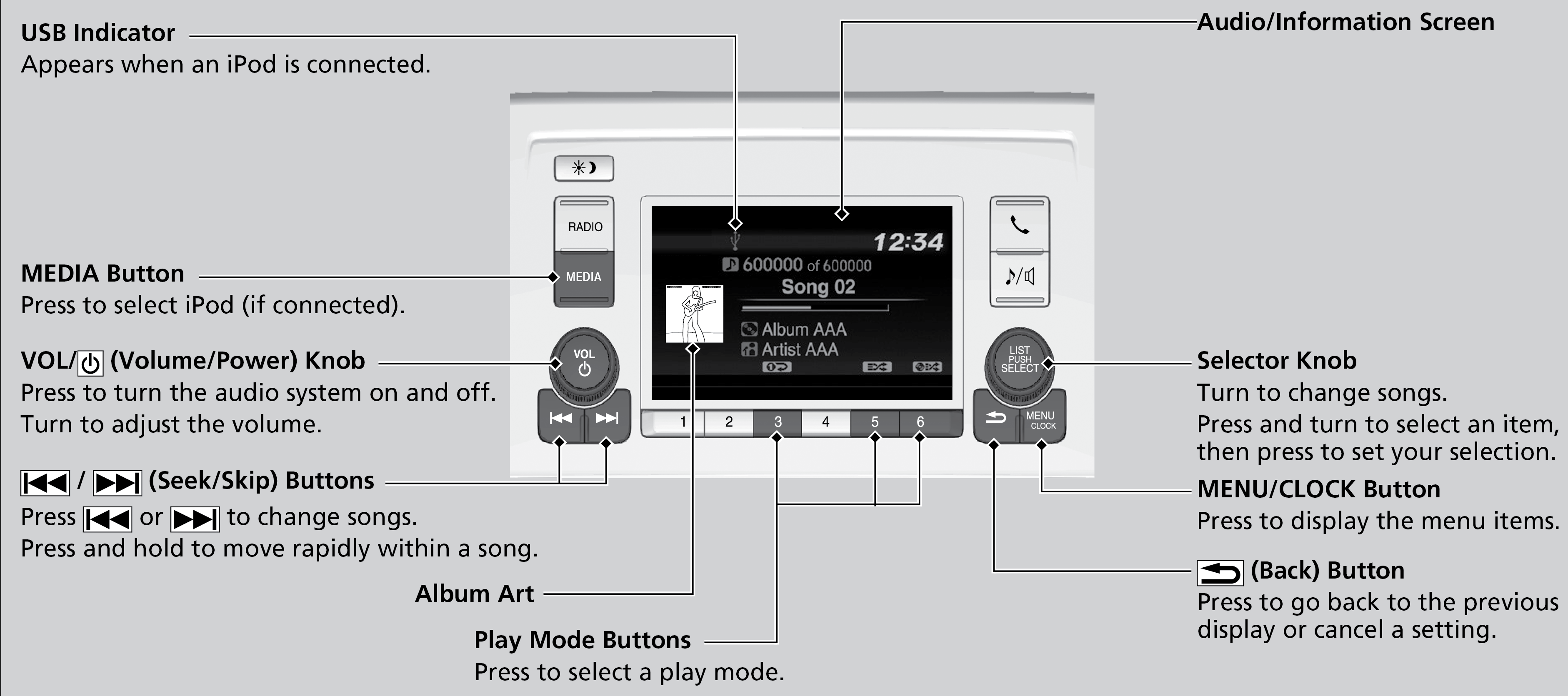
Models with Display Audio
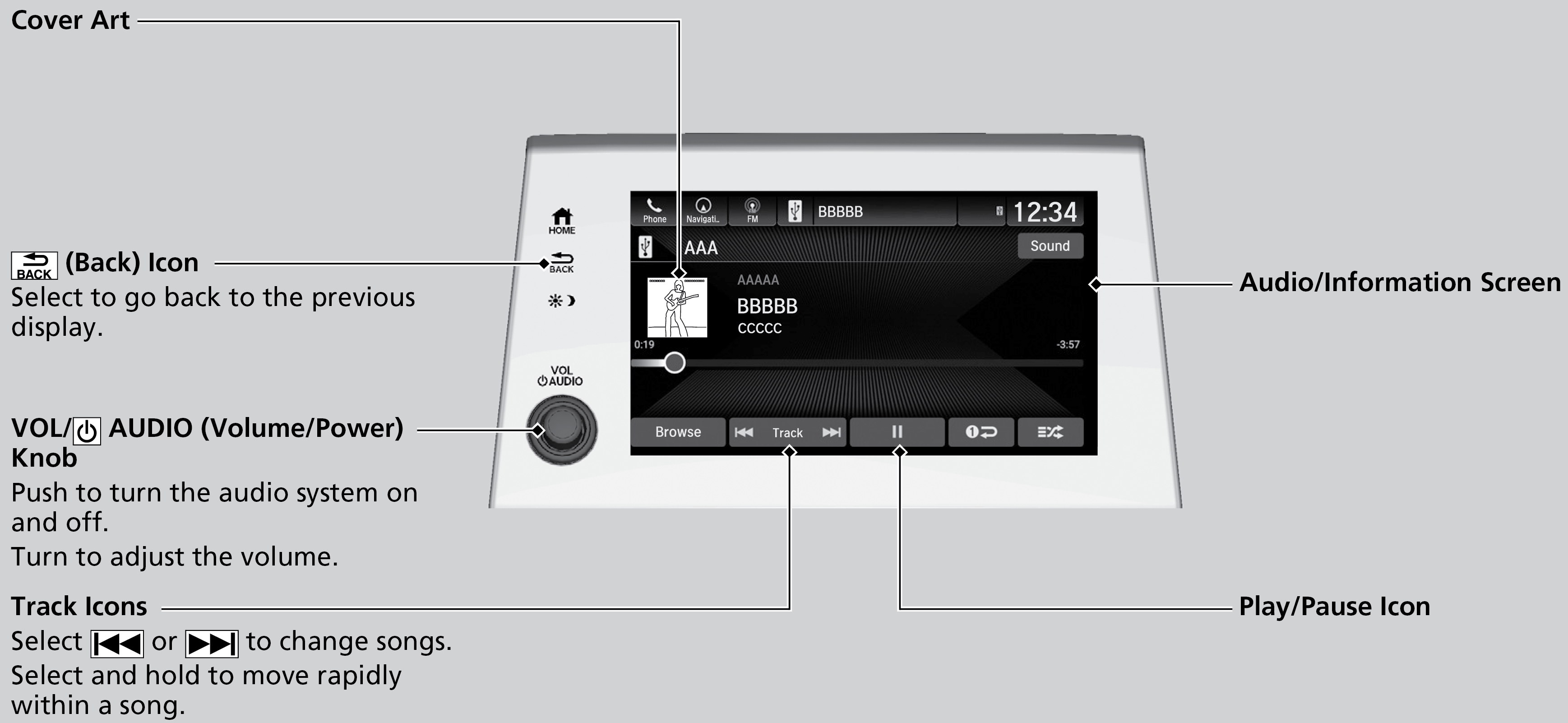
- Searching for Music
Parent topic: Audio and Connectivity
■Searching for Music
Models with Color Audio
Use the selector knob to search for tracks stored on the iPod.
- Press the selector knob to display the
iPod® music list.
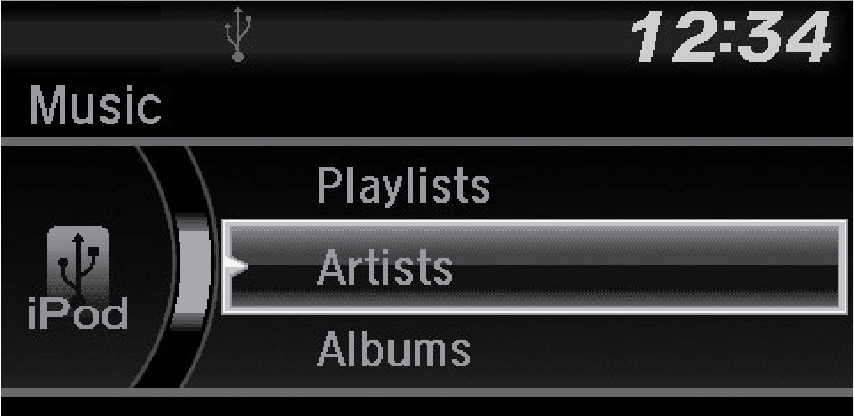
- Rotate the selector knob to select a category.
- Press the selector knob to display a list of items in the category.
- Rotate the selector knob to select an item, then press the selector knob.
- Press the selector knob and rotate it repeatedly until a desired item you want to listen to is displayed.
Models with Display Audio
Use the touchscreen to search for tracks stored on the iPod.
- Select Browse.
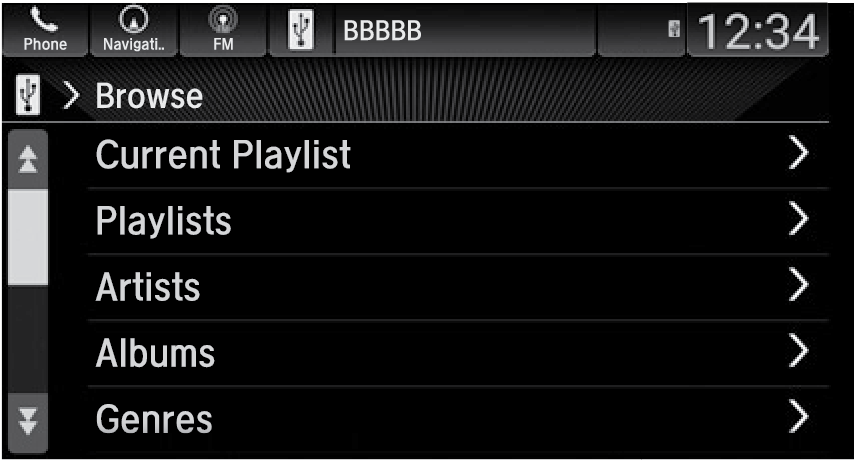
- Select the items on that menu.
Parent topic: iPod®
Download Manual