Electronic parking brake
Using the electronic parking brake
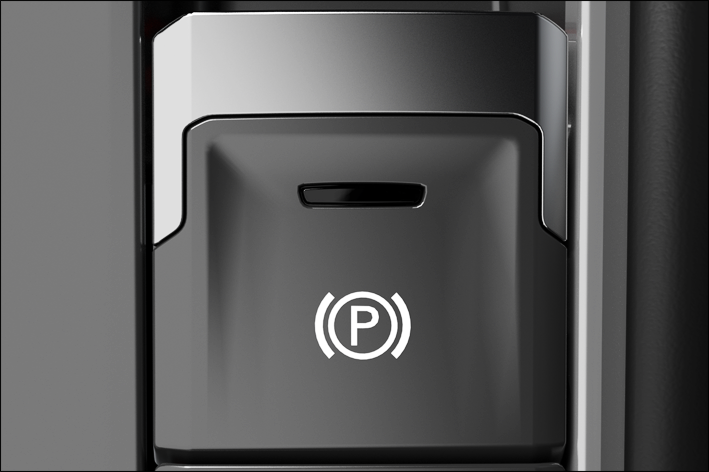
Fig. 141 In the center console: button for the electronic parking brake.
Switching on
-
When the vehicle is stationary, pull and hold the button for the electronic parking brake fig. 141
 .
.The yellow indicator light in the
button turns on.
 If the electronic parking brake is switched on, the red indicator light comes on in the instrument cluster.
Switching off
-
Switch the ignition on.
-
Press the brake pedal and press the
button.Or: when the engine is running, press the accelerator pedal lightly without pressing the brake pedal.
The indicator light in the
button and the red  indicator light in the instrument cluster will turn off.
Automatic switch-on if you leave the vehicle incorrectly
In vehicles with an automatic transmission or DSG® automated transmission, if the system detects that the vehicle was exited incorrectly, it can switch on the electronic parking brake automatically ⇒  .
.
 WARNING
Exiting the vehicle incorrectly can result in the vehicle rolling. This can cause accidents, serious injuries, and property damage.
-
Always follow the specified steps in the correct order when parking the vehicle → page , Parking.
-
Before exiting the vehicle, make sure the electronic parking brake is activated and the red
indicator light in the instrument cluster display comes on after switching off the ignition.
Automatic switch-off when starting to drive
The parking brake releases automatically as you drive off if one of the following situations occurs when the driver's door is closed ⇒ :
-
Automatic transmission: A gear is engaged or changed.
Starting to drive on steep inclines or with increased vehicle weight
You can prevent the electronic parking brake from releasing automatically if you pull the switch upward and hold it up while starting to drive.
If more engine power is required when starting to drive, the electronic parking brake will release only after the switch is released.
This can make it easier to start driving when towing a heavy load.
Emergency braking function
Only use the emergency braking function in an emergency, if the vehicle cannot be stopped using the brake pedal ⇒ .
-
Pull and hold the
switch.The vehicle will brake abruptly. A warning chime will also sound at the same time.
WARNING
Using the electronic parking brake incorrectly can cause accidents and serious injuries.
-
Always use the brake pedal to brake the vehicle and never the electronic parking brake unless it is an emergency. The braking distance will be significantly longer because only the rear wheels will be braked under certain circumstances.
-
Do not press the accelerator pedal when the engine is running and a gear is engaged if the vehicle is to be brought to a standstill. The parking break may release and the vehicle could start to move.
Troubleshooting
The holding force is too low for the current situation
The red warning light flashes.
It is not possible to park the vehicle safely.
-
Park the vehicle in another location or on a flat surface.
 /
/ Electronic parking brake malfunction
The yellow central warning light comes on. The  symbol with a message is additionally shown in the instrument cluster display.
-
Contact an authorized Volkswagen dealer or authorized Volkswagen Service Facility. Volkswagen recommends contacting an authorized Volkswagen dealer or authorized Volkswagen Service Facility.
The electronic parking brake does not switch off
-
The requirements for switching off the electronic parking brake are not met ⇒ Using the electronic parking brake.
-
The 12 V vehicle battery is drained ⇒ Jump-starting.
The electronic parking brake is making noise
Noises can be heard when you switch the electronic parking brake on and off.
If the electronic parking brake has not been used for a long time, the system will perform occasional automatic checks when the vehicle is parked which can be audible.
Download Manual